
In this Article:
Try Kanbanchi now
Start your free trial

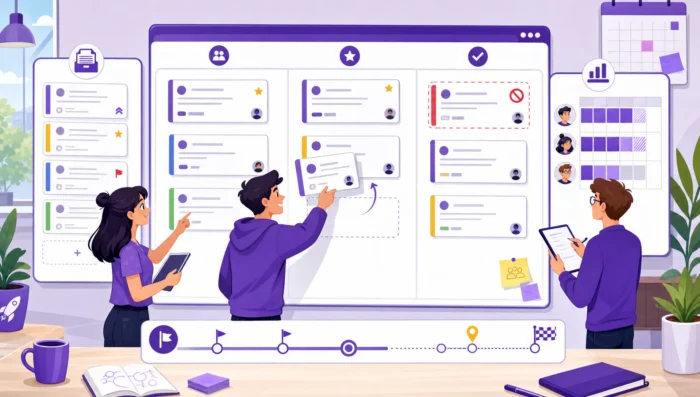
Sprints are meant to create focus. Backlogs are meant to protect that focus by keeping future work organized, prioritized, and ready. When either one breaks down, teams feel it quickly: sprint planning turns into negotiation, work spills over every cycle, priorities change midstream, and leaders lose visibility into what is actually moving.
Learning how to manage sprints is not only a Scrum team concern. Marketing teams, operations groups, IT departments, product teams, agencies, and cross-functional business units all use sprint-like cycles to turn scattered requests into predictable delivery. The goal is not to run ceremonies for their own sake. The goal is to create a repeatable system where the right work enters the sprint, the team can finish it, and the backlog stays useful instead of becoming a storage room for forgotten tasks.
A well-managed sprint has a clear goal, a realistic amount of committed work, visible ownership, and a practical way to handle blockers. A well-managed backlog is ordered, understandable, and regularly reviewed. The two must work together.
If the backlog is messy, sprint planning becomes guesswork. If the sprint is overloaded, the backlog becomes a list of broken promises. Effective management connects strategy, capacity, task execution, and review.
The product backlog and sprint backlog often get mixed together, especially in teams that are new to Agile. The distinction matters because each one answers a different question.
| Backlog type | Main question it answers | Typical contents | When it changes |
|---|---|---|---|
| Product backlog | What could we work on next? | Features, requests, bugs, improvements, ideas, risks | Continuously, as priorities evolve |
| Sprint backlog | What are we committed to this sprint? | Selected tasks, subtasks, owners, due dates, dependencies | Carefully, during the sprint, when the team agrees |
The Scrum Guide describes the Sprint as a fixed-length event of one month or less that creates consistency. Even if your team does not follow Scrum strictly, that idea is useful: a sprint should give the team a short planning horizon where priorities are stable enough to make progress.
Sprint and backlog management is working when three things happen consistently. First, the team understands why the sprint matters. Second, most planned work reaches a clear definition of done. Third, the backlog becomes more accurate after every review, not more chaotic.
You do not need a perfect process to get there. You need a process that is visible, repeatable, and honest about tradeoffs.
Sprint planning should not be the first time the team sees the work. The most effective sprint teams treat backlog preparation as an ongoing habit. By the time planning starts, the top items should already be clear enough to discuss, estimate, and sequence.
A backlog item should explain the value of the work, not just the activity. “Update onboarding emails” is vague. “Reduce support questions from new customers by updating the first three onboarding emails” gives the team context. That context helps with decisions when time is limited.
For business teams, a useful backlog item usually includes the desired outcome, the requester or stakeholder, the business priority, the expected effort, and any relevant due date or dependency. You can keep this lightweight, but do not skip it. Missing context is one of the biggest reasons teams pull the wrong work into a sprint.
| Backlog field | Why it matters |
|---|---|
| Outcome | Shows the business reason for doing the work |
| Owner | Makes accountability clear |
| Priority | Helps the team decide what comes first |
| Estimate | Supports realistic sprint planning |
| Dependency | Reveals blockers before the sprint starts |
| Definition of done | Prevents confusion about completion |
Teams often waste time estimating low-value backlog items that may never be selected. Prioritize first, then estimate the items most likely to enter an upcoming sprint. This keeps refinement focused and avoids turning backlog management into administrative work.
Prioritization does not have to be complicated. Start with value, urgency, risk reduction, customer impact, and effort. If two items are similar in value, choose the one that removes uncertainty or enables future work. For a more detailed method, Kanbanchi’s guide on how to prioritize tasks in project management breaks down practical ways to rank work before it reaches execution.
Backlog refinement works best as a recurring conversation, not a long rescue session before every sprint. A weekly 30 to 45 minute refinement meeting is often enough for small and midsize teams. Enterprise teams may need refinement by workstream or department.
Use refinement to clarify unclear requests, split large items, remove duplicates, confirm priority, and identify dependencies. If an item cannot be explained clearly, it is not ready for sprint planning.
A sprint plan is not a wish list. It is a commitment to a focused outcome within real constraints. The most common sprint planning mistake is starting with the backlog instead of starting with capacity.
Before selecting work, look at who is available. Account for holidays, meetings, support duties, onboarding, stakeholder reviews, and maintenance work. A team member who has five working days in a sprint rarely has five full days for planned sprint tasks.
Capacity planning is especially important for business teams where people split time across multiple projects. If team members are assigned to too many initiatives, sprint predictability will suffer even when the backlog is well organized. If this is a recurring issue, revisit your broader approach to workload management for effective teams before blaming sprint execution.
The sprint goal is the anchor for decision-making. It should summarize the most important outcome of the sprint in plain language. For example, “Launch the new customer onboarding checklist for the sales team” is stronger than “Complete onboarding tasks.”
A good sprint goal helps the team make tradeoffs. If an unexpected issue appears, the team can ask whether it supports or threatens the goal. Work that does not support the goal may belong in the product backlog, not the current sprint.
Once capacity and the goal are clear, select backlog items from the top of the ordered backlog. Stop when capacity is realistically filled. Do not pack the sprint to 100 percent. Leave room for reviews, coordination, and small surprises.
If your team uses points, treat velocity as a forecasting tool, not a performance score. If your team estimates in hours or days, compare estimates with actuals over time. Either way, the purpose is better planning, not pressure.
Once the sprint starts, the team needs visibility and fast blocker removal. Leaders need enough information to support the team, but not so much control that they interrupt progress.
A sprint board gives everyone a shared view of work status. At minimum, columns usually show what is planned, in progress, in review, and done. Teams can add columns for blocked work, stakeholder approval, or testing when those stages are meaningful.
The board should show ownership, due dates, priorities, and blockers. If a task is stuck, it should be obvious. If too many tasks are in progress, it should be visible before the sprint slips. Kanbanchi has a dedicated explanation of how teams can use a sprint board to improve task visibility and communication if you want to compare board structures.
A daily standup should not become a status report for managers. The better question is: what needs to happen for work to move forward today? Focus on blocked cards, aging tasks, review queues, and dependencies between people or teams.
Keep the conversation short. Detailed problem-solving can happen after the standup with only the people involved. This protects the team’s time while still surfacing important issues quickly.
New urgent requests will appear. The question is not whether change is allowed, but how it is handled. If new work enters the sprint, something else may need to leave. If everything is urgent, the sprint becomes meaningless.
Create a simple rule: mid-sprint changes must be approved by the sprint owner, team lead, or product owner, and the tradeoff must be visible. This keeps priorities honest and prevents hidden overload.
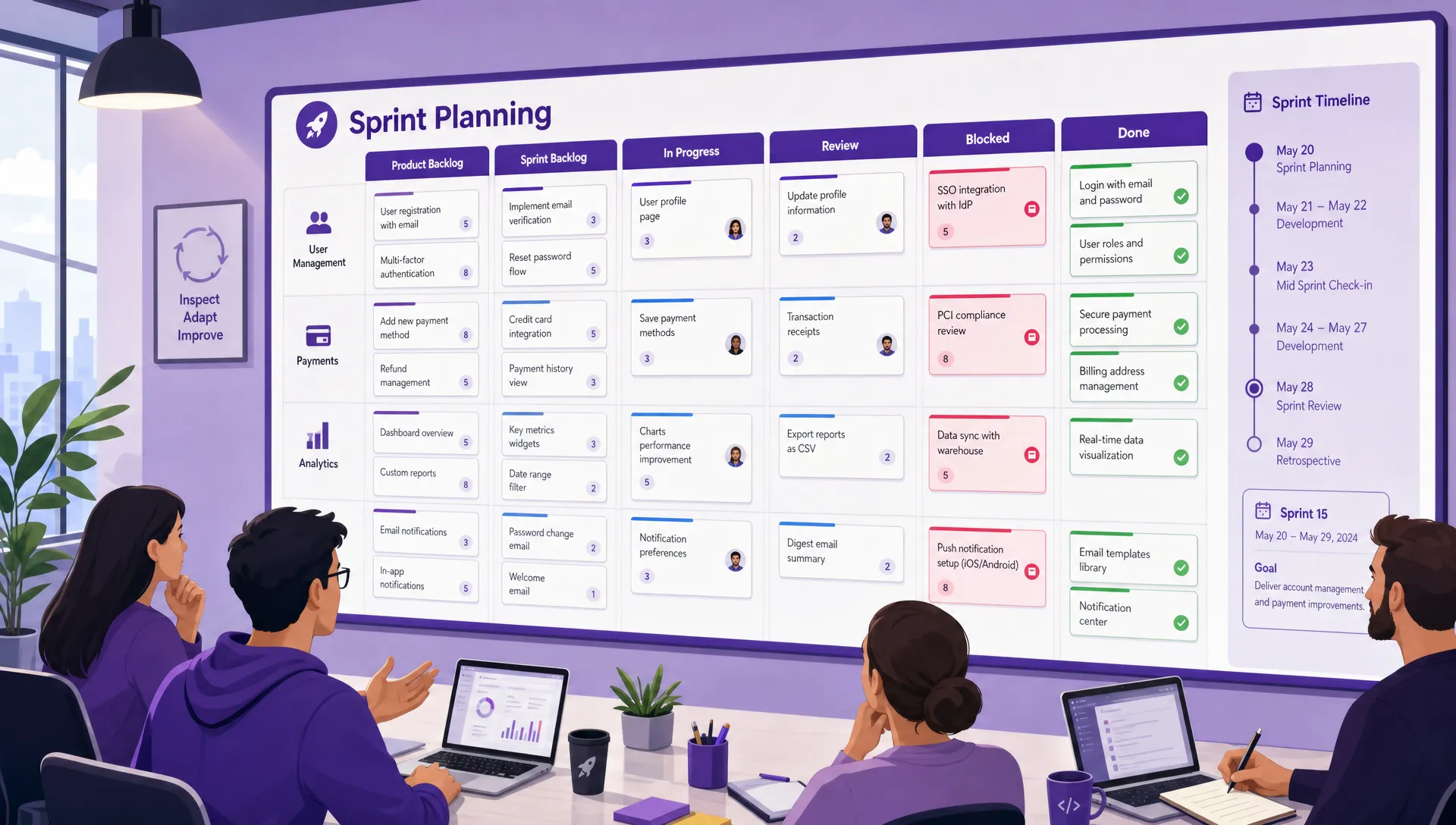
A combined sprint and backlog view helps teams separate future work from committed sprint tasks while keeping blockers and timelines visible
Backlog management does not stop when the sprint begins. The backlog should keep improving while the team delivers current work. Otherwise, the next sprint starts with the same confusion.
A growing backlog can feel productive, but size is not the same as value. Old, unclear, duplicated, or low-priority items make it harder to see what matters. Review stale items regularly and decide whether to keep, rewrite, merge, or archive them.
A practical rule is to review items that have not moved or been discussed for 60 to 90 days. Some ideas should remain, but many can be removed. A clean backlog improves planning speed and decision quality.
Large backlog items create uncertainty. They are harder to estimate, harder to finish, and more likely to spill over. If an item cannot be completed inside one sprint, split it into smaller deliverables that still create value.
For example, instead of “Redesign customer reporting,” split the work into “Audit current report usage,” “Create draft report layout,” “Build first report template,” and “Test template with two account managers.” Each piece is easier to understand and track.
Two lightweight agreements can improve sprint reliability quickly. Definition of ready means an item is clear enough to be considered for a sprint. Definition of done means everyone agrees what completion requires.
For a marketing team, done may include copy approval, design review, publishing, and campaign tracking links. For an IT team, done may include testing, documentation, stakeholder approval, and deployment. The exact criteria depend on the work, but the agreement should be visible.
Metrics should help teams learn. They should not become a scoreboard that encourages rushed work or hidden problems. Start with a small set of signals that reveal predictability, flow, and quality.
| Metric | What it tells you | How to use it |
|---|---|---|
| Sprint completion rate | How much planned work reaches done | Improve planning and capacity estimates |
| Carryover work | What repeatedly spills into the next sprint | Identify oversized tasks or dependencies |
| Cycle time | How long work takes from start to done | Find delays in review, approval, or handoff |
| Blocked time | How long tasks wait due to blockers | Improve escalation and dependency management |
| Unplanned work | How much work enters after sprint start | Protect focus and improve intake rules |
Do not overreact to one sprint. Look for patterns across several cycles. If completion rate is low once, the team may have had an unusual week. If it is low for four sprints, the plan is probably unrealistic or the backlog is not ready.
A sprint can complete every task and still miss the business outcome. Sprint reviews should ask what changed because of the work. Did customers get the improvement? Did the internal process become faster? Did the team reduce risk? Did stakeholders accept the deliverable?
This is where many teams discover that their backlog items are too activity-based. If every item is written as a task without an outcome, reviews become checkbox exercises.
The retrospective should produce one or two concrete improvements, not a long list of frustrations. Choose improvements the team can test in the next sprint. Examples include limiting work in progress, adding a blocked column, refining backlog items earlier, or changing review deadlines.
Small process improvements compound. After several sprints, the team should be planning faster, carrying over less work, and resolving blockers earlier.
Kanbanchi is designed for teams that want project and task management inside the tools they already use, including Google Workspace and Microsoft 365. For sprint and backlog work, that means teams can organize tasks visually on Kanban boards, plan timelines with a Gantt chart, and track time directly on cards.
For Google Workspace teams, Kanbanchi integrates with Google Drive, Shared Drives, Gmail, and Google Calendar. Teams can attach Drive files to cards, create cards from Gmail, sync events with Calendar, and export board data to Google Sheets. Enterprise users can also create boards in Shared Drives according to their organization’s setup.
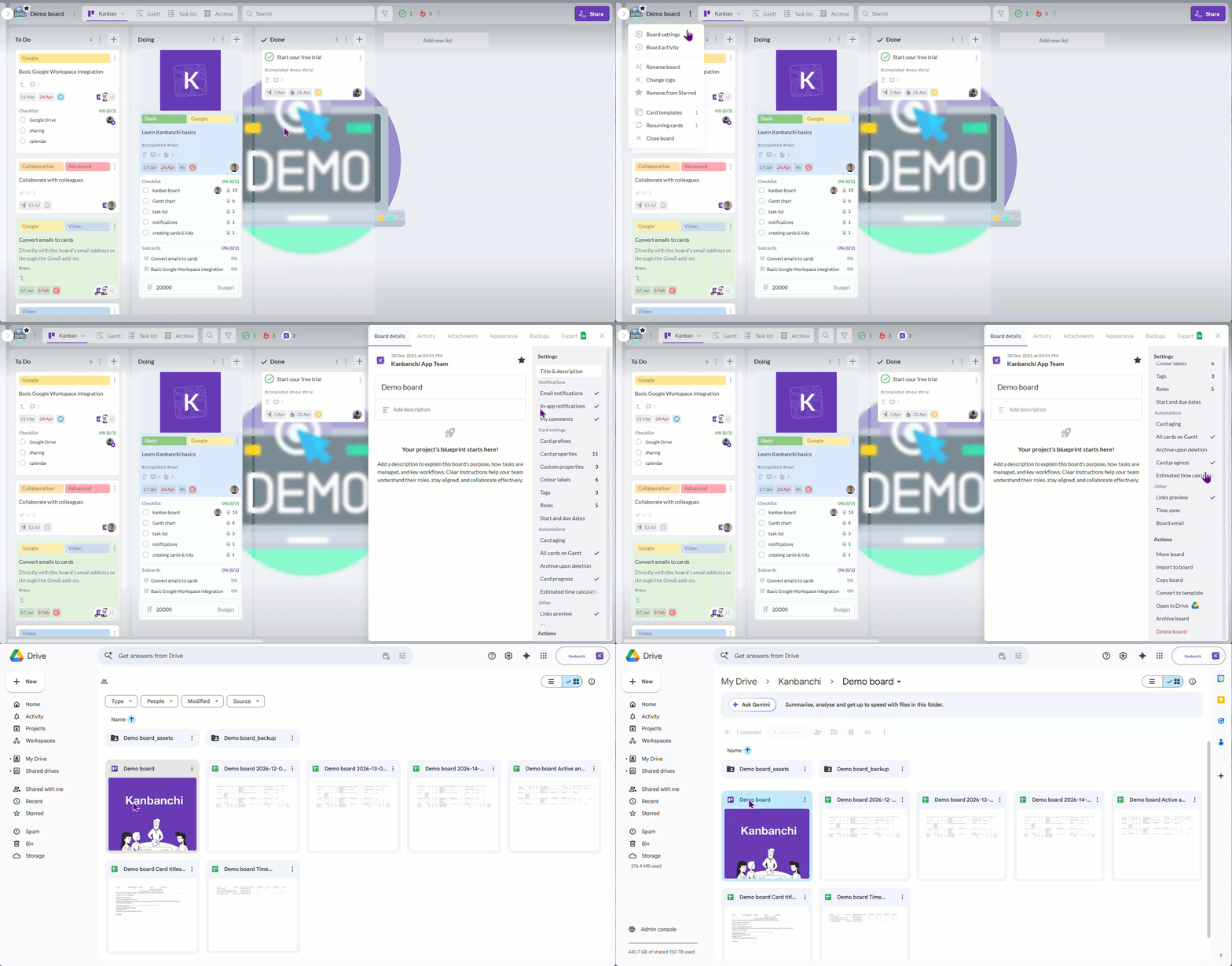
Kanbanchi works directly within Google Drive, making it easier to manage tasks, collaborate on projects, and keep work connected across your Google Workspace tools
For sprint execution, features such as priorities, tags, filters, swimlanes, subcards, templates, notifications, and time tracking help teams keep work structured without moving everything into a separate environment. For backlog management, visual boards make it easier to separate future ideas, ready work, active sprint tasks, blocked items, and completed deliverables.
The advantage is not simply having more features. It is keeping sprint planning, task ownership, files, dates, and progress visible in one shared workflow, especially for teams already working in Google Workspace or Microsoft 365.
Start a free trial of Kanbanchi today
Many sprint problems come from a few repeatable patterns. The first is treating the backlog as a dumping ground. If every idea goes in and nothing gets clarified or removed, the backlog becomes harder to trust.
The second is overcommitting. A sprint that is always overloaded trains the team to ignore commitments. It also makes reporting less useful because carryover becomes normal.
The third is changing priorities without changing the plan. New work may be valid, but it has a cost. If the cost is not visible, the team absorbs the pressure through overtime, rushed quality, or missed deadlines.
The fourth is measuring individuals instead of the system. Sprint metrics are most useful when they reveal process problems, such as unclear requirements, slow approvals, excessive work in progress, or dependency bottlenecks.
Manage sprints effectively by starting with a prioritized backlog, confirming team capacity, setting a clear sprint goal, selecting a realistic amount of work, making progress visible on a sprint board, and reviewing results at the end of the sprint. The key is to protect focus while still responding deliberately to urgent changes.
Most teams benefit from backlog refinement once per week or at least once per sprint. The goal is to keep upcoming items clear, prioritized, and small enough for planning. Larger organizations may refine by team, project, or workstream.
Unclear requests, oversized tasks, low-priority ideas, and work without an owner should usually stay out of the sprint backlog. If the team cannot explain the outcome, estimate the effort, or define done, the item needs more refinement first.
Prevent spillover by planning from real capacity, limiting work in progress, splitting large items, identifying dependencies early, and leaving room for reviews and unexpected issues. Track carryover across several sprints to find patterns instead of blaming one missed task.
Yes. Marketing, operations, HR, finance, education, and administrative teams can all use sprints and backlogs. The method works whenever a team needs to prioritize requests, plan short cycles of work, and make progress visible.
Sprints work best when the backlog is clear, the plan is realistic, and the team can see progress every day. If your team already works in Google Workspace or Microsoft 365, Kanbanchi can help you manage boards, timelines, files, priorities, and time tracking in one collaborative workspace.
Use it to keep future work organized, current sprint tasks visible, and team delivery easier to follow from planning to review.
Start a free trial of Kanbanchi today



In this Article:
Start using Kanbanchi now
Start your free trial