
In this Article:
Try Kanbanchi now
Start your free trial

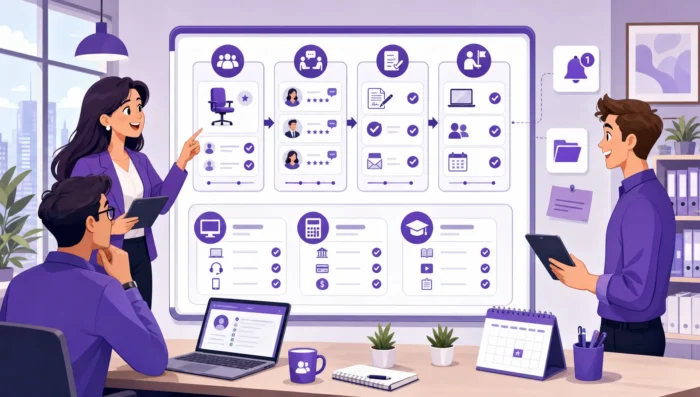
Hiring and onboarding look simple from a distance: open a role, interview candidates, make an offer, prepare a laptop, schedule orientation, and check in after 30 days. In practice, every step depends on multiple people, tools, deadlines, approvals, and handoffs. That is why HR project management software has become essential for teams that want predictable hiring and a consistent new-hire experience.
For small companies, the challenge is usually coordination. For growing businesses and enterprises, it is standardization at scale. In both cases, spreadsheets and inboxes can only go so far. They do not reliably show who owns the next step, what is blocked, which roles are at risk, or whether every new employee is receiving the same level of support.
A good HR project management setup gives recruiters, hiring managers, IT, finance, legal, and team leads one shared place to plan and track work. It does not replace every HR system, but it fills the visibility gap between strategy, people operations, and day-to-day execution.
Recruiting is not only an HR activity. A typical hiring process includes role approval, job description writing, compensation alignment, sourcing, interview scheduling, candidate feedback, offer approval, background checks, equipment planning, and internal communication.
Each of those steps can involve different people. The recruiter may own the pipeline, the hiring manager owns role requirements and feedback, finance approves budget, legal reviews offer details, and IT prepares accounts and hardware. When work is spread across email threads and meetings, even strong teams can miss follow-ups.
HR project management software turns that work into a visible workflow. Instead of asking for status updates manually, stakeholders can see whether a role is still in approval, whether interviews are scheduled, whether feedback is overdue, or whether an offer is waiting for sign-off.
Onboarding is also a project, but the stakes are different. A delayed laptop, missing access, unclear manager expectations, or no first-week schedule can quickly make a new hire feel unsupported.
Gallup has reported that only 12% of employees strongly agree their organization does a great job onboarding new employees. That gap is not usually caused by a lack of good intentions. It is often caused by unclear ownership, late handoffs, and inconsistent processes.
When onboarding is managed like a project, HR can create repeatable plans for pre-boarding, day one, week one, month one, and the first 90 days. Managers know what they need to do. IT knows what to prepare. New employees get a smoother start.
Simple task lists help individuals remember work. HR teams need more: shared visibility, workflow stages, timelines, file attachments, discussions, dependencies, and reporting.
If you are defining the broader operating model for HR projects, Kanbanchi has a separate guide to HR project management strategy. This article focuses specifically on the software setup for hiring and onboarding, where execution quality has a direct impact on business growth and employee retention.
The best setup mirrors the real journey from workforce need to productive employee. For hiring, that may start with a role request and end with offer acceptance. For onboarding, it may start as soon as the offer is signed and continue through probation or the first performance check-in.
A visual board helps because HR work naturally moves through stages. Cards can represent open roles, candidates, new hires, onboarding tasks, or entire onboarding plans depending on how your team prefers to work.
| HR need | Software capability | Practical example |
|---|---|---|
| Track open roles | Visual board with stages | Move a role from approval to sourcing to interviews to offer |
| Coordinate stakeholders | Assignees, comments, and notifications | Notify a hiring manager when interview feedback is due |
| Standardize onboarding | Templates and reusable checklists | Create the same pre-start checklist for every new hire |
| Manage deadlines | Calendar dates and timeline views | See whether equipment, payroll, and orientation are ready before day one |
| Improve reporting | Exportable data and dashboards | Review time-to-fill, overdue tasks, and onboarding completion |
Hiring and onboarding generate many artifacts: job descriptions, interview scorecards, signed documents, policy acknowledgments, training plans, access requests, and manager notes. When these live in separate folders, chats, and inboxes, teams spend too much time searching.
A strong platform keeps relevant files attached to tasks and cards. It also connects dates to calendars and keeps comments in context. This is especially important for Google Workspace and Microsoft 365 teams because employees already work in Drive, Gmail, Calendar, OneDrive, SharePoint, Outlook, and Teams-adjacent workflows.
The most useful HR project management tools do more than store tasks. They help teams spot risk early. If interview feedback is overdue, a candidate may lose interest. When the IT setup is delayed, day one suffers. If a manager has too many onboarding tasks at once, the new hire may not get enough attention.
Timeline planning, filters, tags, workload visibility, and reports help HR leaders move from reactive follow-up to proactive management.
For hiring, many teams benefit from creating one card per open role rather than one card per candidate. This keeps the board focused on internal execution rather than duplicating an applicant tracking system. A typical hiring board might include stages such as role request, approved, job posted, screening, interviews, offer approval, offer accepted, and closed.
Each role card can include the hiring manager, department, target start date, salary band status, interview plan, approval notes, job description link, and related files. Recruiters and managers can use comments to keep context attached to the role instead of scattering updates across email.
If your hiring volume is high, swimlanes can separate departments, locations, seniority levels, or hiring campaigns. Tags can indicate priority, remote roles, urgent replacements, executive roles, or roles requiring special approvals.
Every role is different, but the hiring process usually has repeatable steps. Templates can prevent recruiters from rebuilding the same checklist every time. A role template may include tasks for confirming budget, finalizing job requirements, publishing the job, scheduling interview rounds, collecting feedback, preparing the offer, and sending handoff notes to onboarding.
For small teams, templates create discipline. For large organizations, they create consistency across offices, departments, and recruiters.
Hiring managers are often the bottleneck, not because they do not care, but because hiring is competing with their main job. HR software should make participation easy. Clear task ownership, due dates, reminders, and calendar visibility reduce the need for manual chasing.
When everyone can see the same board, HR meetings can shift from status reporting to decision-making. Instead of asking what happened, the team can focus on blocked roles, late approvals, candidate risks, and upcoming start dates.
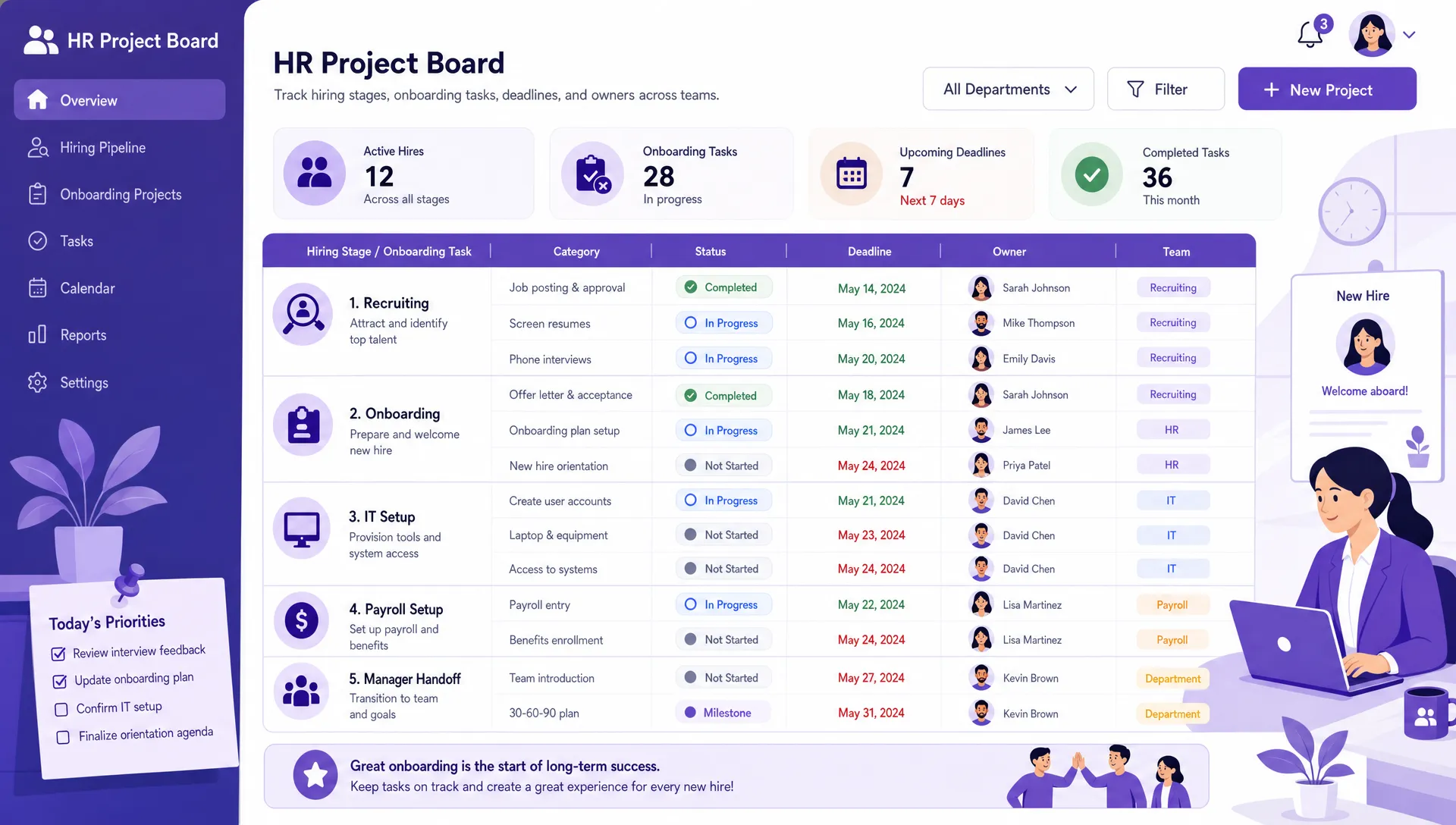
A shared HR project board helps teams see hiring and onboarding work from role approval through the first 90 days
Onboarding should begin as soon as the candidate accepts the offer. Pre-boarding tasks often include collecting documents, preparing payroll, ordering equipment, creating accounts, scheduling orientation, assigning required training, and sending first-day instructions.
A project board makes these steps visible and assignable. HR can own compliance and employee communication. IT can own account access and hardware. The manager can own the role-specific plan. Finance can confirm payroll setup. Facilities can prepare workspace if the employee is office-based.
A strong onboarding workflow is not only about the first day. It should support the employee as they move from preparation to orientation, role training, relationship building, early delivery, and performance alignment.
For many teams, the onboarding board works best when organized by milestones: before start, day one, week one, first month, and first 90 days. Each milestone can include clear owners and due dates, so the new hire is not dependent on memory or goodwill.
Remote and hybrid onboarding need even more structure because informal office cues are missing. If your team hires remotely, Kanbanchi also offers a practical remote work task management checklist for new hires that can help you design milestone-based onboarding.
Not every onboarding task should be visible to everyone. HR teams need to think carefully about permissions, confidentiality, and where sensitive data is stored. A project board is ideal for coordinating tasks, but personal employee records should remain in the appropriate HRIS or secure document system according to your company policy.
A practical approach is to use project management software for the workflow and store sensitive documents only in approved systems. The board can reference that a step is complete without exposing private information to unnecessary viewers.
Kanban-style boards are effective for HR because they make process status visible at a glance. Recruiters can see which roles are moving. HR operations can see which new hires are ready for day one. Team leads can see what they need to do next.
For hiring and onboarding, visual boards should support owners, due dates, comments, attachments, tags, filters, and notifications. These details turn a board from a simple status tracker into an operational workspace.
Hiring and onboarding are deadline-driven. Start dates, interview cycles, offer deadlines, training sessions, and equipment delivery all need coordination. A Gantt chart or timeline view helps HR leaders see how work relates over time.
This matters most when onboarding several employees at once, opening a new department, running a graduate hiring program, or scaling a seasonal workforce. Timeline planning helps teams notice schedule conflicts early.
Software adoption is easier when the tool fits the environment employees already use. For Google Workspace teams, that means working naturally with Google Drive, Shared Drives, Gmail, Google Calendar, and Google Sheets. For Microsoft 365 teams, compatibility with OneDrive and SharePoint matters.
When files, dates, and tasks live close together, people are more likely to keep the system updated. That is one of the biggest differences between a tool people try once and a workflow they actually use.
| Feature | Why it matters for HR | Hiring or onboarding use case |
|---|---|---|
| Kanban boards | Gives fast workflow visibility | Track open roles or new-hire readiness |
| Gantt chart | Shows schedules and timing risks | Plan interview rounds and start-date preparation |
| Time tracking | Helps understand effort and capacity | Track recruiter or HR operations time on recurring processes |
| File attachments | Keeps context with tasks | Attach job descriptions, onboarding plans, or training materials |
| Calendar sync | Connects deadlines to schedules | Add onboarding events or key hiring milestones |
| Templates | Makes processes repeatable | Reuse role launch and onboarding checklists |
| Reporting exports | Supports HR analysis | Review overdue tasks, workload, and process completion |
Kanbanchi is designed for teams that want project and task management inside the Google Workspace ecosystem. HR teams can create visual boards for hiring pipelines, onboarding workflows, policy rollouts, training programs, and workforce planning.
For hiring and onboarding specifically, Kanbanchi supports task cards, board sharing, comments, notifications, tags, sorting, filtering, Google Drive attachments, Shared Drives integration for enterprise users, Google Calendar events, and exports to Google Sheets. HR teams can also create cards from Gmail, which is useful when requests, approvals, or updates arrive by email.
The Gantt Chart helps teams convert a board into a timeline for start dates, interview plans, onboarding milestones, and multi-role hiring initiatives. The Time Tracker can help HR leaders understand how much time recurring processes require, especially when improving recruiter capacity or HR operations planning.
Kanbanchi also supports Microsoft 365 compatibility, including working with OneDrive and SharePoint. That makes it relevant for organizations that use Microsoft file storage but still want a visual, board-based approach to HR project execution.
This matters for companies that have mixed technology environments or are transitioning between productivity suites. HR can standardize work management without forcing every team to abandon familiar file storage and collaboration habits.
The right HR project management software should be detailed enough for enterprise coordination but simple enough that hiring managers and department leads will actually use it. Kanbanchi is built around visual boards, timelines, and task collaboration, which makes it easier to introduce across teams that do not want heavy project management overhead.
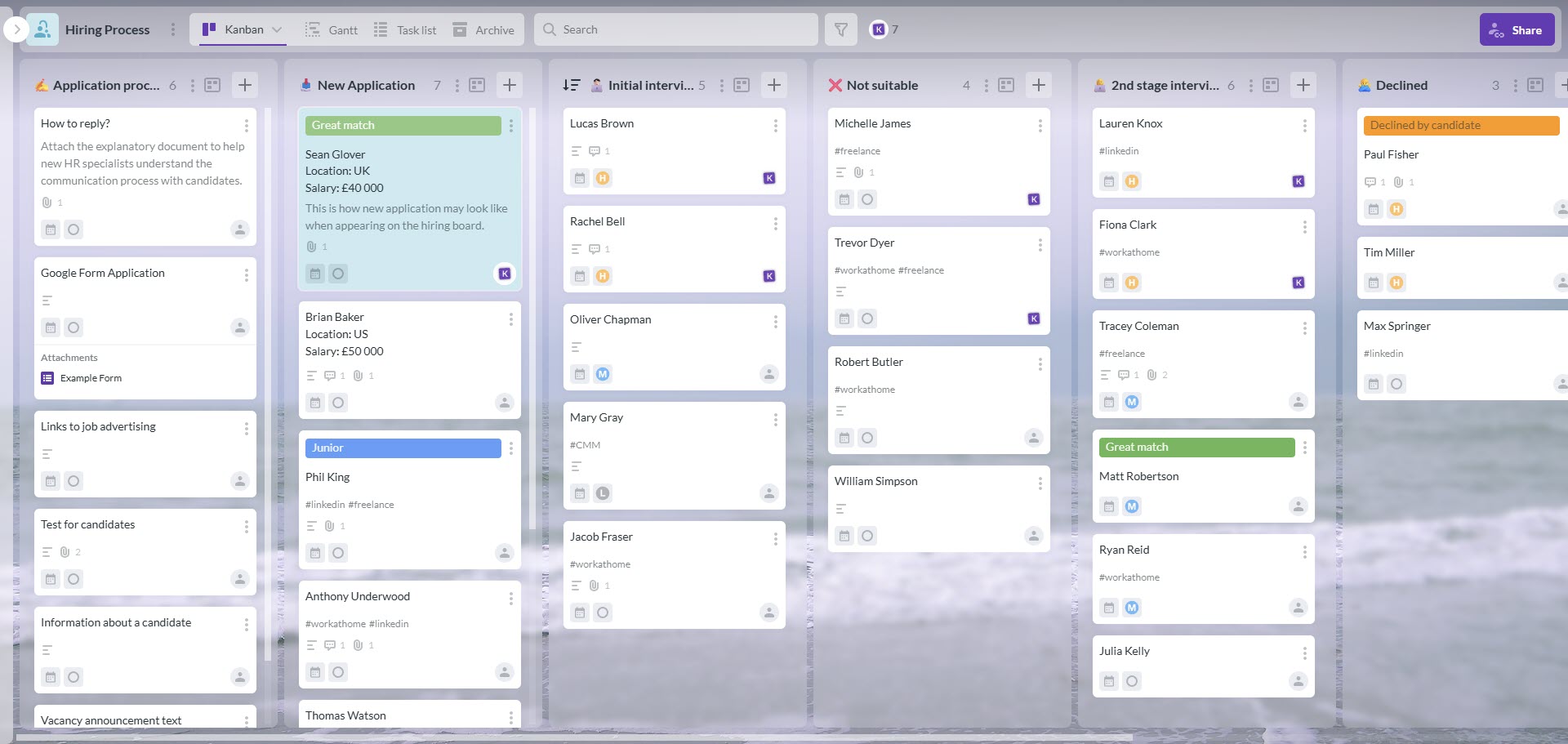
You can map your hiring or onboarding process on a kanban board to implement human resources project management
Start a free trial of Kanbanchi today
Start with one high-impact workflow, such as hiring for approved roles or onboarding for salaried employees. Document the real stages, owners, files, approvals, and deadlines. Avoid building a perfect system on day one. Build the version your team can adopt quickly, then improve it as you learn.
A good first board should answer basic operational questions: Which roles are active? Which new hires start soon? Who owns each task? What is overdue? Which approvals are blocking progress?
Do not template chaos. Run a pilot first, observe where people get confused, and refine the workflow. Once the process is stable, create board templates or card templates for repeatable hiring and onboarding patterns.
Common HR templates include role approval, standard recruitment launch, executive hiring, intern onboarding, remote employee onboarding, contractor onboarding, and internal transfer onboarding.
Before rolling out broadly, decide what belongs in the board and what belongs in HRIS, payroll, or secure document storage. This is especially important for personally identifiable information, compensation, medical information, background check details, and performance-sensitive notes.
Use project management software for coordination and visibility. Keep sensitive records in the systems approved by your legal, HR, and security teams.
HR project management software should make work easier to manage and easier to improve. Decide which metrics matter before the rollout so you can compare progress over time.
| Metric | What it can reveal | How software helps |
|---|---|---|
| Time-to-fill | How long it takes to close roles | Shows bottlenecks across approval, sourcing, interviews, and offers |
| Time-to-start readiness | Whether day-one preparation is on track | Tracks pre-boarding task completion before the start date |
| Overdue task rate | Where work gets stuck | Highlights late approvals, manager feedback, or IT setup delays |
| Onboarding completion | Whether new hires receive the full process | Monitors milestone completion across the first 90 days |
| HR effort by process | Which workflows consume the most time | Uses time tracking to support capacity planning |
An applicant tracking system manages candidates, applications, job postings, compliance workflows, and recruiting records. HR project management software manages the internal work around hiring and onboarding. These systems can complement each other, but they should not be confused.
Use the ATS for candidate records. Use the project board for approvals, tasks, timelines, onboarding steps, and cross-functional coordination.
A board with too many columns, tags, and required fields becomes hard to maintain. Start with the stages that drive decisions and accountability. Add detail only where it improves clarity or reporting.
The best HR workflows are simple enough for managers to update and structured enough for HR leaders to trust.
HR can build an excellent process, but onboarding quality still depends heavily on managers. If managers do not understand their responsibilities, the workflow will not deliver results.
Make ownership obvious. Assign tasks clearly. Use deadlines. Keep notifications meaningful. Train managers on the few actions they need to take rather than overwhelming them with the entire system.
HR may coordinate onboarding, but managers, IT, finance, legal, facilities, and team members all shape the employee experience. A shared project management setup makes those responsibilities visible and reduces the chance that a new hire falls through the gaps.
HR project management software helps HR teams plan, assign, track, and improve project-based people operations work. For hiring and onboarding, it gives teams shared visibility into roles, approvals, tasks, deadlines, files, and handoffs.
Usually, no. An ATS is designed for candidate management, job postings, applications, and recruiting compliance. HR project management software is better for coordinating the internal work around hiring and onboarding, such as approvals, interview tasks, manager follow-ups, IT setup, and 90-day onboarding plans.
Small teams should prioritize ease of adoption, visual task boards, templates, file attachments, due dates, and calendar visibility. The goal is to stop losing work in email and spreadsheets without introducing a system that feels too heavy.
Enterprise teams should prioritize permissions, security, integrations with existing productivity suites, reporting, templates, standardization across departments, and the ability to manage multiple workflows at once. Consistency and governance become more important as hiring volume grows.
Yes, Kanbanchi can be used to manage hiring and onboarding workflows with visual boards, task cards, Gantt Chart planning, Time Tracker, templates, comments, notifications, Google Drive attachments, Google Calendar integration, Gmail card creation, Google Sheets export, and Microsoft 365 compatibility.
Hiring and onboarding are too important to manage through scattered messages, disconnected spreadsheets, and memory-based follow-up. The right HR project management software gives your team a shared system for ownership, deadlines, files, timelines, and continuous improvement.
If your organization already uses Google Workspace or Microsoft 365, Kanbanchi can help HR, managers, and operations teams coordinate hiring and onboarding in the same environment where work already happens. Standardize what works, and build a hiring and onboarding process your team can repeat with confidence.


In this Article:
Start using Kanbanchi now
Start your free trial