
In this Article:
Try Kanbanchi now
Start your free trial

Teams rarely miss deadlines because no one is working. They miss them because priorities shift, dependencies stay hidden, and updates live in too many places. A spreadsheet has one version of the plan, a chat thread has another, and the real status is often in someone’s head.
That is where project management, or PM, tools make the difference. The best PM tools do more than store tasks. They help leaders turn goals into coordinated work, help teams understand what matters next, and create enough visibility to fix problems before delivery slips.
For business owners and team leads, the question is not whether you need software. It is which kind of software will help your team plan realistically, collaborate consistently, and deliver predictably without adding administrative overhead.
When a team has three people, informal coordination can work for a while. Everyone knows who is doing what, and most questions can be answered in a quick conversation. As soon as work crosses departments, time zones, clients, or multiple projects, that informal system breaks down.
A growing team needs a shared view of work in progress. Without it, managers chase updates, employees get interrupted for status reports, and urgent work competes with important work. PM tools create a visible operating system where tasks, owners, priorities, files, due dates, and decisions are connected.
Visibility is not micromanagement when it is designed well. It reduces confusion. A team member should be able to open the project board and understand what is assigned to them, what is blocked, what is waiting for review, and what needs attention today.
Many organizations separate planning from execution. A manager builds a timeline in a presentation or spreadsheet, then the team tracks daily work in messages, emails, or personal lists. The plan becomes outdated almost immediately.
Modern project management software should connect the plan to the work itself. If a task moves, a timeline should reflect it. If a deadline changes, the team should see it. If a file is attached to a task, nobody should have to search through folders and email threads to find it.
The Project Management Institute describes project work through structured processes such as planning, execution, monitoring, and closing. Good PM tools support those same disciplines in daily practice, without forcing every team to become a formal PMO.
The right tool should match the way your team actually works. A sales team, marketing department, operations team, HR group, and product team may all need different workflows, but the underlying needs are similar: clarity, ownership, timing, communication, and reporting.
Tasks enter the business through many channels: email, meetings, customer requests, leadership decisions, documents, and recurring internal processes. If your PM tool does not make it easy to capture work, people will keep using side lists and private notes.
Look for simple task creation, reusable templates, file attachments, comments, labels, due dates, priorities, and a way to break large work into smaller pieces. The easier it is to record work properly, the less likely your team is to lose details.
A task without an assignee is a risk. A project without clear priorities is a negotiation that repeats every day. Strong PM tools make responsibility visible by showing assignees, reviewers, due dates, blockers, and priority levels in one place.
For team leads, this makes daily decisions easier. Instead of asking who is handling a task, you can focus on whether the right person has the right capacity and whether the task is still aligned with the project goal.
Some teams prefer visual boards. Others need timelines, milestones, and dependencies. Many need both. Kanban boards help teams manage the flow of work, while Gantt charts help leaders understand sequencing and deadlines.
A strong project management setup should not force teams to choose between the two. The day-to-day board and the delivery timeline should represent the same work from different angles.
A task marked in progress tells you something, but not everything. If you want better estimates, healthier workloads, and more accurate planning, you need to understand time and effort.
Time tracking helps leaders see where work actually goes. It can reveal under-estimated tasks, recurring bottlenecks, and projects that consume more resources than expected. Used responsibly, it improves planning rather than policing people.
When conversations happen away from the task, context gets lost. A decision made in chat may never reach the project plan. A file shared in email may not be visible to the person responsible for the next step.
Good PM tools reduce that fragmentation by keeping comments, updates, attachments, checklists, and decisions close to the task. This is especially important for hybrid and remote teams, where asynchronous work is normal.
Managers need to know whether projects are on track. Team members do not want to spend hours preparing updates. The tool should make reporting a byproduct of normal work.
A reliable system lets leaders filter by assignee, status, priority, due date, project, or team. It should also support exports when executives need higher-level reporting.
| Capability | Why it matters | What to look for |
|---|---|---|
| Visual task boards | Shows current work and bottlenecks | Custom columns, tags, filters, swimlanes |
| Timeline planning | Helps plan deadlines and dependencies | Gantt chart, milestones, date changes |
| Ownership and roles | Prevents unclear responsibility | Assignees, reviewers, task roles, comments |
| Time tracking | Improves estimates and workload planning | Built-in timer, time reports, user timing data |
| File integration | Keeps task context complete | Drive, Shared Drives, OneDrive, SharePoint attachments |
| Reporting | Supports management visibility | Exports, filters |
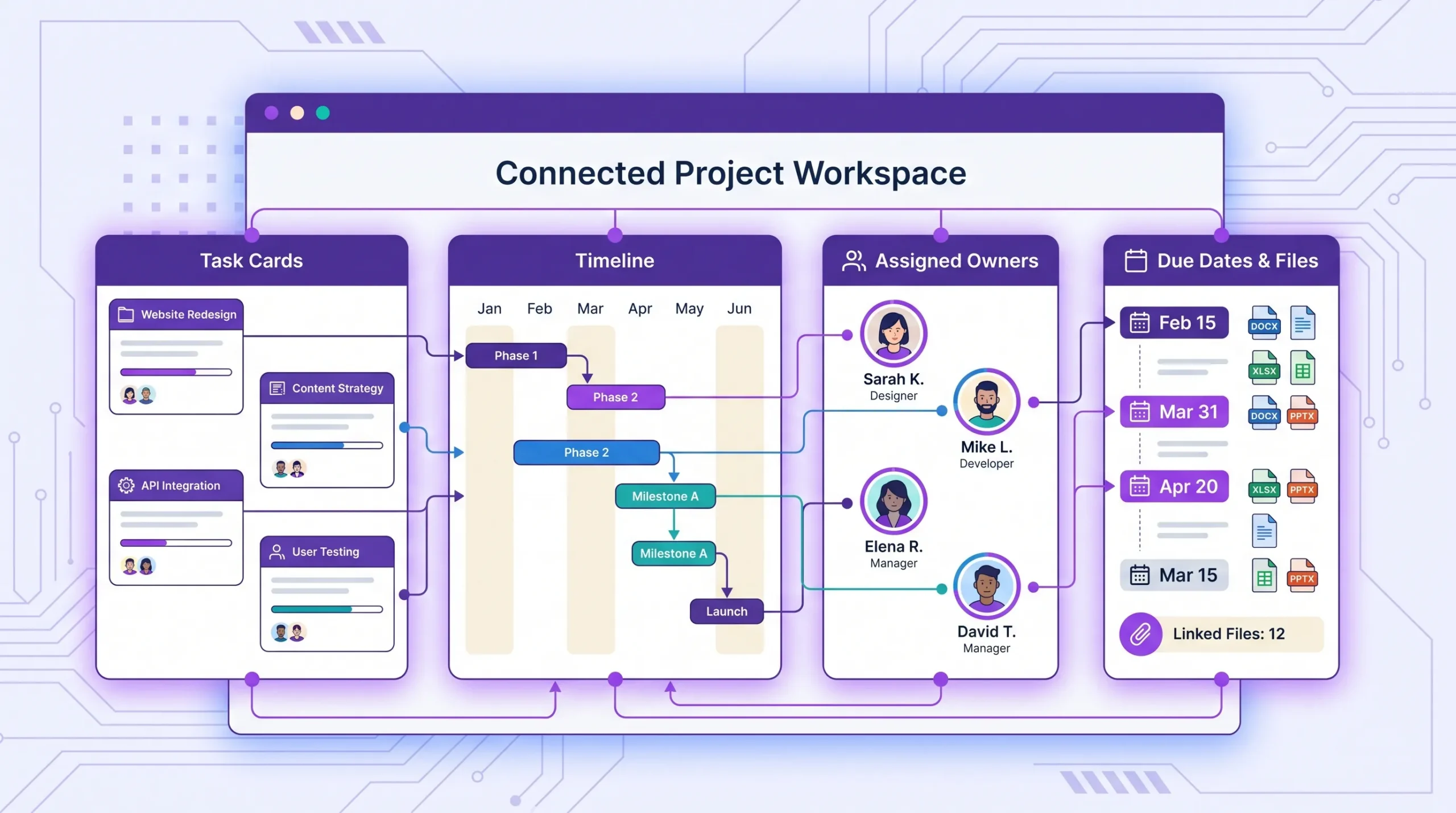
There are many categories of PM tools, but most business teams do not need a large software stack. They need a system that covers the core planning and delivery cycle without creating tool sprawl.
Kanban boards are ideal when you need to see work moving through stages such as Backlog, To do, In progress, Review, and Done. They are easy for teams to understand and flexible enough for marketing campaigns, operations workflows, HR onboarding, sales follow-up, software work, and internal projects.
Kanban is especially useful when priorities change often. Instead of rebuilding a full project plan every time something shifts, teams can move cards, update priorities, and keep work visible.
Gantt charts are useful when timing matters. They show tasks across a calendar, making it easier to understand start dates, due dates, overlaps, dependencies, and milestones.
If your team manages launches, implementations, events, procurement cycles, product releases, or client projects, a Gantt view helps you answer questions like: What needs to happen first? Which tasks depend on others? What happens if this deadline moves?
For a deeper comparison, Kanbanchi has a helpful guide on Gantt chart vs Kanban.
Task lists work well for straightforward checklists, personal action items, or repeatable routines. They are easy to scan and useful when you want less visual structure.
The limitation is that lists can become crowded as work grows. If a list does not show workflow stage, dependencies, or project context, managers may still struggle to understand progress.
Dedicated time tracking can help service businesses, agencies, consultants, internal departments, and teams that need to compare planned effort with actual effort.
However, time tracking works best when it is connected to tasks. If time is tracked in a separate tool, someone has to reconcile effort with deliverables later. That extra step often leads to incomplete data.
Reporting tools help leaders see patterns across teams, projects, and portfolios. They can show overdue tasks, workload, spent time, completed work, and project status.
The key is data quality. A dashboard is only useful if the underlying tasks are kept current. That is why reporting should be connected to the same tool people use for daily work.
| Tool type | Best for | Watch out for |
|---|---|---|
| Kanban board | Workflow visibility and daily coordination | Needs consistent column definitions |
| Gantt chart | Timeline planning and dependency management | Can become outdated if separate from task execution |
| Task list | Simple personal or team checklists | Limited visibility for complex projects |
| Time tracker | Estimating, billing, and workload insight | Less useful if disconnected from tasks |
| Reporting dashboard | Leadership visibility and trend analysis | Depends on clean, updated task data |
| Spreadsheet | Lightweight planning and one-off tracking | Manual updates, weak collaboration, limited accountability |
A PM tool should solve your team’s real delivery problems, not simply offer the longest feature list. Before evaluating vendors, define the outcomes you want: fewer missed deadlines, clearer ownership, faster handoffs, better workload visibility, improved project reporting, or simpler collaboration with clients and stakeholders.
The best tool is the one your team will actually use. If setup is too complex, people will revert to email and spreadsheets. Look for an interface that feels intuitive, supports your current workflow, and does not require weeks of training for basic use.
Different roles need different perspectives. Team members may prefer a board or list. Project managers may need a Gantt chart. Executives may need swimlanes. A good PM tool lets everyone view the same underlying work in the format that helps them make better decisions.
If your company already works in Google Workspace or Microsoft 365, integration should be a priority. Project tasks should connect naturally with your documents, calendars, email, and file storage. Otherwise, the PM tool becomes another silo.
Business owners and enterprise leaders should evaluate how the tool handles sharing, access control, external collaboration, data storage, and administrative oversight. The more sensitive your work is, the more important governance becomes.
A tool that works for five people should still work when you have fifty or five hundred. That does not mean every team needs enterprise features on day one. It means the tool should support more boards, more collaborators, more projects, and more reporting as your organization grows.
Many teams already have tasks in Trello, spreadsheets, Jira, or spreadsheets. Import options reduce friction when moving to a new system. They also help teams test the tool with real data instead of starting from a blank example board.
More articles on project management
A major reason teams struggle with project delivery is not a lack of apps. It is a lack of connection between apps.
Google Workspace and Microsoft 365 are excellent productivity ecosystems. Teams already use them for email, documents, calendars, meetings, spreadsheets, and file storage. But native productivity apps do not automatically create a complete project management system.
That is why integrated PM tools are valuable. They let teams manage tasks and timelines while keeping project files and communication close to the systems they already trust.
For Google Workspace teams, that can mean attaching files from Google Drive or Shared Drives, creating tasks from Gmail, syncing dates with Google Calendar, and exporting project data to Google Sheets. For Microsoft 365 teams, it can mean working with OneDrive and SharePoint storage while keeping task coordination in a dedicated project workspace.
The benefit is practical: fewer duplicate files, fewer lost decisions, fewer manual updates, and less resistance from users who do not want another disconnected platform.
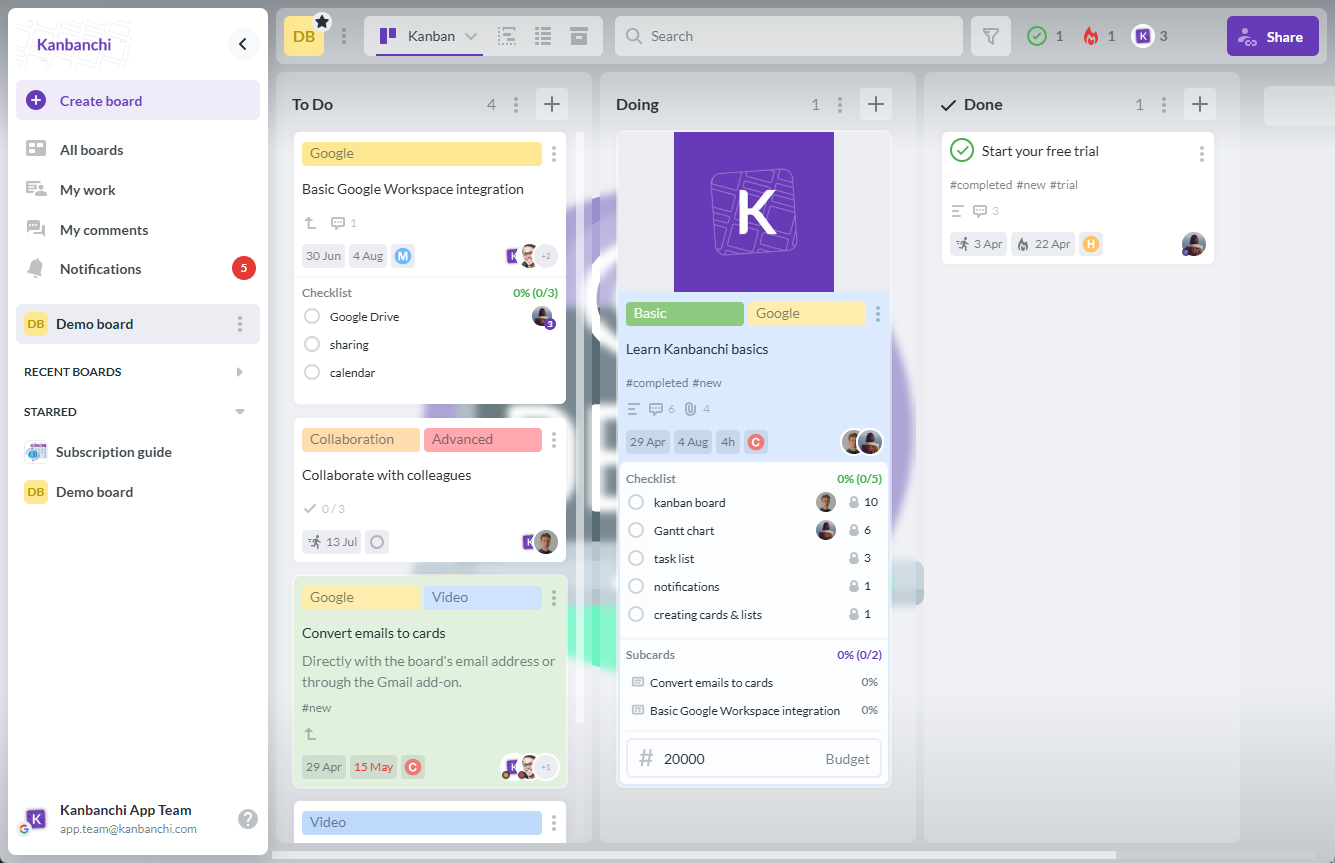
Kanbanchi is an all-in-one project and task management tool designed for teams using Google Workspace and Microsoft 365. It brings together Kanban boards, Gantt charts, time tracking, file integration, and collaboration features in one workspace.
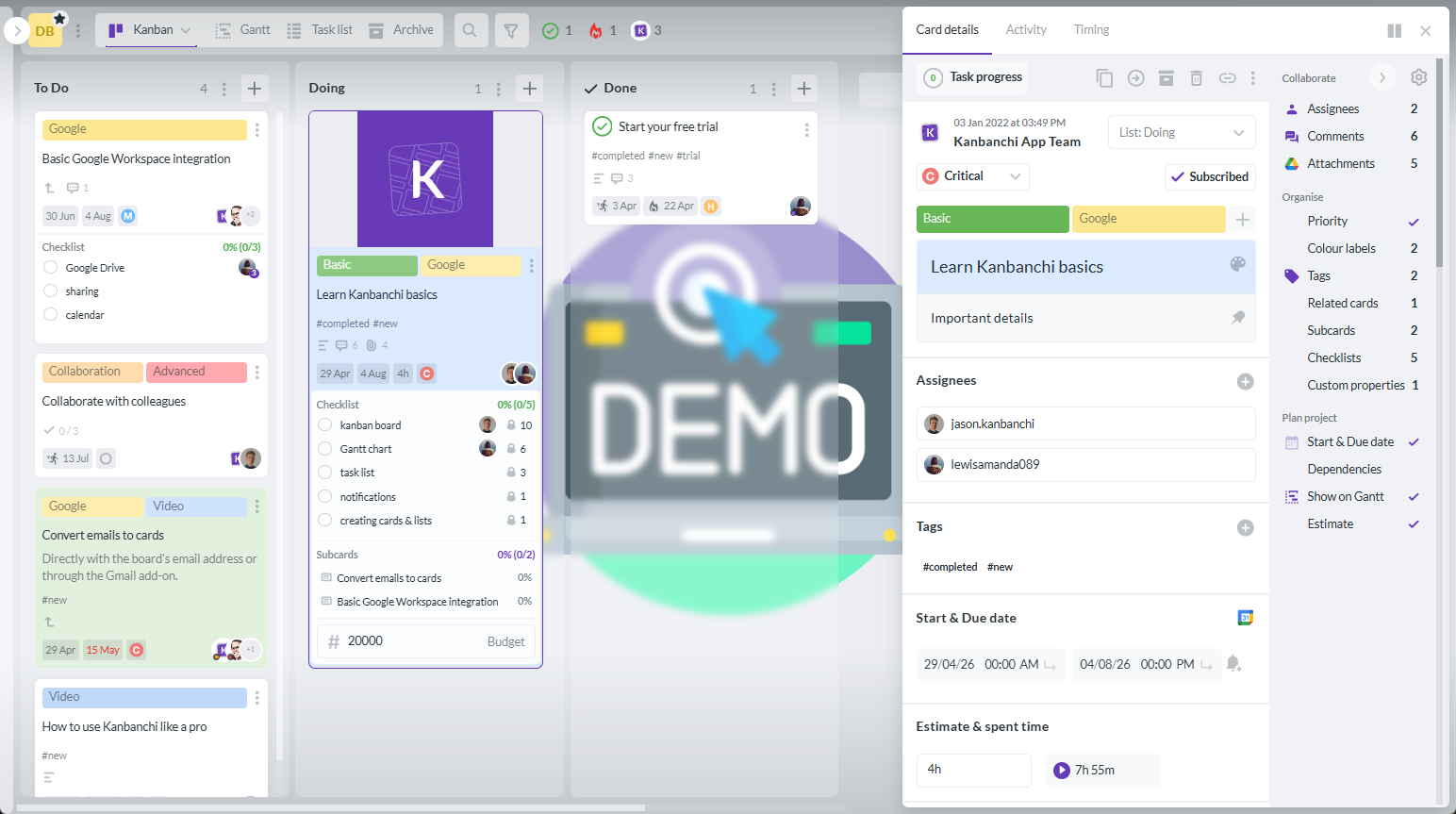
Kanbanchi boards help teams organize work into lists and cards. You can use simple workflows like To do, Doing, and Done, or create a more specific process for your team. Cards can include descriptions, assignees, priorities, dates, checklists, comments, tags, colors, and attachments. Custom properties can also be built to fit the structure your workflow requires.
Teams can use checklists or subcards to split complex tasks into manageable pieces of work and share responsibilities.
For larger workflows, swimlanes help visually separate projects, departments, clients, or phases on the same board. This gives leaders a clearer overview without forcing every initiative into a separate place.
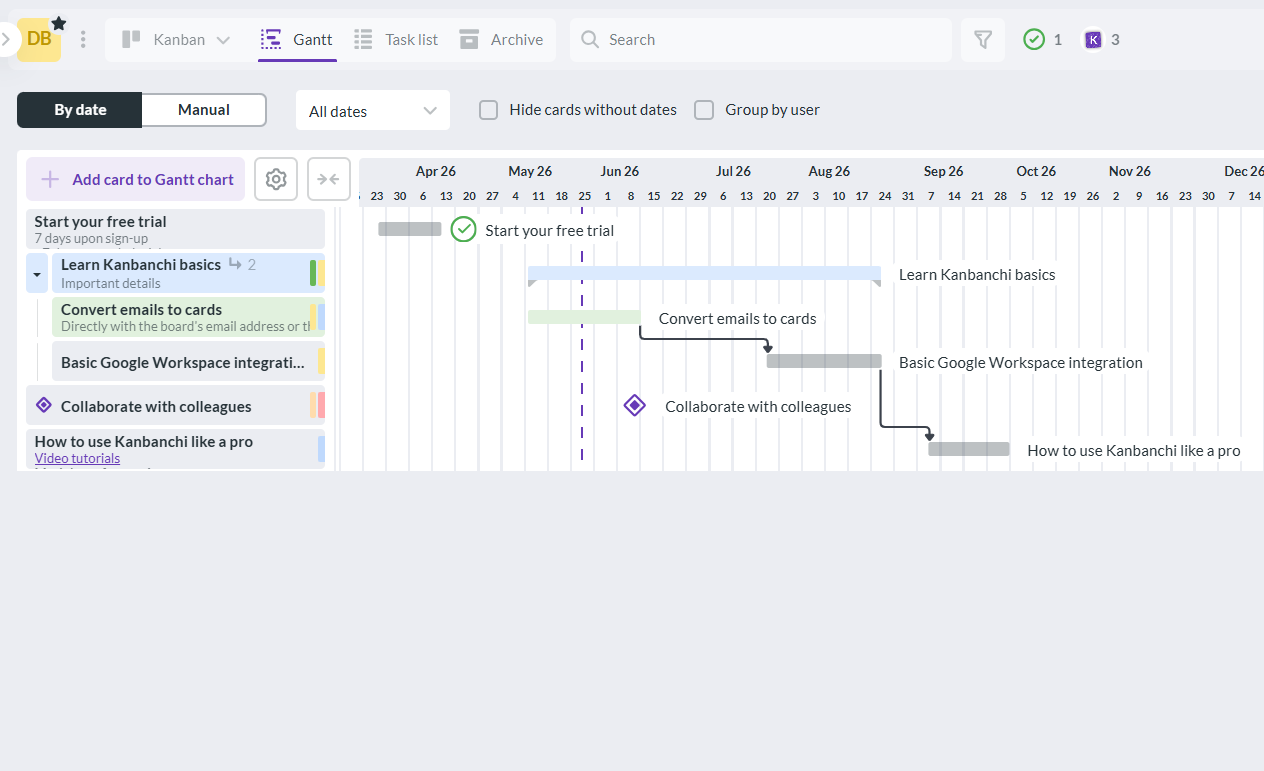
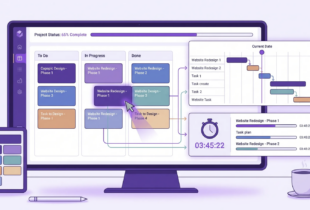
Kanbanchi can convert board tasks into a Gantt chart, giving teams a timeline view of the same work. This is useful when you need to manage deadlines, coordinate dependencies, or understand how schedule changes affect delivery.
Because the board and Gantt chart are connected, teams can plan at a higher level while still managing daily execution on visual cards.
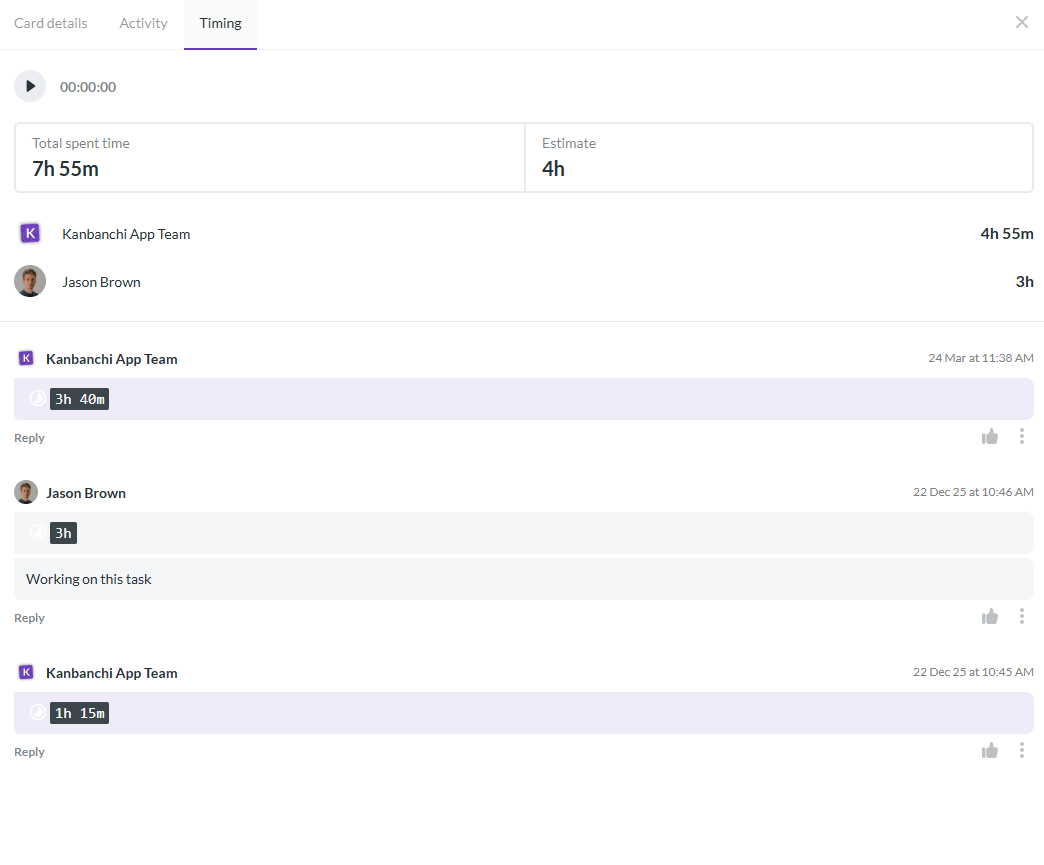
Kanbanchi includes a time tracker that lets users track time directly on cards. Team leads can review timing data to understand effort, compare estimates with reality, and improve future planning.
This is especially useful for project-based teams, internal service departments, agencies, and any organization that needs better insight into where team capacity is going.
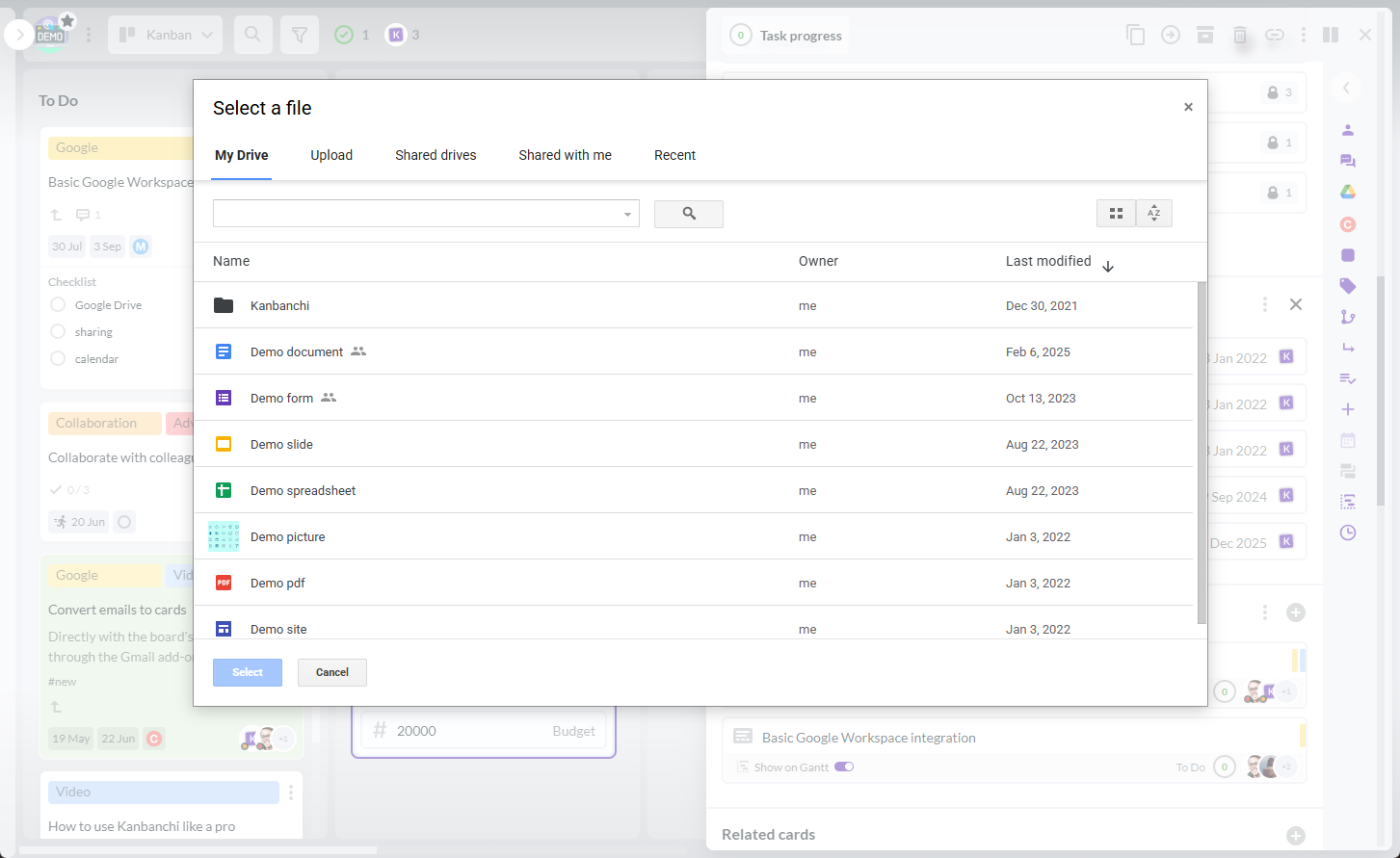
Kanbanchi integrates with Google Workspace, including Google Drive, Shared Drives, Gmail, Google Calendar, and Google Sheets. Teams can attach files from Drive, create cards from Gmail, add events to Google Calendar, and export board data to Google Sheets.
Kanbanchi also supports Microsoft 365 compatibility with OneDrive and SharePoint integration, which is helpful for organizations that operate in a Microsoft environment or use both ecosystems.
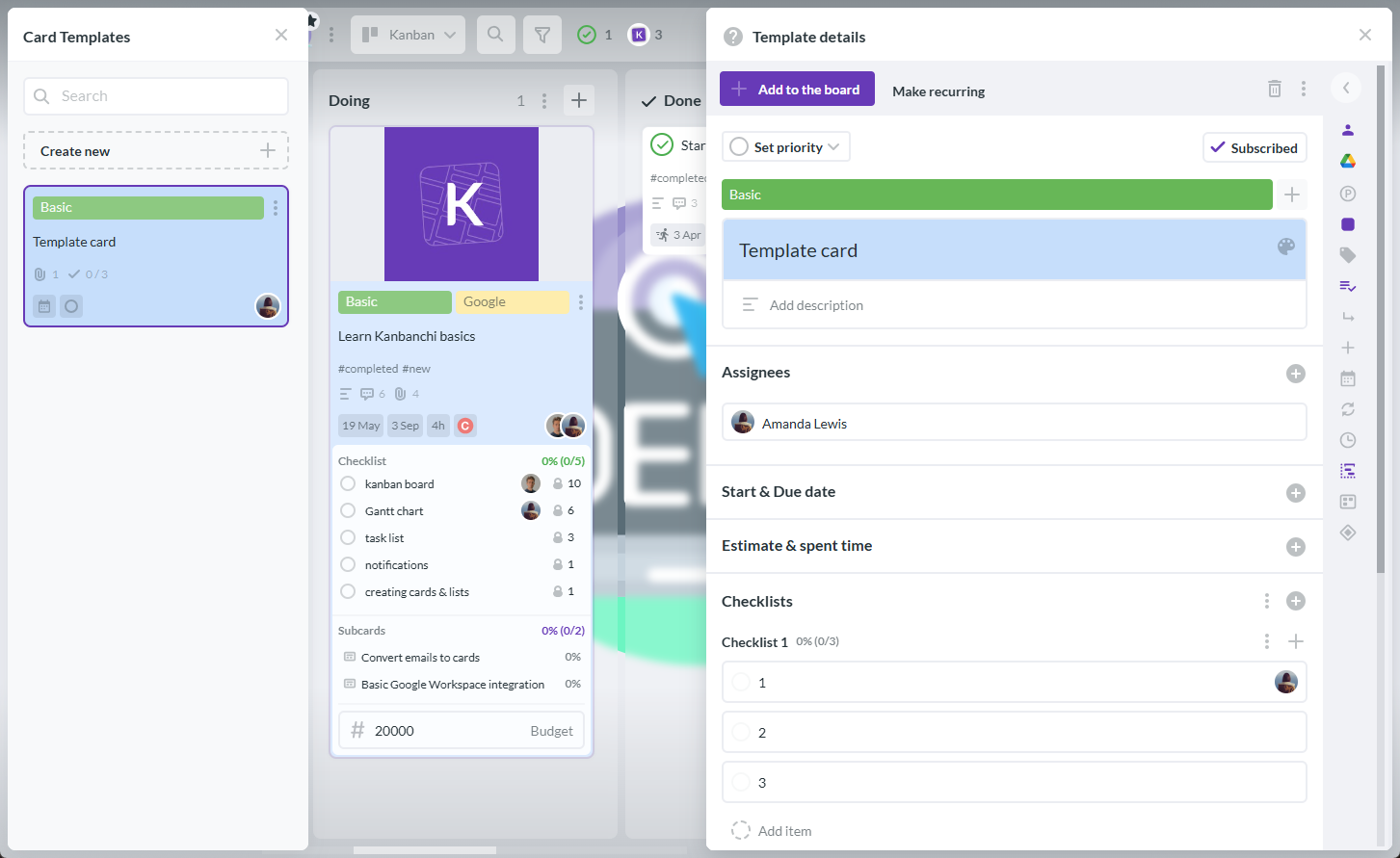
Templates, subcards, card templates, recurring cards, checklists, and task prioritization help teams turn repeatable work into structured processes. Instead of reinventing the same project setup each time, teams can start from a proven workflow and adjust it as needed.
This matters for onboarding, content production, procurement, recurring client work, HR processes, and operational routines where consistency improves speed and quality.
Kanbanchi helps teams filter, sort, and organize work for better visibility. Board data can be exported to Google Sheets, and teams can extract data for reporting dashboards such as Google Looker Studio or other preferred reporting tools.
For leaders, this means less manual status chasing and more reliable insight into progress, priorities, and delivery risks.
Start free trial of Kanbanchi now
Buying a tool is only the first step. The rollout determines whether it becomes a useful operating system or another place people forget to update.
Start small, but be serious about consistency. A simple board used every day is more valuable than an elaborate system nobody trusts.
If team members update the PM tool only to satisfy management, adoption will fade. The tool should help them do their work, not just report on it. Make sure the board answers daily questions for the team, not only weekly questions for leadership.
Custom fields, labels, priorities, and templates are useful, but too much structure at the beginning can slow people down. Start with the minimum information needed to coordinate work, then add structure where it clearly improves decisions.
If key decisions stay in meetings, chat, or private email, the PM tool becomes incomplete. Encourage teams to summarize decisions in the relevant card or project board so future collaborators can understand the context.
Completed tasks matter, but they are not the only measure of delivery. Track whether the project achieved its goal, whether deadlines were met, whether bottlenecks improved, and whether estimates became more accurate over time.
A powerful tool can still fail if it sits outside the way your company works. If your team lives in Google Workspace or Microsoft 365, choose software that respects that environment and reduces context switching.
PM tools are project management tools that help teams plan, assign, track, and deliver work. They usually include task boards, timelines, collaboration features, due dates, reporting, and integrations with file storage, email, and calendars.
They improve delivery by making work visible, clarifying ownership, connecting tasks to deadlines, reducing missed handoffs, and giving leaders earlier warning when work is blocked or timelines are at risk.
Neither is universally better. Kanban boards are excellent for workflow visibility and day-to-day execution. Gantt charts are better for timeline planning, dependencies, and milestones. Many teams benefit from using both views together.
Google Workspace teams should look for Drive integration, Shared Drives support, Gmail task creation, Google Calendar sync, Google Sheets export, simple sharing, and a workflow that feels natural alongside existing Google apps.
It can reduce unnecessary status meetings, but it should not replace all meetings. A good PM tool keeps routine updates visible, so meetings can focus on decisions, risks, priorities, and problem solving.
The clearest sign is that managers spend too much time chasing updates while team members are unsure what is most important. If work status, files, deadlines, and ownership are scattered, a better PM tool can create the structure your team needs.
The best PM tools do not just organize tasks. They help teams build a reliable delivery system: clear priorities, visible progress, realistic timelines, connected files, and better accountability.
If your team works in Google Workspace or Microsoft 365 and needs a practical way to manage projects without adding unnecessary complexity, Kanbanchi brings boards, Gantt charts, time tracking, file integration, and reporting support into one visual workspace.
Start exploring Kanbanchi for project management and give your team a clearer way to plan, track, and deliver better work.
Start free trial of Kanbanchi now

In this Article:
Start using Kanbanchi now
Start your free trial