
In this Article:
Try Kanbanchi now
Start your free trial

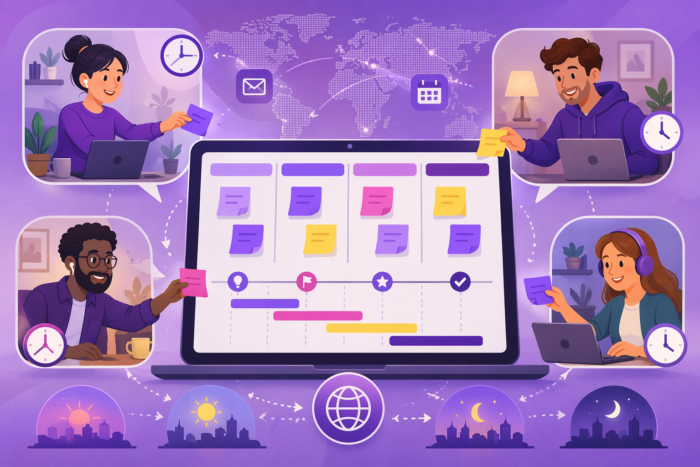
In 2026, the biggest remote-work shift is not where people work. It is how teams coordinate when they are not online at the same time. Most companies still cling to meeting-heavy habits. You see it every day: crowded calendars, rushed standups, and long status calls that change almost nothing.
That old pattern breaks fast across time zones. People wake up to fragmented updates, delayed decisions, and messages with no clear owner. Work slows down. Accountability gets fuzzy. Everyone feels busy, but progress is hard to see.
You do not fix that with one more tool or another daily sync. You fix it by changing the rules of how work flows when people are offline. This article breaks down the most important trends in asynchronous work for 2026.
You will see how teams use them to build:
More articles from our experts about Remote Work here
2026 is the year async stopped being a hack and became an operating model. Remote teams were already using comments, Loom-style videos, and shared docs. The big shift now is toward structure: standards, SLAs, and clear workflows, rather than ad hoc messages.
I have recently shared the Kanbanchi team’s experience with async.
Feel free to check out the guide.
Async used to mean “send a message and hope for the best.” That broke once hybrid work became the norm.
Teams are standardizing async because:
So you see explicit norms like:
Tools like Kanbanchi, Asana, and similar apps help by tying comments, files, and due dates to a single task, so async updates stay connected to the work rather than floating in chat.
Not everything is going async. The pattern is pretty clear, though. Moving to async first:
Staying mostly synchronous:
Async thrives where:
That is why product, engineering, design, and marketing ops are usually ahead of sales or customer support here.
If your team still runs on back-to-back calls, you now look out of step. Data from 2026 async studies shows teams using async-first workflows report around 40 percent higher productivity and cut meeting time by roughly a quarter. Meeting heavy teams pays three costs:
The risk is not just annoyance. You will lose talent to companies that protect focus time and respect off-hours. The fix is not to cancel every meeting. It is to:
Teams that make this shift build a compound advantage: better focus, clearer documentation, and a calmer culture that still ships on time.
Also read: Easy Project Management for All Types of Teams
You cannot run async work on vibes. You need written rules people can point to and follow. Your async communication charter is that rulebook. Keep it short, precise, and baked into daily tools, not buried in a wiki.
Start with a simple question: where does what live? Create a table like this and tailor it to your stack:
| Channel type | Examples | Primary use | Not for |
|---|---|---|---|
| Chat | Slack, Google Chat, Teams | Quick questions, coordination | Decisions, specs, policies |
| Project board | Kanbanchi, Asana, etc. | Tasks, status, blockers | Long debates, social chat |
| Docs & wiki | Docs, Confluence, Notion | Specs, decisions, policies | Urgent issues |
| Gmail, Outlook | External, formal updates | Fast collaboration | |
| Meetings | Zoom, Meet | Conflict, complex decisions | Status reporting |
If someone will need it in 3 months, put it in a doc or project tool, not chat.
If you already use any tool like Kanbanchi, for example, make the board the default place for work updates and blockers. Chat should only point back to cards and docs.
Async fails when no one knows how fast to reply. Borrow the SLA idea from support. Leading async guides suggest setting different response windows per channel.
| Channel | Normal response | Urgent response |
|---|---|---|
| Chat DM | Within 4 work hours | Tag + within 1 hour |
| Project comments | By next workday | Mark as blocker + same day |
| Within 24 hours | Call or SMS if critical | |
| Decision docs | Feedback in 2 workdays | Tag the owner with a deadline |
Write this into the charter in plain language:
Async breaks when everyone is “involved,” but no one decides. For each project type, define:
Then set a clear escalation ladder:
Put examples in the charter so people can copy, not guess.
If the charter reads like HR boilerplate, people will ignore it. Do this instead:
Most important: treat the charter as a product. Review it every quarter, cut what no one uses, and update SLAs and examples based on real behavior.
Async work breaks when tasks live in chat, people guess priorities, and nobody knows who owes what by when. Visual boards and pull systems cut delays and overload. Pair that with clear time rules, and you get async that actually runs itself.

Think of your Kanban board as the team’s shared brain. No task lives only in someone’s head or inbox. At a minimum, set up lists like:
Then make it async-friendly:
Async fails when everyone treats chat like a live call. You need the opposite:
Time block for deep work
Publish daily written priorities
Set response windows
This pattern lets people plan serious thinking without becoming unresponsive.
Do not track every minute. That turns into surveillance, and people game it. Use time tracking in three cases:
Track at task level, not at spy level:
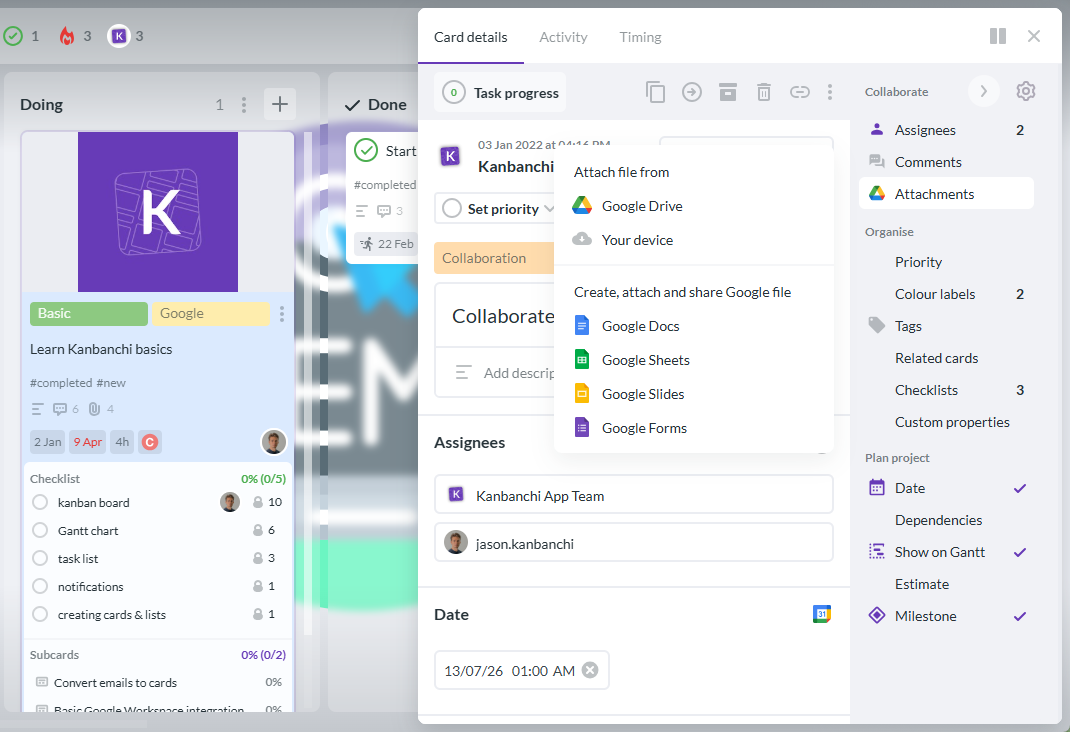
Kanbanchi’s integrated time tracker ties hours to cards, which helps leaders see flow and capacity without turning into micromanagers. For example, our own team uses the built-in time tracker to calculate ROI, improve estimates, review our work, and decide on further steps. We don’t use it to control or punish employees.

Async teams do not need daily standup calls. They need clean handoffs. For every in-progress card, keep a short, living note with:
You can structure it as a simple template inside the card:
People in other time zones scan the board, read handoff notes, and keep moving. No meeting, no confusion, and no “any updates?” messages all day.
Async is not one-size-fits-all. The principles stay the same, but the playbook changes by team type.
Smaller teams feel every meeting and every blocker. Async is your way to move faster without burning people out. Start with simple changes:
For example:
Then design around that:
Kanbanchi works well here because it lives inside Google Workspace, so founders and ICs can manage boards, Gantt timelines, and time tracking without another silo. The less switching between apps, the better. For Microsoft users, Kanbanchi has a version that integrates with OneDrive.

Large organizations do not struggle with tools. They struggle with noise and inconsistency. Async trends you should learn:
Research on remote workflows shows that work falls apart when visibility is low and handoffs are informal, so structured async workflows and automated handoffs are key for big teams.
Next steps:
Kanbanchi fits well for enterprises that need visual boards and enterprise security without adding a separate stack.
Async is your answer to student overload and teacher burnout. Think in two tracks:
Teacher collaboration
Student learning
Async updates let absent students catch up from documentation instead of extra meetings, and give you fewer “What are we doing this week?” emails.
Use three lenses: speed, meetings, and how people feel.
Async that works speeds up decisions; it does not slow everything down. Set a simple baseline for the next 2 to 4 weeks:
Turn that into a quick dashboard:
| Metric | How to track | Signal it is working |
|---|---|---|
| Time to decision | Comment or card timestamps | Flat or faster vs old baseline |
| Blocked time | “Blocked” column age | Fewer items are stuck for days |
| Cycle time | Start to Done | More stable, fewer wild outliers |
Tools like Kanbanchi help here because you can see status, owners, and time tracking on one board. If decision speed keeps falling, your async rules are wrong or unclear.
Cut meetings, but keep outcomes. Track:
Some async guides suggest a 20 to 30 percent cut in meeting hours as a healthy first target.
Watch for warning signs:
If those climb while meetings fall, you cut the wrong meetings or remove them too fast.
Numbers lie if people are quietly stressed. Run a short pulse survey monthly:
Use a 1 to 5 scale. Track trends, not single scores. Then ask 2 open questions:
Review answers with the team, adjust rules, then re-measure. Async is not a one-time switch. It is a set of rules you tune until work feels calm and still moves fast.
People assume async means “I’ll get to it when I can.” Then trust collapses. Async is not slow – it is scheduled. Avoid it by:
Async should feel predictable, not vague.
Teams cut 10 percent of meetings and call it async adoption. Nothing changes. Meeting load drops only when you replace, not just remove, sync time, as guides on async productivity. Avoid it by:
No written decisions means the same debate every month. Tool usage is not documentation. Avoid it by:

Remote collaboration is shifting from “who is online right now” to “what is documented and trackable.” Two big changes are driving that shift.
Top remote teams are moving to documentation-first workflows. They write decisions, plans, and processes once, then reuse them across projects and time zones. Research on async teams shows that written context now beats meetings for speed and clarity, because people can act without waiting in chat queues or calendars to align.
AI is the new layer on top of this. Tools now turn meeting summaries and project threads into structured tasks and docs. Atlassian reports that 85% of knowledge workers use AI, but only 29% have it embedded in real workflows, which creates what they call a “fragmentation tax” on teams. The next phase is AI that writes and updates docs where the work lives, not in a separate app.
Async is getting rules, not just vibes. You will see more teams defining:
Remote work trend reports already show a move away from meetings toward written artifacts as proof of progress. The next step is treating these practices as formal operating standards, not just “good habits.”
Expect teams to roll out:
This is where integrated tools help. A shared Kanban or Gantt space that includes time tracking and linked docs makes those standards visible. Everyone can see what “good” looks like: which column a task should be in, when it is due, and where the supporting doc lives.
The big shift: collaboration will be judged less on how often people talk, and more on how cleanly work moves through agreed workflows.
Adopt the parent remote-work framework, then use this article’s async charter approach to standardize communication and task flow this quarter.
Kanbanchi gives you Kanban boards, Gantt charts, and time tracking, so async work is clear and traceable. Start by mapping response-time SLAs on one board, document your async rules on another, then roll it out to every team with Kanbanchi today.
Start with response-time rules, not tools. Define clear standards like:
Then:
Use a simple test for each topic:
If yes to 2 or more, schedule a meeting. If not, use comments on a task, a decision doc, or a short async update. Review your recurring meetings monthly and convert low-value ones to async updates.
Treat it as an accountability issue, not a tech issue. You need:
Make the work speak for itself. Create a standard weekly view:
Leaders should review this dashboard first, then only call a meeting for blockers.
Async is no longer a trend story. It is an operating model shift. Most workers feel more productive with async, but the real gains only show up when teams set rules, not just swap tools. Studies on hybrid work point to the same pattern: structure beats vibes.
The 2026 async shift is about formal standards, not just fewer meetings. A communication charter and SLA response-time model are the fastest way to make async usable. Workflow templates like Kanban boards, handoff notes, and priority updates turn async into execution. Teams should measure decision speed, blocked time, and meeting reduction together. The strongest implementations adapt the model by team type and document it clearly.
If your team hasn’t yet found a supportive tool, consider trying Kanbanchi, which provides Kanban boards, Gantt charts, and a time tracker in one app.


In this Article:
Start using Kanbanchi now
Start your free trial