-  views

Task Management Tips to Organize Work Without the Chaos

Try Kanbanchi now

Start your free trial

 

Task Management Tips to Organize Work Without the Chaos - Main Image

Work feels chaotic for a simple reason: most teams run on invisible work. Requests live in email threads, Slack pings, meeting notes, and someone’s memory. When priorities shift (which they always do), the “system” breaks because it was never a system.

The goal of effective task management is not to do more. It’s to make work predictable: clear priorities, visible ownership, realistic timelines, and fewer surprises.

Below are practical task management tips you can apply immediately, whether you’re managing personal work or coordinating a team.

Start with one rule: capture everything in one place

Chaos starts when tasks are scattered across tools. Your first win is building a single, trusted capture point.

What to do:

  • Pick one primary “inbox” for incoming work (a list on a board, a queue, or a dedicated backlog).
  • Make it frictionless to add tasks so you actually use it.

If your work begins in email, consider a flow where emails become tasks instead of “stuff you’ll remember later.” For example, Kanbanchi supports creating tasks from Gmail and keeping the work visible on a board.

Why it works: your brain stops acting like RAM. When everything is captured, you can prioritize with facts instead of anxiety.

Define “done” so tasks stop lingering

Many tasks live forever because they are written as vague intentions: “Review proposal,” “Fix onboarding,” “Prep launch.” That ambiguity creates follow-up, rework, and silent delays.

Tighten task intents:

  • Write tasks as a deliverable plus a quality bar.
  • Include acceptance criteria when more than one person is involved.

Examples:

  • “Review proposal” becomes “Review proposal and leave comments on sections 2–4 by 3 pm.”
  • “Prep launch” becomes “Publish launch page, QA mobile, and schedule announcement email.”

When you do this consistently, handoffs get faster and status meetings shrink.

Read more articles on Task Management

Break work into pieces that fit your planning horizon

A common failure mode is mixing different sizes of work in the same list: a two-hour task sits next to a three-week initiative. That makes prioritization meaningless.

A useful guideline:

  • If something takes more than a few days, split it into tasks that can move across the workflow within a week.

This isn’t busywork. It creates momentum and makes progress measurable.
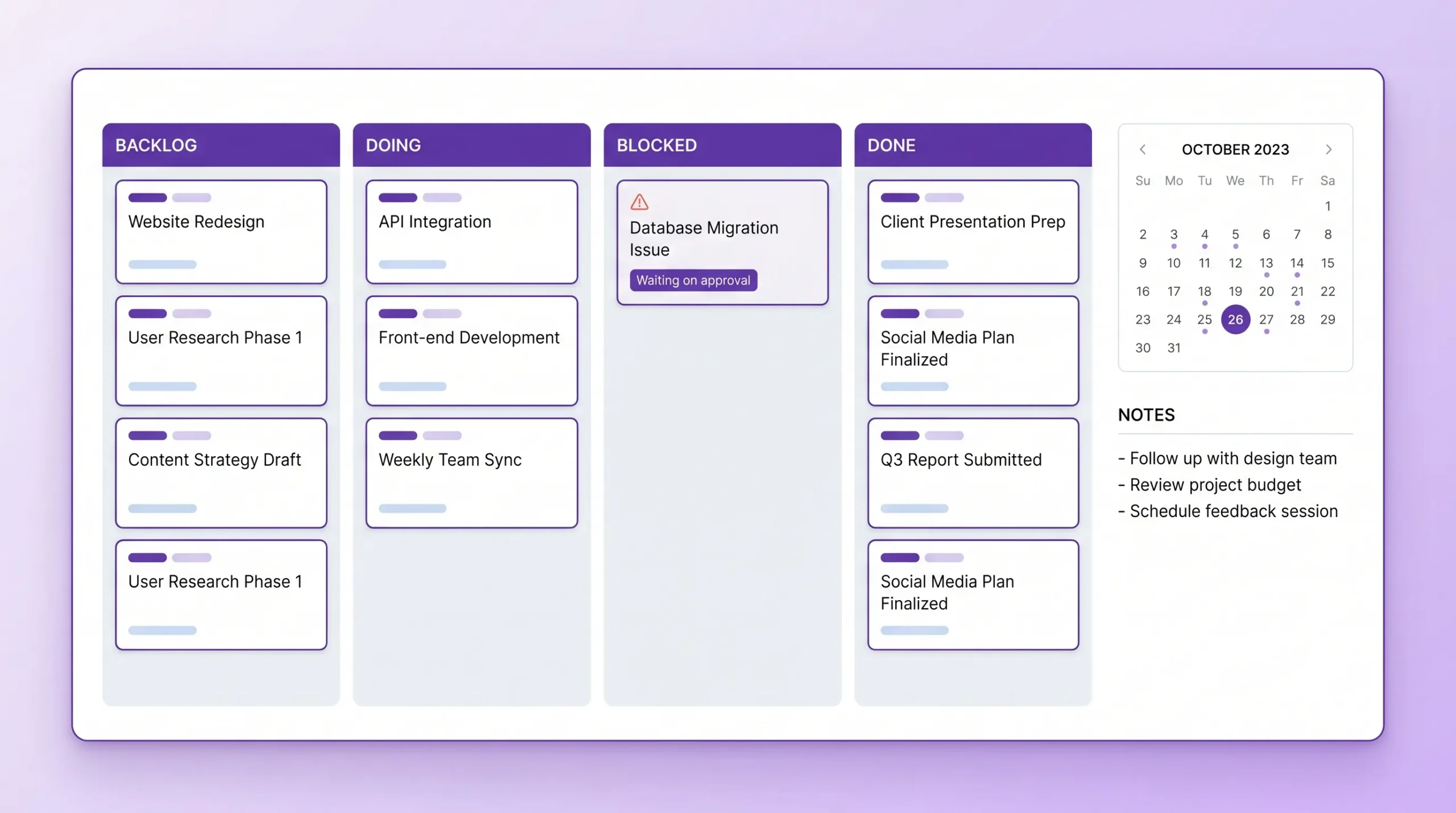
A clean task management workspace showing a simple Kanban board with columns like Backlog, Doing, Blocked, Done, plus a small calendar and a notes area, emphasizing clarity and minimal clutter.
Break work into pieces that fit your planning horizon by organizing tasks across a visual kanban board and a structured calendar schedule.

Limit work in progress (WIP) to reduce context switching

Most teams are not overwhelmed by volume, they’re overwhelmed by simultaneity. Too many “in progress” items lead to:

  • constant switching
  • more waiting on dependencies
  • longer cycle times
  • lower quality

A simple WIP policy:

  • Set a maximum number of tasks allowed in “In Progress” per person or per team.
  • When the limit is reached, finish something before starting something new.

This is the heart of Kanban: a pull system that protects focus. If you’re new to the concept, this intro to what a Kanban board is helps frame the idea.

Use a “Now / Next / Later” priority model (and keep it visible)

Complex prioritization frameworks can help, but most teams need something they will actually maintain.

Try this:

  • Now: the few items you are actively executing.
  • Next: ready to start as soon as capacity frees up.
  • Later: valuable, but not worth attention this week.

The critical part is visibility. When priorities change, you move cards, not expectations.

If you want a deeper walkthrough of prioritization methods, Kanbanchi’s guide on how to prioritize tasks in project management covers multiple frameworks.

Plan in two layers: a board for execution, a timeline for commitments

Boards are great for flow, but many teams also need deadline clarity and cross-team coordination. That’s where a timeline view (like a Gantt chart) becomes useful.

Use this split:

  • Kanban board: day-to-day execution, blockers, WIP limits, handoffs.
  • Timeline (Gantt): milestones, dependencies, and who needs what by when.

When your execution view and your schedule view stay connected, you avoid the classic trap: a “pretty plan” that doesn’t match reality.

Make meetings produce tasks, not notes

Meetings often create hidden work: decisions and action items that never become trackable tasks.

A better pattern:

  • Every meeting ends with explicit owners and due dates.
  • Action items go directly into your task system.
  • If an item has no owner, it is not an action item.

If your team lives in Google Workspace, it helps when your task tool can connect to Google Calendar for due dates and reminders, and store supporting docs in Google Drive so context is never missing.

Use time tracking for insight, not surveillance

Time tracking becomes valuable when it answers questions like:

  • Are we underestimating certain task types?
  • Where are bottlenecks happening?
  • Which requests are consuming the most capacity?

The key is to track enough to learn, not so much that it becomes overhead. Even lightweight tracking at the task level can improve future planning and reduce last-minute crunch.

Build a simple weekly review cadence

Without review, your system slowly degrades: priorities drift, “Later” becomes a graveyard, and blocked work hides.

A practical cadence looks like this:

RitualFrequencyPurposeOutput
Inbox triageDaily (5–10 min)Turn inputs into clear tasksClean backlog, fewer surprises
Team flow check2–3x per week (10–15 min)Spot blockers and overloadReassigned work, unblocked tasks
Planning + prioritizationWeekly (30–60 min)Decide “Now/Next/Later”Realistic weekly commitments
RetrospectiveBiweekly or monthlyImprove the system itselfOne process change to test

Treat this like maintenance. It’s cheaper than firefighting.

Standardize task fields so collaboration scales

When a team grows, “everyone writes tasks their own way” becomes a coordination tax. Standard fields keep handoffs smooth.

Consider standardizing:

  • owner
  • due date
  • priority
  • status
  • links to source docs
  • time estimate (optional)

In Kanbanchi, teams typically do this through consistent card properties on boards, then use progress tracking to see how work is moving.

Turn common chaos patterns into playbooks

Use the table below as a quick diagnostic. If you recognize a symptom, apply the corresponding fix for two weeks and measure the impact.

SymptomLikely causeFix to tryWhat “better” looks like
Too many urgent tasksNo visible priority rulesNow/Next/Later + weekly planningFewer last-minute escalations
Work gets “stuck”Dependencies and blockers are hiddenAdd a Blocked state + explicit ownerBlockers surfaced within 24 hours
People multitask constantlyNo WIP limitsCap “In Progress” itemsShorter cycle time, higher focus
Deadlines keep slippingPlan not connected to executionUse board + timeline togetherMore accurate commitments
Tasks get lost in emailNo capture workflowConvert emails into tasksFewer follow-up pings

When task chaos is really a people problem (and what to do)

Sometimes the “chaos” isn’t the tool. It’s unclear roles, missing skills, or a team stretched beyond capacity.

A few signals:

  • Work repeatedly bounces between people because ownership is unclear.
  • Execution is slow because expertise is missing (for example, senior sales leadership, marketing ops, or technical program management).
  • Teams are making process changes to compensate for a hiring gap.

In those cases, improving task management helps, but staffing fixes the root cause. If you need support hiring business-critical leaders in go-to-market, client services, or executive management, an international search specialist like Optima Search Europe can be a useful resource.
Bringing it together in one workflow (without adding more apps)

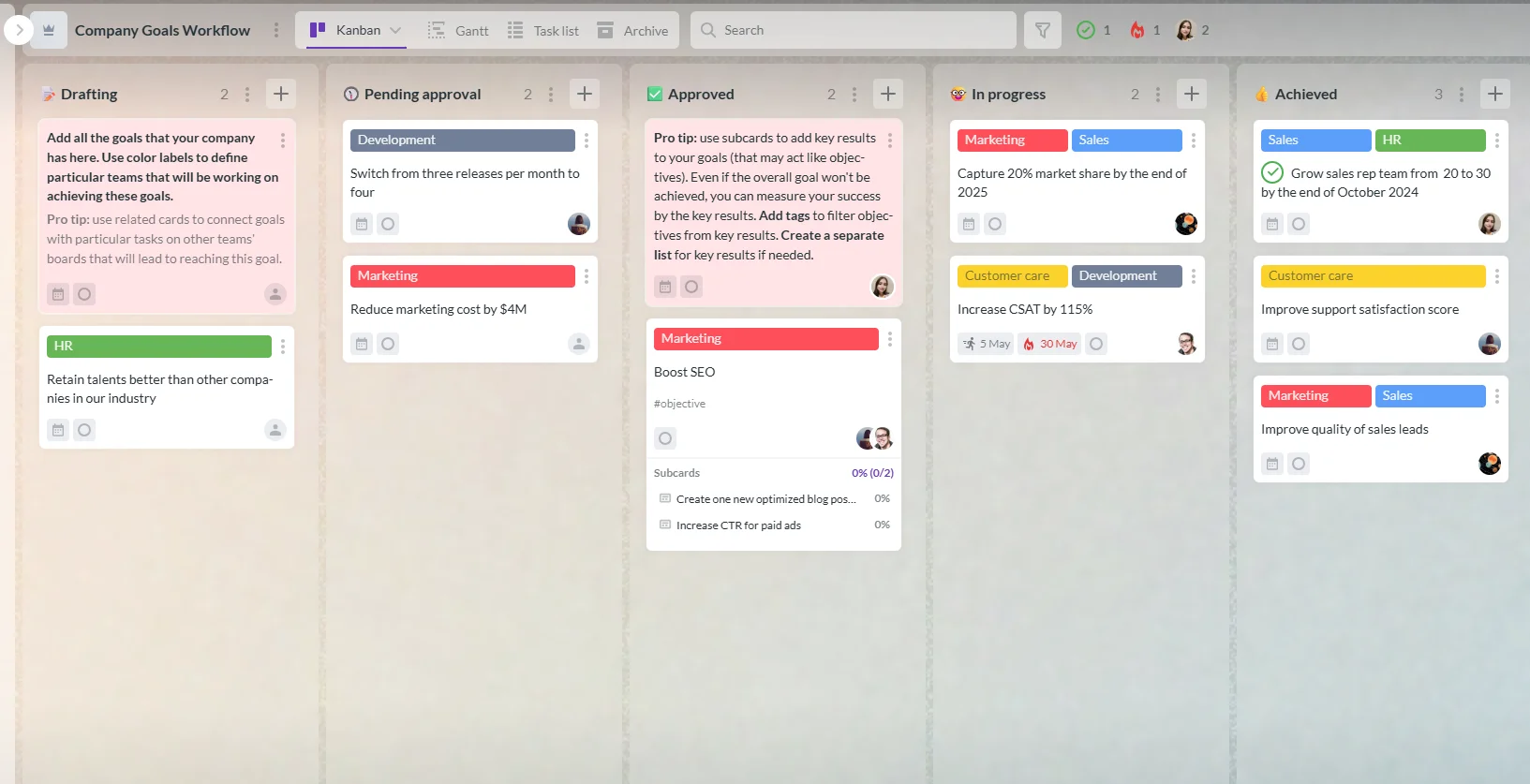
Kanbanchi kanban board showing task cards organized into columns for tracking project workflow
Break work into pieces that fit your planning horizon by organizing tasks into clear, manageable stages on a Kanbanchi kanban board.

The best task management setup is the one your team will maintain. For many organizations already working inside Google Workspace or Microsoft 365, reducing app-switching is the fastest path to less chaos.

Kanbanchi is built for that environment, combining:

  • Kanban boards for day-to-day task flow
  • Gantt charts for timeline planning
  • Built-in time tracking
  • Google Drive file storage and collaboration
  • Gmail task creation and Google Calendar sync
  • Microsoft 365 compatibility

If your current system is spread across docs, spreadsheets, and chat threads, consolidating into a single visual workflow can make priorities clearer within a week.

Try Kanbanchi today

Frequently Asked Questions

What are the most important task management tips for busy teams? Start with one capture point, define “done,” limit work in progress, and review priorities weekly. Those four habits remove most day-to-day chaos.

How do I organize tasks when everything feels urgent? Create a visible priority policy (like Now/Next/Later) and revisit it weekly. If everything is “Now,” nothing is, so you must force trade-offs.

Should I use a Kanban board or a to-do list? Use a to-do list for personal, simple work. Use a Kanban board when tasks move through stages, involve handoffs, or require visibility across a team.

How can I stop tasks from getting lost in email? Convert emails into tasks immediately, attach the email context, and assign an owner and due date. The key is a consistent capture workflow.

What’s a reasonable number of tasks to work on at once? For most roles, 1–3 active tasks is a healthy limit. More than that usually increases context switching and slows everything down.

Do I need time tracking for task management? Not always, but it’s helpful when you need better forecasting, capacity planning, or proof of where time is going. Keep it lightweight and use it to learn, not to micromanage.

Try a calmer way to manage work

If you want to organize work without the chaos, aim for one visible system that connects daily execution to real timelines.

Kanbanchi helps teams do that inside the tools they already use (Google Workspace or Microsoft 365) with Kanban boards, a Gantt chart, and built-in time tracking.


Try Kanbanchi today

    MultipleAuthors\Classes\Objects\Author Object
    (
        [term_id] => 961
        [term:MultipleAuthors\Classes\Objects\Author:private] => 
        [metaCache:MultipleAuthors\Classes\Objects\Author:private] => Array
            (
                [user_email] => lyubov.kozlova@kanbanchi.com
                [user_id] => 7
                [first_name] => Lyubov
                [last_name] => Kozlova
                [job_title] => Rédactrice du blog et experte en gestion de projet chez Kanbanchi
                [description] => Aider les chefs de projet à utiliser Kanbanchi pour une collaboration d'équipe efficace
                [user_url] => https://uk.linkedin.com/in/lyubov-kozlova-167906181
            )
    
        [userObject:MultipleAuthors\Classes\Objects\Author:private] => WP_User Object
            (
                [data] => stdClass Object
                    (
                        [ID] => 7
                        [user_login] => lyubov.kozlova
                        [user_pass] => $wp$2y$10$GPJi4BJo10p1GiS9f9aHZOJSmPdgPi1hpFiwLGdEULUf5r0oHbJ06
                        [user_nicename] => lyubov-kozlova
                        [user_email] => lyubov.kozlova@kanbanchi.com
                        [user_url] => https://uk.linkedin.com/in/lyubov-kozlova-167906181
                        [user_registered] => 2019-03-21 13:04:32
                        [user_activation_key] => 
                        [user_status] => 0
                        [display_name] => Lyubov Kozlova
                    )
    
                [ID] => 7
                [caps] => Array
                    (
                        [editor] => 1
                        [author] => 1
                        [contributor] => 1
                    )
    
                [cap_key] => wp_capabilities
                [roles] => Array
                    (
                        [0] => editor
                        [1] => author
                        [2] => contributor
                    )
    
                [allcaps] => Array
                    (
                        [moderate_comments] => 1
                        [manage_categories] => 1
                        [manage_links] => 1
                        [upload_files] => 1
                        [unfiltered_html] => 1
                        [edit_posts] => 1
                        [edit_others_posts] => 1
                        [edit_published_posts] => 1
                        [publish_posts] => 1
                        [edit_pages] => 1
                        [read] => 1
                        [level_7] => 1
                        [level_6] => 1
                        [level_5] => 1
                        [level_4] => 1
                        [level_3] => 1
                        [level_2] => 1
                        [level_1] => 1
                        [level_0] => 1
                        [edit_others_pages] => 1
                        [edit_published_pages] => 1
                        [publish_pages] => 1
                        [delete_pages] => 1
                        [delete_others_pages] => 1
                        [delete_published_pages] => 1
                        [delete_posts] => 1
                        [delete_others_posts] => 1
                        [delete_published_posts] => 1
                        [delete_private_posts] => 1
                        [edit_private_posts] => 1
                        [read_private_posts] => 1
                        [delete_private_pages] => 1
                        [edit_private_pages] => 1
                        [read_private_pages] => 1
                        [wpseo_bulk_edit] => 1
                        [copy_posts] => 1
                        [ppma_edit_post_authors] => 1
                        [ppma_edit_own_profile] => 1
                        [editor] => 1
                        [author] => 1
                        [contributor] => 1
                    )
    
                [filter] => 
                [site_id:WP_User:private] => 1
            )
    
        [hasCustomAvatar:MultipleAuthors\Classes\Objects\Author:private] => 
        [customAvatarUrl:MultipleAuthors\Classes\Objects\Author:private] => 
        [avatarUrl:MultipleAuthors\Classes\Objects\Author:private] => 
        [avatarBySize:MultipleAuthors\Classes\Objects\Author:private] => Array
            (
                [96] => Lyubov Kozlova
                [80] => Lyubov Kozlova
                [50] => Lyubov Kozlova
            )
    
    )
    
  • Lyubov Kozlova
    Rédactrice du blog et experte en gestion de projet chez Kanbanchi

    Aider les chefs de projet à utiliser Kanbanchi pour une collaboration d'équipe efficace

    All articles
Share

Try Kanbanchi now

  • Collaborate seamlessly
    with your team
  • Integrate Kanbanchi
    with Google or Microsoft
  • Manage all your work in one place
Start for free

Start using Kanbanchi now

Start your free trial