
In this Article:
Try Kanbanchi now
Start your free trial

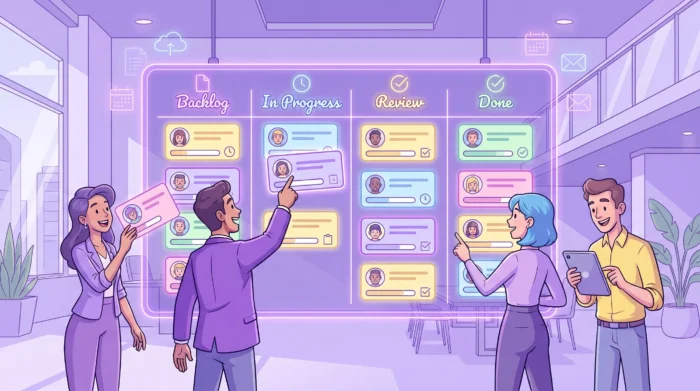
Missed deadlines rarely start with one dramatic failure. They start with smaller gaps: a task sits in someone’s inbox, a handoff is unclear, a due date changes in a spreadsheet but not on the calendar, or a manager discovers too late that three people are waiting on the same blocker.
Task tracking tools solve that visibility problem. The best ones do more than store tasks. They help leaders see work in progress, understand what is late or at risk, coordinate owners, and adjust plans before schedules slip. For business owners, department heads, and team leads, that means fewer status meetings and more reliable delivery.
The Project Management Institute describes project management as applying knowledge, skills, tools, and techniques to deliver value. That word tools matters because schedule control depends on timely information. If managers cannot see what is happening at task level, project schedules become educated guesses.
A task tracking system should answer five questions quickly:
If any of those answers requires searching through email threads, chat messages, spreadsheets, and meeting notes, the schedule is already at risk. A strong tool gives the team a shared operational picture so decisions are based on current work, not last week’s assumptions.
This is especially important for teams of 3 to 5 people that are growing quickly. Informal coordination can work when everyone sits in the same room and handles a small number of tasks. Once the team adds more projects, external collaborators, remote work, or enterprise approval layers, task tracking needs structure.
Not every task tracker is built for schedule discipline. Some are excellent personal to-do lists, while others support full project planning, time analysis, and enterprise collaboration. When evaluating task tracking tools, focus on the features that reduce schedule risk.
A visual workflow shows where every task stands. Kanban-style columns such as Backlog, Ready, In Progress, Review, and Done make work easier to understand at a glance. Leaders can identify bottlenecks without interrupting the team, and team members can see what should move next.
Visual boards also reduce ambiguity. A task in Review means something different from a task in In Progress. When the workflow is visible, status updates become less subjective and fewer meetings are needed to clarify progress.
A task without an owner is a risk. A due date without priority is a negotiation waiting to happen. Effective task tracking tools make responsibility, timing, and importance visible on every item.
For schedule control, due dates should not be treated as decoration. They should guide planning, notifications, calendar visibility, and escalation. Priorities should help the team decide what to start first, what to delay, and what to protect when capacity gets tight.
A board shows flow, but a timeline shows sequence. Teams working toward launches, client deliverables, procurement deadlines, compliance milestones, or seasonal campaigns usually need a Gantt chart or similar timeline view.
Timeline planning helps managers understand which tasks can happen in parallel and which ones must happen in a specific order. If one upstream task is late, the team can see the downstream impact before the final deadline is threatened.
Time tracking is not just about billing. It helps teams compare estimates with reality. If design reviews regularly take twice as long as expected, the schedule should reflect that. If administrative work consumes half of a specialist’s week, managers need to know before assigning more project tasks.
The most useful time data is collected close to the work itself. When users can track time directly on a task card, the information is more accurate and easier to connect to project outcomes.
Task tracking becomes harder when the work lives somewhere else. If your team uses Google Workspace or Microsoft 365 every day, the tracking tool should connect to cloud files, email, and calendars rather than forcing everyone into a separate workflow.
A practical setup lets people attach files from Google Drive, Shared Drives, OneDrive, or SharePoint, turn emails into tasks, and sync important dates with a calendar. This reduces context switching and keeps task details close to the documents and conversations that matter.
A useful tracker should surface problems automatically. Notifications help people respond to changes. Filters help managers focus on overdue tasks, high-priority work, or one owner’s workload. Reports help leaders understand trends such as recurring delays, overloaded roles, and inaccurate estimates.
| Capability | How it helps teams stay on schedule | What to check before choosing |
|---|---|---|
| Kanban board | Shows task status and bottlenecks in real time | Can the workflow match your actual process? |
| Gantt chart or timeline | Makes deadlines, overlaps, and schedule pressure visible | Can tasks move between board and timeline without duplicate entry? |
| Time tracking | Compares planned effort with actual effort | Is time captured directly on tasks? |
| Calendar integration | Keeps deadlines visible in daily planning | Can important task dates appear in the team calendar? |
| File integration | Keeps documents connected to the work | Does it support your cloud storage and permissions model? |
| Email-to-task capture | Prevents requests from getting lost in inboxes | Can team members create tasks from email quickly? |
| Reporting and export | Gives managers trend data and auditability | Can you export or connect data to dashboards? |
Teams often start with the tool they already know. That can work for a while, but each category has limits. The right choice depends on how much schedule control, collaboration, and reporting your team needs.
| Tool type | Best fit | Scheduling weakness if used alone |
|---|---|---|
| Personal to-do apps | Individual work and simple reminders | Limited visibility for managers and cross-functional teams |
| Spreadsheets | Lightweight lists and one-off tracking | Manual updates, weak notifications, and easy version confusion |
| Kanban boards | Ongoing workflows and transparent team execution | May need timeline support for deadline-heavy projects |
| Gantt chart tools | Project schedules with phases and dependencies | Can feel disconnected from daily task execution |
| Time trackers | Effort analysis, billing, and estimation improvement | Do not usually manage workflow by themselves |
| All-in-one project management platforms | Teams that need boards, timelines, files, reports, and time data together | Require clear rollout rules to avoid overcomplication |
The strongest setup for schedule-focused teams usually combines visual workflow, timeline planning, and time data. That does not always mean buying the most complex platform. It means choosing a tool that matches how your team already works and adds the missing layer of visibility.
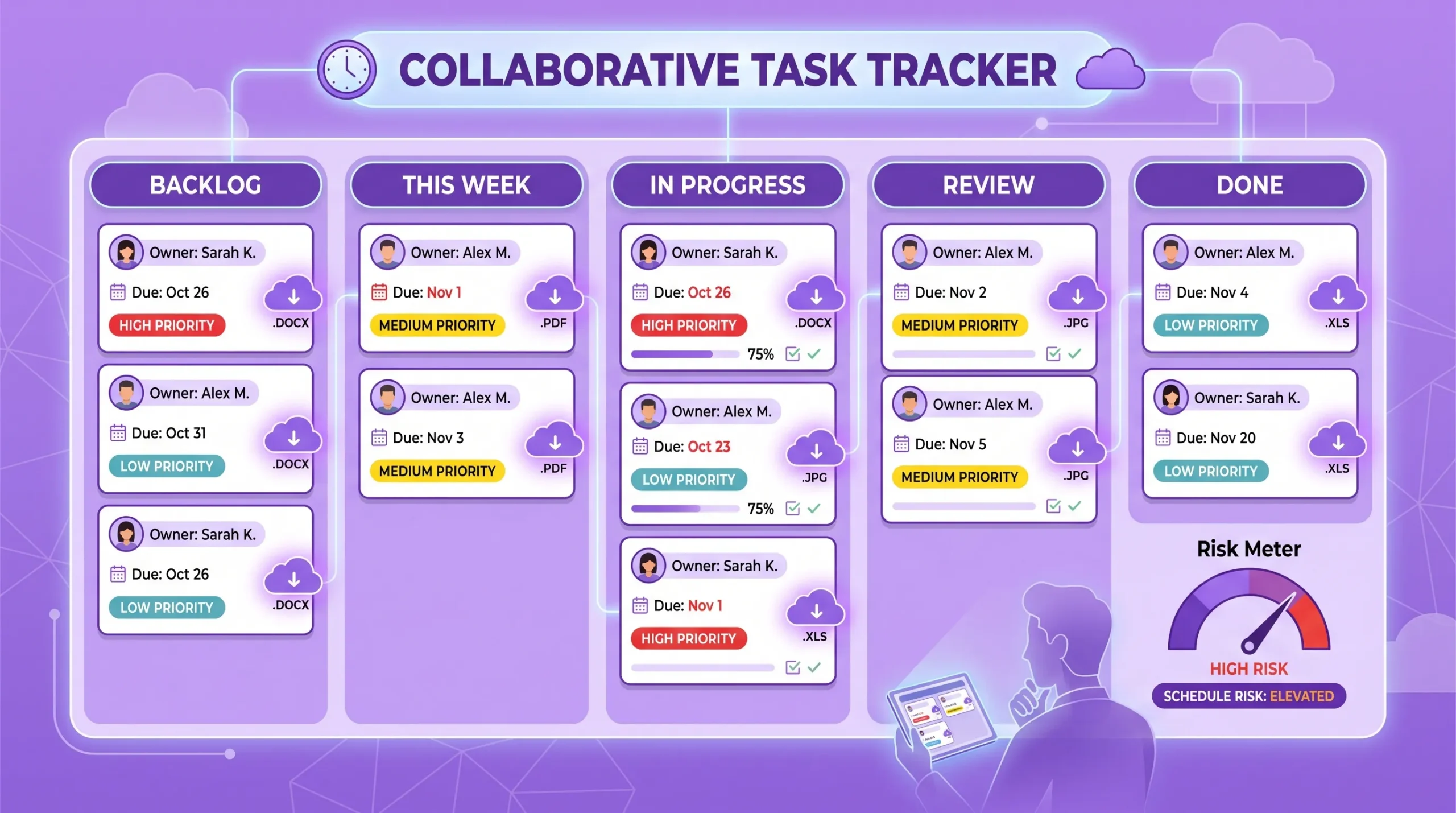
A task tracking tool should reduce friction, not add another place to check. For Google Workspace teams, that means working naturally with Gmail, Google Drive, Shared Drives, Google Calendar, and Google Sheets. For Microsoft 365 teams, it means compatibility with OneDrive and SharePoint workflows.
Integration is not just convenience. It affects adoption, security, and data accuracy. If a team has to download files, re-upload attachments, manually copy dates, or duplicate tasks across apps, people will eventually stop maintaining the tracker. Once the tracker is out of date, managers lose confidence in the schedule.

Kanbanchi is designed for teams that want task tracking, project planning, and collaboration in one place, especially when work already happens in Google Workspace. It combines Kanban boards, a Gantt chart, time tracking, file attachments, and calendar-connected planning so teams can manage both daily execution and schedule visibility.
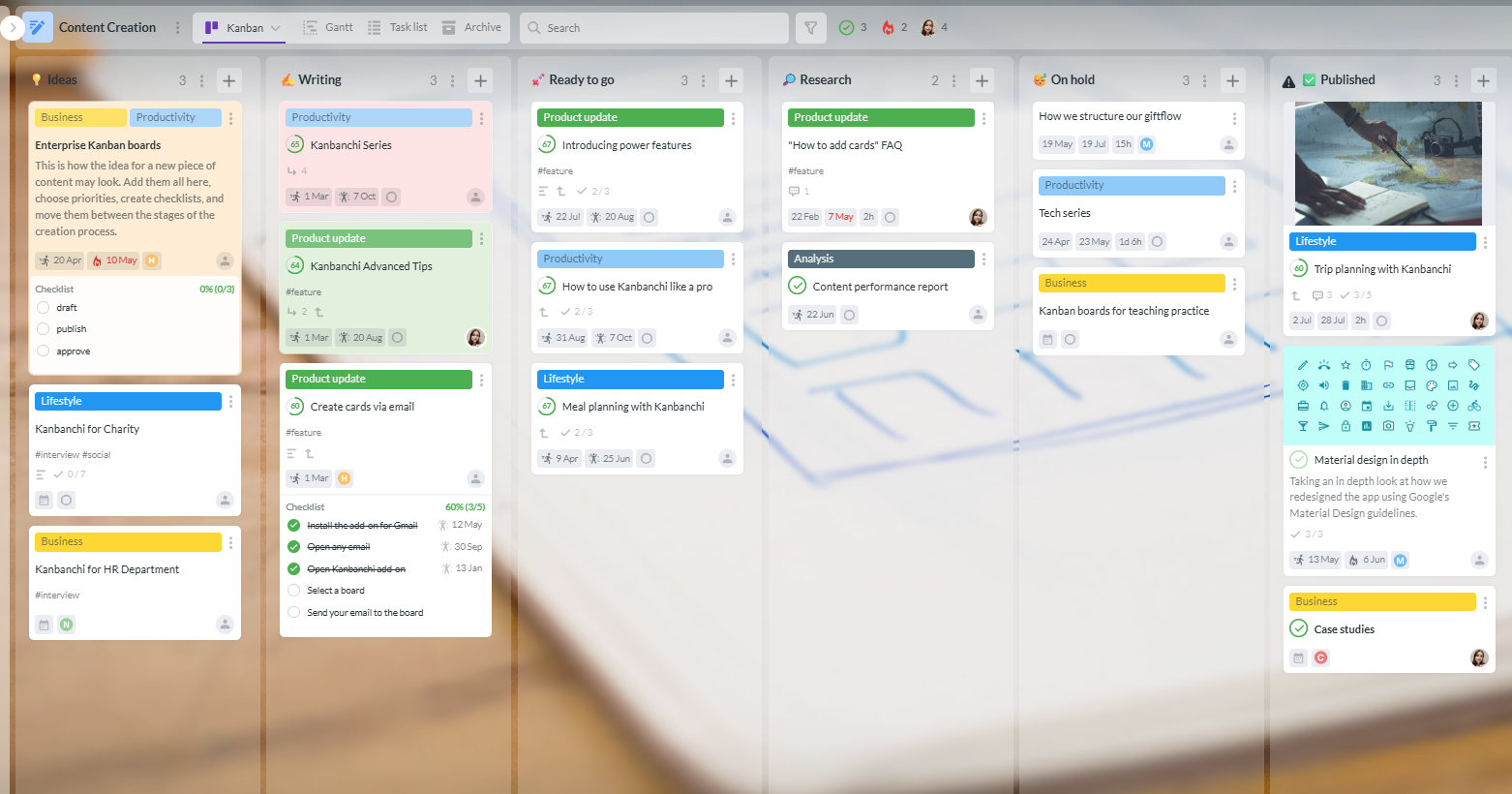
Kanbanchi boards help teams create and share project boards and task cards, assign work, add comments, apply text and color tags, and receive notifications about board updates. Teams can sort and filter cards to focus on upcoming deadlines, priorities, owners, or specific project categories.
For Google Workspace users, boards can be created as files in Google Drive, with Shared Drives available for Enterprise users. This makes project boards feel closer to the company’s existing file structure and access policies.

Kanbanchi lets teams see board data on a Gantt chart with one click. This is valuable when a manager needs to move from task-level tracking to timeline planning. Instead of maintaining a separate schedule in a spreadsheet, teams can plan project dates visually while keeping the underlying cards connected to day-to-day work.
This is particularly useful for launch plans, event preparation, onboarding programs, marketing campaigns, implementation projects, and operational workflows where tasks have real date pressure.

Time Tracker in Kanbanchi allows users to choose a card, start the timer, and record timing data in the Timing tab. Managers can use this information to understand actual effort and improve future estimates.
The value grows over time. After a few project cycles, teams can stop guessing how long recurring activities take and start planning with evidence. That makes schedules more realistic and reduces the tendency to overload high performers.
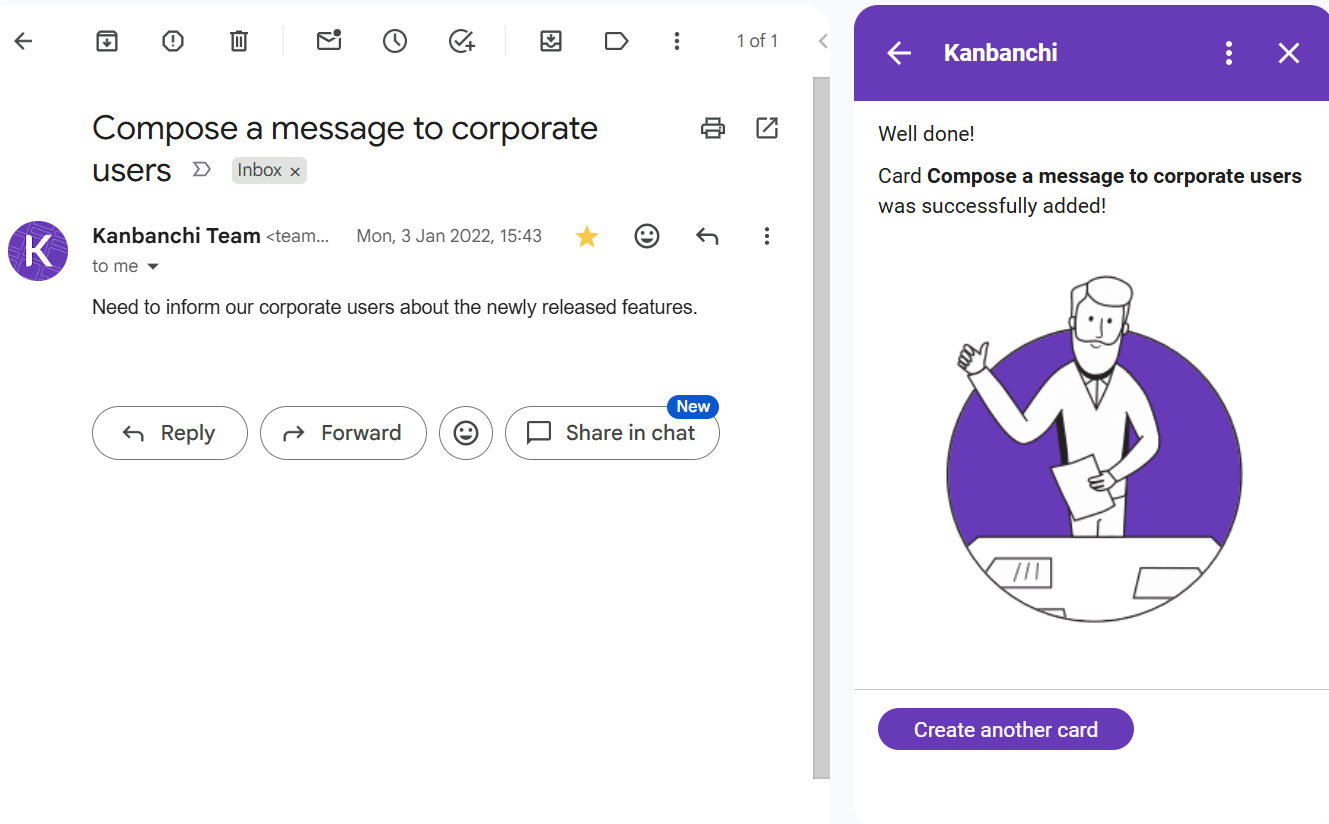
Kanbanchi supports creating cards from Gmail through a Gmail add-on or by emailing a board’s unique address. Teams can add events to Google Calendar, attach files from Google Drive and Shared Drives, and export board data to Google Sheets.
For reporting, teams can extract data and connect it to a preferred dashboard, such as Google Looker Studio. This helps managers move from anecdotal status updates to measurable project tracking.
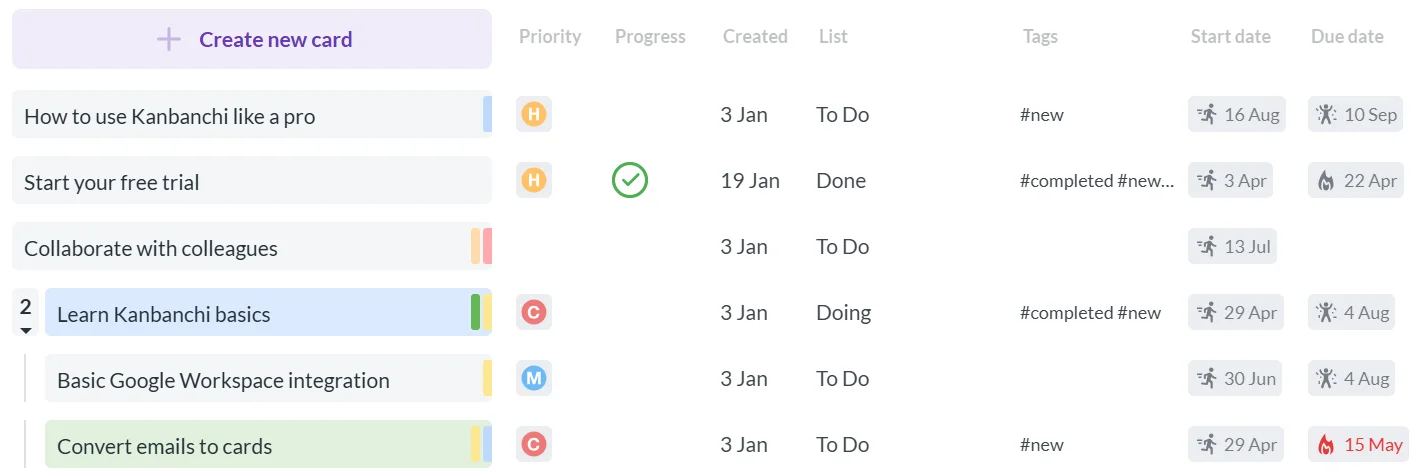
As work grows, teams need more than a simple list. Kanbanchi supports subcards for breaking down complex tasks, swimlanes for separating multiple projects or workstreams on one board, templates for repeatable workflows, Task list view for scanning tasks quickly, backups for recovery, and import from Trello or CSV.
For companies that want a Google Workspace project management tool with task tracking, visual planning, and time data in one environment, Kanbanchi offers a practical path without moving work away from the ecosystem teams already use.
Start free trial of Kanbanchi now
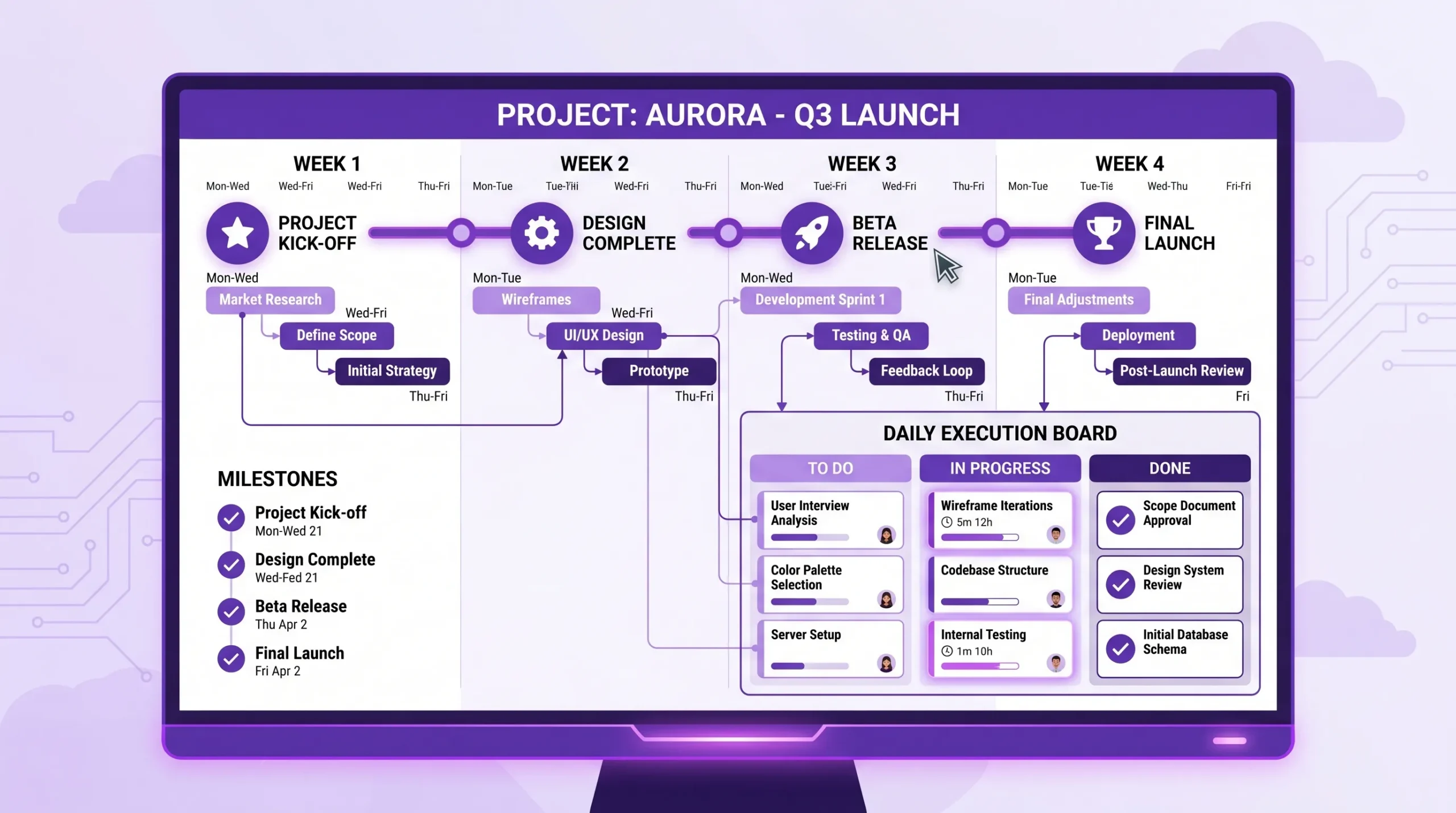
Before comparing feature lists, define what schedule control means for your team. A customer success team may need recurring onboarding checklists and owner accountability. A marketing team may need campaign timelines and review stages. An operations team may need recurring tasks, documentation, and proof that work was completed on time.
Use the table below as a practical evaluation guide.
| Requirement | Why it matters | Practical test |
|---|---|---|
| Existing work ecosystem | Adoption is easier when the tool fits current habits | Can users work from Google Workspace or Microsoft 365 without constant switching? |
| Deadline pressure | More deadlines require stronger scheduling views | Can managers see tasks by date, timeline, and overdue status? |
| Team size and permissions | Growing teams need controlled sharing | Can access follow company policies for internal and external users? |
| Repeatable workflows | Templates save setup time and improve consistency | Can teams reuse boards or card structures? |
| Reporting needs | Leaders need trend data, not just current status | Can task data be exported or connected to dashboards? |
| Migration needs | Switching tools should not stall active work | Can the tool import from Trello or CSV if needed? |
| Time estimation | Better estimates create better schedules | Can the team track actual effort against tasks? |
The best tool is the one your team will actually maintain. A beautifully configured platform is useless if task owners avoid it. Prioritize clarity, integration, and ease of daily use over advanced features that only one administrator understands.
A task tracking tool should not be introduced as another administrative burden. It should solve a real delivery problem. Start with one team, one project, and a clear definition of success.
Identify how work enters the team, how it moves, who approves it, and where delays happen. Keep the first workflow simple. For many teams, Backlog, Ready, In Progress, Review, and Done is enough to begin.
Also decide what information every task must include. At minimum, use an owner, due date, status, priority, and short description. If every card follows the same basic structure, the board becomes easier to scan.
Create the board, add current tasks, assign owners, and set realistic due dates. Do not import every historical task unless it is still relevant. The goal is to make today’s work visible, not recreate an archive.
During this week, encourage the team to update cards as part of the work itself. If the board is only updated before meetings, it will quickly become a reporting chore rather than a live management tool.
Once the board reflects active work, add timeline planning. Use the Gantt view for tasks with date relationships, milestones, or handoffs. Sync important dates with the calendar so deadlines appear where people plan their days.
This is also a good time to clarify what happens when a due date changes. A date change should be visible, intentional, and communicated. Silent deadline movement is one of the fastest ways to lose schedule control.
Hold a short retrospective. Review overdue tasks, bottlenecks, work in progress, and estimate accuracy. Ask whether the board helped the team act earlier than before.
Then refine the workflow. Remove statuses that no one uses, add filters that help managers, and create templates for recurring work. The best task tracking setup evolves with the team rather than trying to be perfect on day one.
Read more articles about Task Management
It is tempting to capture every possible field, label, and exception. Too much structure slows people down. Track the information needed to make decisions, assign work, and protect deadlines. Add complexity only when the team can explain why it is needed.
A tool can show overload, but it cannot fix it by itself. If the same people always have the most urgent work, managers need to reduce work in progress, renegotiate timelines, or add support. Sustainable scheduling also depends on human energy. Some companies support that through better work routines, flexible policies, and benefits when it fits their employee wellbeing strategy.
If key decisions happen in chat or email but never reach the task card, the tracker becomes incomplete. Encourage teams to summarize decisions, attach relevant files, and keep comments tied to the task. This makes handoffs easier and protects knowledge when people are away.
If due dates are frequently ignored, the team stops trusting the system. Use fewer dates if necessary, but make them meaningful. A due date should signal commitment, priority, and possible escalation when missed.
Every team needs basic working agreements. For example, new work should be captured as a card, owners should update status before standups, blockers should be marked visibly, and completed tasks should move to Done. These rules do not need to be complicated, but they do need to be consistent.
After implementation, measure whether the tool improves delivery. Schedule health should be visible in team behavior and project outcomes, not just in a cleaner board.
| Metric | What it reveals | How to use it |
|---|---|---|
| Overdue tasks | Where schedule risk is accumulating | Filter by owner, priority, or workflow stage |
| Work in progress | Whether the team is starting too much at once | Set practical WIP limits for key stages |
| Cycle time | How long work takes from start to finish | Identify slow stages and recurring bottlenecks |
| Estimate vs actual time | Whether planning assumptions match reality | Improve future schedules with historical data |
| Blocked task age | How long tasks wait for decisions or inputs | Escalate blockers before they affect milestones |
These metrics are most useful when discussed without blame. The goal is to improve the system of work. If tasks are late because approvals take too long, the answer may be a clearer approval workflow, not asking individuals to work faster.
A task tracking tool is software that helps teams capture, assign, prioritize, monitor, and complete work. For business teams, the best tools also provide due dates, workflow visibility, collaboration, file attachments, notifications, and reporting.
Task tracking tools focus on individual and team tasks. Project management software often adds broader planning capabilities such as timelines, dependencies, resource management, time tracking, templates, and reports. Many modern platforms, including Kanbanchi, combine both.
Google Workspace includes useful apps such as Gmail, Calendar, Drive, Docs, Sheets, and Google Tasks. However, it does not provide a full visual project management system with Kanban boards, Gantt planning, time tracking, and advanced task reporting. Teams that need those capabilities often add an integrated tool.
The most important features are clear ownership, meaningful due dates, visual workflow tracking, timeline planning, notifications, file integration, and reports. Time tracking is also valuable when teams want better estimates and capacity planning.
Start with one team and one active workflow. Define what every task card must include, move current work into the tool, and set simple rules for updates. After a few weeks, review what helped, remove unnecessary complexity, and expand gradually.
Kanbanchi is especially strong for Google Workspace teams because of its Google Drive, Gmail, Google Calendar, and Google Sheets connections. It is also compatible with Microsoft 365, including workflows involving OneDrive and SharePoint.
Staying on schedule is easier when tasks, files, dates, and time data are connected. Kanbanchi helps teams manage daily work on Kanban boards, plan timelines with a Gantt chart, track time on task cards, and collaborate inside the Google Workspace or Microsoft 365 environment they already use.
If your team is ready to replace scattered spreadsheets, inbox requests, and status meetings with one shared view of work, explore Kanbanchi and see how visual task tracking can support more reliable delivery.
Start free trial of Kanbanchi now



In this Article:
Start using Kanbanchi now
Start your free trial