
In this Article:
Try Kanbanchi now
Start your free trial

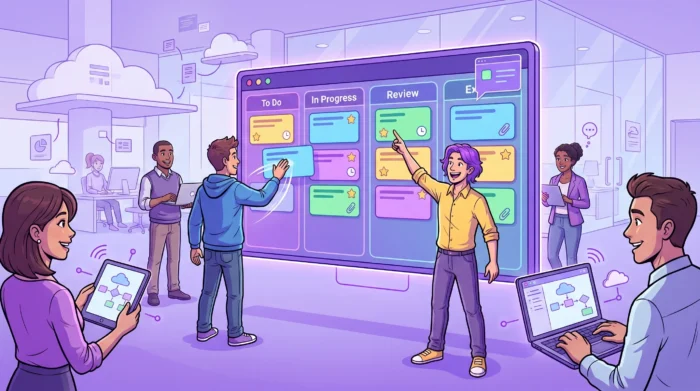
Moving faster is not the same as rushing. For a team lead, real speed means fewer handoff delays, less time spent asking for status updates, clearer priorities, and a workflow that keeps moving even when people are remote, busy, or working across departments.
That is exactly where task management software becomes valuable. The right system gives everyone a shared view of what needs to happen, who owns it, when it is due, and what is blocking progress. Instead of managing work through scattered emails, spreadsheets, and meetings, teams can manage flow in one place.
For organizations already using Google Workspace or Microsoft 365, the best choice is not just another standalone app. It is a task and project management layer that fits the tools your team already uses every day.
If you are interested in starting with team task management in general, I recommend starting with this guide on how to manage tasks across the team first, and then coming back here.
All articles on Team management here
Most teams do not slow down because people are unwilling to work. They slow down because work becomes invisible.
A customer request sits in one inbox. A design file lives in a shared folder. A deadline is mentioned in chat. A manager tracks progress in a spreadsheet. A team member has a personal to-do list that nobody else can see. Individually, each workaround feels harmless. Together, they create friction.
When work is not visible, leaders spend time chasing updates instead of removing blockers. Team members duplicate effort, wait for clarification, or choose the wrong next task because priorities are unclear. This creates status debt, the hidden cost of constantly having to ask where things stand.
Task management software reduces that debt by turning work into a shared operating system. Cards, owners, due dates, files, comments, priorities, and timelines are all connected. The result is not just a better organization. It is faster decision-making.
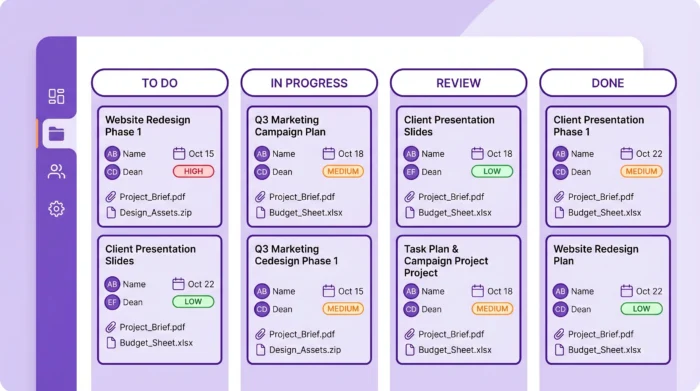
Not every tool makes teams faster. Some systems add structure, but also add admin work. Others are easy for individuals, but too lightweight for managers who need accountability across multiple projects.
For business teams, useful task management software should remove common workflow bottlenecks.
| Team slowdown | Software capability that helps | Faster outcome |
|---|---|---|
| Tasks are scattered across email, chat, docs, and spreadsheets | A central board for all work | Less searching and fewer missed tasks |
| Nobody knows the current priority | Priority fields, sorting, filtering, and clear ownership | People know what to work on next |
| Managers chase updates manually | Notifications, progress tracking, and reports | Fewer status meetings and faster decisions |
| Timelines are separate from task lists | Gantt charts connected to task cards | Dependencies and deadlines stay visible |
| Estimates are based on guesswork | Time tracking and historical effort data | More realistic planning over time |
| Files are detached from tasks | Google Drive, Shared Drives, OneDrive, or SharePoint attachments | Less context switching and fewer version issues |
A fast team needs an easy way to turn incoming work into actionable tasks. If a request arrives by email, it should not require copying and pasting into three separate places. If a project file already exists in Drive or SharePoint, the team should be able to attach it directly to the relevant task.
This is especially important for managers who work across functions. Marketing, operations, HR, sales, IT, and customer success teams often receive work through different channels. Task management software should create one shared workflow without forcing every team to abandon the tools they already rely on.
A to-do list tells you what exists. A workflow tells you what is moving.
That distinction matters. When tasks are arranged by status, such as To Do, In Progress, Review, and Done, the team can see where work is piling up. If too many cards sit in Review, the problem is not task creation. It is approval capacity. If In progress is overloaded, the team may be starting too much at once.
This is one of the reasons Kanban boards are so effective for busy teams. The Kanban Guide emphasizes visualizing work, limiting work in progress, and managing flow. Those practices help teams improve speed without simply asking people to do more.
Task lists are useful, but many teams also need to plan timelines. Product launches, marketing campaigns, onboarding programs, procurement processes, software releases, and client deliverables all involve sequencing.
A Gantt chart helps managers see how tasks relate over time. If a design review is delayed by three days, the downstream launch assets may need to be rescheduled as well. When timeline planning is built into the same task system, updates are easier to maintain and easier to communicate.
If your team needs deeper guidance on timeline planning, Kanbanchi also offers a practical guide to the benefits of Gantt charts for project delivery.
Teams move faster when they learn from real data. Completing a task is important, but understanding how long it took is what improves future estimates.
Time tracking helps managers compare planned effort with actual effort, spot overloaded work types, and understand where capacity is going. This is not about micromanaging. Used well, time data helps teams set realistic commitments, protect focus time, and avoid repeating the same planning mistakes.
Kanbanchi is designed for teams that want visual task management without separating work from their existing productivity suite. For Google Workspace users, that means task boards can connect naturally with Google Drive, Gmail, and Google Calendar. For Microsoft 365 teams, Kanbanchi also supports compatibility with OneDrive and SharePoint.
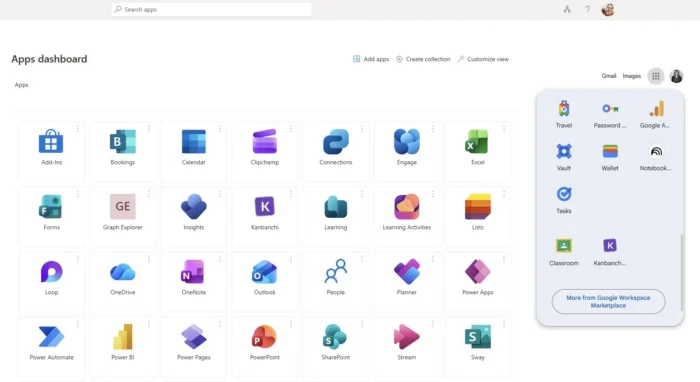
That matters because speed depends on context. A task card is more useful when it is connected to the brief, spreadsheet, contract, design file, comment thread, deadline, and assignee.
In Kanbanchi, teams can create and share project boards and cards in Google Workspace. Files from Google Drive and Shared Drives can be attached to cards, so the task and its supporting materials stay together. Enterprise users can create boards directly in Shared Drives, which helps align project work with company file governance.
For teams using Microsoft 365, Kanbanchi compatibility with OneDrive and SharePoint helps keep task execution connected to document storage rather than scattered across unrelated systems.
Many tasks begin in Gmail. Kanbanchi supports card creation from Gmail, either through a board’s unique email address or the Gmail add-on. That means a request, brief, or approval note can become a trackable task instead of remaining buried in an inbox.
Teams can also add events to Google Calendar and sync dates, helping deadlines become more visible in the place where people already manage their schedules.
Different stakeholders need different levels of detail. A team member may prefer a simple Kanban board. A project manager may need a Gantt chart. A department head may want reports or exported data.
Kanbanchi lets teams work with the same underlying task data in multiple ways, including Kanban boards, Gantt charts, List View, Time Tracker, and reports. This avoids the common problem of maintaining one plan in a spreadsheet, another in a project tool, and a third in slide updates.
| Need | Kanbanchi capability | Why it helps teams move faster |
|---|---|---|
| Daily execution | Kanban boards, cards, tags, priorities, filters | Everyone sees what is active and what needs attention |
| Schedule planning | Gantt chart | Managers can plan timelines and understand date relationships |
| Effort visibility | Time Tracker | Teams learn how long work actually takes |
| Personal focus | My tasks and filters | Individuals can find their own work without searching every board |
| Complex task breakdown | Checklists and subcards | Large work can be divided into smaller accountable pieces |
| Repeatable processes | Board and card templates | Teams start faster and standardize common workflows |
| Reporting | Reports and export to Google Sheets | Leaders can review progress and share data outside the board |
For a small team, speed often means simplicity. For a larger organization, speed also depends on governance. Permissions, file access, compliance expectations, backups, and consistency all matter.
Kanbanchi supports internal and external sharing in accordance with the company’s Google policies, enterprise-grade security compliance, board backups, and imports from Trello or CSV. These capabilities help teams adopt a visual workflow while staying aligned with organizational requirements.
Start Free Kanbanchi trial now
The fastest rollout is not the one with the most features enabled on day one. It is the one that helps the team manage real work immediately, then improves the workflow over time.
This approach keeps implementation practical. The goal is not to build a perfect system. The goal is to make work visible enough that the team can act faster.
If prioritization is one of your biggest bottlenecks, this guide to prioritizing tasks in project management can help you align your board setup with a clear decision framework.
Choosing software is not just an IT decision. It affects how managers communicate, how teams commit to work, and how leadership sees progress. Before you choose a platform, evaluate whether it supports how your team already works and how you want it to improve.
If your company runs on Google Workspace, your task management system should work well with Drive, Gmail, Calendar, and shared access policies. If your company uses Microsoft 365, support for OneDrive and SharePoint can reduce friction.
A disconnected tool may look good during a demo, but it becomes slower in daily use because people constantly switch apps or duplicate information.
Managers need oversight. Contributors need focus. Good task management software supports both.
Look for shared boards, personal task views, filtering, sorting, due dates, priorities, and notifications. The system should answer basic questions quickly:
Some tasks only need a title, owner, and due date. Others need checklists, subcards, files, dependencies, time tracking, and timeline views. The best system lets teams start simple, then add structure when the work requires it.
This is where flexible views become important. A visual board is ideal for daily flow, while a Gantt chart is better for understanding schedules. List views, reports, and exports help managers analyze work without changing how the team executes it.
A powerful tool that nobody uses will not speed up anything. Adoption depends on intuitive navigation, familiar integrations, and a workflow that reflects how the team thinks.
When evaluating platforms, run a pilot with real tasks rather than sample data. Ask whether the tool reduces the number of questions, meetings, and duplicate updates. If the team still needs a spreadsheet to understand the work, the setup is not finished.
For a broader evaluation framework, read Kanbanchi’s guide on choosing the right project management software.
A simple board can transform how a team coordinates work. Here is a practical structure that works for many business teams:
| List | Purpose | Manager’s question |
|---|---|---|
| Backlog | Captures ideas, requests, and upcoming work | Is this work still valuable? |
| Ready | Contains tasks approved to start | Is the next priority clear? |
| In progress | Shows active work | Is anyone overloaded or blocked? |
| Waiting | Holds tasks paused by dependency or response | Who can remove the blocker? |
| Review | Group tasks needing approval or quality check | Is review capacity slowing delivery? |
| Done | Confirms completed work | What can we learn from finished tasks? |
This structure is intentionally simple. It gives the team enough visibility to move quickly without turning the board into a bureaucratic system.
From there, teams can add priority labels, color tags, swimlanes, due dates, checklists, subcards, or templates. For larger initiatives, they can use a Gantt chart to coordinate milestones and dependencies.
A crowded In progress column is a warning sign. It usually means the team is busy, but not necessarily delivering. Limiting active work helps people finish tasks before starting new ones, improving flow and reducing context switching.
If team members see the system as something they update only for management, adoption will suffer. The board should help contributors do their own work better. That means clear priorities, easy task creation, useful notifications, and quick access to context.
When the plan lives in one tool, and the work happens in another, the plan becomes outdated quickly. Keeping boards, timelines, files, and updates connected makes project information more reliable.
Speed is not sustainable if it depends on overloading the same people. Managers need to see who has too much work, where bottlenecks form, and how estimates compare with actual effort. For more on this, see Kanbanchi’s guide to workload management.
Task management software helps teams create, assign, organize, prioritize, track, and complete work in a shared system. For teams, it usually includes task ownership, due dates, status tracking, collaboration, notifications, and reporting.
It reduces the time teams spend searching for information, asking for status updates, clarifying ownership, and manually updating spreadsheets. When tasks, files, timelines, and comments are connected, people can make decisions and complete handoffs faster.
There is overlap. Task management focuses on the individual pieces of work, while project management also includes timelines, dependencies, resources, risks, and reporting. Tools like Kanbanchi combine both, so teams can manage daily tasks and larger project plans in one place.
Yes. Kanbanchi is designed for Google Workspace and is also compatible with Microsoft 365. It integrates with Google Drive, Shared Drives, Gmail, and Google Calendar, and supports file storage through OneDrive and SharePoint for Microsoft 365 teams.
The most useful features are shared boards, clear assignees, priorities, due dates, filters, notifications, timeline planning, time tracking, and reporting. Integrations with your existing workspace are also important because they reduce context switching.
A small team can often start with a simple board in one meeting if the workflow is clear. Larger teams should pilot one process first, standardize the setup, then expand to other departments once the team has proven the workflow works.
If your team already works in Google Workspace or Microsoft 365, Kanbanchi gives you a practical way to connect tasks, files, timelines, communication, and reporting in one visual system.
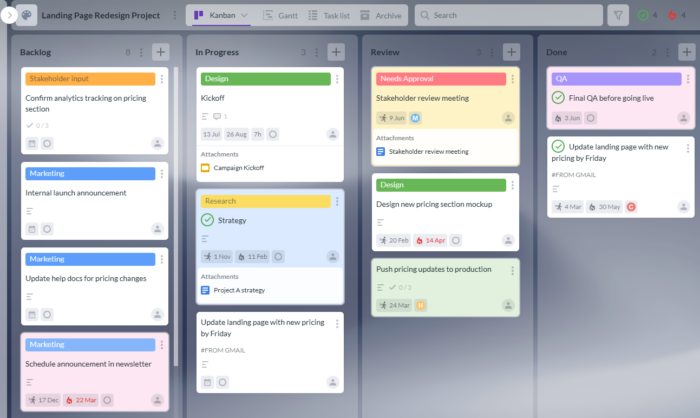
Use Kanban boards for daily execution, Gantt charts for planning, Time Tracker for effort visibility, templates for repeatable processes, and integrations with Drive, Gmail, Calendar, OneDrive, and SharePoint to keep work close to its context.


In this Article:
Start using Kanbanchi now
Start your free trial