-  views

Why Task and Project Management Software Beats Spreadsheets

Try Kanbanchi now

Start your free trial

 

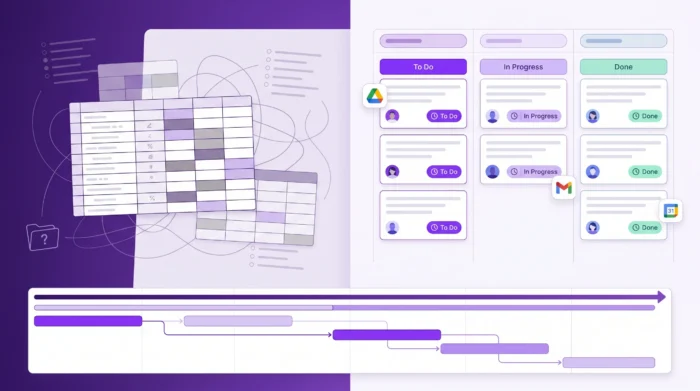
Main illustration showing how the organized tasks are better than spreadsheet.

Most teams start project tracking in spreadsheets for one simple reason: everyone already has them. A grid is familiar, fast to set up, and flexible enough to hold a task list, due dates, and a few status columns.

But spreadsheets were built for calculation, not coordination. As soon as a project involves multiple owners, shifting priorities, dependencies, approvals, or ongoing reporting, the spreadsheet turns into a fragile system that’s hard to trust and even harder to scale.

This is where task and project management software wins. Not because spreadsheets are “bad,” but because modern work needs structure: real-time collaboration, clear ownership, automated reminders, and views that match how teams actually execute.

More articles on Task management here

Spreadsheets are great for data, but weak for day-to-day execution

A spreadsheet is basically a database you manually maintain. That’s perfect for:

  • Static lists (inventory, contact lists, budget lines)
  • Analysis (pivot tables, financial modeling)
  • One-person planning (personal to-do lists)

Project execution is different. You’re coordinating decisions, communication, files, timelines, and accountability. Spreadsheets can represent those things, but they don’t actively support them.

The result is a familiar pattern:
  • Someone updates a status cell, but no one sees it.
  • A task changes owners, but the comment thread is scattered across email.
  • A deadline shifts, but dependent work doesn’t automatically adjust.
  • Leadership asks for a status update, and someone spends an hour “cleaning the sheet” before sharing.

Why task and project management software beats spreadsheets (in practical terms)

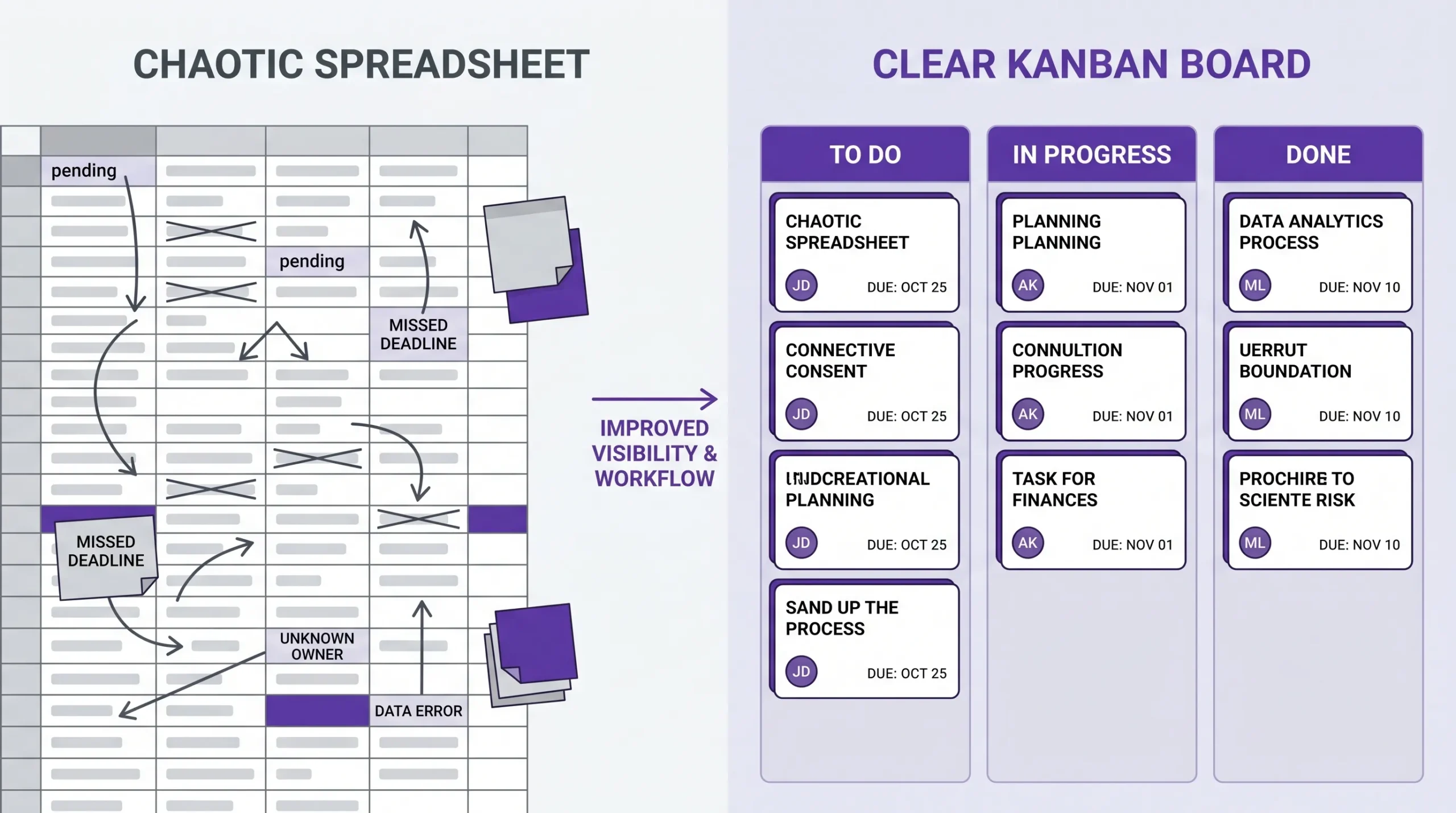
A side-by-side illustration showing a messy project spreadsheet on the left and a clean Kanban board with task cards, owners, and due dates on the right, highlighting clearer workflow visibility.

Below are the biggest reasons teams switch, framed around outcomes (speed, clarity, and fewer surprises).

1) A single source of truth, with less manual policing

In spreadsheets, it’s easy for multiple versions to appear: “Final,” “Final v2,” “Final this time,” or separate tabs per department. Even with cloud spreadsheets, people can still create copies, paste outdated data, or update the wrong range.

Project management tools reduce this by design. Work lives as tasks/cards with consistent fields (owner, due date, status, priority), so the team doesn’t rely on someone “keeping the sheet clean.”

2) Work is visible at a glance (not buried in rows)

Rows and columns are a poor interface for workflow. You can color-code and filter, but you still have to interpret the state of the work.

Purpose-built tools offer visual views that match real execution:

  • Kanban boards to see flow from backlog to done
  • Gantt charts to see timelines, overlaps, and sequence
  • Calendar views to understand date-driven work

Kanbanchi, for example, combines Kanban boards with a Gantt chart, so the same tasks can be managed as a workflow and as a timeline, without duplicating data.

3) Ownership and accountability are built in

Spreadsheets often rely on conventions such as initials in a column or notes in the comments. That works until:

  • Two people assume the other owns a task
  • A task gets reassigned, and no one is notified
  • The manager needs “everything assigned to me” across projects

Project management software treats assignment as a first-class feature. Owners can see their tasks across boards/projects, and managers can track accountability without hunting.

4) Dependencies and timeline changes are safer to manage

In spreadsheets, dependencies are usually handled by manual logic (“Task B starts after Task A”). You can add formulas, but formulas do not enforce real-world behavior. People can still change dates without understanding the downstream impact.

A Gantt-style timeline with dependencies makes schedule changes explicit. When a start date moves, the team immediately sees what else needs attention. If your projects involve sequencing (launches, onboarding, campaigns, handoffs), this is one of the fastest ways to reduce last-minute fire drills.

5) Automation replaces status-chasing

Spreadsheets don’t nudge people. Tools do. With task and project management software, you can rely on:

  • notifications when you’re assigned work
  • reminders as due dates approach
  • automatic signals when something is overdue
  • workflow rules that reduce manual updates

This is not “automation for automation’s sake.” It’s fewer meetings that exist only to ask, “Where are we on this?”

6) Reporting is easier because the data is structured

Spreadsheets can create reports, but you first need clean inputs. Many teams spend more time maintaining the report than acting on it. Project tools capture structured fields as work happens, which makes progress reporting more reliable:

  • % complete rollups
  • status by owner or team
  • overdue work and blockers
  • time spent (when time tracking is included)

Kanbanchi includes a built-in Time Tracker, which helps teams compare effort planned vs effort actually spent, without switching systems.

7) Files, context, and communication stay attached to the work

Spreadsheets usually link out to documents, but they don’t manage the relationship between the task and its supporting materials. Over time, links break, docs get renamed, and people stop trusting what’s current.

Modern tools integrate file storage and collaboration. For teams in Google Workspace, it’s especially valuable when tasks can connect directly to Drive files, Gmail, and Calendar.

Kanbanchi supports Google Drive file storage, Gmail task creation, and Google Calendar sync, which reduces the “app hopping” that makes projects feel heavier than they need to be.

8) Permissions and security fit real organizations

As soon as you work with sensitive projects (finance, HR, customer data, internal strategy), you need more than “anyone with the link can edit.”

Project management platforms typically offer stronger controls around access and enterprise requirements. Kanbanchi is designed with enterprise-grade security compliance, which matters if you’re rolling a tool out beyond a single team.

Quick comparison: spreadsheets vs task and project management software

Here’s a practical, day-to-day view of what changes when you move off spreadsheets.

NeedSpreadsheetsTask and project management software
Assign work with clarityPossible, but informal (names/initials)Built-in assignees, personal task views
Track workflowManual status columnsKanban-style workflow, rules, WIP visibility
Manage timelinesManual date editsGantt/timeline planning, easier rescheduling
Reduce status meetingsHard, requires people to check the sheetNotifications, reminders, real-time visibility
ReportingPowerful but maintenance-heavyStructured reporting from live task data
Keep files and context togetherLinks and comments, often messyAttachments, integrations, task-level context
Scale across teamsBecomes brittle quicklyDesigned for multi-team collaboration

When a spreadsheet is still the right choice

Spreadsheets still win in a few scenarios, and it’s worth being honest about that.

A spreadsheet can be enough if:

  • The project is short, simple, and owned by one person
  • You don’t need dependencies, workload views, or automation
  • You’re primarily analyzing data, not coordinating execution

A good rule: if the spreadsheet is acting as a task list, it might work. If it’s acting as a system of record for a cross-functional project, it’s time to upgrade.

A low-friction way to switch (without disrupting your team)

The biggest fear with project management software is adoption: “Will everyone actually use it?” You can reduce friction by migrating in a controlled way:

Start with one workflow, not the entire company

Pick a project that has enough complexity to benefit (multiple owners, deadlines, approvals), but not so critical that you can’t experiment.

Keep your spreadsheet as a reference, temporarily

Don’t force a hard cutover on day one. Run the tool as the execution hub while the spreadsheet becomes a read-only context for a week or two.

Standardize the fields that matter

Most teams only need a few consistent fields to start:

  • owner
  • due date
  • status
  • priority
  • links/files

Train for habits, not features

Adoption improves when you define simple behaviors, for example:

  • “All work must have an owner and a due date.”
  • “Status updates happen on the card, not in email threads.”
  • “If it’s not on the board, it doesn’t exist.”

If your rollout includes customer-facing teams (sales, support, success), don’t overlook training on the conversations that move work forward. Tools help coordination, but teams still need to communicate well. Some organizations pair process changes with practice environments like AI roleplay training to help reps handle objections, align on messaging, and improve follow-through.
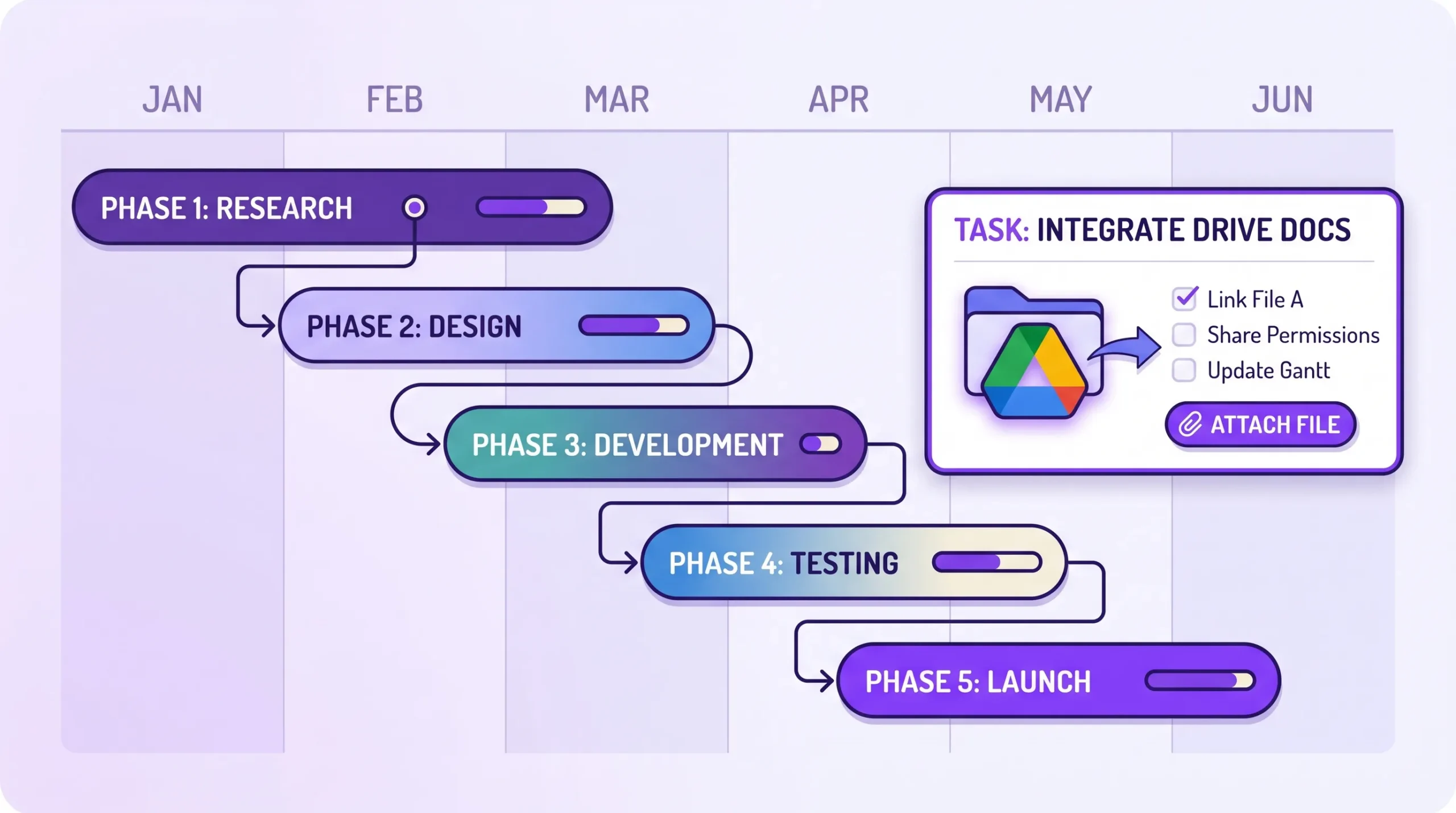
A simplified Gantt timeline view showing project phases as horizontal bars with dependencies, alongside a Google Drive file icon attached to a task card, illustrating integrated planning and documentation.

Why Kanbanchi is a strong fit if you live in Google Workspace (or Microsoft 365)

If your team already runs on Google Workspace or Microsoft 365, the best project tool is usually the one that reduces context switching and fits your existing security model.

Kanbanchi is built for that environment: an all-in-one platform with Kanban boards, a Gantt chart, and a Time Tracker, plus deep integration with Google apps and compatibility with Microsoft 365. That combination is particularly useful for teams that want better execution without adopting an overly complex system.
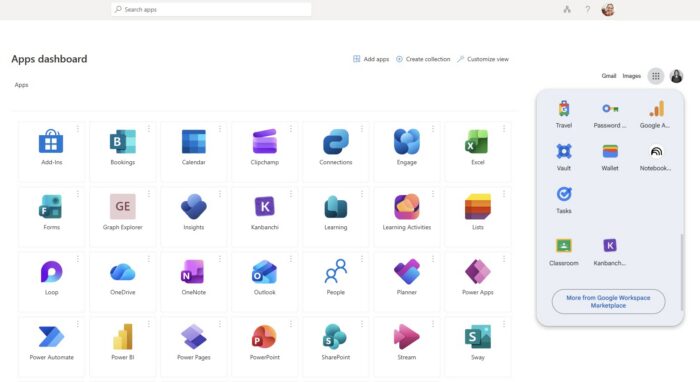
A composite screenshot displaying the Kanbanchi icon integrated within the Microsoft 365 Apps dashboard and the Google Workspace app menu, illustrating native integration.
Simplify access for your team and reduce login fatigue by pinning Kanbanchi directly to the Microsoft or Google app launchers they use every day

Try Kanbanchi today

Frequently Asked Questions

Why can’t we just keep using Google Sheets or Excel for project management?

You can, especially for small or simple projects. The problem appears as complexity grows: ownership, dependencies, approvals, reporting, and change management become manual and error-prone.

Is project management software only for large companies?

Smaller teams often feel the pain first because they have fewer people to “babysit the spreadsheet.” A lightweight tool can remove coordination overhead early.

Will switching tools slow the team down at first?

There’s usually a short learning curve. The best way to minimize it is to start with one workflow, standardize a few fields (owner, due date, status), and set simple usage rules.

Can we still export data to spreadsheets for reporting?

Spreadsheets are excellent for analysis. The difference is that execution and updates happen in the project tool, and then data can be exported when needed.

What matters most when choosing task and project management software?

Fit to your workflow and ecosystem. Look for the views you need (Kanban, Gantt), integrations (Drive, Gmail, Calendar, or Microsoft equivalents), reporting, and the right security controls.

Does Kanbanchi work for teams using Google Workspace?

Yes. Kanbanchi is designed for Google Workspace environments and supports integrations like Google Drive file storage, Gmail task creation, and Google Calendar syncю

Ready to move beyond spreadsheets?

If your spreadsheet is becoming a bottleneck, try a tool designed for execution, not just tracking. Kanbanchi brings task management, Kanban boards, Gantt planning, and time tracking together, with deep Google Workspace integration and Microsoft 365 compatibility, so your team can plan, collaborate, and deliver in one place.


    MultipleAuthors\Classes\Objects\Author Object
    (
        [term_id] => 973
        [term:MultipleAuthors\Classes\Objects\Author:private] => 
        [metaCache:MultipleAuthors\Classes\Objects\Author:private] => Array
            (
                [user_email] => olga.alekseeva@kanbanchi.com
                [user_id] => 20
                [first_name] => Olga Alekseeva
                [last_name] => 
                [job_title] => Growth hacking expert with over 10 years of experience with Kanbanchi
                [description] => Olga wears multiple hats across marketing, sales, product, and ops after 10+ years in the SaaS world. She is passionate about helping teams streamline their workflows with Kanbanchi and Google Workspace or Microsoft 365. "When I'm not optimizing processes or writing guides, I'm probably tweaking our product roadmap or diving into the latest productivity tools".
                [user_url] => https://linkedin.com/in/olgksv
            )
    
        [userObject:MultipleAuthors\Classes\Objects\Author:private] => WP_User Object
            (
                [data] => stdClass Object
                    (
                        [ID] => 20
                        [user_login] => olga.alekseeva
                        [user_pass] => $wp$2y$10$WuiuvYMj7CDnLrRbWchEkuBwKzmbBakK64Uk5c68bDY3qA46MFam6
                        [user_nicename] => olga-alekseeva
                        [user_email] => olga.alekseeva@kanbanchi.com
                        [user_url] => https://linkedin.com/in/olgksv
                        [user_registered] => 2025-09-03 15:47:58
                        [user_activation_key] => 
                        [user_status] => 0
                        [display_name] => Olga Alekseeva
                    )
    
                [ID] => 20
                [caps] => Array
                    (
                        [editor] => 1
                        [author] => 1
                        [contributor] => 1
                        [wpseo_editor] => 1
                        [wpseo_manager] => 1
                        [administrator] => 1
                    )
    
                [cap_key] => wp_capabilities
                [roles] => Array
                    (
                        [0] => editor
                        [1] => author
                        [2] => contributor
                        [3] => wpseo_editor
                        [4] => wpseo_manager
                        [5] => administrator
                    )
    
                [allcaps] => Array
                    (
                        [moderate_comments] => 1
                        [manage_categories] => 1
                        [manage_links] => 1
                        [upload_files] => 1
                        [unfiltered_html] => 1
                        [edit_posts] => 1
                        [edit_others_posts] => 1
                        [edit_published_posts] => 1
                        [publish_posts] => 1
                        [edit_pages] => 1
                        [read] => 1
                        [level_7] => 1
                        [level_6] => 1
                        [level_5] => 1
                        [level_4] => 1
                        [level_3] => 1
                        [level_2] => 1
                        [level_1] => 1
                        [level_0] => 1
                        [edit_others_pages] => 1
                        [edit_published_pages] => 1
                        [publish_pages] => 1
                        [delete_pages] => 1
                        [delete_others_pages] => 1
                        [delete_published_pages] => 1
                        [delete_posts] => 1
                        [delete_others_posts] => 1
                        [delete_published_posts] => 1
                        [delete_private_posts] => 1
                        [edit_private_posts] => 1
                        [read_private_posts] => 1
                        [delete_private_pages] => 1
                        [edit_private_pages] => 1
                        [read_private_pages] => 1
                        [wpseo_bulk_edit] => 1
                        [copy_posts] => 1
                        [ppma_edit_post_authors] => 1
                        [ppma_edit_own_profile] => 1
                        [wpseo_edit_advanced_metadata] => 1
                        [wpseo_manage_options] => 1
                        [view_site_health_checks] => 1
                        [switch_themes] => 1
                        [edit_themes] => 1
                        [activate_plugins] => 1
                        [edit_plugins] => 1
                        [edit_users] => 1
                        [edit_files] => 1
                        [manage_options] => 1
                        [import] => 1
                        [level_10] => 1
                        [level_9] => 1
                        [level_8] => 1
                        [delete_users] => 1
                        [create_users] => 1
                        [unfiltered_upload] => 1
                        [edit_dashboard] => 1
                        [update_plugins] => 1
                        [delete_plugins] => 1
                        [install_plugins] => 1
                        [update_themes] => 1
                        [install_themes] => 1
                        [update_core] => 1
                        [list_users] => 1
                        [remove_users] => 1
                        [promote_users] => 1
                        [edit_theme_options] => 1
                        [delete_themes] => 1
                        [export] => 1
                        [bcn_manage_options] => 1
                        [manage_security] => 1
                        [restrict_content] => 1
                        [list_roles] => 1
                        [create_roles] => 1
                        [delete_roles] => 1
                        [edit_roles] => 1
                        [cfdb7_access] => 1
                        [ppma_manage_authors] => 1
                        [ppma_manage_layouts] => 1
                        [ppma_manage_custom_fields] => 1
                        [ppma_manage_author_categories] => 1
                        [iwc_read_posts] => 1
                        [iwc_create_posts] => 1
                        [iwc_edit_posts] => 1
                        [iwc_delete_posts] => 1
                        [iwc_read_users] => 1
                        [iwc_create_users] => 1
                        [iwc_edit_users] => 1
                        [iwc_delete_users] => 1
                        [iwc_read_comments] => 1
                        [iwc_create_comments] => 1
                        [iwc_edit_comments] => 1
                        [iwc_delete_comments] => 1
                        [iwc_upload_files] => 1
                        [iwc_read_media] => 1
                        [iwc_edit_media] => 1
                        [iwc_delete_media] => 1
                        [iwc_read_terms] => 1
                        [iwc_create_terms] => 1
                        [iwc_edit_terms] => 1
                        [iwc_delete_terms] => 1
                        [editor] => 1
                        [author] => 1
                        [contributor] => 1
                        [wpseo_editor] => 1
                        [wpseo_manager] => 1
                        [administrator] => 1
                    )
    
                [filter] => 
                [site_id:WP_User:private] => 1
            )
    
        [hasCustomAvatar:MultipleAuthors\Classes\Objects\Author:private] => 1
        [customAvatarUrl:MultipleAuthors\Classes\Objects\Author:private] => Array
            (
                [url] => https://www.kanbanchi.com/wp-content/uploads/2025/09/photo_2024-04-10_17-25-16.jpg
                [url2x] => https://www.kanbanchi.com/wp-content/uploads/2025/09/photo_2024-04-10_17-25-16.jpg
            )
    
        [avatarUrl:MultipleAuthors\Classes\Objects\Author:private] => 
        [avatarBySize:MultipleAuthors\Classes\Objects\Author:private] => Array
            (
                [96] => 
                [80] => 
                [50] => 
            )
    
    )
    
  • Growth hacking expert with over 10 years of experience with Kanbanchi

    Olga wears multiple hats across marketing, sales, product, and ops after 10+ years in the SaaS world. She is passionate about helping teams streamline their workflows with Kanbanchi and Google Workspace or Microsoft 365. "When I'm not optimizing processes or writing guides, I'm probably tweaking our product roadmap or diving into the latest productivity tools".

    All articles
Share

Try Kanbanchi now

  • Collaborate seamlessly
    with your team
  • Integrate Kanbanchi
    with Google or Microsoft
  • Manage all your work in one place
Start for free

Start using Kanbanchi now

Start your free trial