
In this Article:
Try Kanbanchi now
Start your free trial


Teams rarely choose project management software in a vacuum. They choose it inside an existing work environment, usually Google Workspace or Microsoft 365, where files, calendars, email, permissions, and daily collaboration already live.
That is why the best PM tools are not always the ones with the longest feature list. The best choice is the one that gives leaders clear visibility while fitting naturally into the way the team already works. For a 5-person team, that may mean a simple visual board. For an enterprise, it may mean secure file storage, timeline planning, time tracking, reporting, and consistent governance across departments.
This guide compares leading PM tools for Google Workspace and Microsoft 365 teams, with a practical focus on adoption, visibility, ecosystem fit, and long-term scalability.
Before comparing task views and boards, start with one question: where does your team already do most of its work?
If your company runs on Google Workspace, your PM tool should work smoothly with Google Drive, Gmail, Calendar, and Google account access. If your company runs on Microsoft 365, it should support OneDrive, SharePoint, Microsoft identity, and the collaboration patterns your team already follows.
A project management tool that ignores your ecosystem often becomes another silo. A tool that fits the ecosystem becomes a shared operating layer for tasks, files, deadlines, and accountability.
For many business owners and team leads, permissions are not a technical detail. They are a business risk. If project files live in Google Drive or OneDrive, your PM software should not force people to duplicate documents, lose file ownership context, or manually rebuild access rules.
For Google-first companies, checking whether a solution is available through the Google Workspace Marketplace can be a useful first step. For Microsoft-first companies, look closely at how the tool handles Microsoft accounts, file attachments, and enterprise administration.
Teams do not all think in the same format. Team members often want a simple task board. Project managers need timelines and dependencies. Executives want status and reporting. Finance or operations may need time data.
The strongest PM tools let the same project data appear in different views, instead of forcing teams to maintain separate boards, spreadsheets, and slide decks.
A PM tool is supposed to remove friction, not add another place to check. Look for features that connect everyday work to project execution, such as email-to-task creation, calendar sync, file attachments from cloud storage, task notifications, and exports for reporting.
A small team can adopt a tool because it is easy. A growing organization keeps using it because it remains manageable. As you evaluate options, look beyond the first week and ask how the tool will support templates, standardized workflows, cross-team reporting, security reviews, and onboarding.
| Evaluation area | What to look for | Why it matters |
|---|---|---|
| Ecosystem fit | Google Workspace or Microsoft 365 sign-in, file storage, calendar and email workflows | Reduces duplicated work and improves adoption |
| Project visibility | Kanban boards, lists, timelines, Gantt charts, dashboards or exports | Helps managers see progress without constant meetings |
| Team usability | Simple interface, templates, clear task ownership, notifications | Keeps non-technical teams engaged |
| Planning depth | Dependencies, milestones, workload or time tracking | Supports real delivery dates and resource planning |
| Governance | Sharing controls, admin readiness, security documentation, backup options | Matters for enterprises and regulated teams |
| Reporting | Export, filters, user activity, analytics, or BI connections | Turns daily task activity into management insight |
The table below summarizes where each tool tends to fit best. It is not a universal ranking, because the right choice depends on your company size, ecosystem, project complexity, and appetite for configuration.
| PM tool | Best fit | Google Workspace fit | Microsoft 365 fit | Main consideration |
|---|---|---|---|---|
| Kanbanchi | Teams that want visual project management with Kanban, Gantt, and time tracking | Deep Google Drive, Gmail, Calendar, and Workspace alignment | Compatible with Microsoft 365, including OneDrive and SharePoint file workflows | Strong choice for teams that want project work close to their cloud files |
| Microsoft Planner and Microsoft Project | Microsoft-first organizations | Limited compared with Microsoft ecosystem use | Native Microsoft option | Best when your team is fully standardized on Microsoft 365 |
| Asana | Cross-functional work management and goal tracking | Integrations available | Integrations available | Strong for coordinated work across departments |
| monday.com | Customizable business workflows | Integrations available | Integrations available | Flexible, but requires configuration discipline |
| ClickUp | Feature-rich all-in-one work hub | Integrations available | Integrations available | Powerful, but teams should manage complexity carefully |
| Smartsheet | Spreadsheet-style project and portfolio work | Integrations available | Integrations available | Familiar for spreadsheet-heavy teams and PMOs |
| Trello | Lightweight Kanban and simple collaboration | Integrations and Power-Ups available | Integrations and Power-Ups available | Easy to start, but advanced PM often needs add-ons |
| Jira | Software, IT, and technical agile teams | Integrations available | Integrations available | Excellent for development workflows, less natural for some business teams |
| Wrike | Enterprise work management and operational visibility | Integrations available | Integrations available | Robust, but rollout planning is important |
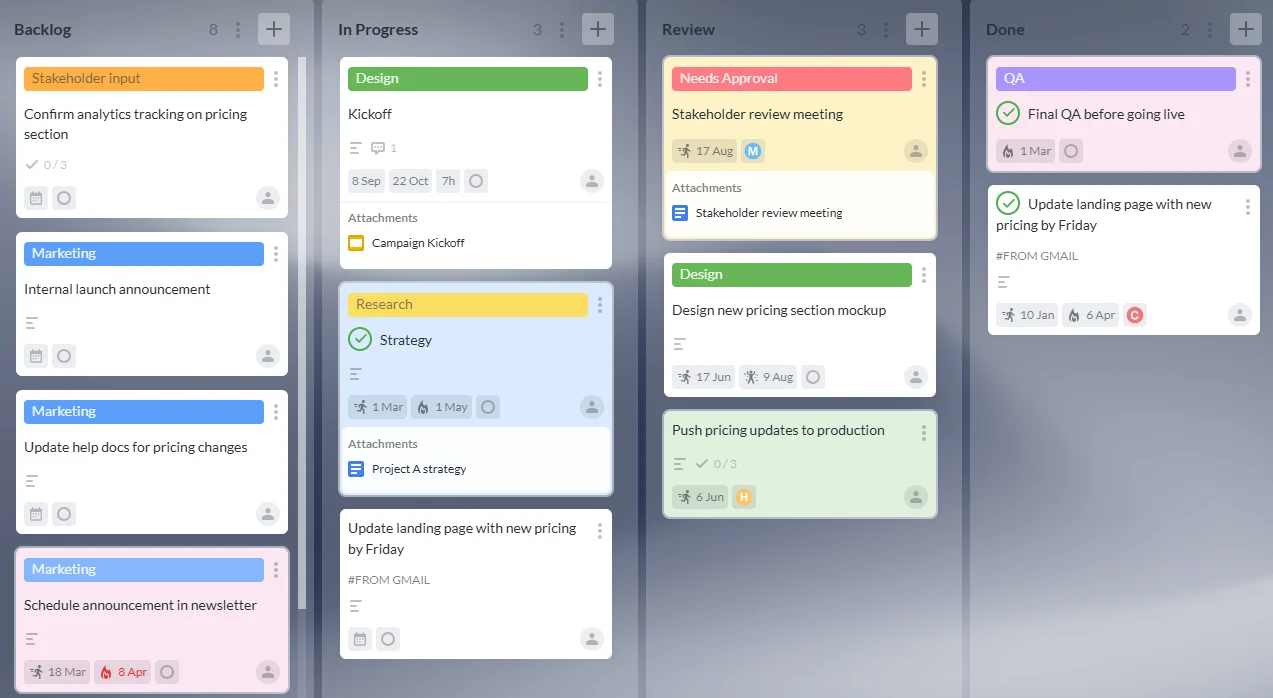
Kanbanchi is an all-in-one project and task management tool designed for teams that work in Google Workspace or Microsoft 365. It combines Kanban boards, Gantt charts, time tracking, file attachments, task collaboration, and reporting-friendly exports in one visual workspace.
For Google Workspace teams, Kanbanchi is especially strong because it works closely with Google Drive, Shared Drives, Gmail, Google Calendar, and Google Sheets. Teams can create boards, attach files from Drive, create tasks from Gmail, sync dates with Google Calendar, and export board data to Google Sheets. Enterprise users can also work with Shared Drives, which is important for companies that need centralized ownership and governance.
For Microsoft 365 teams, Kanbanchi supports Microsoft account access and file workflows through OneDrive and SharePoint. That makes it a practical option for companies that want a visual project management layer while keeping files in the cloud storage environment they already use.
Kanbanchi is a strong fit when you want a tool that is simple enough for everyday teams but capable enough for project managers. A team can start with a basic To do, Doing, Done board, then add dates, priorities, subcards, swimlanes, a Gantt chart, and time tracking as the workflow matures.
Best for: Google Workspace and Microsoft 365 teams that want visual task tracking, timeline planning, and time tracking without moving project work away from their existing cloud files.
Consider it if: Your team has outgrown spreadsheets, needs more visibility than email can provide, and wants a PM tool that feels connected to Google Workspace or Microsoft 365 rather than separate from it.
Start free trial of Kanbanchi now

Microsoft Planner is a natural first stop for organizations already standardized on Microsoft 365. It gives teams a straightforward way to manage tasks, organize work, and collaborate within the Microsoft environment.
For more formal scheduling and project planning, Microsoft Project remains a well-known option. It is typically better suited to project managers who need structured plans, schedule control, and more advanced project management capabilities than a lightweight task board provides.
The advantage is obvious: Microsoft tools fit Microsoft environments. The tradeoff is that mixed Google Workspace and Microsoft 365 teams may need a more flexible project management layer if they want one consistent process across both ecosystems.
Best for: Microsoft-first companies that prefer to stay within Microsoft’s own project and task management stack.
Consider it if: Your users already work heavily in Microsoft 365 and your IT team wants the least ecosystem complexity.
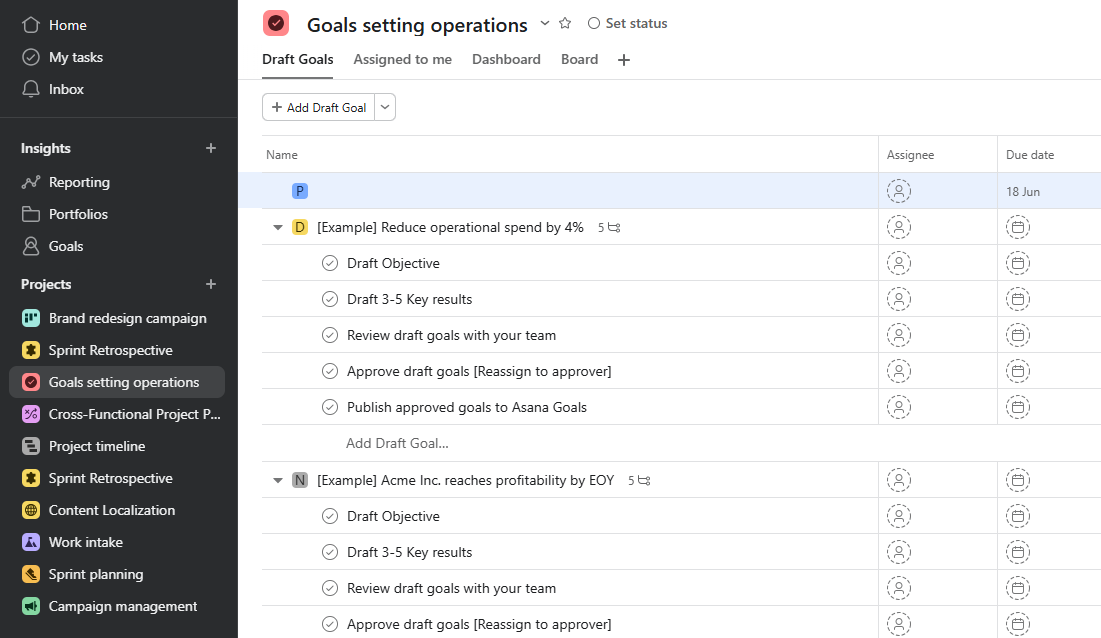
Asana is a popular work management platform for cross-functional teams. It supports projects, tasks, timelines, goals, workflows, and integrations with both Google Workspace and Microsoft 365 apps.
Asana works well for teams that need to coordinate work across departments such as marketing, operations, product, and HR. Its strength is not only task management, but also the ability to organize initiatives, clarify ownership, and connect everyday tasks to higher-level objectives.
The main consideration is setup. Asana can be very effective, but teams should define naming conventions, project structures, and reporting practices early. Otherwise, a flexible workspace can become fragmented as teams create their own systems.
Best for: Cross-functional teams that want structured work management and visibility across initiatives.
Consider it if: You need broad coordination across departments and are ready to invest in process design.
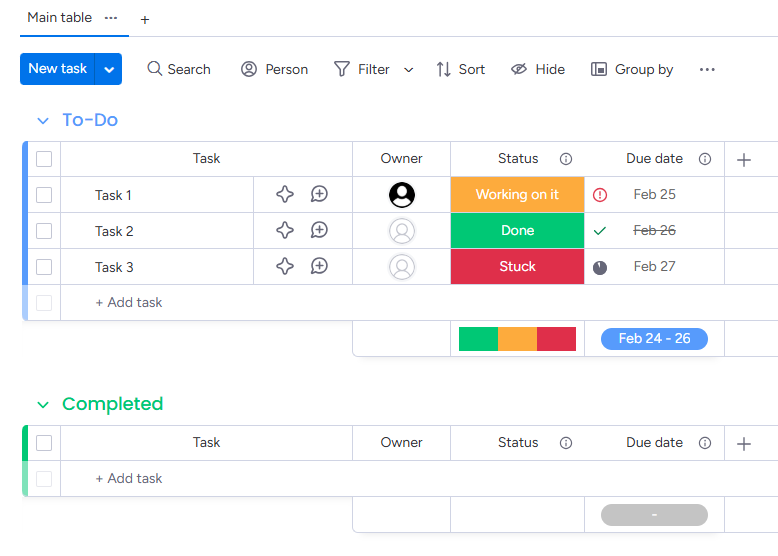
monday.com is a flexible work operating system that can support project management, operations, CRM-like workflows, creative production, and more. It offers boards, automations, dashboards, and integrations with Google Workspace and Microsoft 365.
Its biggest advantage is adaptability. Teams can build workflows for many business processes, not only project tasks. That makes it attractive for companies that want one platform for multiple operational use cases.
The tradeoff is that flexibility requires governance. Without clear standards, different departments may build different structures that are hard to compare or report on consistently.
Best for: Teams that want a highly configurable work platform for project and operational workflows.
Consider it if: You have internal ownership for workflow design and want a flexible system that can be adapted across departments.
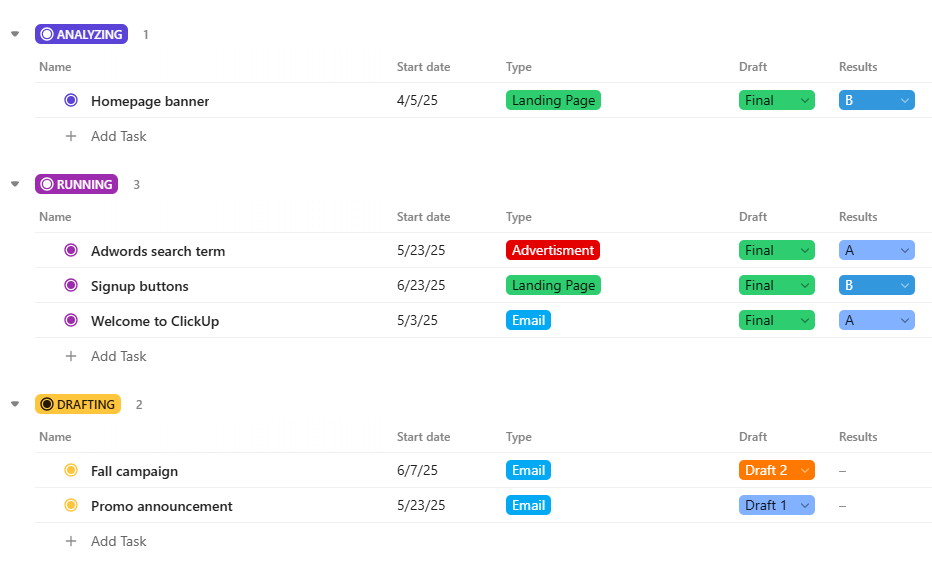
ClickUp is a feature-rich project management and productivity platform. It includes tasks, docs, views, dashboards, automations, and integrations with Google Workspace and Microsoft 365.
ClickUp is often considered by teams that want to consolidate several tools into one platform. It can be useful for teams that need many views and work styles, from lists and boards to timelines and documents.
The main challenge is focus. Because ClickUp offers many capabilities, leaders should decide which features are essential before rollout. A disciplined implementation helps users avoid feeling overwhelmed.
Best for: Teams that want an all-in-one platform with broad functionality.
Consider it if: Your organization is willing to configure the system carefully and train users on a consistent way of working.
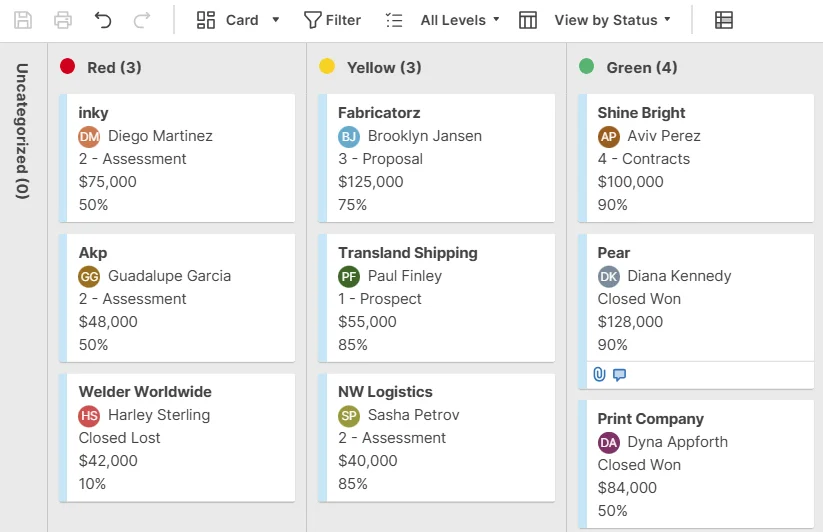
Smartsheet is a strong option for teams that like spreadsheet-style planning but need more structure, automation, and reporting than traditional spreadsheets provide. It is commonly used by operations teams, PMOs, and organizations managing many repeatable processes.
Smartsheet’s familiar grid-like approach can make adoption easier for teams that already use Excel or Google Sheets heavily. It also supports views and workflows that help formalize project tracking.
The consideration is team preference. If your team wants a highly visual Kanban-first experience, a spreadsheet-centered interface may not feel as natural. If your team already manages work in rows, columns, and reports, Smartsheet can be a logical upgrade.
Best for: PMOs and operations teams that want structured, spreadsheet-like project control.
Consider it if: Your company already relies on spreadsheets for project tracking and wants to professionalize that process.
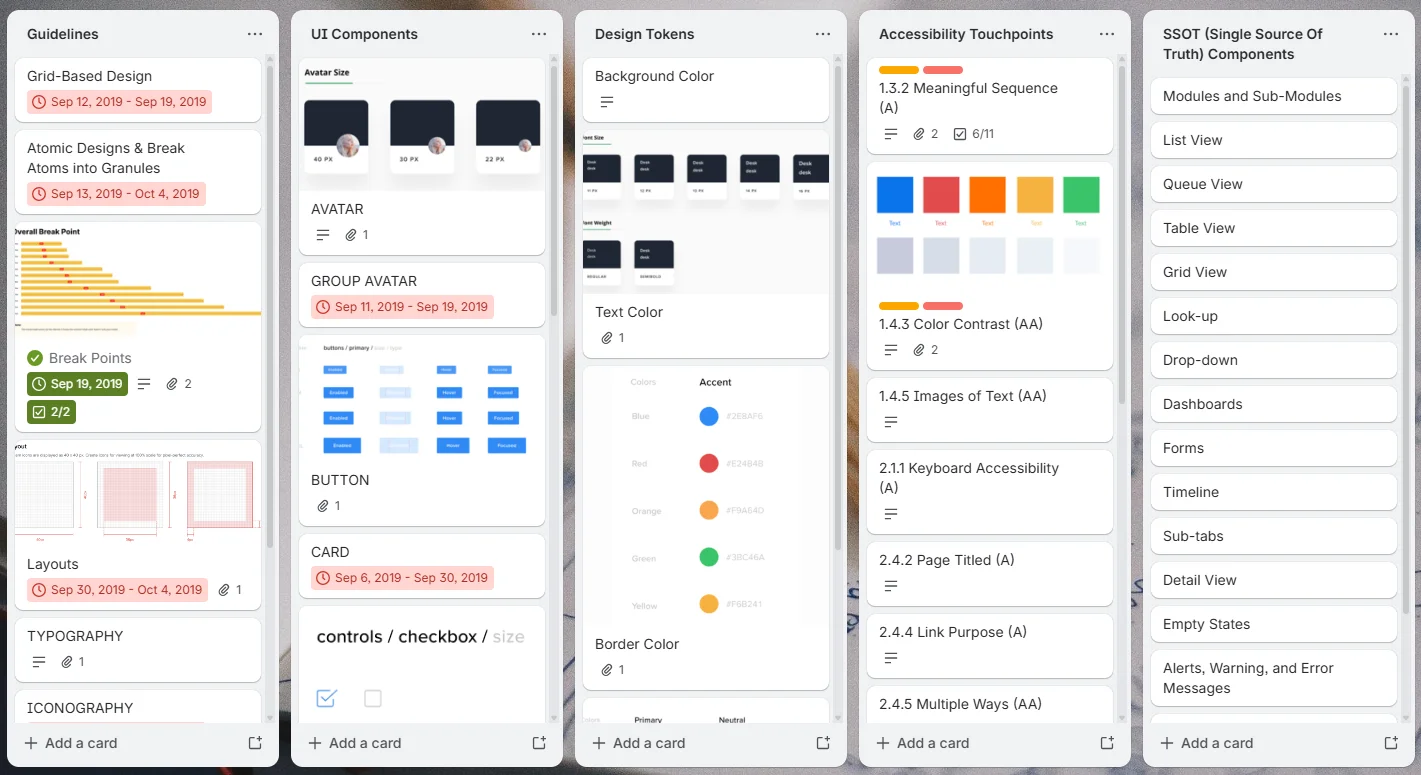
Trello is one of the best-known Kanban-style tools. Its card-and-board model is easy to understand, which makes it attractive for small teams and lightweight workflows.
Trello works well for simple project boards, editorial calendars, personal task tracking, and teams that need fast adoption. Integrations and Power-Ups can extend its capabilities for calendars, automation, file storage, and reporting.
The limitation is depth. Teams that need advanced Gantt planning, time tracking, enterprise reporting, or complex governance may need additional tools or a more complete project management platform.
Best for: Small teams and simple visual workflows.
Consider it if: Ease of use is the top priority and your project management needs are relatively lightweight.
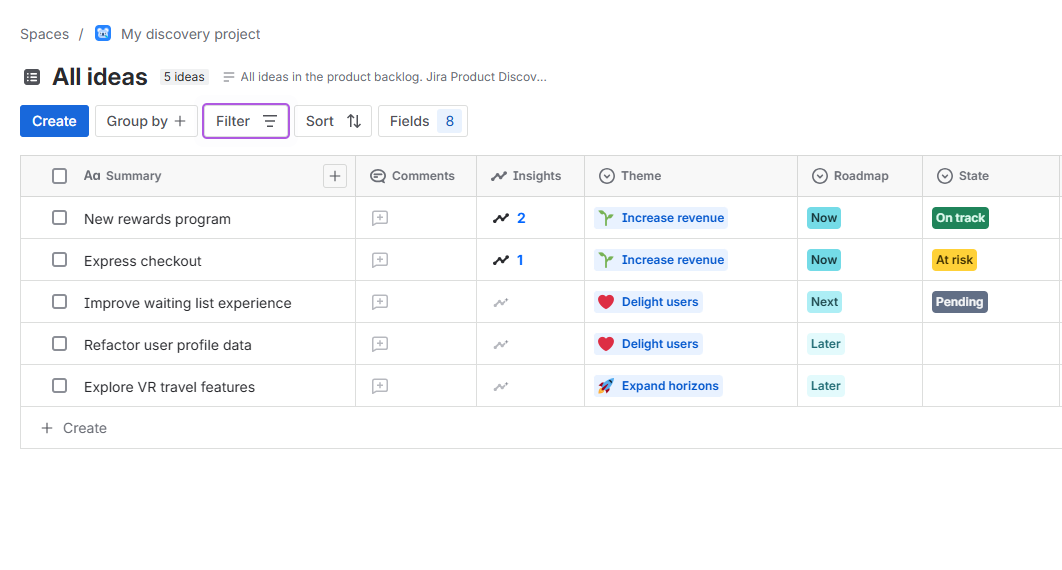
Jira is a leading choice for software development, IT, and agile teams. It is strong for issue tracking, Scrum, Kanban, backlog management, sprint planning, and development workflows.
For technical teams, Jira can provide the structure needed to manage complex product and engineering work. It is especially useful when project management needs to connect with development processes and issue resolution.
For nontechnical teams, Jira may feel heavier than necessary. Business teams can use it, but adoption often depends on how much structure they need and how comfortable they are with agile software concepts.
Best for: Software development, IT, product, and technical agile teams.
Consider it if: Your work is issue-driven and closely connected to engineering or service delivery workflows.
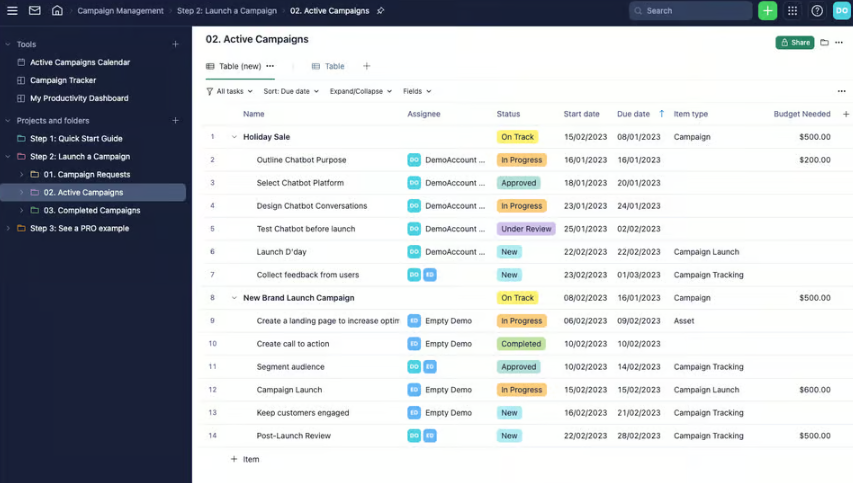
Wrike is a robust work management platform often used by marketing, creative, operations, and enterprise teams. It supports project planning, request management, approvals, resource visibility, and cross-team collaboration.
Wrike is a strong option for organizations that need more formal process control than a simple task board can provide. It can support complex approval flows, workload management, and enterprise reporting requirements.
The main consideration is implementation. Like many enterprise-grade tools, Wrike works best when teams invest time in building the right workspace structure and governance model.
Best for: Teams that need structured work intake, approvals, and operational visibility.
Consider it if: You need robust process management and are ready for a planned rollout.

Kanbanchi is a strong choice when your team wants the simplicity of visual boards, the planning power of a Gantt chart, and the accountability of time tracking in one place. It is especially relevant for companies that already use Google Workspace and want project boards to live naturally alongside Google Drive files, Gmail, Calendar, and Sheets.
It is also practical for Microsoft 365 teams that want compatibility with Microsoft accounts and cloud file storage through OneDrive and SharePoint, while still using a visual project management interface.
Start free trial of Kanbanchi now
If your entire organization is standardized on Microsoft 365 and you prefer to use Microsoft’s own task and project management tools, Planner and Project deserve serious consideration. They can be a good fit when Microsoft ecosystem alignment matters more than cross-platform flexibility.
These tools are strong for companies that need customizable work management across many departments. They are not tied to a single productivity suite, which can be an advantage for mixed environments. The key is to create consistent workspace standards so that flexibility does not become fragmentation.
Smartsheet is strong when your organization thinks in spreadsheets and portfolios. Wrike fits teams with complex approvals, operations, or enterprise work management needs. Jira is often the best fit for technical teams managing software, IT, and agile delivery.
A polished demo can make almost any tool look good. A realistic pilot shows whether the tool will actually work for your team. Use a real project, real files, real deadlines, and real stakeholders.
A good pilot should answer three questions: can the team use it, can managers trust the visibility, and can the organization govern it?
PM Tools That Help Teams Plan and Deliver Better
Many teams do not fail because they choose a bad tool. They fail because they choose a good tool for the wrong workflow. The most common mistakes are avoidable if you evaluate software through the lens of daily work.
| Mistake | Why it hurts | Better approach |
|---|---|---|
| Buying the longest feature list | Users ignore features that do not match their work | Prioritize the 5 to 7 capabilities your team will use weekly |
| Ignoring file storage and permissions | Project data becomes separated from business documents | Choose tools that fit Google Drive, OneDrive, SharePoint, or your approved storage model |
| Running a fake pilot | Demo projects hide real friction | Test with an active project and real stakeholders |
| Over-customizing on day one | Complex workflows slow adoption | Start simple, then add structure as the team matures |
| Treating reporting as an afterthought | Leaders still ask for manual updates | Define the status, time, and progress reports you need before rollout |
| Letting every team invent its own system | Cross-team visibility becomes impossible | Use templates, naming conventions, and shared workflow standards |
A PM tool is a project management tool. It helps teams plan work, assign tasks, track progress, manage deadlines, share files, and report status. Modern PM tools often include boards, lists, timelines, Gantt charts, dashboards, automations, and integrations with productivity suites such as Google Workspace and Microsoft 365.
For Google Workspace teams that want Kanban boards, Gantt charts, time tracking, Google Drive integration, Gmail task creation, Google Calendar sync, and export to Google Sheets, Kanbanchi is a strong fit. Teams that need broad cross-department goal management may also consider Asana, monday.com, or ClickUp, depending on workflow complexity.
For companies that want to stay entirely inside Microsoft’s ecosystem, Microsoft Planner and Microsoft Project are natural options. For Microsoft 365 teams that want visual boards, Gantt planning, time tracking, and file workflows connected to OneDrive or SharePoint, Kanbanchi is also worth evaluating.
Spreadsheets can work for simple lists, early planning, and lightweight tracking. They become harder to manage when you need task ownership, notifications, dependencies, Gantt timelines, file context, collaboration history, time tracking, or reliable reporting. Growing teams usually benefit from a dedicated PM tool.
Not always. Small teams should prioritize speed, clarity, and adoption. Enterprises should also evaluate governance, security, administration, reporting, and standardization. The ideal tool is one that starts simple but can support more structure as the organization grows.
As few as possible, but not fewer than the business requires. A company may need Jira for engineering and a broader PM tool for business teams, for example. The risk comes from uncontrolled tool sprawl, where every department tracks work differently and leadership loses a reliable view of progress.
If your team works in Google Workspace or Microsoft 365, your PM software should make that environment stronger, not compete with it. Kanbanchi helps teams manage tasks on visual boards, plan schedules with Gantt charts, track time, attach cloud files, and keep project work connected to the tools people already use every day.
Start with one project board, invite your team, and see how much easier it is to manage work when tasks, timelines, files, and accountability live together.
Try Kanbanchi for Google Workspace or Microsoft 365 and give your team a clearer way to plan, track, and deliver work.



In this Article:
Start using Kanbanchi now
Start your free trial