
In this Article:
Try Kanbanchi now
Start your free trial


Startups do not need more collaboration apps. They need fewer places where work can get lost.
By 2026, the best team collaboration tools for startups are the ones that help small teams move fast without creating a second job called tool administration. A good stack should make priorities visible, keep decisions close to the work, and scale from a five-person team to multiple departments without forcing a painful migration later.
That matters because startup collaboration changes quickly. In the earliest stage, a chat app and a shared doc might feel enough. Then customers arrive, product work splits into streams, marketing starts running campaigns, operations needs repeatable processes, and leaders need to know what is actually on track. The collaboration system that felt lightweight can become a maze.
This guide focuses on practical buying decisions for founders, operators, and team leads who want paid tools that can grow with the company. It covers project visibility, communication, documentation, async work, security, and the places where startups often overbuy.
You may also be interested in other Kanbanchi blog articles for startups
A high-performing startup needs fast communication, but chat alone is not collaboration. If important decisions live in message threads, people who were offline miss context. If deadlines live in personal calendars, team leads cannot spot bottlenecks. If files live in random folders, onboarding slows down.
The stronger pattern is to connect communication to structured work. Tasks should have owners, due dates, files, comments, and status. Strategic plans should connect to execution. Meetings should create traceable next steps. This is where project management, task management, and documentation tools become the backbone of a startup collaboration stack.
Most startups already have an operating system before they buy collaboration software. For many, that means Google Workspace. For others, it means Microsoft 365. Choosing tools that fit that environment reduces friction because users can keep working with the files, calendars, accounts and permissions they already use.
If your team lives in Google Drive, Gmail and Google Calendar, a project management tool built around Google Workspace will usually be easier to adopt than a tool that requires a separate file structure. If your company standardizes on Outlook, OneDrive, SharePoint and Microsoft Teams, Microsoft 365 compatibility matters from day one.
Startups often postpone security reviews because they are busy shipping. That is risky, especially when collaboration tools contain customer conversations, contracts, product plans, and internal financial data. Companies need to understand, protect, and manage digital assets before problems appear.
For collaboration tools, that means checking access control, file storage, permission models, data export options, and vendor security practices early. You do not need enterprise bureaucracy at seed stage, but you do need tools that will not break your governance model once the team grows.
The strongest startup stack usually combines one central work management tool with communication, documentation, and specialized collaboration apps. Here is a practical shortlist.
| Tool | Best for | Startup value | Watch out for |
|---|---|---|---|
| Kanbanchi | Project and task management in Google Workspace and Microsoft 365 | Visual boards, Gantt charts, time tracking and file‑connected workflows | Best fit when your team wants structured work management, not just chat |
| Slack | Real‑time team communication | Fast channels, integrations and informal collaboration | Can become noisy without channel discipline |
| Google Workspace | Email, files, calendar and shared docs | Familiar productivity suite for startups already using Gmail, Drive, Docs and Calendar | Needs a dedicated work management layer for complex project execution |
| Microsoft 365 | Email, files, meetings and productivity for Microsoft‑first teams | Strong fit for companies using Outlook, OneDrive, SharePoint and Teams | May feel heavy for very small teams outside the Microsoft ecosystem |
| Figma and FigJam | Product design and design collaboration | Shared design files, comments, prototypes and team workshops | Mainly valuable for design‑heavy or product‑led teams |
| Miro | Visual workshops and brainstorming | Useful for discovery, mapping and remote ideation | Not a system of record for execution |
| Linear | Product and engineering issue tracking | Fast issue management for software teams | Less suited to non‑technical business workflows |
| GitHub | Developer collaboration | Code review, issues and software delivery workflows | Non‑engineering teams may need a separate planning layer |
| Notion | Docs, wiki and lightweight databases | Flexible company knowledge base and planning space | Can become unstructured without templates and ownership |
| Loom | Async video updates | Reduces meetings and speeds up explanations | Videos should not replace written decisions |
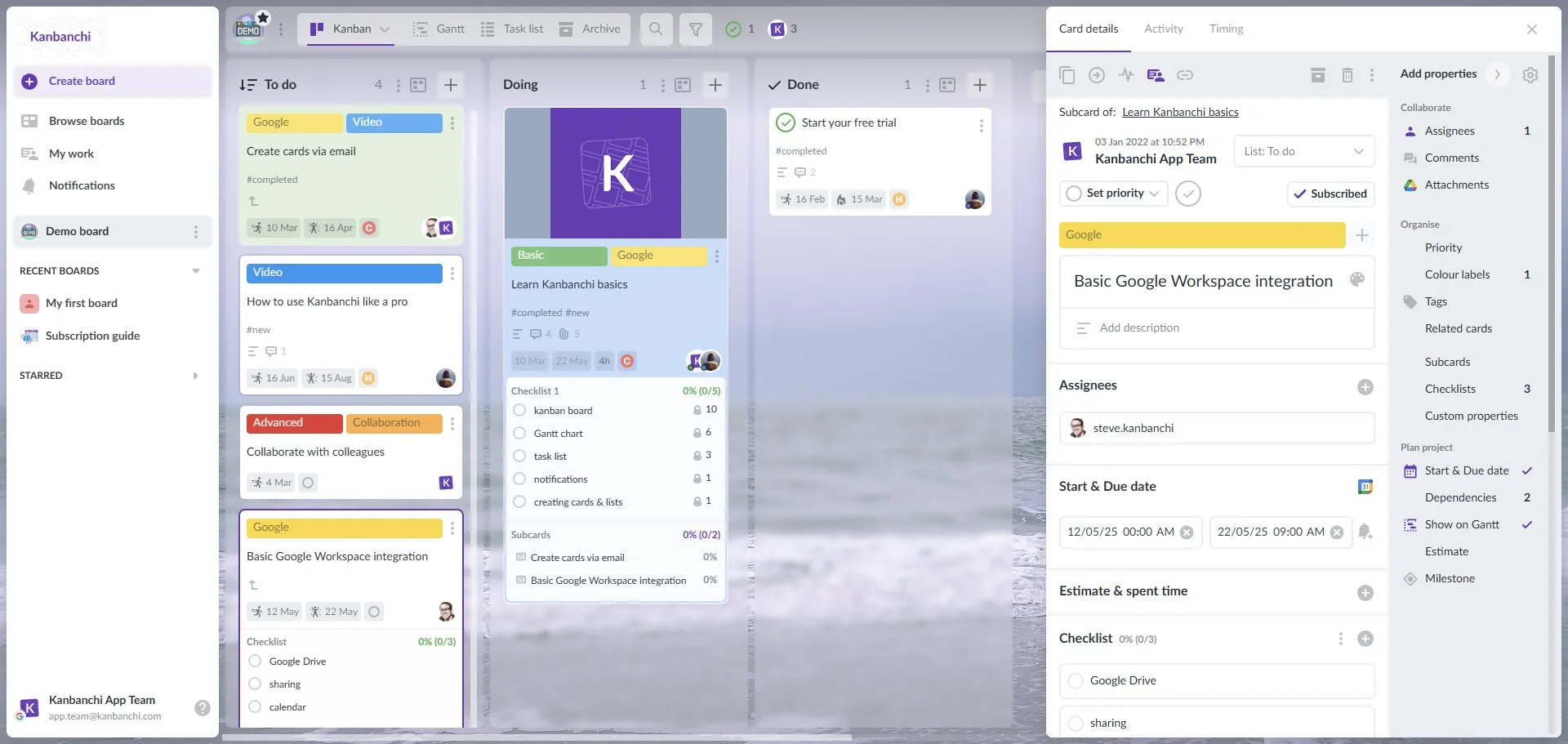
Kanbanchi is a strong choice for startups that need more than a simple to-do list but do not want a complicated enterprise project management rollout. It is designed as an all-in-one project and task management tool for teams using Google Workspace and Microsoft 365.
Its value is clearest when a startup wants project execution to sit close to files, calendars, and communication rather than in a separate, hard-to-maintain system. Product teams can manage roadmaps, marketing teams can track campaigns, operations teams can follow recurring processes, and leadership can get a clearer view of progress without asking for manual status updates.
Kanbanchi supports visual Kanban boards, Gantt charts for timeline planning, time tracking, task prioritization, swimlanes, subcards, templates, reports, and export to Google Sheets. Those features matter when a startup moves from informal coordination to repeatable execution.
If you are comparing project-focused options specifically, Kanbanchi’s guide to project management tools for startups is a useful next step because it looks more deeply at scaling work management as the team grows.
Plan, prioritize, and manage your projects effortlessly with Kanbanchi - the all-in-one project management tool built for Google Workspace users.
Get a free trial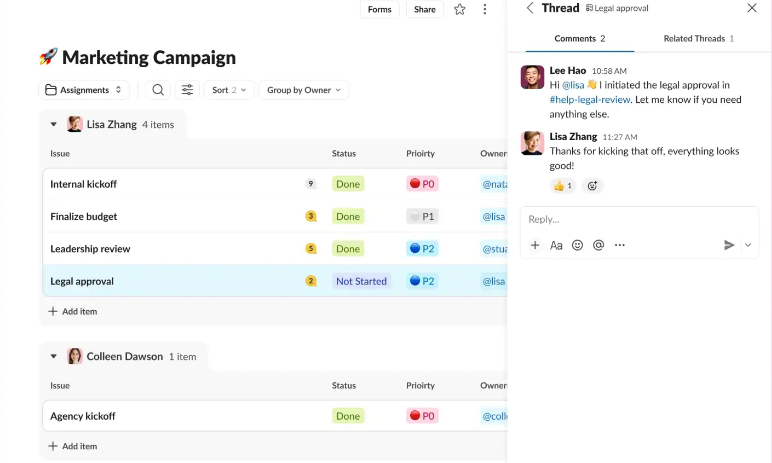
Slack remains one of the most familiar collaboration tools for startup communication. Its channel-based structure works well for fast-moving teams because conversations can be organized by function, project, customer, incident, or topic.
For early-stage startups, Slack is often where culture forms. People ask quick questions, share updates, resolve blockers, and coordinate across time zones. The tool becomes less effective when teams use it as the only place for decisions and task ownership. A message saying someone will handle something is not the same as an assigned task with a due date.
Slack works best when paired with a structured project management tool. Use Slack for conversation, quick alignment, and alerts. Use your work management system for ownership, priority, and execution history.
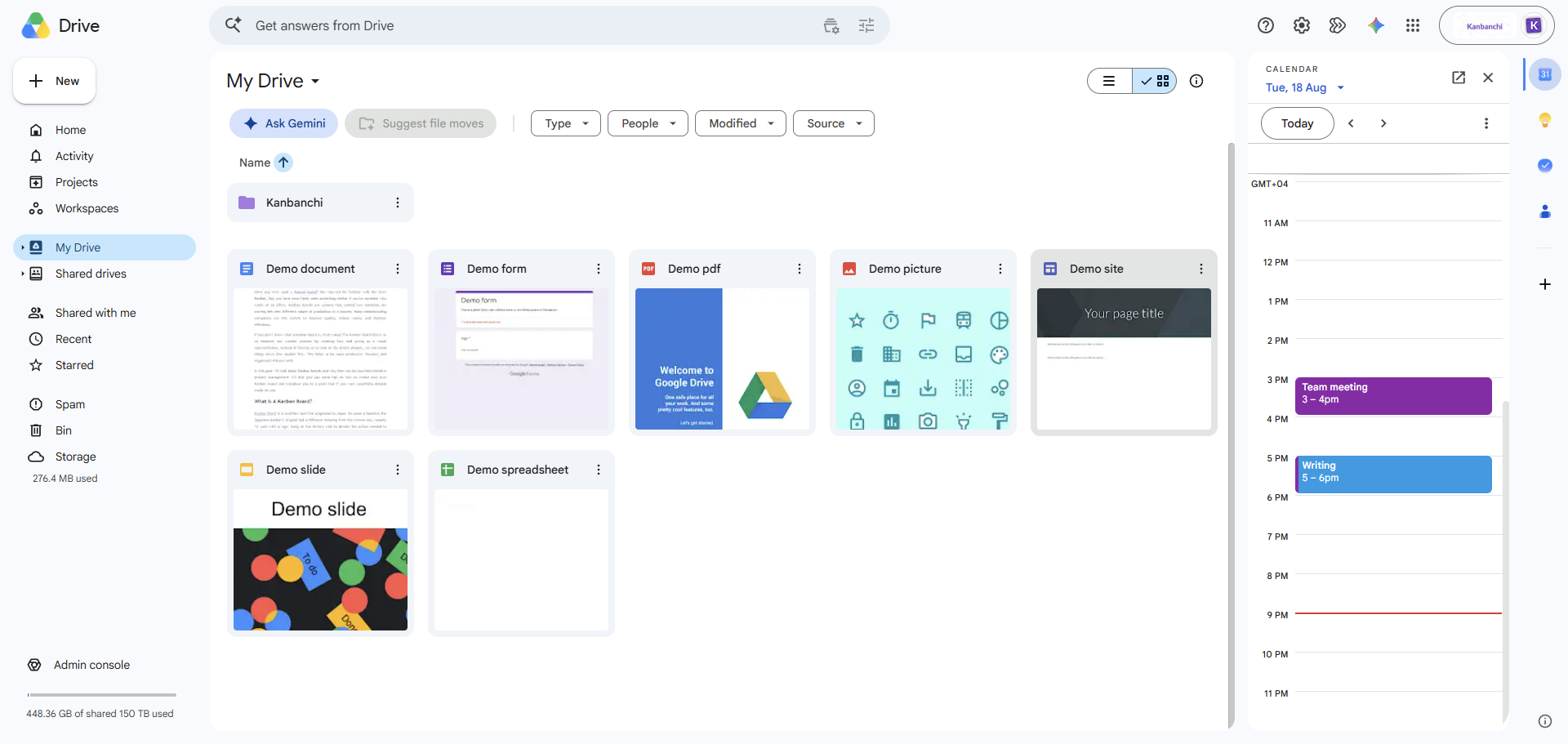
Google Workspace is often the default operating layer for startups because Gmail, Google Drive, Google Docs, Google Sheets and Google Calendar are easy to adopt and familiar to many hires. It gives teams a shared place for communication, file storage, document collaboration and scheduling.
For lean teams, that simplicity is a real advantage. Founders can write plans in Docs, finance can maintain early models in Sheets, teams can schedule work in Calendar, and everyone can access files from Drive. It is especially useful when speed of setup matters more than heavy process.
The limitation is that Google Workspace is not, by itself, a full project management system. Docs and Sheets can track work for a while, but growing startups usually need clearer ownership, dependencies, status tracking, and repeatable workflows. That is why many Google-first teams add a dedicated work management layer rather than trying to make spreadsheets carry every project.

Microsoft 365 is a natural fit for startups already committed to Outlook, OneDrive, SharePoint, Teams and the broader Microsoft productivity ecosystem. It combines email, calendars, meetings, document collaboration and file management in an environment many enterprise customers already recognize.
For startups selling into larger companies, Microsoft 365 can also make external collaboration feel familiar to clients and partners. Teams supports formal meeting workflows, cross-functional channels and document collaboration, while SharePoint and OneDrive provide structured file storage.
The main consideration is fit. If your startup’s daily work happens in Google Workspace, Microsoft 365 may introduce friction. If the company is already Microsoft-first, it can reduce tool sprawl by keeping communication, meetings and files within the same ecosystem.
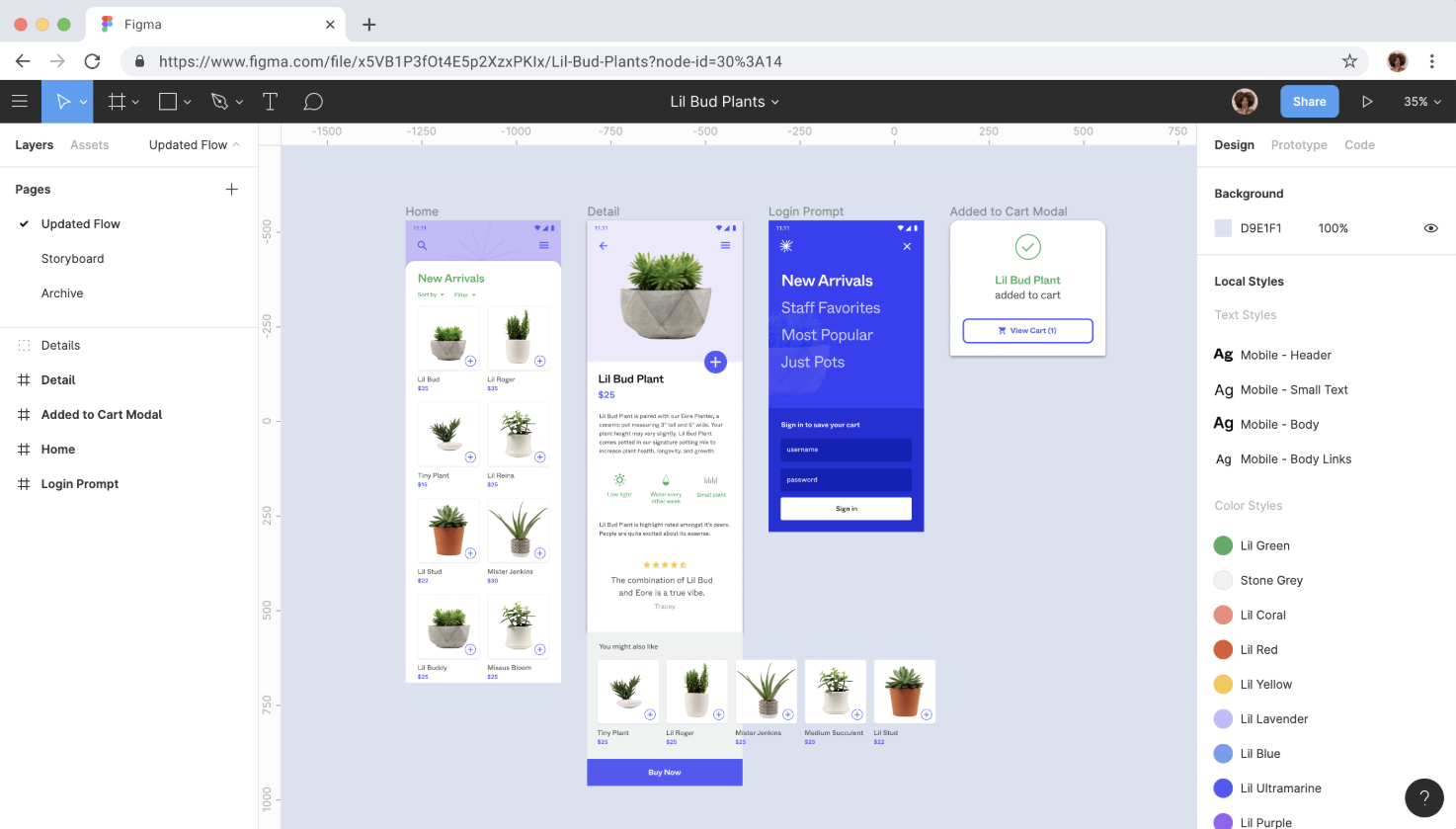
Figma is a core tool for startups building digital products, especially when design, product and engineering teams need to review work together. Designers can create shared files, collect comments and keep stakeholders aligned on product interfaces.
FigJam adds a more informal whiteboard layer for workshops, diagrams and early-stage ideation. Together, Figma and FigJam are especially useful for design-led startups or any team that needs close collaboration around prototypes and user experience.
The key is to connect design work to product priorities. Design comments, prototype decisions, and implementation tasks should not stay isolated from the broader roadmap.
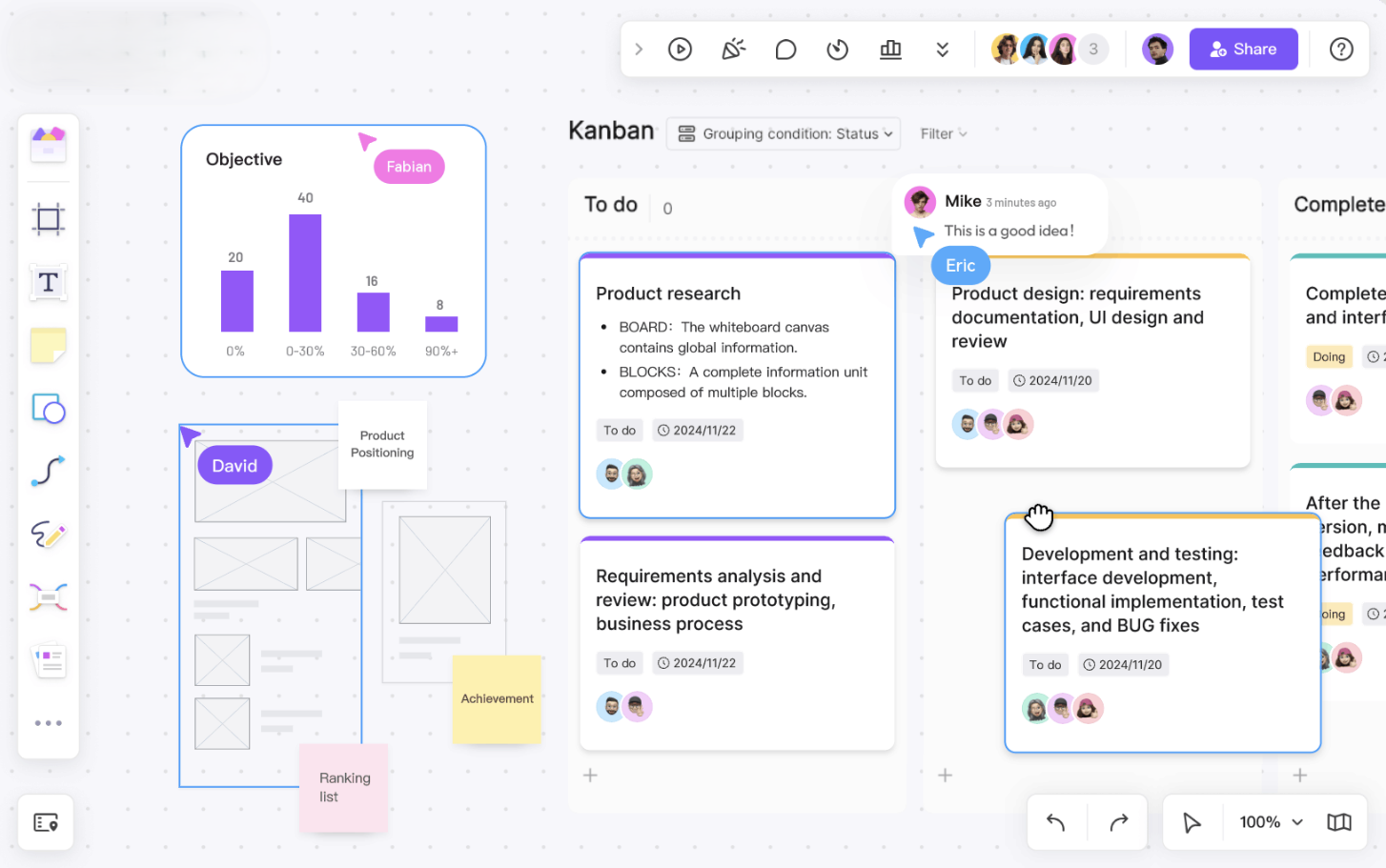
Miro helps startups think together visually. It is useful for journey mapping, retrospectives, brainstorms, product discovery, stakeholder workshops, and planning sessions where a blank canvas is more helpful than a document.
Remote and hybrid teams often benefit from Miro because it gives everyone a shared space to contribute during workshops. It is also helpful for early product and go-to-market work, where the team is still shaping assumptions and exploring options.
Miro should not become the place where execution disappears. Once a workshop produces priorities or decisions, convert the outcome into tasks, owners, and timelines in your project management system.
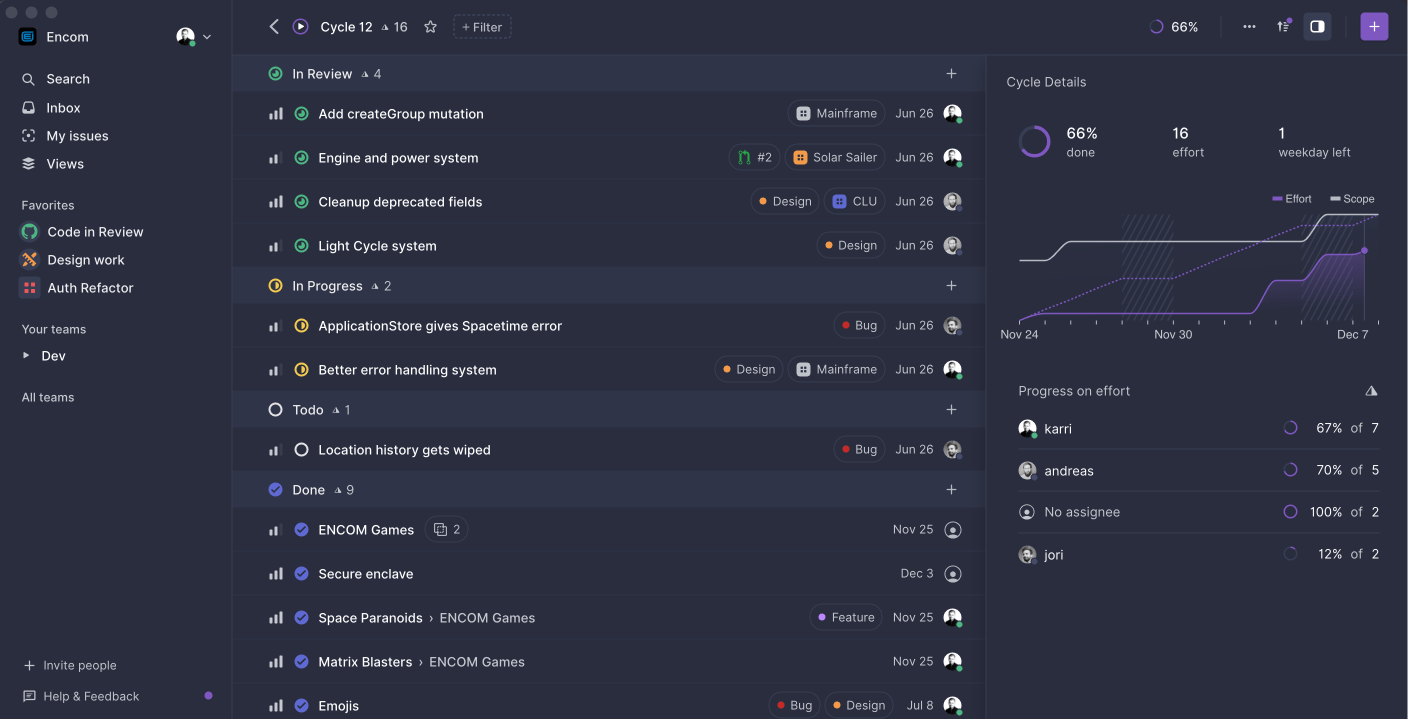
Linear is built for software teams that want fast issue tracking and a clean product development workflow. It is popular with engineering-led startups because it keeps product work structured without the heavier feel of some legacy issue trackers.
For startups shipping software, Linear can be excellent for bugs, cycles, issues, and product execution. It works best when engineering processes are mature enough to benefit from structured issue management.
The limitation is that Linear is not usually the best place for every team in the company. Marketing, operations, customer success, and leadership may need a broader work management layer, especially when projects involve non-technical workstreams.
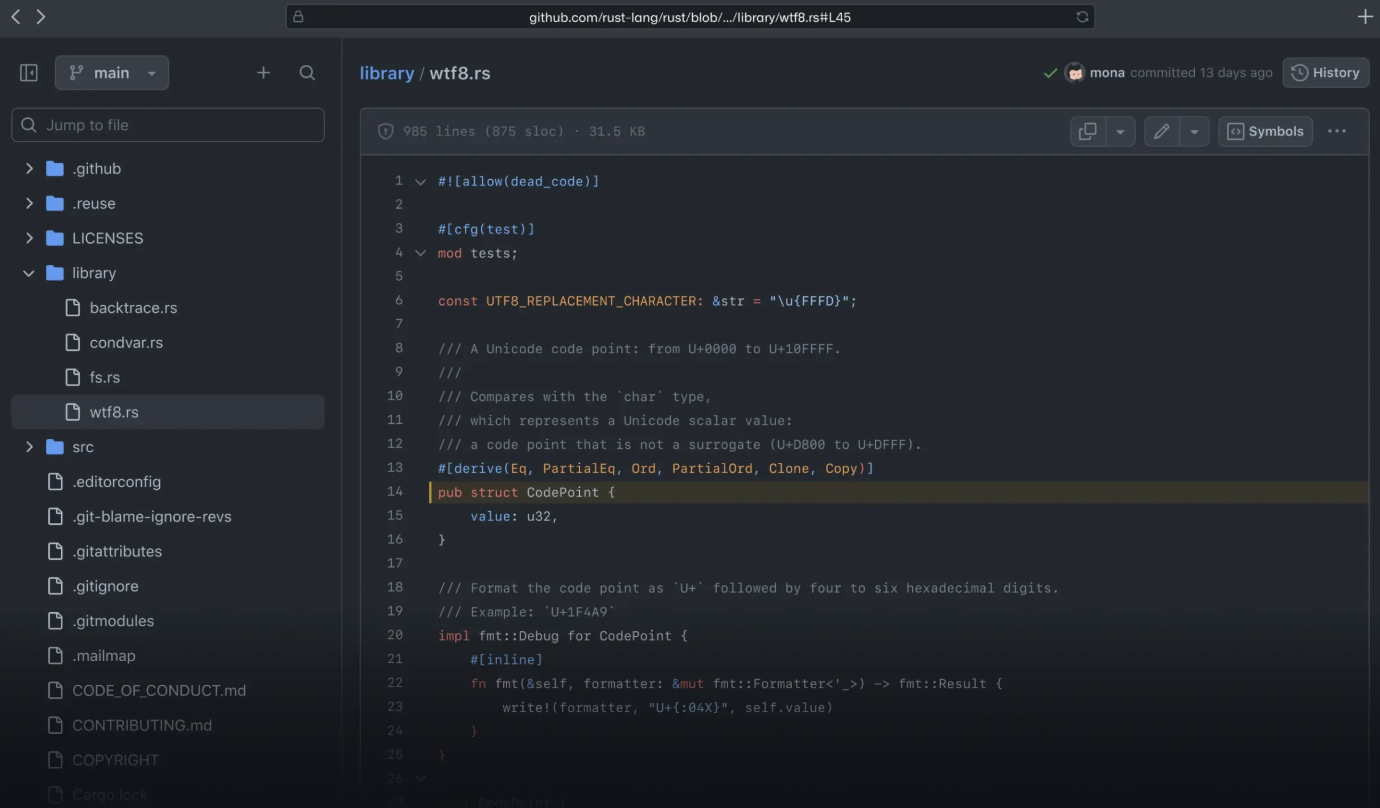
GitHub is essential for many software startups because it supports source control, pull requests, code review, issues, and release workflows. It is where engineering collaboration becomes concrete.
For developers, GitHub is not just a repository. It is a collaboration environment where changes are discussed, reviewed, and approved. It can also support engineering planning through issues and project views.
Still, GitHub is not always readable for non-engineering stakeholders. Product, marketing, and operations leaders often need a higher-level view of timelines, dependencies, and priorities. That is why many startups use GitHub alongside a project management tool that the whole company can understand.
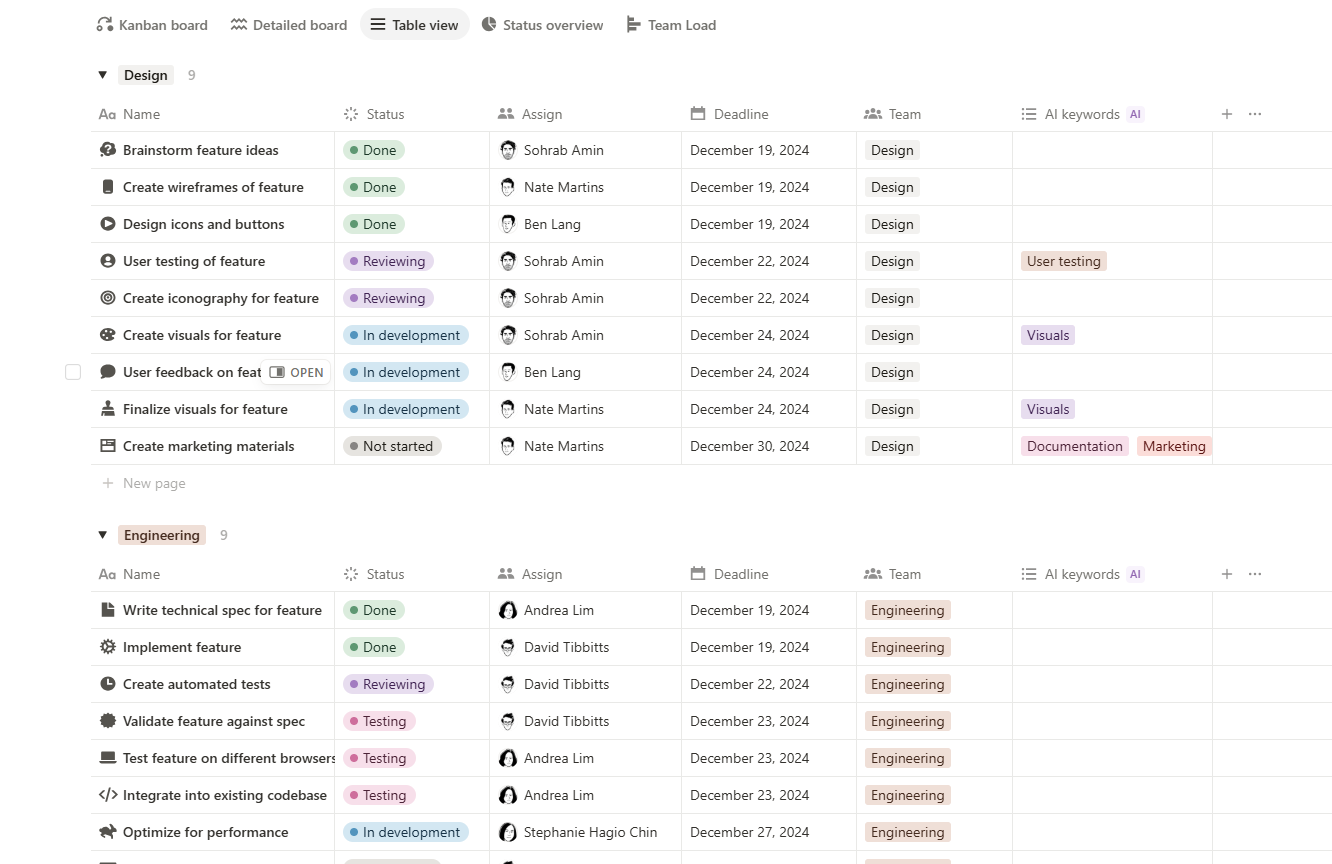
Notion is valuable for startups that need a flexible home for company knowledge. It can hold onboarding pages, product notes, meeting notes, team wikis, lightweight databases, hiring plans, and operating procedures.
Its strength is flexibility. A founder can draft strategy, a product manager can maintain discovery notes, and an operations lead can document repeatable processes in the same workspace. That flexibility also creates risk. Without clear ownership, Notion can become a pile of half-maintained pages.
A good rule is to use Notion for context, not for every execution detail. Keep durable knowledge, decisions, and reference material there. Use a dedicated task or project management tool for work that needs assignment, timing, prioritization, and progress tracking.
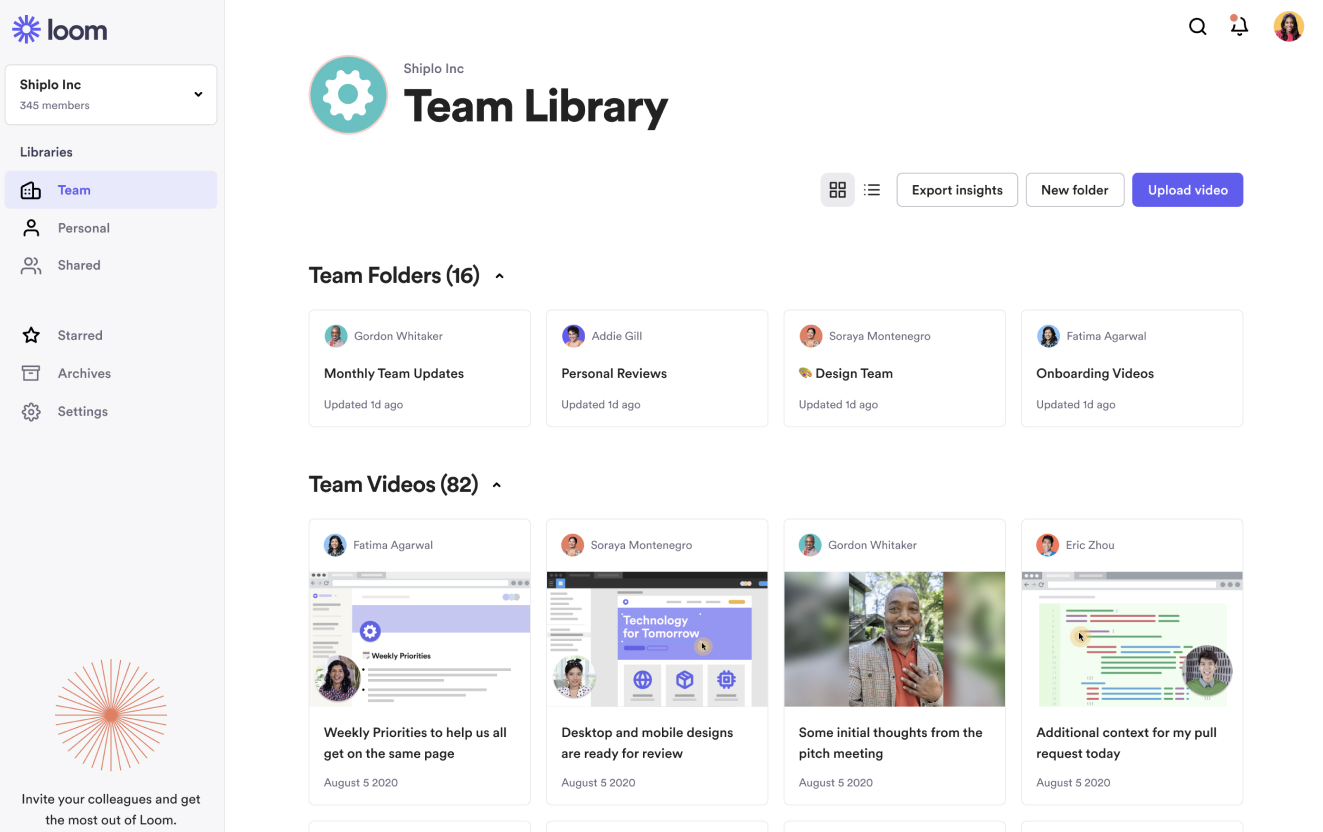
Loom helps startups replace some meetings with short recorded explanations. It is useful for product walkthroughs, bug reports, onboarding, design feedback, sales enablement, and leadership updates.
Async video is especially helpful when teams work across time zones. A founder can explain a decision once, a product manager can walk through a feature, and a customer success lead can document a workflow without scheduling another meeting.
The risk is turning video into another unsearchable knowledge silo. Use Loom for explanation, not as the only record. Important decisions should still be written down in a document or linked to a task.
Before comparing feature lists, map the work your team must control every week. A startup collaboration stack should answer basic operational questions quickly: what are we doing, who owns it, when is it due, what is blocked, and where is the context?
If your biggest problem is missed handoffs, prioritize task ownership and workflow visibility. If your biggest problem is repeated questions, invest in documentation. If your biggest problem is slow decision-making, improve meeting notes, async updates, and project status tracking.
For a broader comparison of collaboration categories, Kanbanchi’s article on team collaboration software for modern teams covers additional options and selection criteria.
Different startup stages need different levels of structure. Buying too much too early slows people down. Waiting too long creates chaos that becomes expensive to fix.
| Startup stage | Typical collaboration pain | Best tool priority |
|---|---|---|
| 3‑10 people | Work lives in chats, memory, and personal notes | Simple task boards, shared docs, and clear chat channels |
| 10‑30 people | Teams start missing handoffs and deadlines | Project management, documentation ownership and calendar visibility |
| 30‑100 people | Multiple teams need shared priorities and reporting | Scalable boards, timelines, templates, permissions and reporting exports |
| 100+ people | Governance, security and cross‑team visibility become critical | Enterprise‑ready permissions, audit‑friendly workflows and standardized processes |
For many startups, the project hub is the most important decision because it becomes the place where execution is visible. Chat apps and document tools support collaboration, but the project hub shows whether work is moving.
If your company runs on Google Workspace, look closely at how a tool handles Google Drive files, Gmail, Calendar and sharing policies. If your company runs on Microsoft 365, make sure your project tools fit with OneDrive, SharePoint and the account model your IT or operations team already manages. Switching ecosystems later is possible, but it is rarely painless.
A startup can use several collaboration tools successfully, but it should not have several competing systems of record. If tasks live in multiple boards, chat reminders, document checklists, and personal spreadsheets at the same time, leaders will not trust any of them.
Define the role of each tool clearly. For example, one tool for project execution, one for chat, one for documentation, one for design, and one for async video. The exact stack can vary, but ownership should not.
Engineering, sales, marketing, and operations often have different preferences. A tool that works beautifully for one function may confuse another. Before buying, test whether the tool supports cross-functional work, not only team-specific workflows.
Flexible tools feel great early because they can become anything. At scale, too much flexibility can create inconsistent processes. Scalable collaboration tools let teams customize workflows while still preserving visibility, permissions, and reporting.
A tool that requires weeks of configuration may not be realistic for a small startup without dedicated operations support. Look for templates, simple sharing models, and workflows that match how your team already works.
At minimum, review how each tool handles user access, file sharing, data exports, administrator controls, and integration permissions. The more customer data or confidential planning information you store, the more important this becomes.
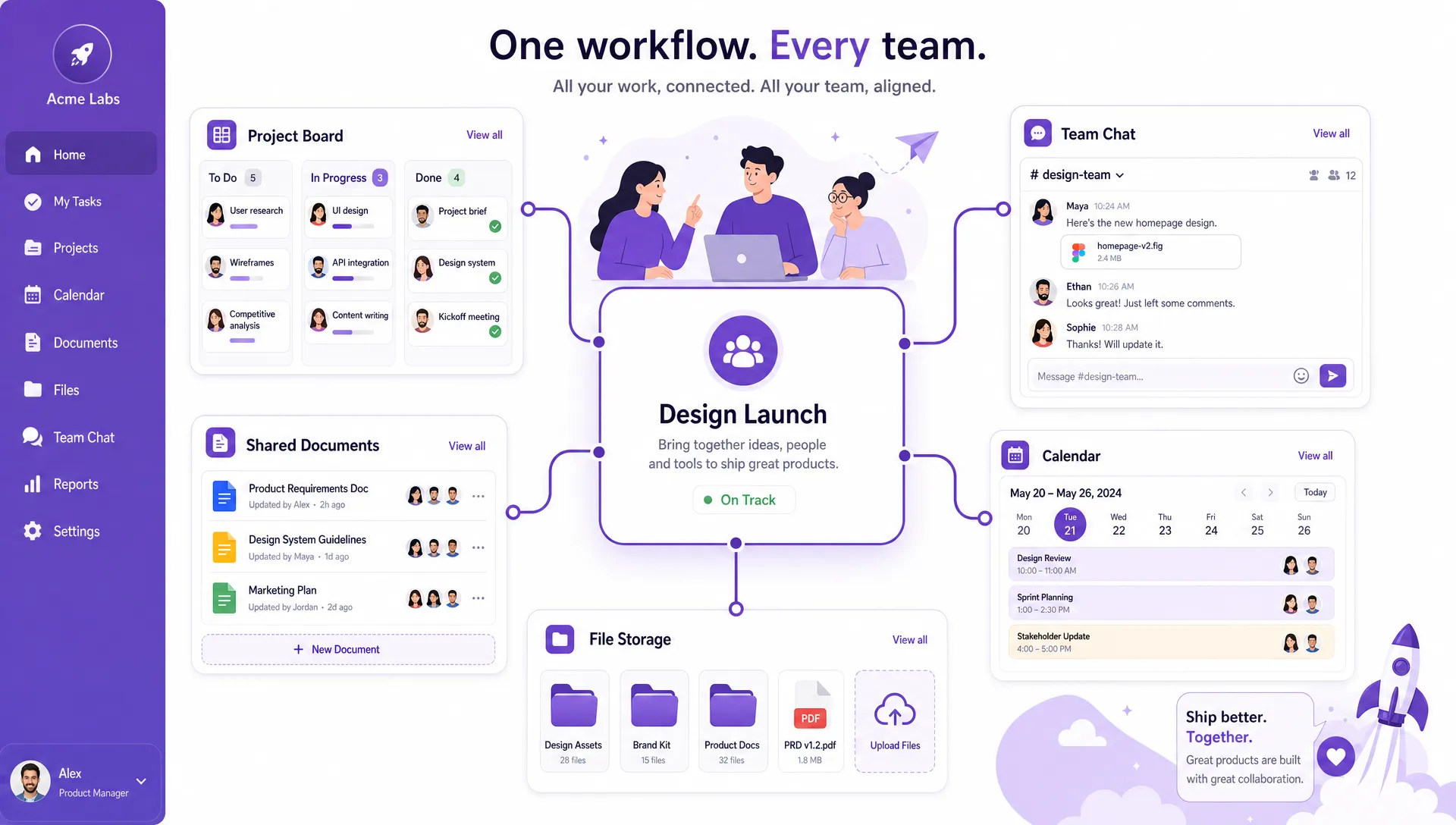
A strong startup collaboration stack connects communication, documents, files, and schedules to visible project work instead of scattering decisions across separate tools
A practical Google Workspace stack could use Kanbanchi for project and task management, Google Drive for file storage, Gmail for communication with external contacts, Google Calendar for scheduling, Slack or Google Chat for quick team communication, Notion or Google Docs for documentation, and Loom for async updates.
This stack works because project execution stays connected to files, calendars, and communication. Kanbanchi can serve as the visible work layer where boards, timelines, time tracking and task context come together.
A Microsoft 365 startup might use Teams for chat and meetings, OneDrive and SharePoint for files, Outlook for email and calendar, Kanbanchi or another compatible project tool for structured work management, Notion or Microsoft Loop for documentation, and Loom for async video.
The key is to avoid separating project execution from the file and identity systems the company already uses. Microsoft-first teams should pay close attention to how collaboration tools handle OneDrive, SharePoint, and user permissions.
A product-led startup may need a more specialized stack: Kanbanchi for cross-functional project visibility, Linear or GitHub for engineering execution, Figma for design, Slack for communication, Notion for product knowledge, and Loom for async walkthroughs.
This model gives technical teams the tools they need while preserving a company-wide view of work. It also helps non-engineering stakeholders understand what is planned, what is blocked, and what is ready to launch.
Start with a free Kanbanchi trial now
There is no single best tool for every startup. If you need structured project visibility, choose a work management tool first. If your team already runs on Google Workspace or Microsoft 365, Kanbanchi is a strong option because it connects boards, timelines, files, calendars, and task tracking inside those ecosystems.
Most startups need a small stack rather than one tool for everything. A practical setup includes a project management tool, a chat tool, a documentation space, a file storage system, and possibly a video or whiteboarding tool. The goal is clear ownership, not the lowest possible tool count.
Free tools can work for very early teams, but paid tools often become necessary when you need permissions, reporting, templates, time tracking, timeline planning, admin controls, or stronger support. If the team is already losing time to unclear ownership, a paid tool may cost less than the confusion it removes.
Yes, in most cases. Your existing productivity suite affects file storage, calendars, identity management, and daily habits. Choosing collaboration tools that fit your ecosystem usually improves adoption and reduces duplicate work.
The biggest mistake is letting work scatter across too many places. Chat, docs, spreadsheets, and meetings are useful, but tasks need a trusted system of record with owners, due dates, status, and context.
The best team collaboration tools for startups in 2026 are not just popular apps. They are tools that help your team see the work, understand priorities, and keep execution connected to the systems you already use.
If your startup runs on Google Workspace or Microsoft 365 and needs a clearer way to manage projects, tasks, timelines, and team workload, Kanbanchi is built for that environment. It gives growing teams a visual project hub with Kanban boards, Gantt chart planning, time tracking, and file-connected collaboration, so work stays visible from idea to delivery.


In this Article:
Start using Kanbanchi now
Start your free trial