
In this Article:
Try Kanbanchi now
Start your free trial

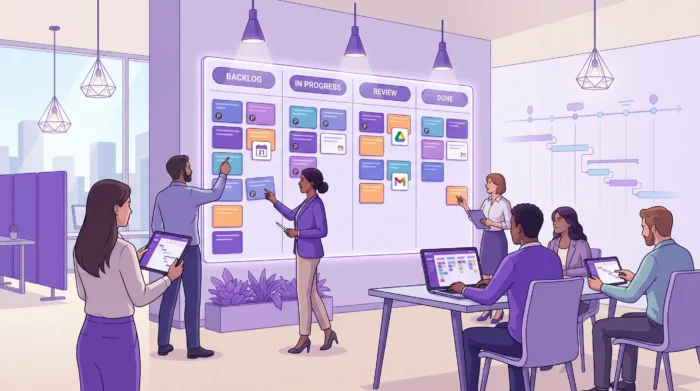
Keeping a team aligned is rarely a “people problem.” Most of the time, it’s a systems problem: requests arrive through Gmail, priorities live in a doc, dates sit in Calendar, and progress updates happen in a chat thread that vanishes by Friday.
Google task management works best for teams when you create a single shared way to capture work, assign ownership, plan timelines, and review progress, without forcing everyone to switch between disconnected tools.
Below are the best, proven ways to stay aligned in Google Workspace, plus guidance on when a team should move from simple task lists to a dedicated project system.
Team alignment is not just “everyone has a to-do list.” In practice, aligned teams have four things in place:
One source of truth for what’s in scope, what’s next, and what’s done.
Clear ownership so every task has a single responsible person (even if many contribute).
Shared timing so dependencies and deadlines are visible to everyone.
A predictable cadence for checking progress, unblocking work, and resetting priorities.
Google Workspace already covers communication and collaboration extremely well. The gap often appears when teams try to manage multi-step work (handoffs, dependencies, timelines, capacity) using tools that are primarily designed for individual productivity.
Read all articles related to Google Workspace here
Before you choose a workflow, decide what you’re managing.
Tools like Google Tasks can be great for personal reminders and small, independent action items, a lightweight daily checklist, or meeting follow-ups you own end-to-end. If the work does not require coordination, a simple task list is often the fastest option.
Teamwork needs additional structure. The moment you have any of the following, you are managing a project, not just tasks. You will have multiple contributors on a single deliverable and face frequent changes in priority. It leads to the need to set dependencies (“A must finish before B starts”) and status visibility across functions. Auditability, or security requirements, is also an important concern. That is where visual workflow (Kanban) and timeline planning (Gantt) become important.
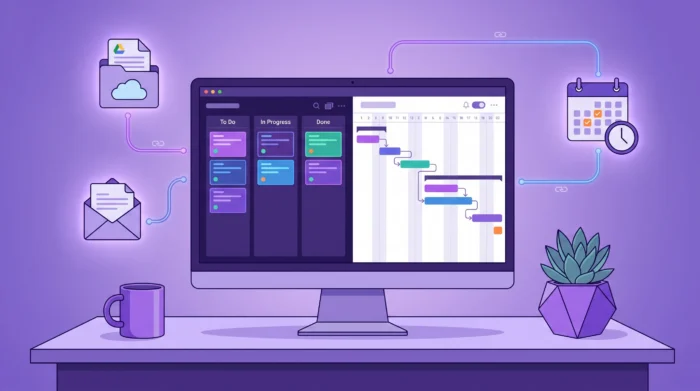
The practices below are tool-agnostic, meaning they work whether you use Google Tasks, Sheets, or a dedicated project management tool that integrates with Google Workspace.
Misalignment starts at the moment work is requested. If requests come through email, chat, meetings, and hallway conversations, you get duplicates, missing context, and invisible priorities. Choose one primary intake method and document it.
For Google-centric teams, common options include:
A shared “Requests” Google Form feeding a Sheet
A shared email alias (sorted by a coordinator)
Converting emails into trackable tasks (ideal when requests originate in Gmail)
The point is not which channel you pick, it’s that everyone knows where work goes first.
Teams lose time because tasks are under-specified. One person writes “Update deck,” another writes “Deck update for Q2 launch, v3, due Thursday, include new pricing slide.” The second task is actionable. The first becomes a thread.
At a minimum, define a team standard for:
Outcome (what “done” means)
Owner (exactly one)
Due date (or a clear “no due date” policy)
Context (links to Docs, Sheets, Drive files, or requirements)
If you enforce this consistently, you reduce status meetings and follow-up messages because the work explains itself.
A task with no owner is a suggestion. A task with five owners is a negotiation. A simple rule that keeps teams aligned:
One owner is accountable for delivery.
Others are collaborators who contribute, review, or approve.
This is especially important in Google Workspace environments where collaboration is easy, but accountability can get fuzzy.
Teams often say, “Everyone knows what’s most important.” In reality, only the loudest channel is visible, usually the latest email or the most recent meeting.
Instead, publish priorities where the work lives:
A clear “This week” or “Now” section
A limited number of active items (to avoid everything being urgent)
A short written priority note attached to the work item
When priorities are visible, people can self-correct without waiting for a manager.
A list tells you what exists. A workflow shows you what is happening. A simple Kanban-style workflow (for example: Backlog, Ready, In progress, Review, Done) helps teams align on:
What is being worked on right now
Where work is stuck
If you want this to actually improve throughput, add a lightweight policy, such as a Work In Progress limit, even if it’s informal. The goal is to stop starting and start finishing.
If your deliverable requires sequencing, “due dates on tasks” are not enough. You need to see dependencies and timing across the whole plan. A timeline view (often a Gantt chart) is especially useful for:
Product launches
Campaigns with multiple deliverables
Onboarding and implementation plans
Any cross-functional project where delays cascade
Even if you do not build complex dependency networks, a shared timeline creates alignment because it answers, “What happens when?” at a glance.
Calendar visibility helps, but over-scheduling every task can backfire. The best approach for most teams is:
Put true deadlines and key milestones on the calendar
Use tasks and boards to manage the work between milestones
Sync only what needs time-specific attention
This avoids the common failure mode where calendars become cluttered, and people stop trusting them.
Alignment is maintained through rhythm. A practical cadence for many teams is:
A short weekly planning session to confirm priorities
One mid-week async check-in for blockers
A quick end-of-week review to close loops and capture learnings
The meeting is not the system. The meeting is the moment you maintain the system.
Google Workspace offers multiple ways to manage tasks, but they serve different purposes. This table can help you choose the right approach.
| Tool | Best for | Where it can break down for teams | Good next step when you outgrow it |
|---|---|---|---|
| Google Tasks | Individual to-dos and reminders | Limited workflow visibility, reporting, and cross-team planning | Use a shared board-based tool integrated with Google Workspace |
| Google Keep | Quick notes, personal capture, lightweight checklists | Not designed for structured projects or ownership and status tracking | Move validated work into a task system with owners and dates |
| Google Sheets | Simple tracking, custom fields, ad hoc reporting | Manual updates, easy to go out of date, hard to visualize flow and timelines | Use a tool with Kanban and timeline views to reduce manual work |
| Google Calendar | Time-specific commitments and milestones | Not a task system, becomes noisy if used for every action item | Keep milestones in Calendar, manage tasks in a dedicated workspace |
| Gmail + labels | Personal sorting | Becomes private, not visible or assignable, easy to lose context | Convert emails into shared tasks with ownership and due dates |
If your team is still “mostly personal tasks,” keep it simple. If you need shared visibility, workflow, and timelines, it is worth using a purpose-built system that integrates directly into Google Workspace.
If your choice is to stick with Google Workspace only (for now or for the time being), feel free to check my other guide on how to do task management with Google Workspace.
Here is an example of a workflow that many teams find sustainable, especially when work starts in Gmail.
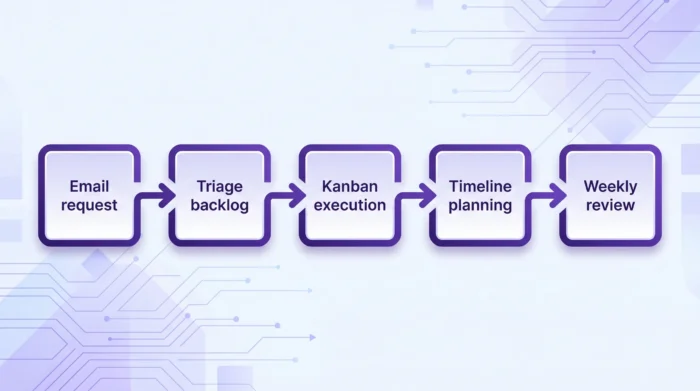
If a request arrives via email, convert it into a trackable task immediately, rather than letting it sit in an inbox. The best capture method is the one your team will actually use consistently. For Google Workspace teams, the key is reducing copy-paste and context switching.
A shared backlog prevents two common problems
During sorting, clarify the task outcome, attach relevant Drive files, and assign an owner.
Move only ready tasks into active work. This is where a Kanban board helps teams stay aligned day-to-day by making progress visible. If your team frequently asks, “What’s the status?” that is usually a sign you need better visibility, not more meetings.
As soon as work has dependencies or a fixed delivery date, add a timeline view so stakeholders can see sequencing and risk.
Status should come from the work system, not from someone rewriting updates into a slide deck every Friday. A good reporting setup lets you answer:
What moved forward this week?
What is blocked, and why?
What is late or at risk?
What is the team capacity telling us?
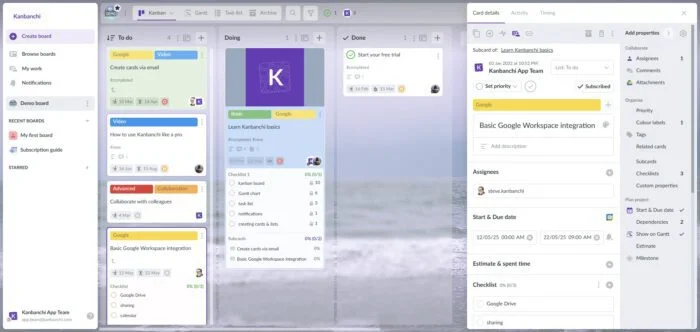
If your team works primarily in Google Workspace (or Microsoft 365) and you want a single place to manage execution, Kanbanchi is designed for that environment.
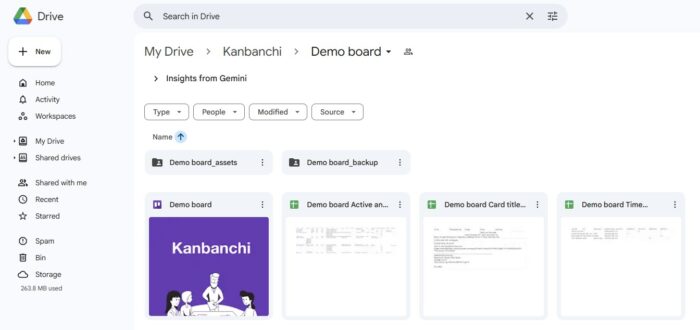
At a high level, Kanbanchi supports team alignment by combining:
Kanban boards to visualize workflow and keep day-to-day execution clear
Gantt chart timelines for planning milestones and cross-functional dependencies
Time tracking to compare estimates vs actuals and improve predictability
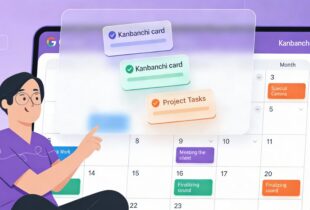
Deep Google integration, including Google Drive file storage, Gmail-based task creation, and Google Calendar sync
Progress tracking for visibility without manual status chasing
Enterprise-grade security and compliance for organizations that need stronger governance
If you want background on the platform, you can start with What is Kanbanchi? or see how visual workspaces support collaboration in The Ultimate Guide to Project Boards.
Start a free trial of Kanbanchi today
Even with the right tools, teams can drift into patterns that create confusion. Watch for these issues.
If tasks live in a board, but deadlines live in a sheet, and progress lives in chat, people will default to whichever system is easiest for them. Alignment requires one place that is trusted.
Without a definition of done, review cycles expand, stakeholders disagree, and tasks reopen. Agree on what completion means, especially for recurring work.
Teams often assign work to the same dependable people, then act surprised when timelines slip. If you want predictable delivery, workload visibility matters.
Overusing due dates creates a culture of constant lateness, and then dates stop meaning anything. Use dates to reflect real commitments and sequencing, not wishful thinking.
The best approach is a shared system with clear ownership, visible priorities, and a workflow view. Google Tasks works for individuals, but teams often need a shared board and timeline to stay aligned.
Google Tasks is excellent for personal to-dos, but it is limited for team-level visibility, workflow management, and reporting. For coordinated projects, most teams add a collaborative tool that integrates with Google Workspace.
Set a consistent intake rule, convert actionable emails into tasks immediately, and store them in a shared backlog with an owner, due date, and links to the relevant Google Drive context.
Make progress visible in the task system (board, timeline, and reporting), then use meetings only to resolve blockers and confirm priorities. If the work is up to date, the status becomes a quick review.
Use a Kanban board when work moves through stages (ready, in progress, review) or when you need to see bottlenecks and limit work in progress. Lists show items, boards show flow.
Not always. A Gantt chart becomes valuable when tasks have dependencies, fixed milestones, or cross-team coordination. It helps everyone see timing and risk in one view.
If your team is trying to coordinate real projects inside Google Workspace and you want fewer “where are we at?” messages, a single execution hub makes a measurable difference.
In this Article:
Start using Kanbanchi now
Start your free trial