
In this Article:
Try Kanbanchi now
Start your free trial


Choosing project scheduling programs is less about finding the longest feature list and more about finding a system that your team will keep accurate. A schedule that lives in one person’s spreadsheet, gets updated once a week, and no one trusts is not a schedule. It is an administrative overhead.
For business owners and team leads, the right program should answer the daily questions that block delivery: what is due next, who owns it, what depends on it, what has changed, and where the supporting files are located. In 2026, that usually means looking beyond a standalone timeline and choosing software that connects scheduling with task management, collaboration, reporting, and your existing workspace.
Before comparing project scheduling programs, define what is broken in your current workflow. Teams often start by asking for a Gantt chart, a calendar, or a task board, but those are only views. The deeper issue may be missed handoffs, unclear ownership, overloaded people, or files scattered across email and cloud folders.
A project schedule has to coordinate people, dates, work, and decisions. The Project Management Institute describes project management as applying knowledge, skills, tools, and techniques to meet project requirements. The tool matters, but only when it supports the way requirements turn into day-to-day execution.
A useful scheduling program should make a project easier to understand without a status meeting. At a minimum, your team should be able to open the project and see:
If a program cannot answer these questions quickly, it will create more follow-up messages, not fewer.
Some tools are excellent for planning a timeline, but weak for daily collaboration. Others are great for moving cards through a workflow, but light on dependency management. The best choice depends on whether your pain is primarily planning, execution, or both.
A construction project, software launch, compliance rollout, and marketing campaign all need schedules, but not the same kind. A date-driven project may need strong milestone and dependency visibility. A service or operations team may need a visual workflow that shows workload and status. Most growing teams eventually need both.
A schedule works only if someone updates it. In small teams, that may be the founder, operations manager, or team lead. In larger organizations, it may be a project manager, PMO, department lead, or assigned card owners.
Choose a program that matches the people who will maintain it. If only trained project managers can understand the interface, task owners may avoid updating their work. If the tool is too lightweight, leaders may not trust it for planning. The right balance is a program that is simple enough for everyday contributors and structured enough for management.
There is no universal best program. There is only the best fit for your team’s project complexity, collaboration style, and existing tech stack.
| Type of program | Best fit | Main limitation to watch |
|---|---|---|
| Spreadsheet-based schedules | Simple projects, early planning, teams already comfortable in Sheets or Excel | Manual updates, limited dependencies, weak accountability, and harder collaboration at scale |
| Dedicated Gantt tools | Date-driven projects with detailed timelines and milestones | Can become disconnected from day-to-day task execution |
| Kanban or task board tools with timelines | Teams that need workflow visibility plus scheduling | Timeline depth varies by product, so dependency and reporting features must be checked |
| Enterprise project portfolio tools | Large organizations managing many projects, budgets, resources, and governance needs | Heavier setup, more training, slower adoption for small teams |
| Workspace-integrated scheduling tools | Google Workspace or Microsoft 365 teams that want schedules, files, email, and calendars connected | Best value depends on how deeply the tool fits your existing workspace |
A common mistake is choosing software for the most complex project your company might run someday. That often leads to low adoption. Another mistake is choosing the easiest tool for today, only to outgrow it in six months. Look for a program that fits your current workflow and can support the next level of structure.
Project scheduling programs only become valuable when they reduce coordination effort. Flashy dashboards and colorful timelines are not enough. You need features that keep the schedule current, visible, and connected to real work.
| Feature | Why it matters | What to check during evaluation |
|---|---|---|
| Task ownership | Prevents confusion about who is responsible | Can every task have a clear assignee, role, priority, and status? |
| Gantt or timeline view | Shows deadlines, task duration, and sequence | Can the team adjust dates easily and understand the schedule impact? |
| Dependency visibility | Reveals handoffs and bottlenecks | Can related tasks or dependent tasks be connected clearly? |
| Kanban or workflow view | Helps teams manage execution, not just planning | Can tasks move through stages such as To Do, Doing, Review, and Done? |
| Calendar integration | Keeps deadlines visible outside the project tool | Can important dates sync to the calendar your team already uses? |
| File attachments | Keeps context next to the task | Can files be attached from Drive, Shared Drives, OneDrive, or SharePoint? |
| Time tracking | Improves estimates and capacity planning | Can users record time without leaving the task? |
| Reporting and export | Helps leaders monitor progress and share updates | Can data be exported or connected to reporting dashboards? |
| Templates | Speeds up repeatable project setup | Can teams create reusable boards, task structures, or card templates? |
| Security and admin controls | Protects company data and supports governance | Does the vendor fit your company’s identity, sharing, compliance, and access policies? |
If your team is already using Google Workspace or Microsoft 365, integration quality should be one of your top criteria. A project schedule that forces people to duplicate files, dates, and conversations into a separate system usually becomes stale.
A project schedule is not one view. It is the same work seen from different angles. Team members need to know what to do today. Managers need to know whether the timeline is realistic. Stakeholders need to know whether milestones are on track.
Kanban boards are useful when work moves through stages. They make it obvious what is waiting, what is active, what is under review, and what is complete. For teams managing multiple requests, client work, operations, marketing tasks, or product work, Kanban is often the easiest view for daily execution.
Kanban also encourages limiting work in progress. This matters because a schedule can look fine on paper while the team is overloaded in practice. If too many cards sit in the active column, your timeline is at risk even before deadlines are missed.
Gantt charts are useful when dates, sequence, and milestones drive the project. They show how tasks relate over time and make schedule conflicts easier to spot. If a design task slips by three days, a Gantt view helps you understand whether development, review, launch, or procurement will also be affected.
Many teams do not need to choose between Kanban and Gantt. They need a tool where the same tasks can be managed on a board and scheduled on a timeline.
This is where all-in-one project scheduling programs can outperform separate tools. If a task changes on the board, the timeline should reflect that same work. If a deadline changes on the timeline, the task owner should see it in the execution view. When planning and execution share one data model, leaders get better visibility, and teams spend less time reconciling updates.
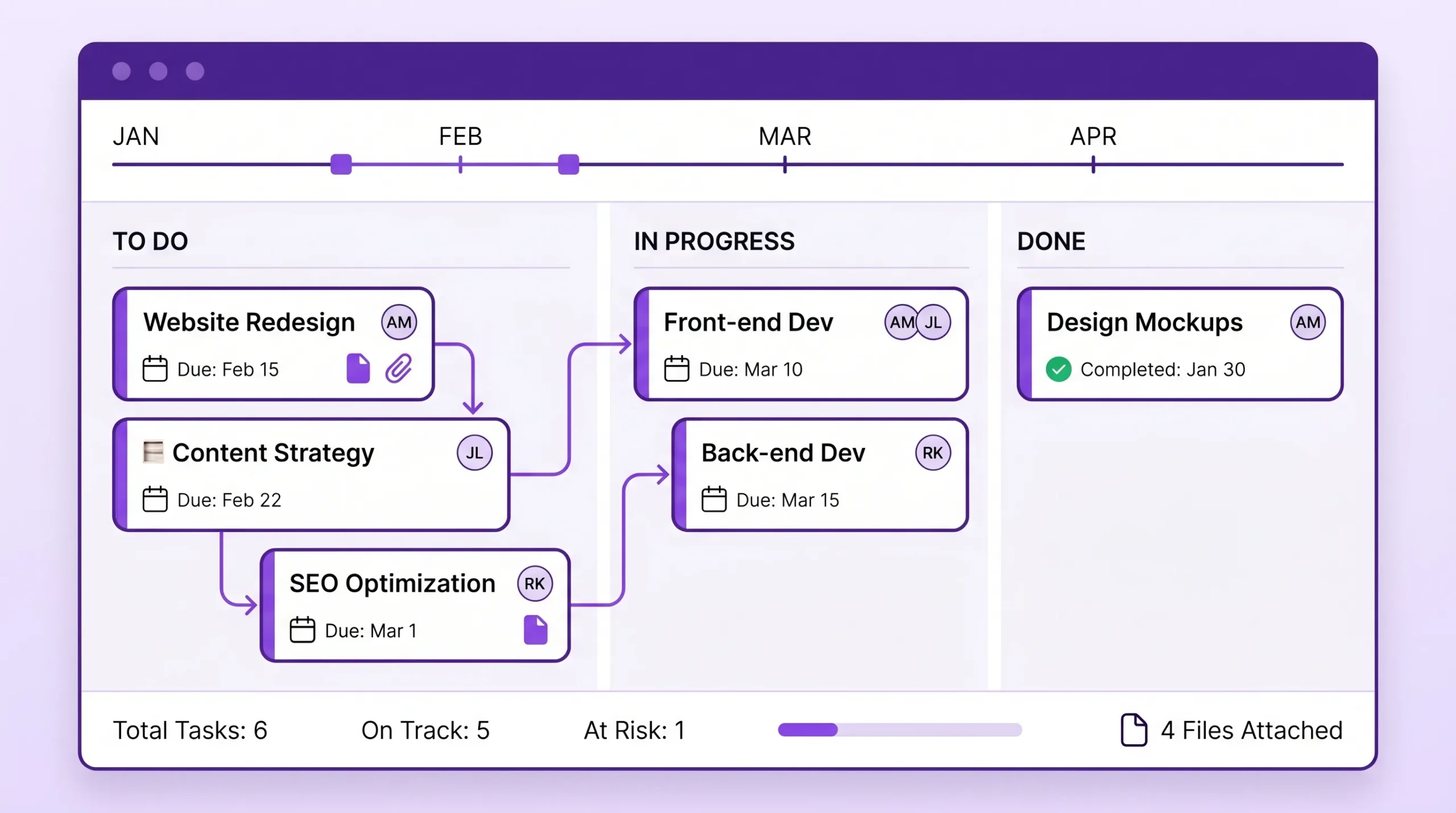
Scheduling software does not operate in isolation. It touches documents, meetings, email, calendars, approvals, and reporting. If your team has already standardized on Google Workspace or Microsoft 365, a scheduling program should strengthen that environment rather than sit beside it.
Look for direct connections with Google Drive, Shared Drives, Gmail, Google Calendar, and Google Sheets. This is especially important for companies that use Drive permissions as part of their security model. A project task should be able to reference the file people need, not just tell them to search for it.
Kanbanchi is designed for Google Workspace project management and allows teams to create and share project boards, attach files from Google Drive and Shared Drives, create cards from Gmail, add events to Google Calendar, and export board data to Google Sheets. If your team already works in Google apps, this reduces the friction of adopting a scheduling program because the project work lives closer to the tools people use every day.
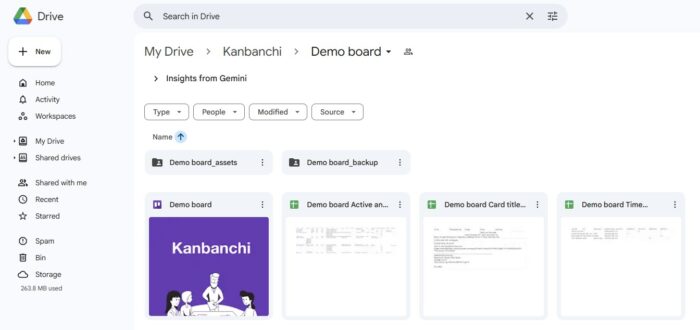
You can also explore Kanbanchi’s Google Drive project management guide if your team wants Drive to remain the central hub for project files.
Microsoft 365 teams should check how a tool works with OneDrive and SharePoint, how users sign in, and whether project files can remain in the organization’s approved storage environment. Compatibility matters not only for convenience but also for governance.
Kanbanchi supports Microsoft 365 compatibility and integrates with OneDrive and SharePoint, making it an option for teams that want visual boards, timeline planning, and task tracking while keeping files inside the Microsoft ecosystem.

Team leads often need more than a board. They need to summarize progress, show bottlenecks, and answer stakeholder questions without manually building a report every Friday.
During evaluation, ask whether the tool can export useful data. In Kanbanchi, teams can export board data to Google Sheets and extract data for reporting dashboards such as Google Looker Studio or another preferred reporting environment. This matters when project scheduling becomes part of business operations rather than an isolated team habit.
Sign up for a free trial of Kanbanchi
A product demo can make almost any tool look good. A real pilot shows whether people will use it. The best pilot is small enough to run quickly but realistic enough to expose friction.
Use one active project, not a fake example. Include real tasks, real owners, real files, and real deadlines. Then test how the program handles changes, because change is what breaks most schedules.
After the pilot, ask both managers and contributors what felt easier and what created extra work. A tool that impresses leadership but frustrates task owners will fail. A tool that contributors like but managers cannot use for planning will also fail.
Software buying often becomes subjective. One person likes the interface. Another likes advanced settings. Someone else wants the cheapest option. A scoring matrix keeps the decision connected to business outcomes.
| Criterion | Evaluation question | Suggested weight |
|---|---|---|
| Team adoption | Can contributors understand and update tasks with minimal training? | High |
| Scheduling capability | Can the tool handle dates, milestones, dependencies, and changes? | High |
| Workflow visibility | Can managers see status, blockers, and workload quickly? | High |
| Workspace integration | Does it connect with Google Workspace or Microsoft 365 tools already in use? | High |
| Reporting | Can leaders export or summarize progress without manual rework? | Medium |
| Security and governance | Does the tool match company policies for access, sharing, and data protection? | High |
| Scalability | Can it support more teams, more boards, and more complex projects later? | Medium |
| Setup effort | Can the team start quickly without a long implementation project? | Medium |
| Cost of administration | How much time will managers spend maintaining the system? | Medium |
Score each shortlisted tool from 1 to 5 for every criterion, then multiply by the weight. The goal is not mathematical perfection. The goal is to make tradeoffs visible.
A tool can look modern and still fail your team. Watch for signs that the program will increase overhead instead of reducing it.
The strongest project scheduling programs are not always the most complex. They are the ones that make the right behavior easy: create the task, assign the owner, set the date, attach the context, update progress, and review the schedule regularly.
Kanbanchi is built for teams that want project scheduling to live inside a practical task management workflow. Instead of separating the plan from daily execution, it brings Kanban boards, Gantt chart planning, time tracking, file storage, and communication into one collaborative workspace.
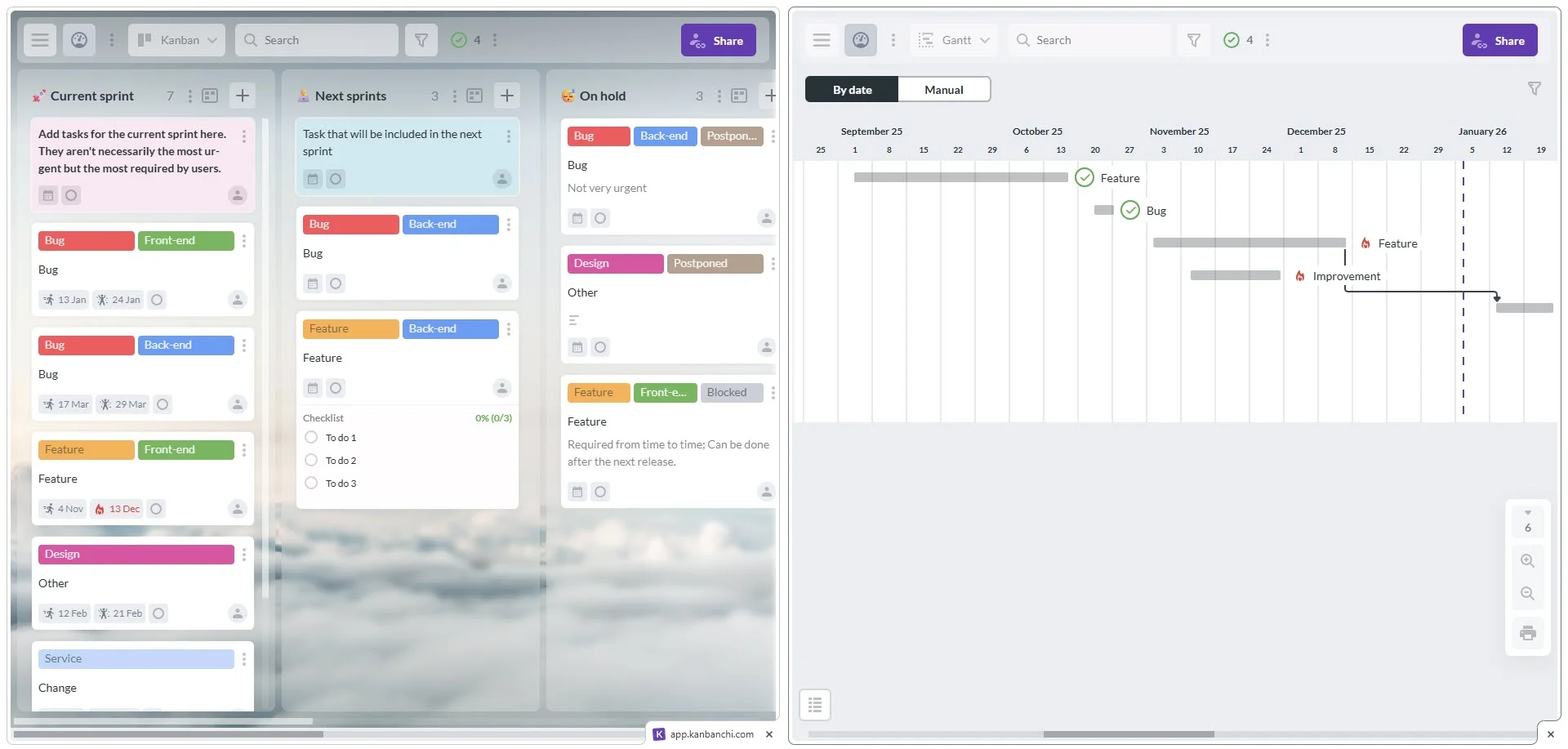
For Google Workspace teams, Kanbanchi boards can work naturally with Google Drive, Shared Drives, Gmail, Google Calendar, and Google Sheets. Team members can create cards from Gmail, attach Drive files to tasks, push dates to Google Calendar, and export project data to Sheets. For teams using Microsoft 365, Kanbanchi also supports working with OneDrive and SharePoint.
The value is not just that these features exist. It is that a team can manage the same project from multiple angles. A team member can work from a Kanban board. A manager can review the Gantt chart. A leader can export data for reporting. Everyone is still looking at the same underlying tasks.
| Scheduling need | How Kanbanchi supports it |
|---|---|
| Daily task execution | Kanban boards, cards, lists, tags, priorities, comments, and assignments |
| Timeline planning | Gantt chart view for scheduling tasks visually |
| Work breakdown | Subcards, checklists, templates, and card details |
| Time visibility | Built-in time tracking on cards |
| Workspace integration | Google Drive, Shared Drives, Gmail, Google Calendar, Google Sheets, OneDrive, and SharePoint support |
| Project organization | Swimlanes, list view, sorting, filtering, and board templates |
| Reporting | Export to Google Sheets and connect data to reporting dashboards |
| Security and continuity | Enterprise-grade security compliance and board backups |
Choosing the program is only half the job. The rollout determines whether it becomes a trusted system or another forgotten app.
Start with one team or one project type. Define the workflow stages, naming rules, priority labels, and review cadence before inviting everyone. Keep the first setup simple. You can add custom fields, templates, reports, and advanced structure later.
A weekly schedule review is especially important. Use it to confirm upcoming deadlines, blocked tasks, changed assumptions, and owner availability. The project scheduling program should become the source of truth for these discussions. If people still rely on private spreadsheets or side messages for project status, the rollout needs more clarity.
Finally, protect the quality of your data. Old tasks, missing due dates, vague owners, and unused labels reduce trust. A simple, clean system beats a sophisticated one that no one maintains.
Project scheduling programs are software tools that help teams plan, sequence, assign, and track project work over time. They often include timelines, Gantt charts, calendars, task boards, dependencies, milestones, and reporting features.
Project scheduling software focuses on dates, task sequence, deadlines, and dependencies. Project management software is broader and may include task management, collaboration, files, reporting, time tracking, governance, and team communication. Many modern tools combine both.
Small teams do not always need a detailed Gantt chart, but they do need timeline clarity. If tasks depend on each other, deadlines affect other people, or stakeholders expect milestone updates, a Gantt view can help even a team of three to five people.
If your team uses Google Workspace daily, integration is a major advantage. It helps keep project tasks connected to Drive files, Gmail conversations, Calendar dates, Sheets exports, and existing sharing policies. This reduces duplication and improves adoption.
A Kanban board can manage workflow, but it may not replace a schedule for date-driven projects. Many teams benefit from using Kanban for execution and a Gantt chart for timeline planning. The best option is often a tool that supports both views with the same task data.
For a small or mid-sized team, a focused pilot can often be completed in one to two weeks. Larger organizations may need more time to review security, admin controls, reporting, and cross-team workflows. The key is to test real work, not just sample data.
The best project scheduling programs do more than build timelines. They help teams coordinate work, update progress, protect deadlines, and keep project information in one place.
If your team uses Google Workspace or Microsoft 365 and needs scheduling, task tracking, and collaboration in one tool, try Kanbanchi. You can plan visually with a Gantt chart, manage execution on Kanban boards, track time, attach files from your cloud storage, and keep work aligned with the tools your team already uses.


In this Article:
Start using Kanbanchi now
Start your free trial