
In this Article:
Try Kanbanchi now
Start your free trial

Looking for the right project management software? Whether you’re launching a new product or need to make sure a complex cross-team project runs smoothly, the comparison often comes down to two key tools: Kanbanchi vs Teamwork.com.
In this guide, we’ll cover the factors that actually matter when making your final decision, beyond the key projects and tasks each tool can handle: real costs at every tier, how long setup realistically takes, the honest user experience, and who each platform is actually built for.
Teamwork.com is the stronger pick if you need client billing, invoicing, and profitability tracking built in. It’s purpose-designed for agency project management and also works well for consultancies or professional services firms. But if your business doesn’t bill clients, Kanbanchi’s cleaner interface and more approachable pricing positions it ahead of most Teamwork.com alternatives. The native Drive integration is also especially beneficial if your team relies mostly on Google Workspace for project management.
| Platform | Kanbanchi | Teamwork.com |
|---|---|---|
| G2 | 4.7 / 5 | 4.4 / 5 |
| Capterra | 4.5 / 5 | 4.4 / 5 |
Kanbanchi’s ease of setup and support quality are the reasons most users choose this tool, according to G2 users. The Google Workspace fit and the directness of support also most often come up on Capterra as practical reasons to pick Kanbanchi over competing platforms.
Agencies and client services teams praise Teamwork.com’s capabilities on G2, from time-tracking and invoicing depth to resource management. But among these strengths are concerns about the learning curve for new users. Reviewers also describe the mobile app experience as functional for quick updates but limited for complex project work.
Teamwork.com’s project management platform is built for managing client work, making it ideal for agencies, consultancies, IT services businesses, and professional services firms. Tracking the hours that get billed is just as important as tracking the work completed for this audience, and that’s where Teamwork.com stands out. Some of its core services include:
There’s also a TeamworkAI project assistant that automates tasks and supports conversational search across all paid plans.
Kanbanchi is project management software built for Google Workspace, with a Microsoft 365 version added later. It combines a Kanban board, Gantt chart, time tracker, and team workload view in one visually clean interface, without requiring separate subscriptions for each function.
But what makes this tool truly distinct from most Teamwork.com alternatives in this category is that any boards you create are stored directly in Google Drive as native files. This means that project data lives inside the infrastructure your organization already manages – no need to set up a separate system. Permissions also follow your Google Admin setup, and adding a team member works the same way as sharing a Drive document.
Along with its fast setup and support that solves real problems, this distinction makes Kanbanchi the tool most teams exploring Google Workspace project management options choose.
| Feature | Kanbanchi | Teamwork.com |
|---|---|---|
| Free Plan | Yes (unlimited users, unlimited projects, 36 active cards per project) | Yes (5 users, 5 projects max) |
| Kanban Board | Yes | Yes |
| Gantt Chart | Yes (Professional+) | Yes (all paid plans) |
| Time Tracking | Yes (Professional+) | Yes (all paid plans) |
| Client Billing / Invoicing | No | Yes (Accelerate+) |
| Client Portal | No | Yes |
| Team Workload View | Yes (Professional+) | Yes (Accelerate+) |
| Custom Fields | Yes (Professional+) | Yes |
| Automations | Yes (recurring cards, templates, card status) | Yes (up to 100,000/month on Optimize) |
| Google Workspace Integration | Native (boards stored in Drive) | Via integration |
| Mobile App (iOS or Android) | Yes | Yes |
| AI Features | No | Yes (TeamworkAI, all paid plans) |
| Minimum Users (paid plans) | 1 | 3 on Basics, 5 on Accelerate |
If you’re already familiar with client project management software, Teamwork.com’s rich feature depth is a real advantage in this Kanbanchi vs Teamwork.com review. The sidebar presents projects, clients, views, dashboards, resource planning, and reporting simultaneously, giving experienced project managers real control from the start.
But if you’re not, or don’t have a dedicated IT function to get your team quickly up to speed, this could become a sticking point, creating a high cognitive load across those first few sessions.
The steep learning curve is a consistent pattern across users describing their first two weeks on the platform. There is a dedicated Academy and onboarding webinars to help you through this, along with an online help center. But that initial setup burden still falls on whoever takes ownership of the tool.
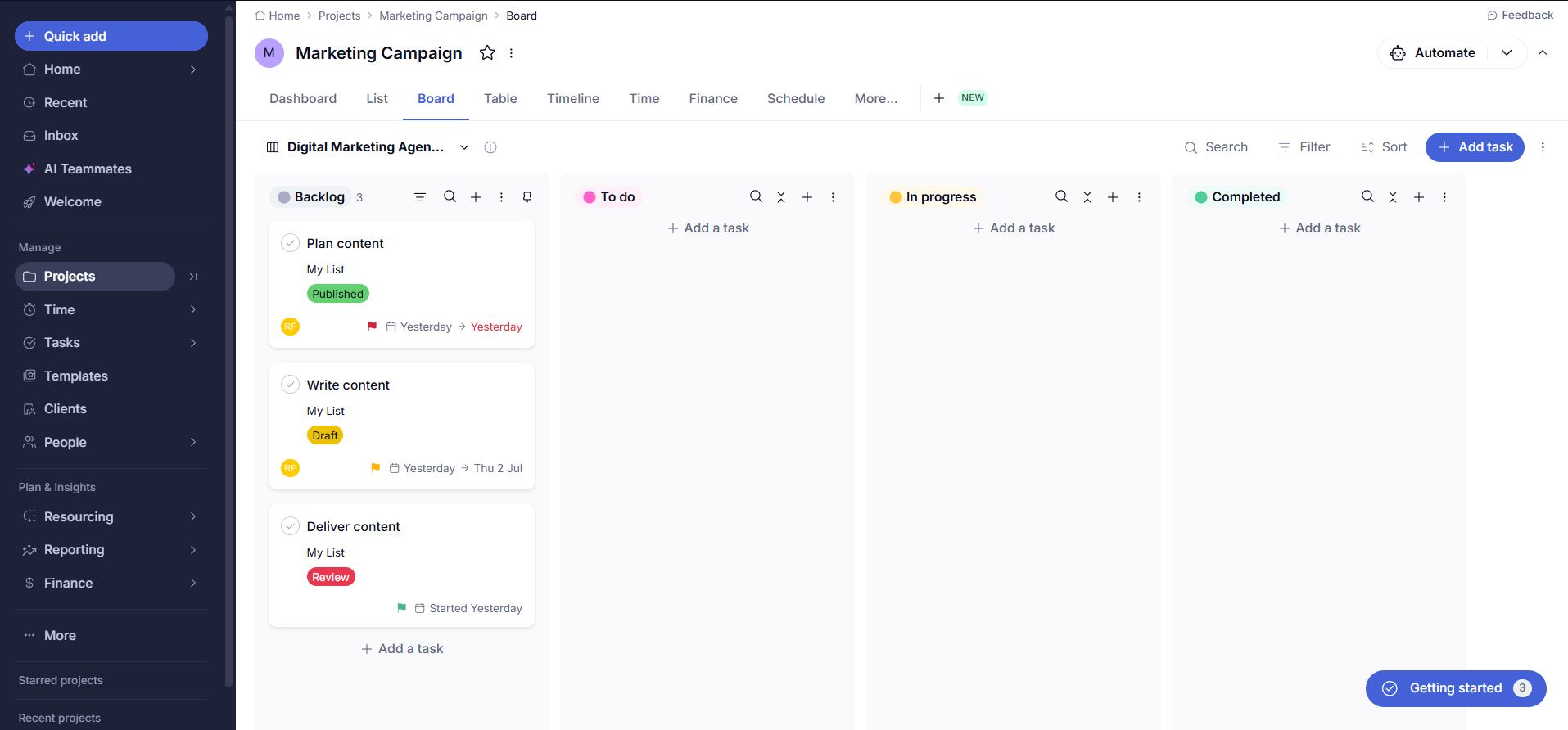
Kanbanchi may have several views (Gantt chart, workload, swimlanes, personal My Work view), but the overall design is built around one mental model: boards contain lists, and lists contain cards.
And the difference is that all of these views are accessible from the same interface, without rebuilding any underlying data. It’ll feel immediately recognizable if you’re already familiar with Google products, since the layout’s simplicity and logic are consistent with the tools you use every day.
This is particularly beneficial for teams transitioning from more complex project management tools to Kanbanchi. New team members immediately understand the board layout and can start contributing to real work within a single working session.
That isn’t the typical first-week experience with Teamwork.com, and the gap in time-to-productive-use is an operational cost that many organizations fail to consider.
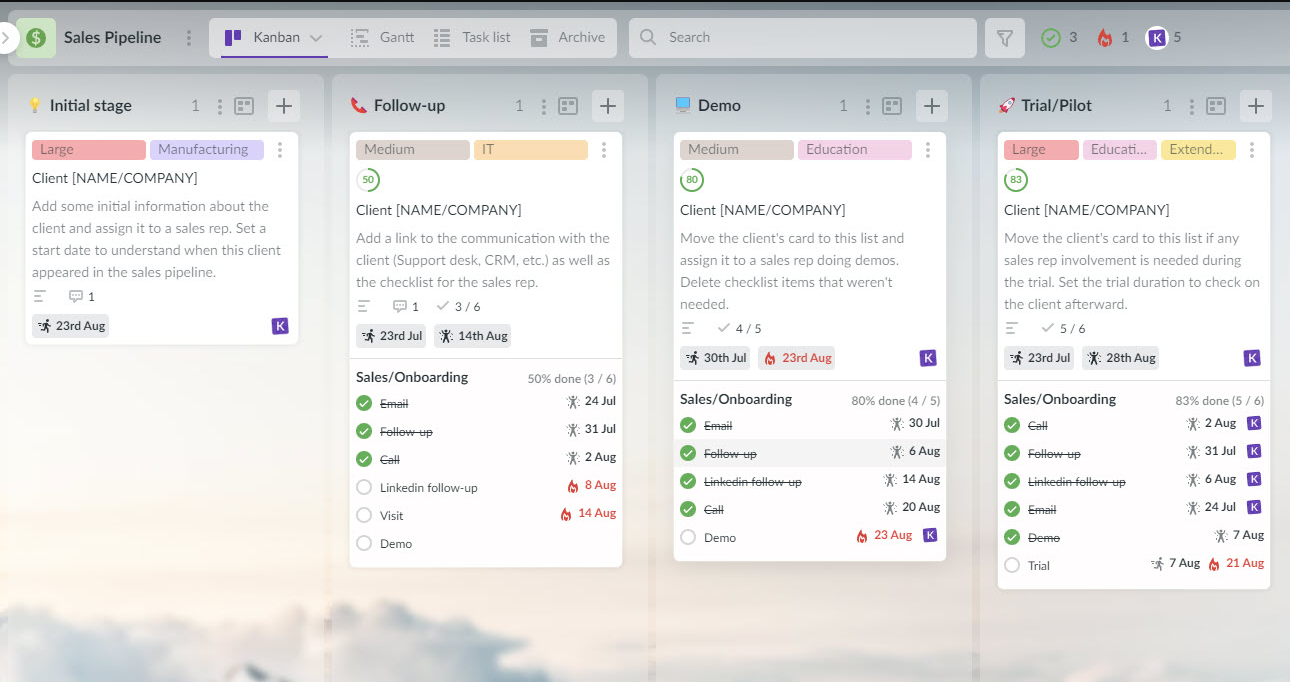
We can’t consider ease of use in this Kanbanchi vs Teamwork.com review without exploring onboarding speed. It’s particularly important for small and mid-size firms without dedicated IT teams, as every hour spent configuring a new platform is an hour deducted from the client work that actually matters.
Like its interface, Teamwork.com’s onboarding process reflects the platform’s depth. You can directly import projects from other tools like Asana, ClickUp, Wrike, Trello, Basecamp, and monday.com, and the 30-day free trial provides plenty of time to test real projects. If you have an administrator handling setup, the Academy resources are pretty useful for accelerating the process, too.
But in practice, getting an entire team comfortable with workload planning, resource management, billing features, and even basic task management tends to take longer than a week. The curve may be shorter for agencies already experienced with agency project management tools, but steeper for those new to the category.
Setup is different from the start with Kanbanchi. Boards live in Google Drive, so the permission model, file storage, and sharing all follow the infrastructure you already run. In fact, no additional admin layer to configure means it takes approximately just 30 minutes to create a board and invite collaborators. The Enterprise plan also adds structured onboarding support for larger migrations.
Time tracking is where Kanbanchi vs Teamwork.com differs most.
Teamwork connects directly to invoicing, so any logged hours instantly become client invoices – incredibly handy for agency project management. Billable and non-billable time are tracked separately, with a dashboard showing which projects are profitable, and you can set billing rates by team member or project rate. Choosing the Accelerate plan adds extra retainer management and timesheet approvals, plus QuickBooks and Xero integrations.
Kanbanchi doesn’t include this billing and invoicing layer, and instead works at the card level. So, you’ll need a separate tool if your firm produces client invoices from logged hours. Use a timer to record your time spent on a task, and the entry automatically logs against that card. Time data exports directly to Google Sheets, which works well if you build your own views in Google Data Studio or Power BI.
Kanban boards, Gantt charts, and list views are offered by both platforms. Teamwork.com adds table views and a calendar view on paid plans. There’s also critical path identification on higher tiers, which helps in managing multi-phase client projects with complex dependencies and milestone tracking.
Kanbanchi’s views cover what most internal project teams need for planning and visual coordination. Each of these views uses the same card data, meaning no configuration is needed to keep them in sync. They include:
This is fine for planning and visual coordination – what most internal project teams need most. But if you require mind maps or client-facing timeline views beyond Gantt, Teamwork.com is more capable in those specific points.
Kanbanchi features an automation layer that’s effective for managing standard project work, with regular recurring tasks and templates. It also has status-based progression rules and Gmail-to-card creation that require no additional setup overhead.
Where Teamwork.com differs, and may be better if you’re running repeatable workflows across multiple client projects, is with its scale. The Basics plan includes 5,000 monthly automation runs, while Accelerate adds 20,000 runs. The Optimize plan increases this even further to 100,000.
If AI-assisted project management is key for your daily workflows, it’s important to know that Kanbanchi doesn’t have any native AI features at the moment.
On the flip side of this comparison, Teamwork.com’s ‘TeamworkAI’ includes AI across all paid plans. Named assistants are all available under the TeamworkAI brand – Flo, for example, supports project tracking, and Scout is for personal productivity. They’re bundled alongside other features, like task summarization, AI-generated task cards, and conversational search.
Note that these are included during an introductory period at the time of writing. Teamwork.com is, however, launching usage-based AI credits in September 2026, so be sure to check the long-term costs before committing to an annual plan.
One benefit of Teamwork.com’s granular permission model is how clients are invited into specific projects. You can restrict visibility on projects at no extra seat cost, perfect if you want to share project statuses without exposing internal data or communications.
In terms of security, SOC 2 compliance is included on all Teamwork.com plans, but SSO requires a paid add-on. Kanbanchi’s security certifications are more extensive, covering SOC 2 Type II, ISO 27001, GDPR, HIPAA, and CASA. Its permission model is also different, working through Google Drive rather than on the project level – something that’s a huge benefit if IT governance matters to your Google Workspace operations.
Board access is managed by sharing through Google-provided interface. Google SSO is also available on all plans, including free, while the Enterprise plan adds multi-level admin, Google Vault integration for legal hold and eDiscovery, Shared Drives, and Google Groups sharing.
Which project management tool is best for you also depends on your existing software stack.
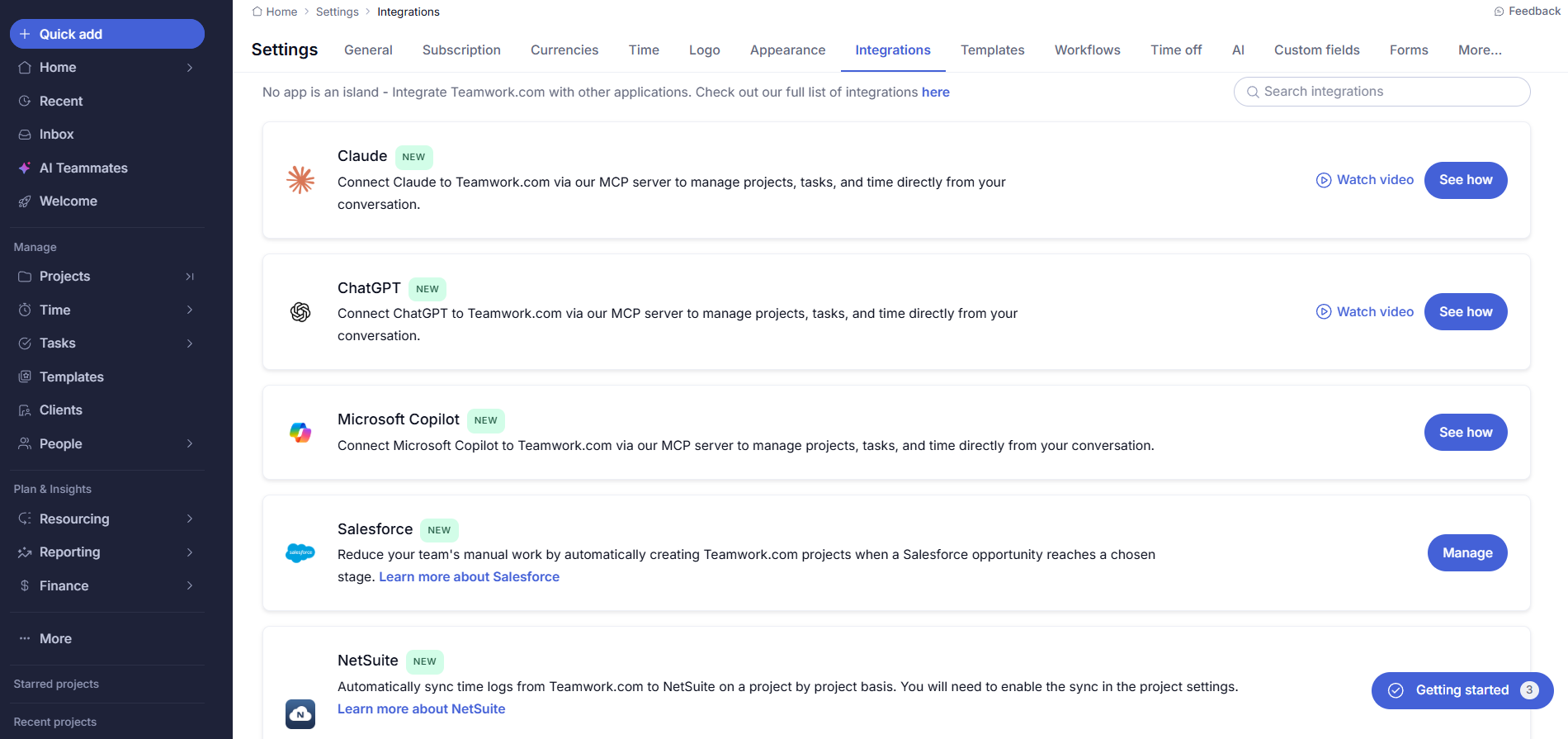
There are plenty of Teamwork.com alternatives that work effectively if you don’t need many integrations, but for professional services organizations who require plenty of options, Teamwork.com’s integration catalog covers 150+ tools. Some of the standout integrations are:
Zapier also offers custom connections, plus a REST API with rate limits that scale by plan.
Kanbanchi’s integrations are built to work inside Google Workspace. The six core integrations available across plans are:
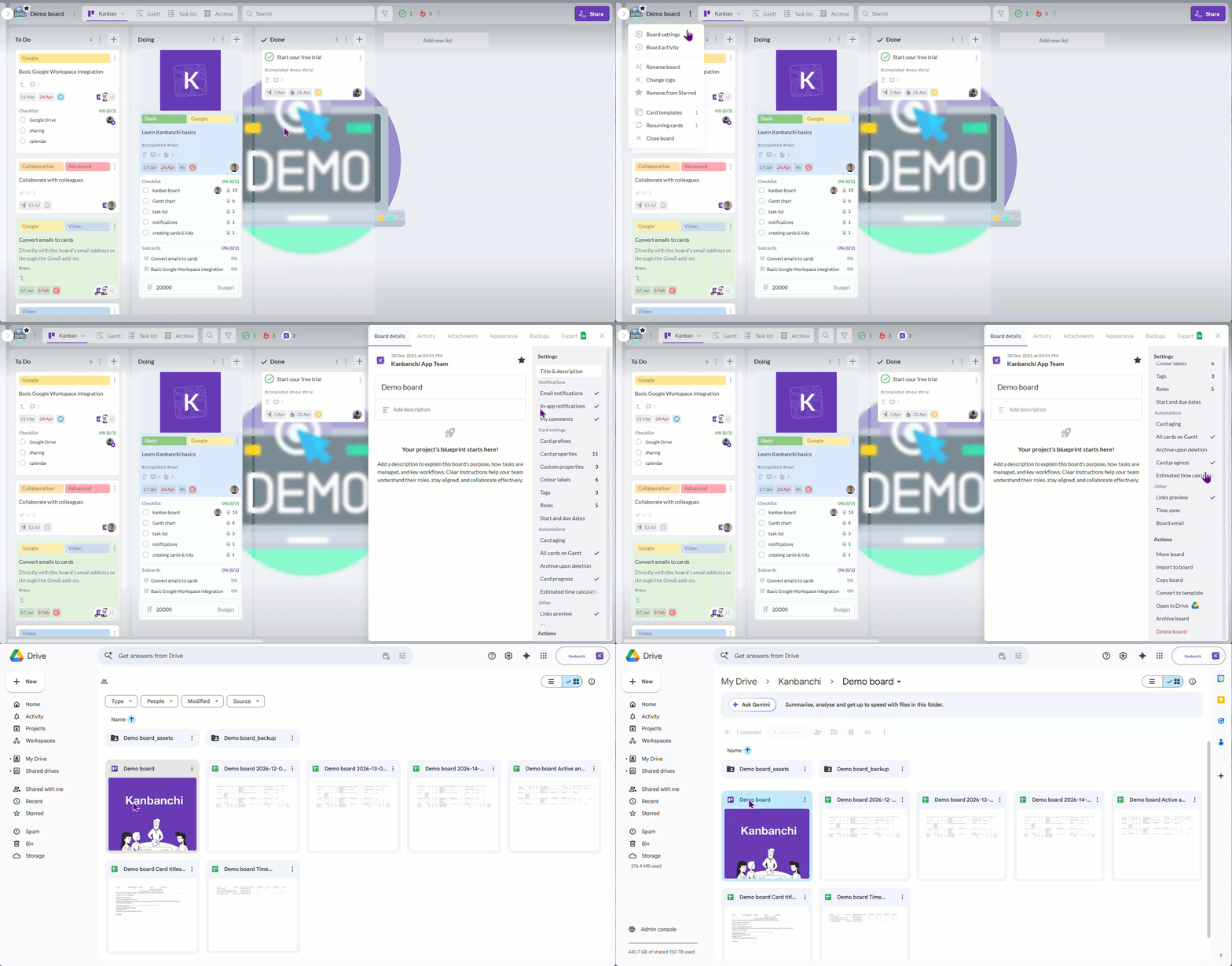
Kanbanchi has no public API, so teams that need deep connections outside the Google Workspace ecosystem will find Teamwork.com more capable here.
So, what’s the biggest distinction between integration capabilities in this Kanbanchi vs Teamwork.com comparison? Kanbanchi’s lack of public API makes Teamwork.com a better selection if you need connections outside the Google Workspace ecosystem. If your IT governance runs through Google Admin, though, it’s a key point in Kanbanchi’s favor, since your boards are natively stored as Drive files.
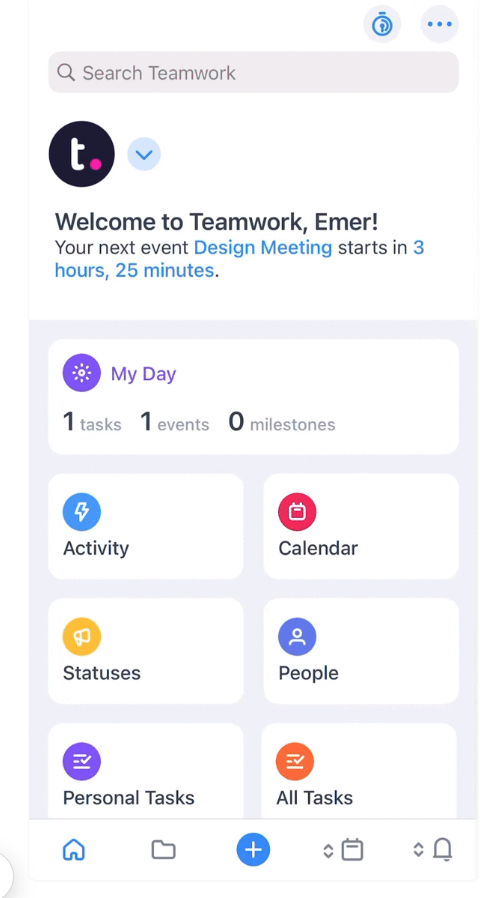
Neither Kanbanchi nor Teamwork.com’s mobile experiences fully replicate what you can achieve on desktop, especially for complex project work. They do both easily handle daily update tasks and check-ins, though.
Teamwork.com reviewers say that time logging and notifications are manageable on mobile, but resource scheduling and daily reporting are slightly more difficult. With Kanbanchi, the app covers card updates, comments, time tracking, and the Gantt chart view. The experience is clean if you want to keep work moving between meetings or while away from a desk, too.
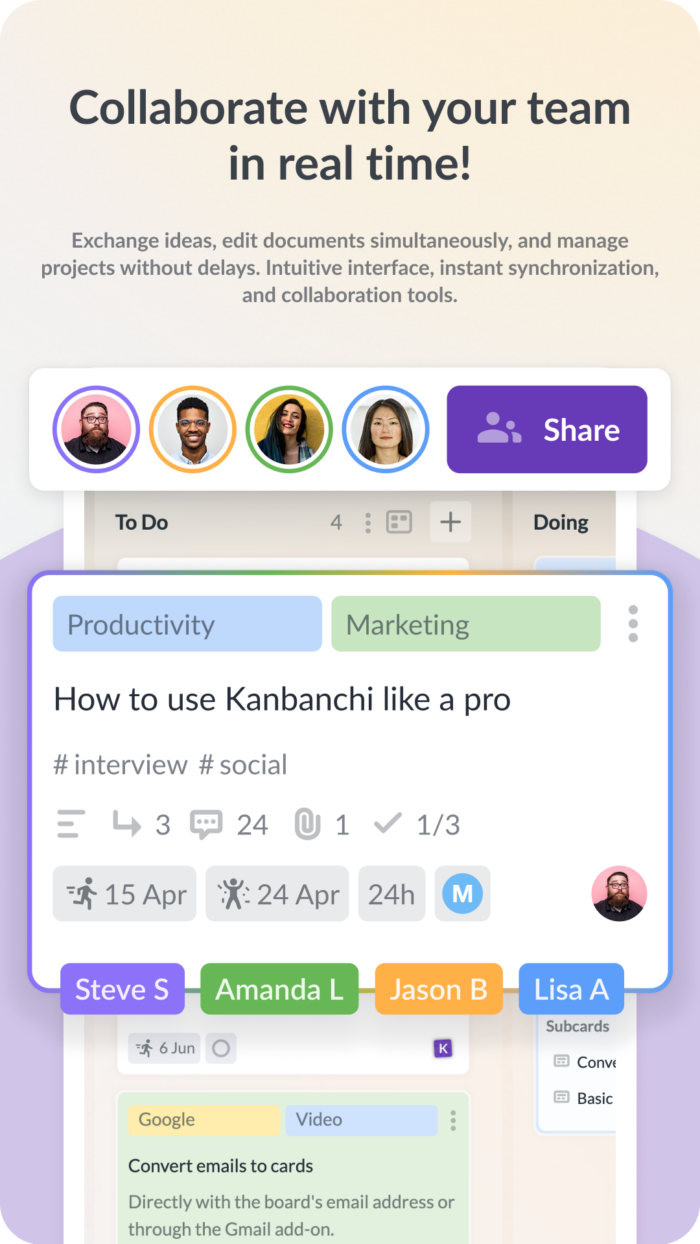
If you’re deciding between Kanbanchi vs Teamwork.com, support quality should always be considered before making that final choice. Yet it’s most often something most organizations only think about after committing to a tool. Struggling to integrate the platform into your workflows, or need a faster way to onboard your team? That’s where fast, personalized customer support matters most.
Teamwork.com’s support is available across all plans and gets generally positive reviews for responsive replies and solid documentation. The catch here is that priority support is only offered as a paid add-on. This means that those on the Basics tier are pointed towards the help center before escalation to a specialist is even considered – a common pattern for platforms at this scale.
That’s where Kanbanchi stands out.
Fast responses and direct answers to specific issues are highlighted across user reviews, with a support team that approaches problems in terms of what the business is trying to accomplish rather than following a script. Upgrade to the Enterprise plan, and you’ll also get a designated account manager, plus structured onboarding support.
This quality support is what Kanbanchi’s reviews reflect consistently, rather than as an exception.
Does your team bill clients or manage work internally? This will determine which of Kanbanchi’s or Teamwork.com’s unique pricing models works best for you.
Teamwork.com currently offers five pricing tiers:
Here’s a practical note on Teamwork.com pricing you’ll need to factor in, particularly if you’re operating with a smaller team:
Departments with just 2 people (or even a solo operator!) can’t access paid plans at standard pricing, since there’s a 3 and 5-user minimum on Basics and Accelerate respectively. It’s less of an issue for established agency project management teams with five or more seats, but a real constraint you should know before starting a trial.
Kanbanchi’s free plan has no time limit, and supports both unlimited users and projects. Google Drive integration is included on all plans, including free, and you can create up to 36 active cards per board.
Let’s take a closer look at each pricing tier and what’s included:
Kanbanchi pricing is custom from 2 seats, with per-seat costs that decrease as team size grows. If you’re a new user, you can enjoy an Enterprise-tier trial to test the full feature set when signing up, while educational institutions and nonprofits qualify for a 25% discount on all annually billed plans (other than Essential).
There’s a big annual difference between Teamwork.com pricing and Kanbanchi pricing that’s worth calculating directly, and something that shouldn’t be ignored in your final decision. We’ll use a 10-person internal team that’s not billing clients as an example:
Teamwork.com Basics: $9.99 x 10 x 12 = $1,198.80 per year.
Teamwork.com Accelerate (required for workload planning): $24.99 x 10 x 12 = $2,998.80 per year.
Kanbanchi Professional (includes Gantt and time tracking): from $24.47 per month at team pricing, with per-seat discounts scaling as the team grows.
So, what’s the conclusion? Kanbanchi pricing is consistently the more cost-effective option at equivalent feature levels if you don’t need the agency-focused features, or client billing and invoicing, that are unique to Teamwork.com’s Accelerate tier. This cost advantage also grows as your team size increases.
| Choose Kanbanchi if… | Choose Teamwork.com if… |
|---|---|
| Your team manages internal projects without a client billing requirement | You run an agency, consultancy, or professional services firm that invoices clients |
| You work primarily in Google Workspace and want boards stored natively in Drive | You need client portals and restricted client access built into your project management tool |
| You want a tool your team can use productively from day one without a setup phase | Built-in invoicing and profitability tracking from logged time are core requirements |
| You want flexible per-seat Kanbanchi pricing | Resource capacity planning, utilization reporting, and retainer management are part of your workflow |
| Support quality and direct, specific problem-solving matter to your team | You want AI project assistants bundled in alongside full agency project management features |
| You need compliance through Google Admin without managing a separate permission layer | You are migrating from Asana, Trello, or monday.com and want a direct one-click import |
Looking at everything from core features to ease of use, the overall Kanbanchi vs Teamwork.com comparison comes down to one key area: use case.
Teamwork.com is purpose-built for agencies and professional services businesses that track billable time and invoice clients, who need profitability visibility as part of their day-to-day agency project management. Here, its feature depth is a genuine asset.
But if these services aren’t negotiable, or you want to keep project management inside your existing Google Workspace infrastructure, Kanbanchi is the natural choice.
Kanbanchi’s native Drive integration, fast setup, approachable interface, and support quality combine to form a tool that’s more practical for daily use. And not forgetting that often lower annual cost, either. The free plan also means you can test the tool on real projects without a time limit before committing to a paid plan.
Ready to get your first board running in under ten minutes? Start your free Kanbanchi trial today.
Kanbanchi is the better choice for Google Workspace teams managing internal projects. Teamwork.com is stronger for agencies and professional services firms that need client billing and invoicing built in. For teams without a client billing requirement, Kanbanchi’s simpler interface, faster setup, and native Drive integration make it a more practical daily tool.
Teamwork.com pricing starts at $9.99 per user, per month on annual billing, with a 3-user minimum on the entry paid tier. Kanbanchi pricing starts at $3.97 per user, per month annually. If you don’t need Teamwork.com’s billing features, Kanbanchi is typically more cost-effective, and the gap grows with team size.
What are the best Teamwork.com alternatives for Google Workspace teams?
Kanbanchi is the most direct of the Teamwork.com alternatives for Google Workspace organizations. Where Teamwork.com connects to Google Drive as an integration, Kanbanchi stores boards as native Drive files, so permissions, sharing, and admin controls all follow your existing Google Workspace setup automatically.
Yes, Teamwork.com’s free plan supports up to 5 users and 5 projects, with 100 automations and 100MB storage. It’s practical for individual testing, but constrained for team use. Kanbanchi’s free plan supports unlimited users, unlimited projects, and up to 36 active cards per board, with no time limit.
Although Teamwork.com works well for some small agencies and professional services teams, the Basics paid plan requires a minimum of 3 users, and Accelerate requires 5. Teams of fewer than 3 people can’t access paid Teamwork.com plans at standard Teamwork.com pricing. Kanbanchi scales from 2 seats with no minimum user requirement.
Kanbanchi stores project boards as native Google Drive files, meaning your existing Google Admin controls manage board access automatically. Kanbanchi also offers a free plan with no time restriction, and its support team is consistently rated for direct, specific problem-solving rather than redirects to documentation.
Read more articles related to Project Management


In this Article:
Start using Kanbanchi now
Start your free trial