-  views

Remote Project Tracking Without Turning Into Surveillance

Try Kanbanchi now

Start your free trial

 

Illustration of the remote project tracking

Ask a manager what they need, and they will say visibility. Ask the same team what they are worried about, and they will say being watched.

Both are reasonable. A manager running a distributed team genuinely cannot see whether work is moving, and asking for updates all day is not a system. But “tracking” is a word that means something very different depending on which side of it you sit, and the tools available now range from a shared board to software that photographs your screen every ten minutes.

The line between those two things is the whole subject. This article is about where it sits, why crossing it costs you the visibility you were trying to buy, and what to watch instead.

All articles about Remote Work here

What a Manager Actually Needs to See

Strip away the anxiety, and there are four questions a manager of a remote team legitimately needs answered.

  • Is the work moving? Not “is this person busy”, but whether tasks are progressing through stages at a reasonable rate.
  • Is the deadline still real? Whether what remains can be finished in the time left, and if not, how early you can know.
  • Who owns what? Whether every piece of work has a name against it, and whether that person knows.
  • Is anyone drowning? Whether work is distributed in a way that any individual can actually deliver.

Every one of those is a question about work. None of them requires knowing when someone opened their laptop, how many keys they pressed, or whether they were at their desk at 3pm. That distinction is not a soft cultural preference. It is the practical dividing line, and it holds up under pressure. When you are tempted by a new monitoring feature, the test is simply whether it answers one of those four questions or a different one.

Where Tracking Becomes Monitoring

Tracking measures the work. Monitoring measures the person. Tools that do the second usually advertise themselves as doing the first.

Things that measure work:

  • What stage a task is in and when it last moved
  • Who a task is assigned to
  • Whether a task is blocked, and by what
  • How long tasks of a given type usually take
  • How much is on each person’s plate

Things that measure people:

  • Screenshots of employee screens
  • Activity or productivity scores derived from keyboard and mouse input
  • Keystroke logging
  • Application and website usage tracking
  • Idle timers
  • Always-on presence indicators used as a proxy for working

The second list produces impressive dashboards. It does not answer any of the four questions above. You can have a team of green dots and a project that misses its date by three weeks, because presence is not progress.

Why Monitoring Breaks the Thing It Measures

This is the part worth understanding rather than just accepting on principle.

People optimize for whatever you measure. Measure activity and you get activity. Mouse-jigglers exist and cost about ten dollars. Status indicators get kept green during lunch. Someone whose productivity score depends on typing will find work that involves typing. None of this is because people are dishonest. It is what happens whenever a proxy becomes a target.

It degrades your actual data. The moment people believe the system is being used to judge rather than to coordinate, they start managing how they appear in it. Tasks get marked done early. Blockers stop being flagged, because flagging a blocker looks like an excuse. Time gets logged to whatever looks most defensible. The board stops describing reality, which means you have lost the visibility you installed it for.

It costs you the people who are easiest to lose. The employees most offended by surveillance are usually the ones with the most options.

And it substitutes for the harder work. Monitoring feels like management. It produces numbers and charts and a sense of control. But knowing that someone was active for seven hours tells you nothing about whether the project will land, and it is much easier than the real job: making sure work has owners, deadlines are realistic, and blockers surface early.

Time Tracking Sits Exactly on the Line

Time tracking is the hardest case, because it can be either thing depending entirely on how it is used.

Where it is legitimate and useful:

  • Comparing estimates to actual time, so future planning improves
  • Understanding how long a category of work really takes
  • Billing clients accurately
  • Spotting that a task has consumed triple its estimate, which is usually a sign of a hidden blocker rather than a slow worker
  • Capacity planning: knowing that a team has forty hours of realistic capacity, not sixty

Where it turns into monitoring:

  • Comparing individuals against each other on logged hours
  • Using time data in performance reviews
  • Requiring hours to add up to a full working day
  • Treating a low-hours week as a problem to raise rather than a question to ask

The same feature, the same data, two completely different systems. The difference is whether the numbers are used to plan work or to assess people.

The practical rule: use time data at the level of tasks and projects, not at the level of individuals. “Client onboarding takes us eleven hours, not the six we quote” is a useful finding. “Anna logged less than Boris” is not, and pursuing it will teach both of them to log differently.

What to Say When You Introduce Tracking

Most resistance to a tracking system is not resistance to the tool. It is uncertainty about what the data will be used for, and people will assume the worst if you do not tell them.

Worth saying out loud, before rollout:

  • What is being tracked:  tasks, stages, dates, and time against work. Not activity, not screens, not presence.
  • Who can see it: if everyone can see everyone’s board, say so. If managers see more, say that too.
  • What it will be used for: planning, spotting blockers, balancing workload.
  • What it will not be used for: performance reviews, comparing individuals, judging a quiet day.
  • What you want from them: usually just: update your tasks as you go, and flag blockers early.

Then honor it. The fastest way to kill a tracking system is to use it once for something you said you would not use it for. People update it accurately exactly as long as they believe you.

One more thing worth naming: if the system makes people look bad for flagging problems, they will stop flagging problems. A blocked task raised on Monday is good news. Treat it that way visibly, or you will hear about blockers on Friday afternoon instead.

The Signals That Actually Predict a Missed Deadline

If you are giving up activity scores, here is what to watch instead. These are the ones that genuinely precede a slipped date.

  • Tasks that have not moved. A card sitting in the same stage for two weeks is the single most reliable warning sign you have. It usually means the task is blocked and unmarked, larger than it looked, or not really a priority. All three are worth knowing.
  • Work with no owner. Filter for unassigned tasks. Whatever comes back is work the team has not actually committed to.
  • Blockers without a named person to resolve them. A flagged blocker with nobody attached is a note that something is wrong, addressed to no one.
  • Tasks that keep growing. Scope that expands quietly inside an existing card is harder to spot than a new task, and it is where estimates go to die.
  • A stage where everything piles up. If work consistently accumulates before review, review is your constraint, and no amount of individual effort elsewhere will fix it.
  • Estimates consistently beaten by reality. Not for judging people, for correcting your own planning.

None of these require watching anyone. All of them are visible on a well-maintained board, and all of them give you time to act.

Visibility That Does Not Require Presence

The specifically remote part of this is time zones, and it is where surveillance thinking fails hardest.

If your team spans six hours or more, presence-based visibility is not just intrusive; it is impossible. Someone will always be offline. The only workable model is one where the current state of work is legible without the person who did it being available to explain.

That means the artifacts have to carry the meaning. A task that says what stage it is in, who owns it, what it is waiting on, and what was decided in the last comment can be read at any hour by anyone. A task that requires a conversation to interpret cannot.

The test is simple: can someone starting their day eight hours after you finished yours understand what changed and what to pick up, without messaging anyone? If yes, you have async visibility. If no, more tracking will not fix it. Clearer tasks will. Our guide to team task management covers what a task needs to carry in order to be readable on its own.
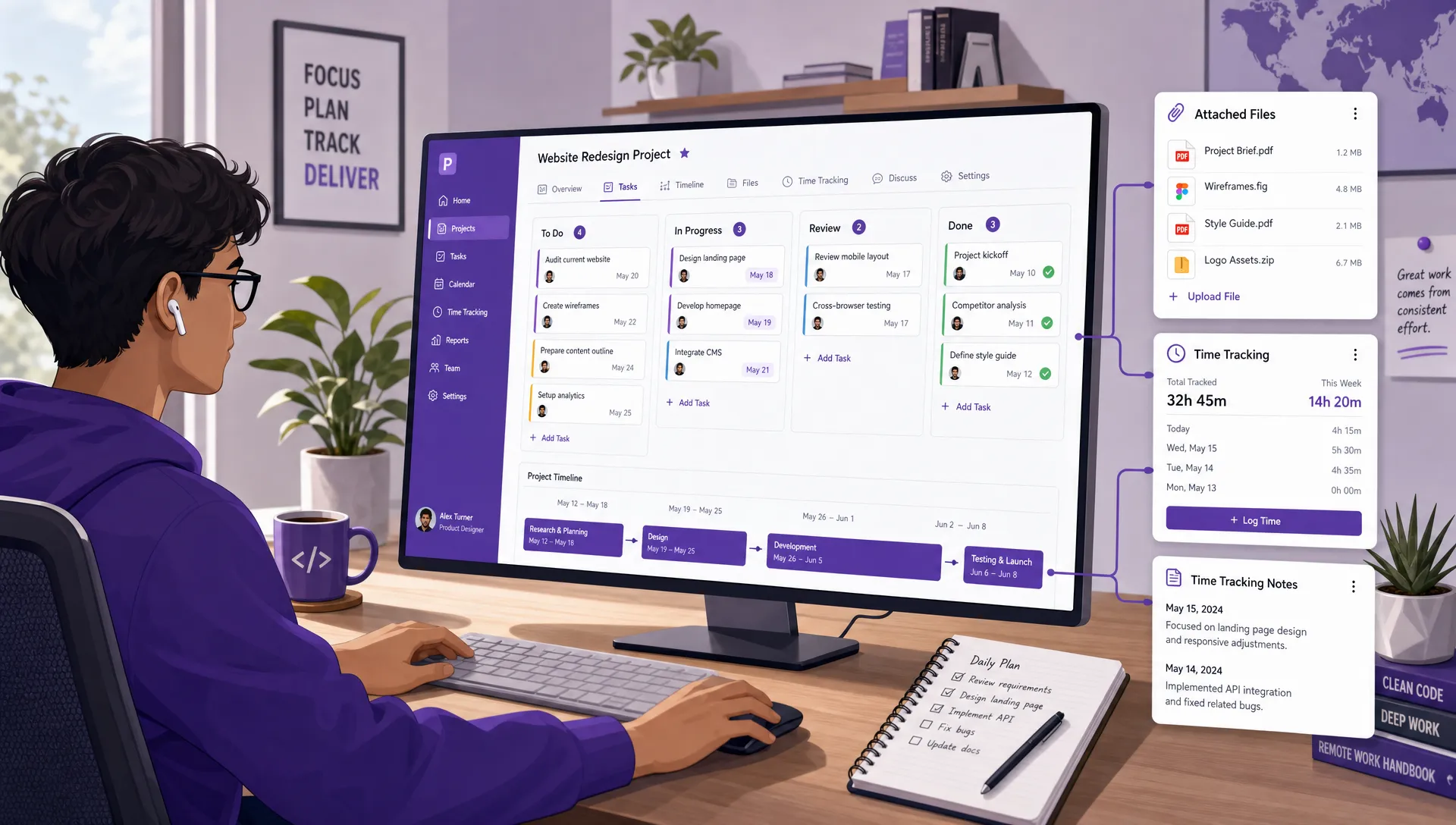
A remote project tracking workspace shown as a clean side-angle desk scene with a visual task board, a project timeline strip, attached files, and time tracking notes connected to the same project

Remote project tracking works best when tasks, timelines, files, and progress updates are connected in one shared workspace

What to Look For in a Tool

Briefly, because the tool matters less than the operating rules above.

Look for: assignment to named individuals, visible task stages, a way to flag blocked work, dates on tasks, filtering by owner and status, comments attached to the work itself, and time tracking that reports against tasks rather than against people.

Be wary of: screenshot capture, activity scoring, idle detection, and any feature whose main output is a per-employee productivity number. Some of these ship inside otherwise reasonable project tools, switched on by default.

If you want a comparison of specific products for distributed teams, see our roundup of project management software for remote teams. For the broader question of running a distributed team, how to effectively manage remote employees covers the ground around this one.

Frequently Asked Questions

What is the difference between remote project tracking and employee monitoring?

Project tracking measures work: what stage a task is in, who owns it, whether it is blocked, how long things take. Employee monitoring measures people: screenshots, activity scores, keystroke counts, idle time, presence. Tracking answers whether the project will land. Monitoring answers whether someone was at their keyboard, which is a different question and a much less useful one.

Is time tracking a form of surveillance?

It depends entirely on how the data is used. Comparing estimates to actual time so you can plan better is legitimate and genuinely useful. Comparing individuals against each other on logged hours, or using the data in performance reviews, turns the same feature into monitoringб and teaches people to log defensively, which destroys the data’s value.

How do you track remote work without micromanaging?

Track tasks, not people. Agree what gets updated and when, keep the data at the level of work rather than individuals, and watch the signals that actually predict problems: stalled tasks, unowned work, unresolved blockers, and stages where work piles up. Then be explicit with the team about what the data is and is not used for, and stick to it.

What should you tell your team before introducing tracking?

Four things: what is being tracked, who can see it, what it will be used for, and what it will not be used for. Most resistance comes from uncertainty rather than from the tool. If people do not know how the data will be used, they will assume the worst and manage their appearance in the system rather than using it honestly.

Do productivity monitoring tools actually improve output?

They reliably improve the metric being measured, which is not the same thing. People optimize for whatever is tracked, so activity monitoring produces activity. The higher cost is to your real data: once a system is understood to be judging rather than coordinating, tasks get marked done early, blockers stop being flagged, and the board stops describing reality.

Track the Work, Not the People

The question worth asking about any tracking decision is not whether it gives you more information. It is whether it answers one of the four things you actually need to know: is the work moving, is the deadline real, who owns it, and is anyone drowning.

Almost everything that answers those questions is about tasks. Almost everything that does not is about people. Teams that keep that line clear get accurate boards, early warnings, and colleagues who tell them about problems on Monday. Teams that blur it get impressive dashboards and unpleasant surprises.


    MultipleAuthors\Classes\Objects\Author Object
    (
        [term_id] => 973
        [term:MultipleAuthors\Classes\Objects\Author:private] => 
        [metaCache:MultipleAuthors\Classes\Objects\Author:private] => Array
            (
                [user_email] => olga.alekseeva@kanbanchi.com
                [user_id] => 20
                [first_name] => Olga Alekseeva
                [last_name] => 
                [job_title] => Growth hacking expert with over 10 years of experience with Kanbanchi
                [description] => Olga wears multiple hats across marketing, sales, product, and ops after 10+ years in the SaaS world. She is passionate about helping teams streamline their workflows with Kanbanchi and Google Workspace or Microsoft 365. "When I'm not optimizing processes or writing guides, I'm probably tweaking our product roadmap or diving into the latest productivity tools".
                [user_url] => https://linkedin.com/in/olgksv
            )
    
        [userObject:MultipleAuthors\Classes\Objects\Author:private] => WP_User Object
            (
                [data] => stdClass Object
                    (
                        [ID] => 20
                        [user_login] => olga.alekseeva
                        [user_pass] => $wp$2y$10$WuiuvYMj7CDnLrRbWchEkuBwKzmbBakK64Uk5c68bDY3qA46MFam6
                        [user_nicename] => olga-alekseeva
                        [user_email] => olga.alekseeva@kanbanchi.com
                        [user_url] => https://linkedin.com/in/olgksv
                        [user_registered] => 2025-09-03 15:47:58
                        [user_activation_key] => 
                        [user_status] => 0
                        [display_name] => Olga Alekseeva
                    )
    
                [ID] => 20
                [caps] => Array
                    (
                        [editor] => 1
                        [author] => 1
                        [contributor] => 1
                        [wpseo_editor] => 1
                        [wpseo_manager] => 1
                        [administrator] => 1
                    )
    
                [cap_key] => wp_capabilities
                [roles] => Array
                    (
                        [0] => editor
                        [1] => author
                        [2] => contributor
                        [3] => wpseo_editor
                        [4] => wpseo_manager
                        [5] => administrator
                    )
    
                [allcaps] => Array
                    (
                        [moderate_comments] => 1
                        [manage_categories] => 1
                        [manage_links] => 1
                        [upload_files] => 1
                        [unfiltered_html] => 1
                        [edit_posts] => 1
                        [edit_others_posts] => 1
                        [edit_published_posts] => 1
                        [publish_posts] => 1
                        [edit_pages] => 1
                        [read] => 1
                        [level_7] => 1
                        [level_6] => 1
                        [level_5] => 1
                        [level_4] => 1
                        [level_3] => 1
                        [level_2] => 1
                        [level_1] => 1
                        [level_0] => 1
                        [edit_others_pages] => 1
                        [edit_published_pages] => 1
                        [publish_pages] => 1
                        [delete_pages] => 1
                        [delete_others_pages] => 1
                        [delete_published_pages] => 1
                        [delete_posts] => 1
                        [delete_others_posts] => 1
                        [delete_published_posts] => 1
                        [delete_private_posts] => 1
                        [edit_private_posts] => 1
                        [read_private_posts] => 1
                        [delete_private_pages] => 1
                        [edit_private_pages] => 1
                        [read_private_pages] => 1
                        [wpseo_bulk_edit] => 1
                        [copy_posts] => 1
                        [ppma_edit_post_authors] => 1
                        [ppma_edit_own_profile] => 1
                        [wpseo_edit_advanced_metadata] => 1
                        [wpseo_manage_options] => 1
                        [view_site_health_checks] => 1
                        [switch_themes] => 1
                        [edit_themes] => 1
                        [activate_plugins] => 1
                        [edit_plugins] => 1
                        [edit_users] => 1
                        [edit_files] => 1
                        [manage_options] => 1
                        [import] => 1
                        [level_10] => 1
                        [level_9] => 1
                        [level_8] => 1
                        [delete_users] => 1
                        [create_users] => 1
                        [unfiltered_upload] => 1
                        [edit_dashboard] => 1
                        [update_plugins] => 1
                        [delete_plugins] => 1
                        [install_plugins] => 1
                        [update_themes] => 1
                        [install_themes] => 1
                        [update_core] => 1
                        [list_users] => 1
                        [remove_users] => 1
                        [promote_users] => 1
                        [edit_theme_options] => 1
                        [delete_themes] => 1
                        [export] => 1
                        [bcn_manage_options] => 1
                        [manage_security] => 1
                        [restrict_content] => 1
                        [list_roles] => 1
                        [create_roles] => 1
                        [delete_roles] => 1
                        [edit_roles] => 1
                        [cfdb7_access] => 1
                        [ppma_manage_authors] => 1
                        [ppma_manage_layouts] => 1
                        [ppma_manage_custom_fields] => 1
                        [ppma_manage_author_categories] => 1
                        [iwc_read_posts] => 1
                        [iwc_create_posts] => 1
                        [iwc_edit_posts] => 1
                        [iwc_delete_posts] => 1
                        [iwc_read_users] => 1
                        [iwc_create_users] => 1
                        [iwc_edit_users] => 1
                        [iwc_delete_users] => 1
                        [iwc_read_comments] => 1
                        [iwc_create_comments] => 1
                        [iwc_edit_comments] => 1
                        [iwc_delete_comments] => 1
                        [iwc_upload_files] => 1
                        [iwc_read_media] => 1
                        [iwc_edit_media] => 1
                        [iwc_delete_media] => 1
                        [iwc_read_terms] => 1
                        [iwc_create_terms] => 1
                        [iwc_edit_terms] => 1
                        [iwc_delete_terms] => 1
                        [editor] => 1
                        [author] => 1
                        [contributor] => 1
                        [wpseo_editor] => 1
                        [wpseo_manager] => 1
                        [administrator] => 1
                    )
    
                [filter] => 
                [site_id:WP_User:private] => 1
            )
    
        [hasCustomAvatar:MultipleAuthors\Classes\Objects\Author:private] => 1
        [customAvatarUrl:MultipleAuthors\Classes\Objects\Author:private] => Array
            (
                [url] => https://www.kanbanchi.com/wp-content/uploads/2025/09/photo_2024-04-10_17-25-16.jpg
                [url2x] => https://www.kanbanchi.com/wp-content/uploads/2025/09/photo_2024-04-10_17-25-16.jpg
            )
    
        [avatarUrl:MultipleAuthors\Classes\Objects\Author:private] => 
        [avatarBySize:MultipleAuthors\Classes\Objects\Author:private] => Array
            (
                [96] => 
                [80] => 
                [50] => 
            )
    
    )
    
  • Growth hacking expert with over 10 years of experience with Kanbanchi

    Olga wears multiple hats across marketing, sales, product, and ops after 10+ years in the SaaS world. She is passionate about helping teams streamline their workflows with Kanbanchi and Google Workspace or Microsoft 365. "When I'm not optimizing processes or writing guides, I'm probably tweaking our product roadmap or diving into the latest productivity tools".

    All articles
Share

Try Kanbanchi now

  • Collaborate seamlessly
    with your team
  • Integrate Kanbanchi
    with Google or Microsoft
  • Manage all your work in one place
Start for free

Start using Kanbanchi now

Start your free trial