
In this Article:
Try Kanbanchi now
Start your free trial

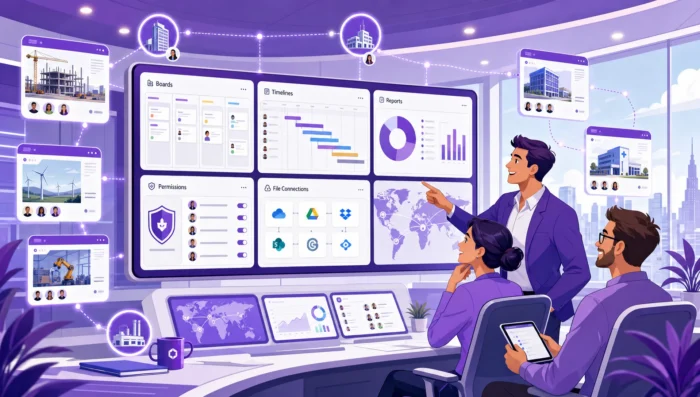
Enterprise teams do not fail because they lack task lists. They fail when work becomes too distributed for leaders to see, too complex for teams to coordinate, and too sensitive for generic tools to manage safely. That is why enterprise project management solutions need to do far more than store tasks in columns.
For a small team, a simple board can be enough. For an enterprise, the project management environment becomes part of the operating system of the business. It must connect strategy to execution, support multiple teams and departments, protect company data, and give leaders confidence that important work is moving in the right direction.
The challenge is that many platforms look similar during a demo. Most have tasks, comments, due dates, and dashboards. The real difference appears when hundreds or thousands of users need to collaborate across functions, locations, permission levels, and reporting requirements. This guide explains what enterprise teams should look for before choosing a solution.
In smaller teams, work often moves in a straightforward path: someone creates a task, another person completes it, and a manager checks progress. Enterprise work rarely behaves that neatly. A product launch might involve marketing, legal, sales, finance, operations, customer support, and outside vendors. A delayed approval in one department can affect a campaign, a revenue forecast, and a customer commitment.
Basic task tools can show what is assigned to an individual. Enterprise teams need to see how work connects across departments, deadlines, dependencies, and priorities. They need a shared view of execution without forcing every team to manage work in exactly the same way.
A team lead wants to know what is happening this week. A department head wants to know whether resources are overloaded. An executive wants to understand whether critical initiatives are on track and where risk is increasing.
If those answers require manual status updates, spreadsheet consolidation, or repeated meetings, the tool is not supporting enterprise execution. It is adding administrative work. A strong solution should make status visible as a natural result of daily work.
As teams scale, project management becomes a governance issue. Enterprises need consistent ways to manage access, preserve records, standardize workflows, and reduce operational risk. Without governance, teams create their own isolated systems, data becomes fragmented, and leaders lose the ability to compare progress across projects.
This does not mean every project must follow one rigid process. It means the organization needs enough structure to keep work transparent, secure, and accountable.
Enterprise buyers should evaluate tools by the business problems they solve, not by the length of the feature list. A solution may have dozens of capabilities, but the essentials usually fall into a few categories.
| Enterprise need | What the solution should provide | Why it matters |
|---|---|---|
| Multiple projects visibility | A way to see multiple projects, priorities, and progress in one place | Leaders can identify risk before deadlines are missed |
| Flexible execution | Boards, lists, timelines, and task-level detail | Different teams can work naturally while staying aligned |
| Planning control | Dates, dependencies, milestones, and timeline views | Complex projects become easier to sequence and adjust |
| Accountability | Owners, due dates, comments, notifications, and history | Teams know who is responsible and what changed |
| Reporting | Exportable data and integration with dashboards | Status reporting becomes evidence-based, not anecdotal |
| Security and permissions | Controlled sharing, policy alignment, and secure storage | Sensitive project data stays protected |
| Adoption support | Familiar workflows, templates, and integrations | Teams are more likely to use the system consistently |
An enterprise project management solution should not force every team into one view. Engineering, marketing, operations, HR, legal, and leadership often need different levels of detail.
Kanban boards are useful for visual task flow, especially when teams need to see work moving from request to review to completion. Gantt charts help when schedules, dependencies, and delivery dates matter. List views help users scan large volumes of work quickly. Calendar views are useful when due dates and events drive planning.
The best solution is not the one with the most views. It is the one where those views reflect the same underlying work, so updates made by one team are visible to others without duplicate data entry.
Enterprise projects rarely fail all at once. They drift. A task starts late, a dependency is not visible, a handoff takes longer than expected, and suddenly the delivery date is at risk.
That is why timeline planning is essential. Teams need to see how tasks relate over time and what happens when dates shift. A visual schedule helps managers understand whether the plan is realistic, whether work is overlapping in a risky way, and whether a delayed task affects downstream activities.
For teams that already work in Google Workspace or Microsoft 365, this planning layer is especially valuable when it connects to the files, calendars, and communication channels people already use.
Time tracking is not only about billing. For enterprise teams, it helps answer operational questions such as:
A time tracking tool becomes more useful when it is connected directly to tasks. If users need to track time in a separate system, adoption often drops and reporting becomes incomplete. When timing data is attached to the work itself, managers can compare effort, progress, and outcomes more easily.
Adoption is one of the biggest hidden risks in enterprise software. If the project management platform feels separate from everyday work, teams will continue using email, chat, spreadsheets, and personal notes. The official system becomes outdated, and leaders lose trust in the data.
This is why integration with Google Workspace or Microsoft 365 matters. Teams should be able to attach relevant files, connect tasks to calendars, and create work items from the communication channels where work already begins. For Google Workspace teams, that often means project boards connected with Google Drive, Gmail, Google Calendar, and Shared Drives. For Microsoft 365 teams, compatibility with OneDrive and SharePoint can reduce friction around file access and collaboration.
Kanbanchi is designed for teams working in these ecosystems, combining visual boards, Gantt chart planning, time tracking, and file storage integration with Google Drive or OneDrive and SharePoint.
Enterprise collaboration is not just about sending messages. It is about keeping decisions, files, comments, deadlines, and ownership connected to the right work.
When task communication happens outside the project management system, important context gets lost. A decision might live in one email thread, a file in another folder, and the deadline in someone’s calendar. Good enterprise tools reduce that fragmentation by keeping task-related discussion close to the task.
Notifications also need to be useful rather than overwhelming. Teams should know when something relevant changes, but excessive alerts create noise and lead users to ignore the system.
Enterprise teams often collaborate with contractors, agencies, clients, auditors, and partners. External collaboration must be simple enough to support real work, but controlled enough to protect company information.
This is where sharing policies, permissions, and workspace alignment become important. A project management solution should respect the organization’s policies for internal and external access. It should help teams collaborate without encouraging workarounds that put data at risk.
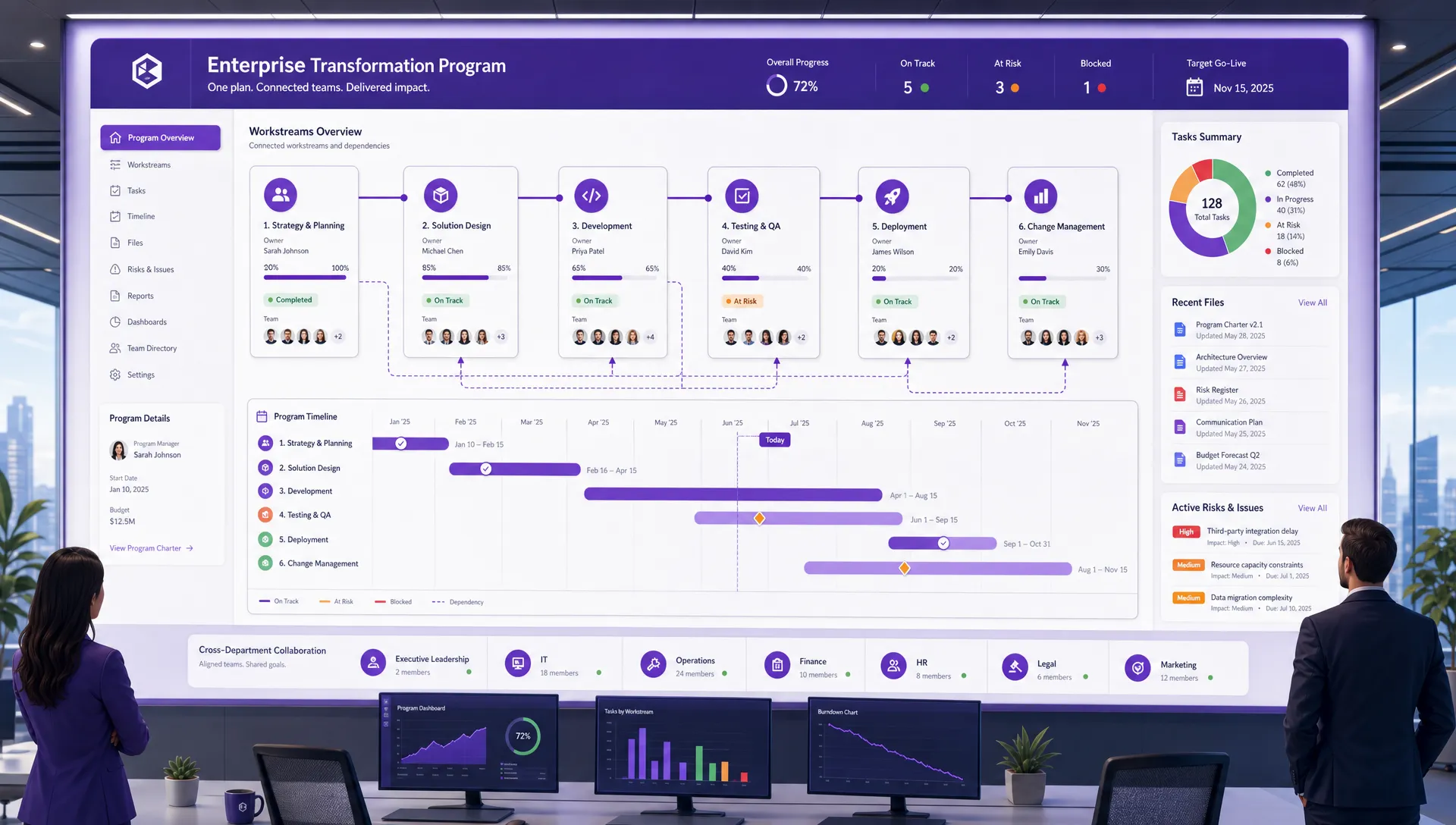
Enterprise project management solutions should connect tasks, timelines, files, and team responsibilities so leaders can see how work moves across departments
Security should not be a final checkbox after the business team has already chosen a tool. Project management systems often contain sensitive information, including product plans, customer details, budgets, contracts, hiring plans, internal risks, and strategic initiatives.
A practical evaluation should consider how the platform handles identity, permissions, storage, data access, and administrative control. The NIST Cybersecurity Framework 2.0 is a useful reference point because it frames cybersecurity around governance, identification, protection, detection, response, and recovery.
For a deeper buying checklist, Kanbanchi’s guide on secure project management software explains what business and IT teams should assess before rollout.
Enterprise permissions are rarely simple. A department may need private planning boards. A cross-functional initiative may require shared visibility. An executive may need high-level access without being assigned to daily tasks. A vendor may need access to one project but not the surrounding program.
The right solution should make it possible to share work appropriately without creating administrative chaos. Permissions should be understandable, manageable, and aligned with the company’s existing collaboration policies.
For Google Workspace organizations, the ability to attach files from Google Drive and Shared Drives, and to create boards as files in Google Drive for eligible use cases, can help keep project work closer to the company’s existing data governance model.
Project information is operational memory. Losing a board, task history, comments, or attachments can create real disruption. Enterprise teams should ask how important project data can be backed up and recovered.
Backup expectations vary by organization, but the principle is consistent: critical work should not depend on a single accidental deletion, misconfiguration, or lost local file. Project management software should support resilience, not introduce another point of failure.
A red, yellow, or green status indicator is easy to understand, but it is not enough. Leaders need to know why a project is at risk, what changed recently, how much work remains, and whether the team has enough capacity to finish.
Useful reporting depends on clean task data. If teams do not maintain assignments, dates, priorities, and progress in the system, dashboards become decoration. The project management solution should make the right data easy to capture during normal work, then make it easy to analyze.
Enterprises often use reporting tools beyond the project management platform itself. Finance, operations, and executive teams may want data in spreadsheets, business intelligence dashboards, or internal reporting systems.
That is why export and data extraction matter. Kanbanchi, for example, supports exporting board data to Google Sheets, including assignments, dates, checklists, and comments. Teams can also extract data for reporting dashboards such as Google Looker Studio. This helps project information become part of the broader business reporting environment rather than staying locked inside one application.
Not all tasks are equal. Enterprise teams need a clear way to mark priority and sort work accordingly. Without visible prioritization, teams may spend time on the most recent request instead of the most important one.
Prioritization is especially important when teams manage multiple projects on a single board. Features such as tags, filters, sorting, swimlanes, and task priority can help teams separate urgent work from background activity and keep attention on the right outcomes.
Many enterprise software rollouts fail quietly. The platform is purchased, configured, and announced, but teams continue to manage work elsewhere. This creates a split reality: leadership sees an official system, while real work happens in private spreadsheets and message threads.
To avoid that outcome, enterprise project management solutions must reduce friction for end users. The tool should be easy enough for occasional users, structured enough for project managers, and powerful enough for leaders.
Templates are valuable because they turn repeatable work into a reliable starting point. A marketing campaign, onboarding process, audit preparation, product release, or customer implementation should not be rebuilt from scratch every time.
Good templates support consistency while still allowing teams to adapt. Board templates and card templates can help organizations standardize recurring workflows, capture best practices, and reduce setup time for new projects.
Before choosing a platform, enterprise leaders should ask how the tool will be introduced. Who owns the rollout? Which teams will pilot it first? What workflows will be standardized? What data must be migrated? How will success be measured?
A useful project management solution supports the operating model the company wants to build. But software alone cannot create that model. Leaders need clear ownership, training, governance, and a realistic path from today’s scattered processes to tomorrow’s shared system.
The buying process should involve both business users and IT stakeholders. Business teams understand workflow pain. IT understands security, administration, integration, and long-term maintainability. Procurement may also need to assess vendor terms, data handling, and scalability.
If your team is building a formal shortlist, Kanbanchi’s enterprise project management software buyer’s guide offers a broader framework for evaluating tools with a business-first approach. If your priority is to have a tool that scales with your enterprise, then you may be interested in our guide on how to choose project management solutions that scale.
| Evaluation question | What to validate | Risk if ignored |
|---|---|---|
| Does it fit our workspace? | Integration with Google Workspace or Microsoft 365 | Users keep managing work outside the system |
| Can leaders see across projects? | Multiple views, reports, filters, and exports | Status remains fragmented and manual |
| Can teams plan complex work? | Gantt charts, dates, dependencies, and milestones | Delays are discovered too late |
| Can we manage access safely? | Sharing controls, permissions, and admin policies | Sensitive project data is exposed |
| Will teams actually use it? | Usability, templates, notifications, and familiar workflows | Adoption stalls after rollout |
| Can the data support decisions? | Time tracking, reporting, and export options | Leaders rely on opinions rather than evidence |
| Can it grow with us? | Support for multiple teams, workflows, and departments | The organization outgrows the tool quickly |
A demo is useful, but a pilot is better. Choose a real cross-functional project with deadlines, files, dependencies, and multiple stakeholders. Ask users to manage actual work in the platform for several weeks. Then evaluate whether the tool improved visibility, reduced follow-up meetings, clarified ownership, and helped leaders make better decisions.
The pilot should also test administration. Invite internal and external users if that reflects your real workflow. Attach files. Change deadlines. Create reports. Export data. Test notifications. The goal is to find out how the tool behaves under realistic conditions, not just whether it looks good in a controlled presentation.
An enterprise rollout should have measurable goals. These do not need to be complicated. Examples include reducing manual status reporting, improving on-time project delivery, consolidating work from spreadsheets, increasing visibility across departments, or standardizing recurring workflows.
When success is defined clearly, it becomes easier to configure the solution, train teams, and prove value after implementation.
Kanbanchi is built for teams that want project and task management close to the productivity tools they already use. For Google Workspace teams, it brings together Kanban boards, Gantt chart planning, time tracking, Google Drive file attachment, Gmail task creation, Google Calendar sync, Shared Drives integration, templates, swimlanes, subcards, and export to Google Sheets.
For Microsoft 365 teams, Kanbanchi also supports compatibility with OneDrive and SharePoint, helping organizations manage project work without disconnecting it from their file environment.
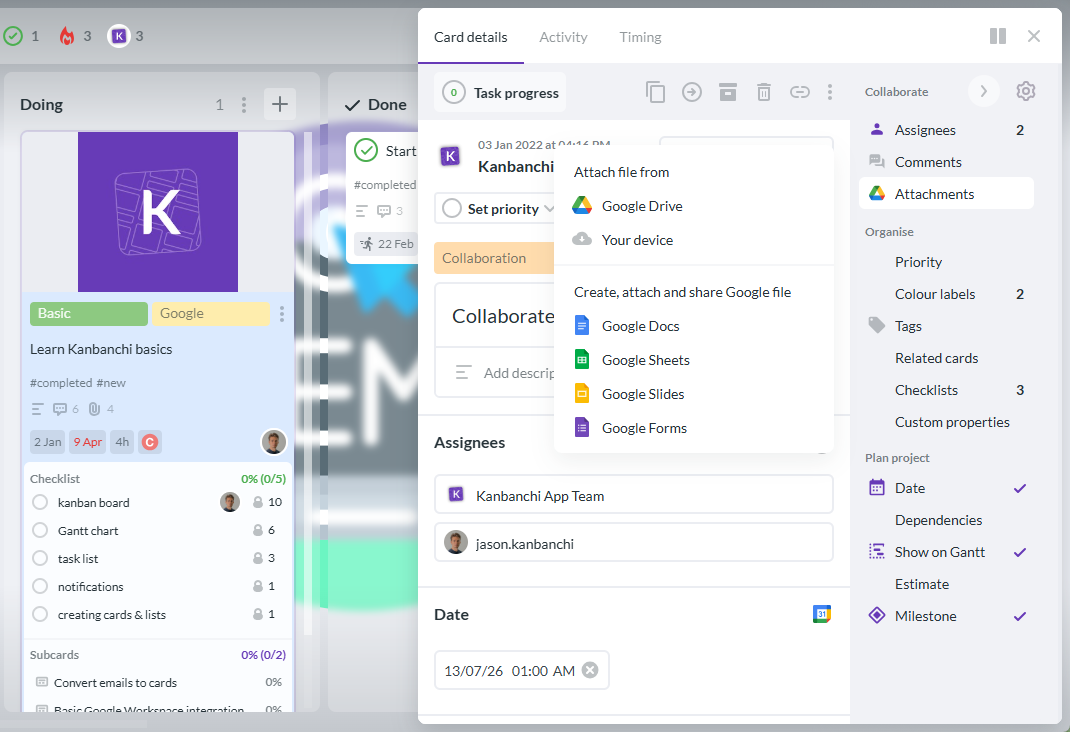
Kanbanchi allows not only attaching files from your Google Drive, but also creating new Google files without leaving your task management app
This matters because enterprise adoption often depends on reducing context switching. When tasks, timelines, files, and communication are connected, teams spend less time searching for information and more time moving work forward.
If you are comparing platforms specifically around your productivity suite, the guide to PM tools for Google Workspace and Microsoft 365 can help you understand how different options fit those environments.
Project management software usually helps teams manage tasks, deadlines, and collaboration. Enterprise project management software adds the capabilities larger organizations need, such as cross-project visibility, stronger permissions, reporting, governance, security controls, integrations, and support for multiple teams or departments.
Kanban boards are excellent for visualizing workflow, but enterprise teams often need additional planning and control. Gantt charts, time tracking, reporting, file integrations, permissions, templates, and multiple views help organizations manage complex work across departments.
It is very important for teams that already work in those ecosystems. Integration reduces duplicate work, keeps files and tasks connected, and makes adoption easier because employees can manage projects near the tools they use every day.
IT teams should review identity and access controls, data storage, sharing policies, administrative settings, backup and recovery options, security documentation, and how the tool fits existing workspace governance. Business usability should be evaluated at the same time.
Start with a real pilot, define clear workflows, use templates for repeatable work, train teams by role, and connect the tool to existing productivity systems. Adoption improves when the platform makes daily work easier rather than adding another reporting burden.
Enterprise project management is not just about organizing tasks. It is about helping people coordinate complex work, giving leaders reliable visibility, protecting business information, and creating a shared system that teams actually use.
If your organization runs on Google Workspace or Microsoft 365 and needs visual task management, timeline planning, time tracking, file integration, and enterprise-ready collaboration, Kanbanchi is built for that environment. Explore Kanbanchi to see how your teams can manage projects with more clarity and less operational friction.


In this Article:
Start using Kanbanchi now
Start your free trial