
In this Article:
Try Kanbanchi now
Start your free trial

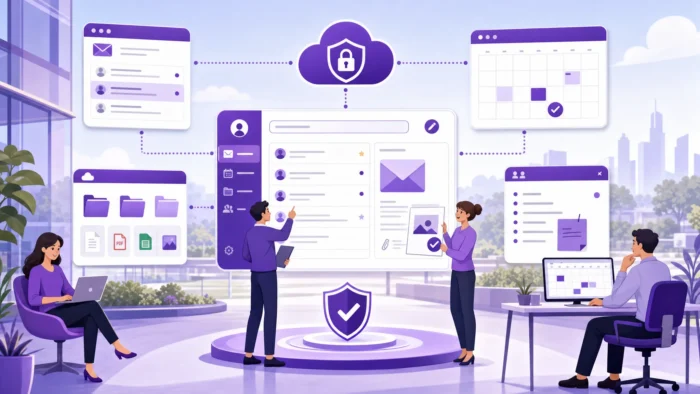
For many teams, the question is not simply whether Google Workspace has good email or cloud storage. The bigger question is whether it can become a reliable operating system for daily work, where communication, files, meetings, calendars, approvals, and project activity stay connected.
That is the real answer to why use Google Workspace. It gives teams a familiar, cloud-based environment where people can work together without sending endless attachments, chasing file versions, or relying on personal accounts for business-critical information. For growing companies, it also adds the administrative control and security structure needed to manage work at scale.
Google Workspace is especially valuable when a team wants less tool switching, simpler collaboration, and a central place for knowledge. It is not a complete project management platform on its own, but when paired with the right tools, it can become the foundation for a highly organized business workflow.
More articles related to Google Workspace here
Google Workspace brings core business work into one connected ecosystem. Gmail, Drive, Docs, Sheets, Slides, Calendar, Meet, Chat, Forms, and related apps work under the same company-managed account, which makes everyday collaboration easier to control and easier to adopt.
| Business need | How Google Workspace helps | Common apps involved |
|---|---|---|
| Professional communication | Company email, shared calendars, video meetings, and chat | Gmail, Calendar, Meet, Chat |
| Document collaboration | Real-time editing, comments, version history, and shared files | Drive, Docs, Sheets, Slides |
| File organization | Central storage with permissions and ownership controls | Drive, Shared drives where available |
| Team coordination | Shared calendars, meeting links, reminders, and collaborative spaces | Calendar, Meet, Chat |
| Business administration | Centralized user, device, and access management | Admin console |
| Workflow expansion | Marketplace apps and integrations for specialized needs | Google Workspace Marketplace, third-party tools |
For business owners and team leads, the main benefit is operational clarity. People know where to communicate, where to find documents, who has access, and how work should move forward.
A common problem in growing teams is fragmentation. Sales uses one file-sharing tool, operations uses email attachments, leadership tracks deadlines in spreadsheets, and project updates disappear into chat threads. Google Workspace reduces that fragmentation by connecting communication and content in one environment.
Gmail remains one of the most familiar business email platforms, but in Google Workspace, it becomes part of a larger workflow. A message can lead to a Calendar meeting, a Meet call, a Drive file, or a shared document without forcing people to jump between disconnected systems.
For example, a client request arrives in Gmail. The account manager can schedule a follow-up in Calendar, share a proposal from Drive, discuss changes in Chat, and collaborate on the document in Docs. The work still needs a proper task or project system if multiple people are responsible for delivery, but the communication layer is already connected.
This matters for leaders because fewer disconnected conversations usually mean fewer misunderstandings. Team members spend less time asking, “Where is the latest version?” or “Who has the meeting link?” and more time doing the actual work.
Drive is one of the strongest reasons teams choose Google Workspace. Instead of storing files on individual laptops or sending attachments that quickly become outdated, teams can work from shared cloud files.
Permissions can be managed at the file, folder, or shared drive level, depending on the setup and plan. This is important for businesses because company knowledge should not disappear when an employee leaves, and sensitive files should not be shared casually through personal accounts.
The practical benefit is simple: the latest proposal, contract draft, project brief, budget sheet, or onboarding guide can live in one place. People can comment, suggest edits, and review version history without creating multiple competing copies.
One of Workspace’s most underappreciated advantages is search. Google’s core capability applies across Gmail, Drive, Docs, Sheets, and Chat, meaning a team member can find any email, file, or document in seconds without remembering exactly where it was saved.
For teams managing large volumes of documents or long email histories, this removes a surprising amount of friction. Instead of navigating folders or asking colleagues for file links, people can search by keyword, sender, date, or file type and find what they need immediately. As a company’s knowledge base grows, reliable search becomes increasingly valuable.
Google Workspace is built around live collaboration. Multiple people can edit a document, spreadsheet, or presentation at the same time. Comments, suggestions, mentions, and version history make collaboration visible rather than hidden inside email attachments.
This is a major advantage for hybrid and distributed teams. A marketing manager in one time zone can leave comments on a campaign brief, a designer can respond later, and a team lead can review the final version without waiting for a meeting. The work moves forward asynchronously.
Version-control issues waste time and create avoidable risk. When teams use attachments, it is easy to end up with file names like “Final_v3_revised_REALFINAL.” Google Workspace reduces that problem because people collaborate in the same live file.
Version history is also useful for accountability. If something changes, teams can see previous versions and restore earlier content when needed. For business documents, this creates a safer review process than passing files back and forth.
In Docs, Sheets, and Slides, comments can be assigned or resolved. This creates a lightweight review workflow for content, budgets, proposals, and planning documents. It is not a replacement for project management, but it is excellent for document-level collaboration.
For managers, this means feedback is attached to the work itself. People do not need to search through email threads to understand what changed, what was approved, or what still needs attention.
Using personal accounts for business may feel convenient at the beginning, but it becomes risky as the company grows. Google Workspace gives organizations a managed environment where admins can create users, control access, configure security settings, and remove access when employees leave.
Google provides information about Workspace security, privacy, and compliance on its official Google Workspace security page. The exact controls available depend on the edition, so companies should review plan details before choosing.
A central admin console is one of the biggest differences between free consumer tools and a business workspace. Admins can manage user accounts, groups, authentication settings, devices, and app access from one place.
For small teams, this helps establish good habits early. For larger organizations, it becomes essential. Without centralized control, permissions become messy, former employees may retain access, and sensitive documents may be harder to audit.
Google Workspace supports business security practices such as two-step verification, access management, endpoint controls, and other protections, depending on plan and configuration. More advanced features, such as eDiscovery, retention, or data loss prevention, may be edition-specific.
The key point for leaders is that Workspace is designed for organizational governance. It allows businesses to move beyond “everyone manages their own files” and toward a controlled, scalable way of working.
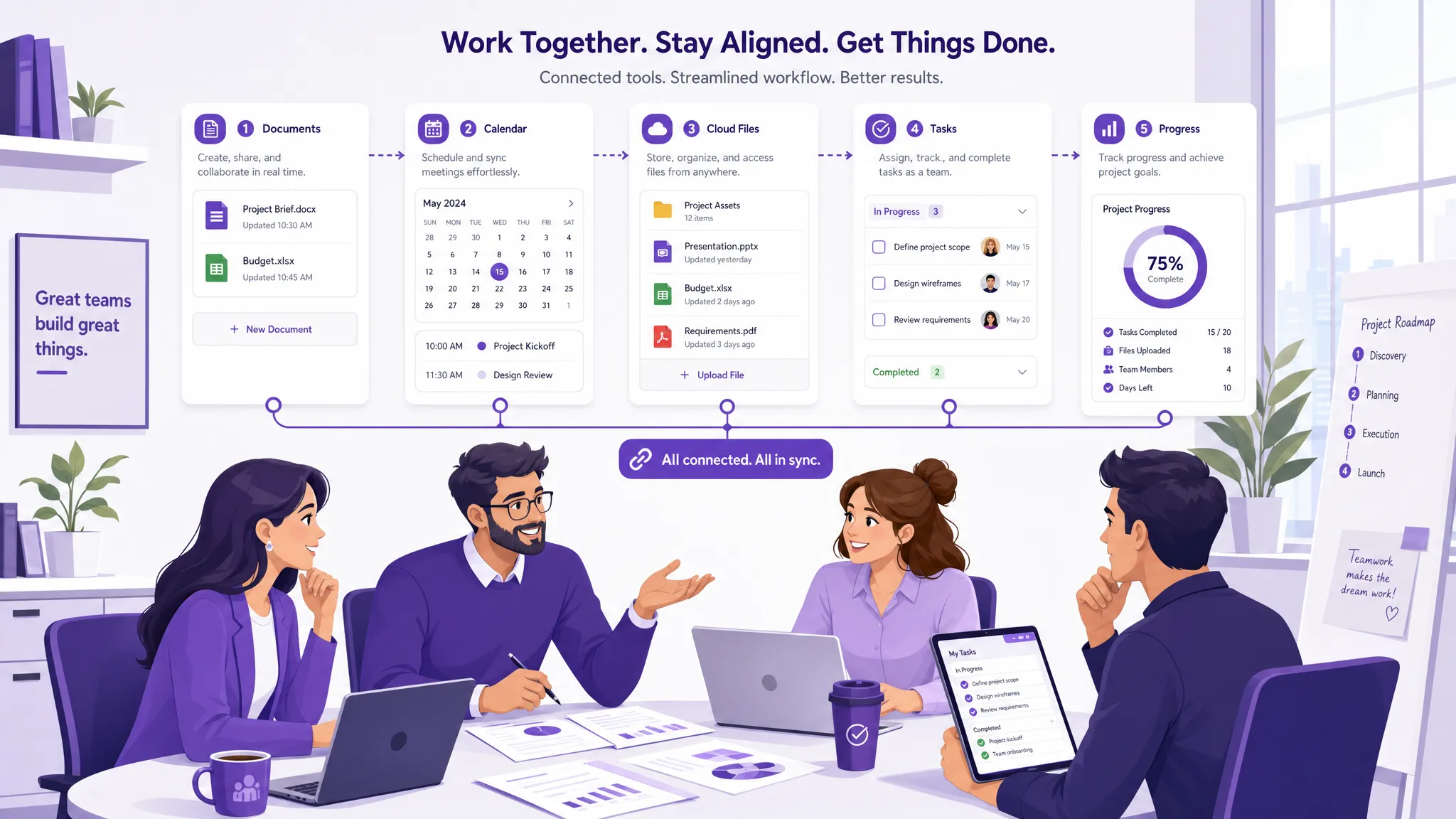
A three-person startup and a thousand-person enterprise have different needs, but both need reliable communication, file access, and collaboration. Google Workspace is flexible enough to support small teams while offering administrative structure for larger organizations.
This scalability is one reason many companies adopt it early. A founder can begin with professional email and Drive, then add shared policies, groups, external collaboration rules, and integrated apps as the company grows.
When a new employee joins, a company-managed Google Workspace account gives them access to the right email, calendars, files, and apps. When someone leaves, access can be removed centrally.
That may sound basic, but it matters. Many teams only realize the value of proper account management after files are trapped in a former employee’s personal account or a client folder has been shared with the wrong people. Workspace helps prevent those issues when governance is set up properly.
Modern teams rarely work from one office all the time. Google Workspace supports remote and hybrid work because files, meetings, and conversations are cloud-based. People can collaborate from different locations while still working in a shared environment.
External collaboration is also important. Agencies, consultants, contractors, vendors, and clients often need limited access to specific documents or folders. Google Workspace makes this easier to manage than sending files manually, although companies should still set clear sharing policies.
A software platform only creates value if people actually use it. Google Workspace has a major advantage because many employees are already familiar with Gmail, Drive, Docs, Sheets, and Calendar from personal or previous professional use.
This familiarity reduces training time. Teams can focus on how the business wants to work rather than learning an entirely unfamiliar interface. For leaders rolling out new processes, that matters because adoption is often the hardest part of any technology change.
Some companies hesitate because Google Workspace feels simple. But simplicity is often the point. The tools are easy enough for everyday users, while admin settings and integrations allow more structure when the business needs it.
The strongest implementations combine both: simple tools for daily work and clear internal rules for naming files, sharing folders, running meetings, managing tasks, and reviewing documents.
Google Workspace covers communication, collaboration, and content creation very well. It also connects with a large ecosystem of apps through the Google Workspace Marketplace, allowing businesses to add specialized capabilities.
This is important because no single suite can do everything. Finance teams may need accounting tools. Sales teams may need CRM software. Operations teams may need workflow tracking. Project teams usually need more than Docs, Sheets, and Calendar.
Google Workspace includes helpful tools for lightweight coordination. You can use Calendar for deadlines, Sheets for trackers, Docs for briefs, and Gmail for communication. For very small teams or simple tasks, that may be enough.
But once projects become cross-functional, time-sensitive, or dependent on multiple people, teams usually need a dedicated project management layer. Spreadsheets can become hard to maintain, comments can get buried, and leaders may lack a clear view of progress, workload, and blockers.
This is where a Google Workspace project management tool, such as Kanbanchi, can help. Kanbanchi adds Kanban boards, Gantt charts, time tracking, task list views, reports, Gmail task creation, Google Calendar sync, and Google Drive file storage while staying closely connected to the Workspace environment. Teams can manage execution visually without leaving the ecosystem they already use.

If your team already uses Drive, Gmail, and other Google apps, you can explore how Kanbanchi integrates with Google Workspace or read this practical guide to using a Kanban board in Google Workspace.
Google has been integrating its Gemini AI across Workspace in ways that are practically useful for daily business work. Gemini can help draft or summarize emails in Gmail. In Docs, it assists with writing and editing. In Sheets, it can analyze data and generate formulas. It provides the Meet meeting summaries and action items automatically after calls.
This is relevant for business teams because AI assistance is no longer a standalone add-on that requires switching to a separate tool. It is embedded directly into the apps employees already use every day. For leaders managing large volumes of email, documents, and meetings, even modest time savings from AI drafting, summarizing, and organizing add up meaningfully across a team.
Availability of Gemini features depends on the edition and plan. Teams evaluating Workspace should check the current plan details to understand which AI capabilities are included.
Many businesses pay separately for email, video conferencing, cloud storage, document editing, and team chat. Google Workspace bundles all of these under a single subscription per user, which can simplify both purchasing and administration.
For growing teams, this matters practically. Instead of managing multiple vendor contracts, renewal dates, and user seat counts across separate tools, a company can consolidate core collaboration into one plan. The total cost of a Workspace subscription is often competitive with running several individual tools separately, particularly once storage and admin overhead are factored in.
For small businesses evaluating their software spend, the bundled nature of Workspace is worth calculating carefully against the tools it would replace.
Many small businesses start with personal Gmail accounts because they are free and familiar. That can work temporarily, but it is not the same as running a company on Google Workspace.
| Area | Personal Google account | Google Workspace |
|---|---|---|
| Email identity | Personal Gmail address | Company domain email |
| Account control | Controlled by the individual | Managed by the organization |
| File ownership | Often tied to individual users | Can be governed through company policies and shared structures |
| Admin settings | Limited for business needs | Centralized admin controls |
| Security management | User-level settings | Organization-level policies, depending on the plan |
| Scalability | Suitable for individual use | Designed for teams and businesses |
The difference becomes more important with every new hire, client, vendor, and project. Business owners should think of Google Workspace not as “paid Gmail,” but as a managed collaboration environment.
Google Workspace is a strong fit for teams that want cloud-first collaboration and a simple, widely adopted toolset. It is especially useful when documents, meetings, email, and shared files are central to daily work.
It is also a strong choice for companies that work with external partners. Instead of emailing file attachments, teams can share controlled access to the right documents and maintain a clearer record of updates.
Google Workspace is often a good fit for:
The main caveat is that Workspace should be implemented intentionally. Without folder standards, sharing rules, meeting norms, and a project tracking system, even the best collaboration suite can become cluttered.
The best rollouts start with business workflows, not app lists. Before moving everything into Workspace, decide how the team should communicate, where files should live, who owns which spaces, and how project work will be tracked.
Define naming conventions, folder structures, and sharing expectations before the team creates hundreds of files. Decide which documents should live in team folders, which can be shared externally, and who is responsible for permission reviews.
This prevents Drive from becoming a messy digital storage room. A clean setup helps new employees find what they need and helps leaders maintain control.
Most employees know how to open Gmail or Docs. Fewer know how to collaborate efficiently. Training should cover comments, suggestions, version history, file permissions, shared calendars, Meet etiquette, and when to use Chat versus email.
A short internal playbook can make a big difference. For example, “Use comments for document feedback, use project cards for task ownership, and use email for external communication.” Clear norms reduce confusion.
If your team manages projects, do not rely on scattered emails and spreadsheets for too long. Decide how tasks will be created, assigned, prioritized, scheduled, and reported.
Kanbanchi is designed for teams that want project management inside their Google Workspace workflow. Boards can help teams visualize work, Gantt charts can show timelines, time tracking can capture effort, and Drive attachments can keep files connected to tasks.
For most teams that rely on documents, email, meetings, and collaboration, Google Workspace is worth considering because it brings core work into a single managed environment. Its value increases as the team grows, because the cost of disorganized communication and unmanaged files also grows.
The strongest reason to use it is not one individual app. It is the way the apps work together. Gmail, Calendar, Drive, Docs, Sheets, Slides, Meet, and Chat create a shared foundation for work. Add the right project management tool, and that foundation becomes much more useful for planning, execution, and leadership visibility.
Google Workspace gives businesses company-domain email, centralized administration, managed user accounts, business-oriented security controls, and a connected set of collaboration apps. Free Gmail is designed for individuals, while Workspace is designed for organizations that need governance and scalability.
Google Workspace is useful for project communication, documents, schedules, and file sharing, but it is not a full project management platform by itself. Teams that need Kanban boards, Gantt timelines, time tracking, and reporting usually add a dedicated tool such as Kanbanchi.
Yes. Small businesses often benefit from Google Workspace because it provides professional email, shared files, calendars, and video meetings without requiring complex infrastructure. It also gives them a scalable foundation as they add employees and projects.
Yes. Google Workspace is cloud-based, so remote and hybrid teams can collaborate on live documents, join meetings, share files, and coordinate schedules from different locations. Clear internal rules are still important to avoid clutter and communication overload.
Kanbanchi adds project and task management capabilities to the Google Workspace environment. Teams can use Kanban boards, Gantt charts, time tracking, Gmail task creation, Google Calendar sync, and Google Drive file storage to manage work more visibly.
Google Workspace gives your team a strong foundation for communication, files, meetings, and collaboration. To turn that foundation into a clear project-execution system, add a tool built for how Google Workspace teams already work.
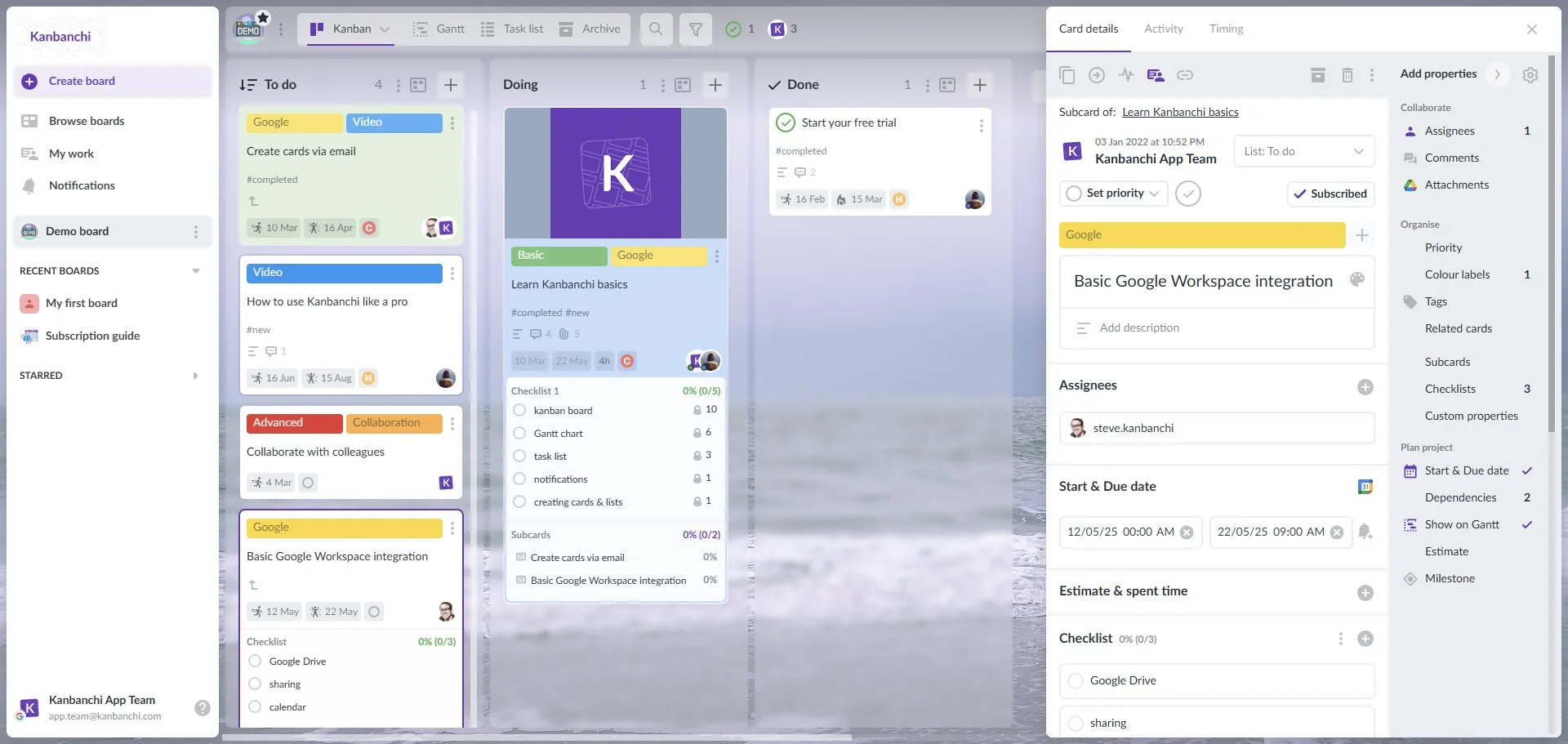
Kanbanchi helps teams organize tasks on visual boards, plan timelines with Gantt charts, track time, connect work to Google Drive files, and keep project activity inside a familiar environment. If your business is ready to make Google Workspace more actionable, try Kanbanchi and give your team a clearer way to manage work from start to finish.



In this Article:
Start using Kanbanchi now
Start your free trial