
In this Article:
Try Kanbanchi now
Start your free trial

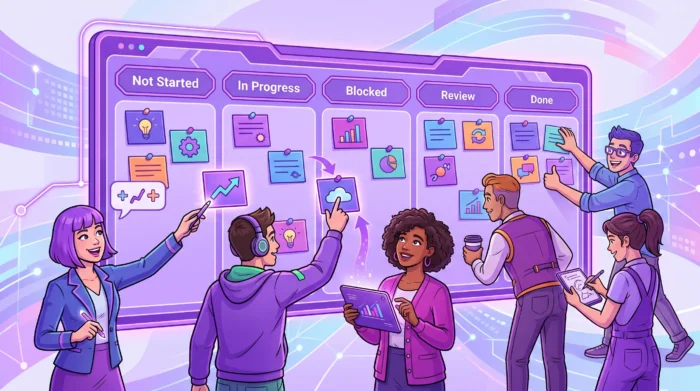
Standardizing project work across multiple teams is one of those management goals that sounds simple until real work begins. Marketing has one way to plan launches, IT has another way to manage requests, HR tracks onboarding in a spreadsheet, and operations runs everything through email. Each team may be doing its best, but leadership still struggles to answer basic questions, such as what is on track, what is blocked, who owns the next step, and which deadlines are at risk.
The goal is not to force every team into the same rigid process. The goal is to create a shared operating system for work, so every project has consistent visibility, accountability, documentation, and reporting while teams keep enough flexibility to do their specialized work well.
When a company has one small team, informal coordination can work for a while. People sit close to each other, status updates happen naturally, and project knowledge lives in a few heads. Once you have several teams, remote employees, outside partners, or a growing management layer, informal systems start to fail.
Common warning signs include:
Standardization solves these issues by creating a common language for work. A project can still be run by a marketing, finance, operations, IT, or HR team, but leadership sees the same core data across all of them: owner, priority, due date, progress, files, risks, and next action.
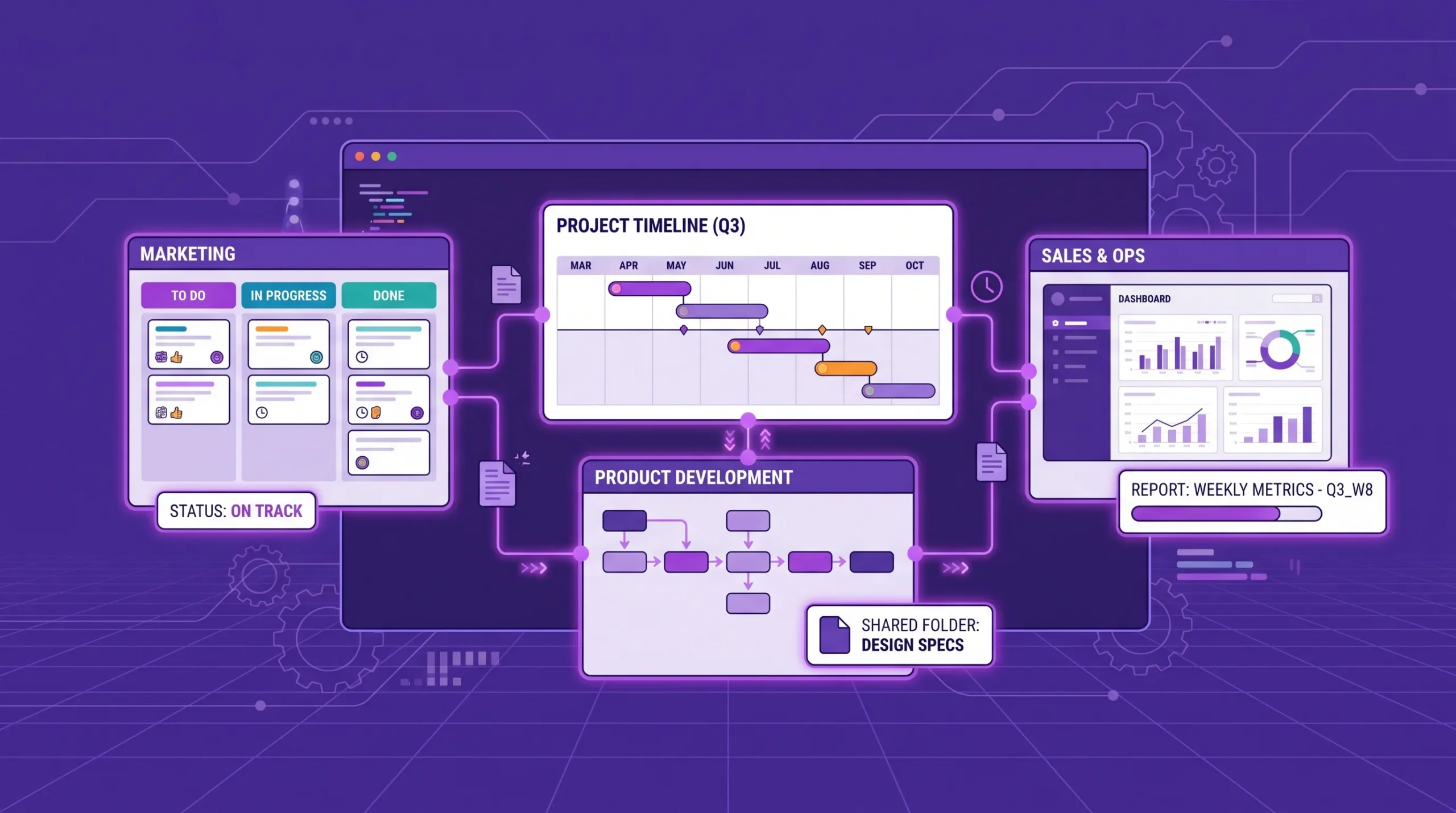
The best standardization removes friction. It should help teams spend less time explaining their process and more time delivering outcomes. If your standard requires people to fill in dozens of fields that no one uses, adoption will drop. If it makes handoffs clearer and reports easier, teams will usually support it.
The PMI PMBOK Guide emphasizes tailoring project management practices to the context of the organization and project. That is the right mindset here: standardize the essentials, tailor the execution.
A common mistake is trying to standardize everything at once. That leads to bloated workflows and frustrated teams. Instead, define a minimum viable standard that applies to every team, then allow each department to add details where needed.
Your cross-team standard should focus on the information required for coordination, reporting, and decision-making. This usually includes project intake, task ownership, status definitions, priority levels, deadlines, document storage, approval rules, and reporting cadence.
For example, every task should have an owner. Every project should have a target outcome. Every blocked item should make the blocker visible. Every file should live in the correct shared storage location, not in someone’s inbox.
Teams should be able to adapt the way they break down work. A software team may need sprints, bug triage, and release stages. HR may need candidate stages, policy review steps, and onboarding checklists. A marketing team may need creative review and publishing stages.
The shared standard should not erase those differences. It should make them understandable from the outside.
| Area | Standardize across all teams | Allow teams to tailor |
|---|---|---|
| Status | Shared meanings for not started, in progress, blocked, review, done | Extra workflow stages for specialized work |
| Ownership | One accountable owner per task or deliverable | Supporting contributors and reviewers |
| Dates | Start date, due date, and key milestones | Team-specific internal checkpoints |
| Priority | Common priority scale | Local ranking within a team backlog |
| Documentation | Approved storage location and naming pattern | Folder substructure by department |
| Reporting | Core metrics and update frequency | Additional team-level metrics |
A project operating model is the set of rules that explains how work moves from idea to completion. It does not need to be complicated. In fact, the simpler it is, the more likely teams are to use it consistently.
Start with a lifecycle that fits most project work in your organization. A simple model might be: intake, approved, planned, in progress, review, complete, archived.
This gives managers a consistent way to compare work across teams. A team lead can still create more detailed stages inside their board, but the high-level lifecycle should remain recognizable.
For teams using visual project planning, a shared lifecycle maps naturally to a Kanban board. Each column represents a stage of work, and each card represents a task, deliverable, request, or project component. If your organization is new to this approach, this guide to Kanban implementation explains how to introduce visual workflows step by step.
Status labels are only useful when everyone understands them the same way. For example, in progress should mean someone is actively working on the task, not that the task is waiting in a queue. Done should mean the agreed completion criteria have been met, not that the assignee thinks they are finished.
A practical standard could look like this:
| Status | Meaning | Required action |
|---|---|---|
| Not started | Approved work that has not begun | Confirm owner and target date |
| In progress | Work is actively being performed | Keep dates and blockers updated |
| Blocked | Work cannot continue due to a dependency, decision, or missing input | Identify blocker owner and next step |
| In review | Work is ready for approval, testing, or stakeholder feedback | Assign reviewer and review deadline |
| Done | Completion criteria are met | Close task and update related documentation |
This kind of clarity reduces status debates and makes reporting far more reliable.
Across multiple teams, unclear ownership is one of the fastest ways to slow work down. Every project should have a business owner, delivery owner, and clear decision path. For larger initiatives, you may also need a sponsor, approver, consulted subject matter experts, and delivery contributors.
If your organization is struggling with accountability at the project level, it may help to define a lightweight governance model. Kanbanchi’s guide to project governance explains how structure, roles, and information flow support better decisions without slowing teams down.
People rarely return to a long process document during a busy workday. They do use templates when those templates make the next project easier to start.
Standardization works best when it is embedded into the tools teams already use. Instead of telling teams to remember the process, build the process into board templates, card templates, checklists, default fields, and reporting views.
Most organizations repeat similar project types: product launches, client onboarding, procurement requests, hiring campaigns, compliance reviews, facility moves, training rollouts, and quarterly planning cycles. Each repeatable project type should have a template.
A good project template should include the standard workflow stages, core task cards, typical owners or roles, required approvals, file storage expectations, and milestone dates that can be adjusted for each project.
For example, an operations team opening temporary field sites may need the same procurement and logistics sequence every time: confirm site requirements, source storage, book delivery, prepare the ground, inspect the unit, and document handover. If the team sources storage through a supplier, the project template should not just say order container. It should specify required dimensions, condition, delivery contact, inspection checklist, approval owner, and documentation location.
Card templates are useful for repeatable tasks that appear across many projects. Examples include approval request, design review, legal review, customer handoff, vendor quote, risk item, change request, and post-project review.
| Template type | What to include | Why it helps |
|---|---|---|
| Project board template | Workflow stages, default labels, standard cards, reporting structure | Speeds setup and keeps projects comparable |
| Card template | Description prompts, checklist, priority, required dates, file links | Improves task quality and reduces missing details |
| Checklist template | Step-by-step completion criteria | Makes handoffs and reviews more consistent |
| Reporting template | Required metrics, filters, update schedule | Helps leaders compare work across teams |
In Kanbanchi, teams can use board templates and card templates to make repeatable work easier to launch. Subcards and checklists can also help break complex work into smaller assignable parts without losing the connection to the parent task.
Standardized project work fails when tasks are in one place, files are in another, decisions are in chat, and deadlines are in personal calendars. Teams need a shared workspace where project information is easy to find and safe to manage.
For Google Workspace teams, this usually means connecting project work with Google Drive, Gmail, and Google Calendar. For Microsoft 365 teams, it may mean connecting work with OneDrive, SharePoint, and Microsoft-based collaboration habits.
Kanbanchi is designed for teams working in Google Workspace and Microsoft 365. In Google Workspace, teams can create project boards as files in Google Drive, attach files from Google Drive and Shared Drives, create cards from Gmail, and sync events with Google Calendar. That matters because standardization is easier when the project management tool fits the ecosystem employees already use.
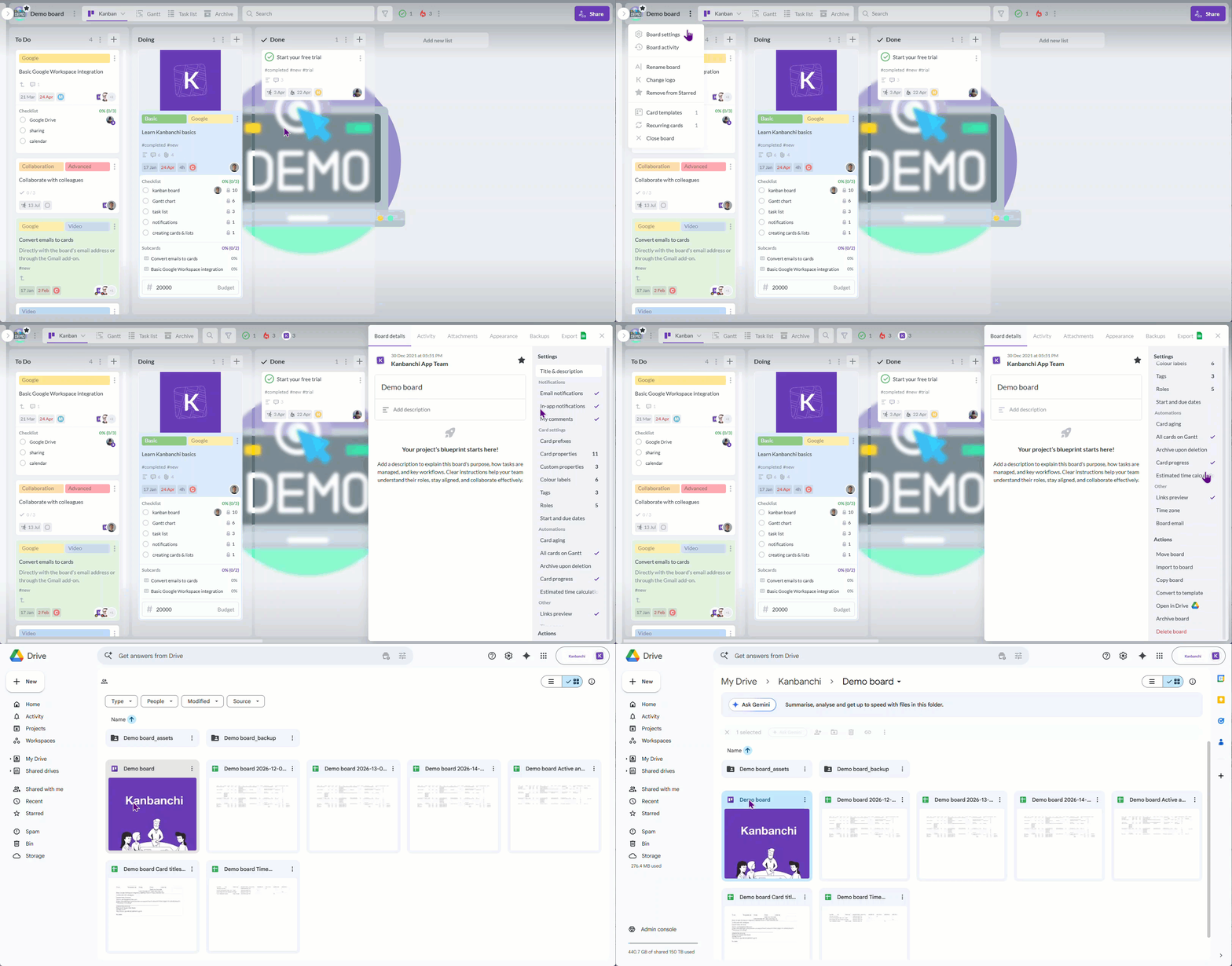
Every extra system adds adoption risk. If your team has to leave its normal workspace to update a project, attach a document, or check a deadline, updates become inconsistent. Integration is not just a convenience. It is part of the standardization strategy.
A connected workspace helps teams answer questions without hunting through multiple apps:
When those answers live in one place, project reviews become shorter and more useful.
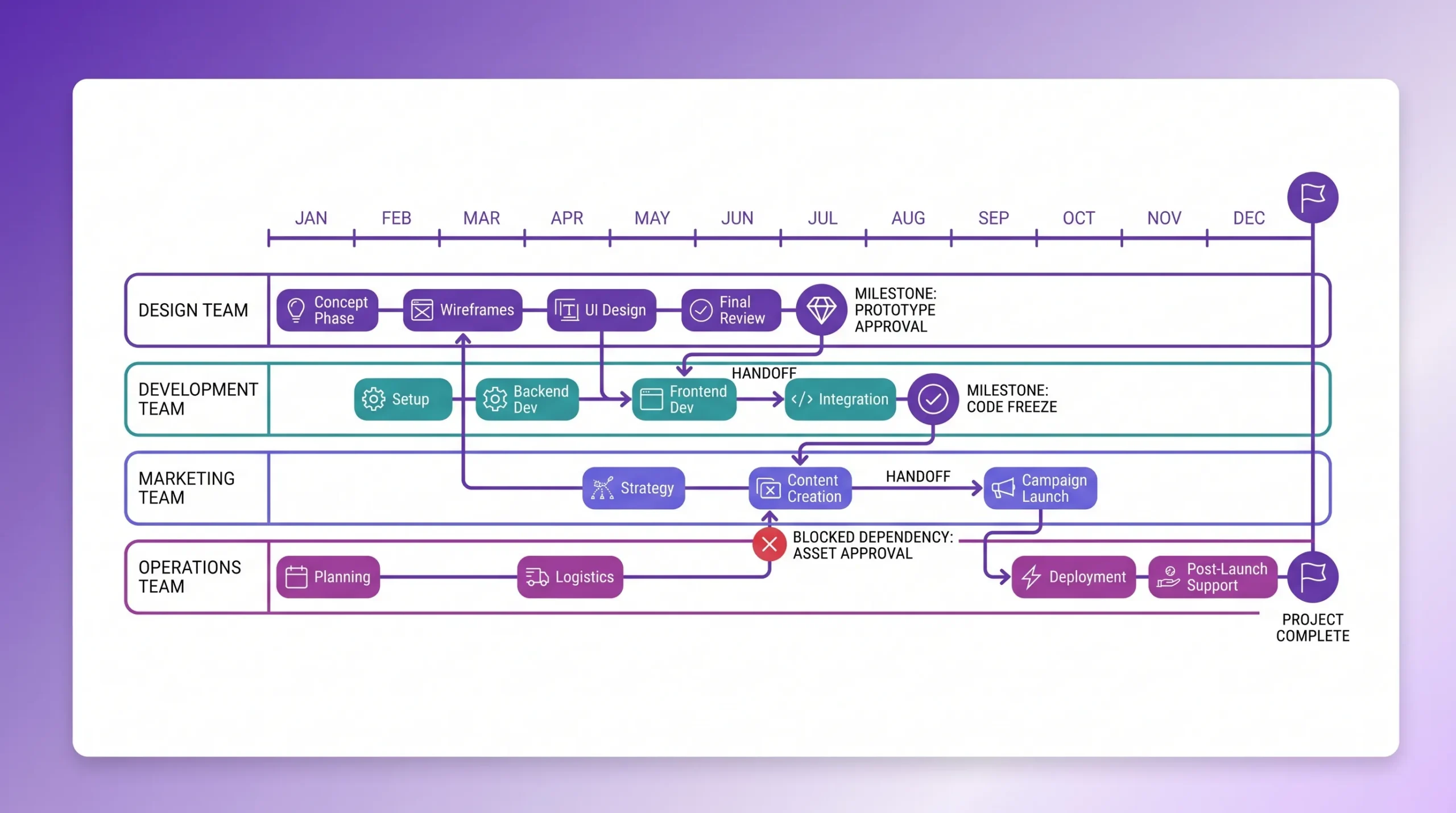
The hardest part of standardizing project work is not within a team. It is between teams. Dependencies often create the biggest delays because one group finishes its part and another group is not ready to receive it.
Every cross-team handoff should have an owner, input, output, acceptance criteria, and due date. If a design team hands work to development, the receiving team should know exactly what complete means. If HR needs IT to provision accounts for new hires, IT should know the deadline, request format, and required details.
A standardized handoff card can include:
This simple structure prevents handoffs from becoming vague messages in chat or email.
A Kanban board is excellent for visualizing flow, but cross-team scheduling often needs a timeline view. A Gantt chart helps leaders see whether tasks overlap correctly, where dependencies exist, and which deadlines are at risk.
Kanbanchi allows teams to convert board work into a Gantt chart, making it easier to plan schedules visually while keeping task execution connected to the board. This is especially useful when multiple teams contribute to the same deliverable and timing matters.
Executives and team leads need consistent reporting, but that does not mean every project should be judged identically. A legal review, software release, and office relocation have different work patterns. Still, they can report on a common set of health indicators.
Good metrics help leaders decide where to intervene. Poor metrics create noise. Start with a short list of indicators that apply across most teams.
| Metric | What it tells you | Useful management question |
|---|---|---|
| Overdue tasks | Whether deadlines are slipping | Which teams or projects need support? |
| Blocked tasks | Where progress is stuck | Who can remove the blocker? |
| Work in progress | How much work is active | Is the team overloaded? |
| Upcoming milestones | What is due soon | Are dependencies ready? |
| Time spent | Actual effort used | Are estimates realistic? |
| Completion trend | Delivery pace over time | Is progress improving or slowing? |
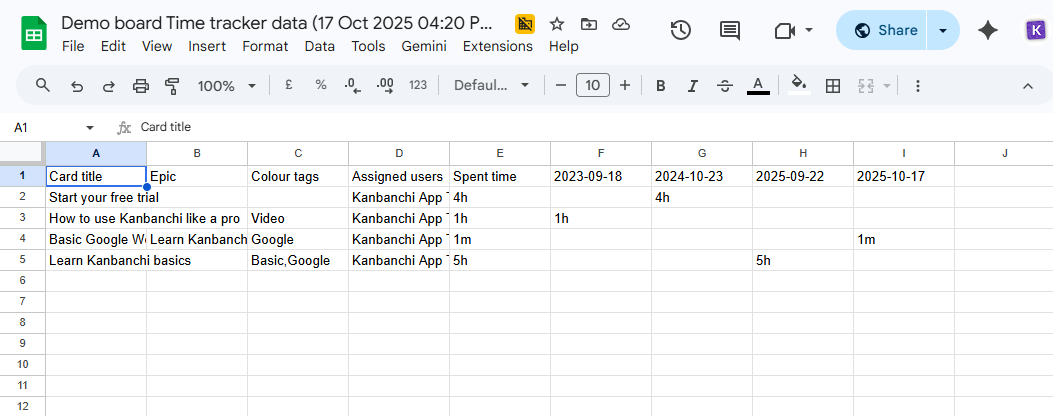
Kanbanchi’s time tracker helps teams record time directly on cards, while board data can be exported to Google Sheets or connected to reporting tools such as Google Looker Studio. This gives managers a practical way to build reports without asking teams to maintain separate tracking spreadsheets.
Standardize when and how updates happen. For example, team leads might update project status every Friday by noon, while department heads review cross-team progress every Monday. The cadence should be predictable enough that people trust the data.
Avoid asking for custom status formats every week. If the standard reporting view is well-designed, leaders should be able to review the same fields consistently: progress, blockers, timeline changes, risks, and upcoming decisions.
Standardizing project work across multiple teams is a change management effort. If you launch too broadly without testing the model, you may create resistance. Start small, prove value, then scale.
The aim is continuous improvement, not a one-time process launch.
Read more articles on Project Management
The most common failure is over-standardization. If every team is forced into a workflow built for a different function, they will either resist or create shadow systems. Standardization should create shared visibility, not erase professional judgment.
Another mistake is collecting data without using it. If you ask teams to update priority, estimates, blockers, and progress, leaders must use that information in planning and decision-making. Otherwise, updates become administrative work with no visible benefit.
A third mistake is ignoring security and access policies. Cross-team work often includes sensitive files, external collaborators, and restricted information. Your project management tool should support your company’s permissions and security expectations. Kanbanchi supports sharing internally and externally according to company Google policies, and it is built with enterprise-level security and compliance needs in mind.
Finally, do not treat standardization as a project management department initiative only. Business owners, team leads, and frontline contributors all need input. The people doing the work will quickly spot where a standard helps and where it creates friction.
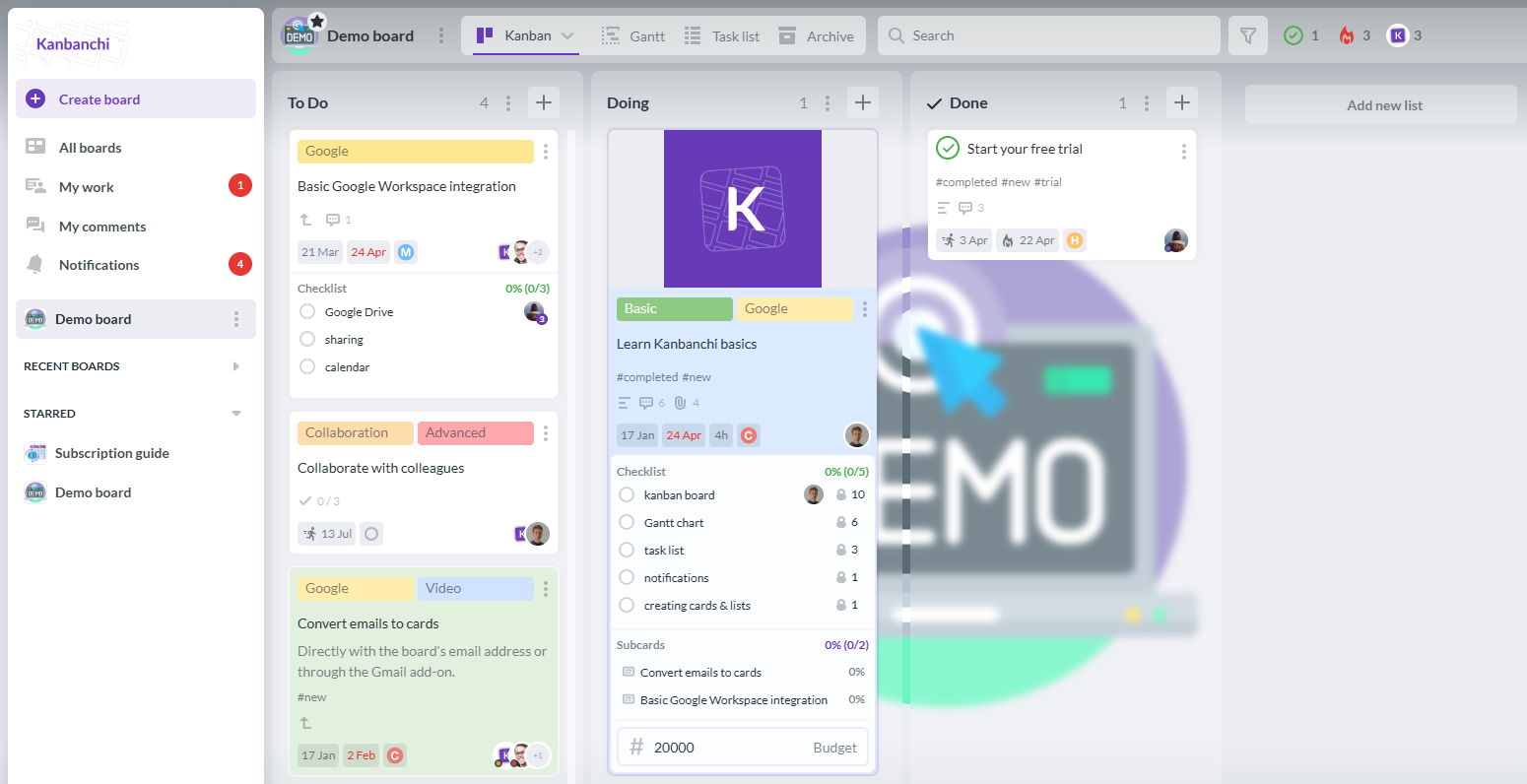
Kanbanchi helps teams standardize project work without making work feel heavy. Teams can manage tasks on Kanban boards, plan schedules with Gantt charts, track effort with the time tracker, and keep project files connected through Google Drive or Microsoft 365 storage.
For organizations using Google Workspace, Kanbanchi is especially useful because it fits naturally into existing habits. Teams can attach Drive and Shared Drive files to cards, create cards from Gmail, sync with Google Calendar, export board data to Google Sheets, and organize boards in Google Drive. Teams can also use tags, color labels, priorities, filters, swimlanes, templates, subcards, and list views to create a consistent structure while adapting workflows to each department.
For leaders managing multiple teams, that combination matters. You get a shared project management tool for visibility and progress tracking, while teams get enough flexibility to organize work in the way that fits their function.
Start free trial of Kanbanchi now
Start by mapping how teams currently manage projects. Identify common stages, required task information, approval points, recurring blockers, and reporting needs. Then define a minimum viable standard that every team can follow without losing necessary flexibility.
Standardize the information needed for coordination and reporting, such as ownership, status, dates, priority, files, blockers, and completion criteria. Let teams tailor their detailed workflow stages, checklists, and internal methods based on the type of work they do.
A Kanban board makes workflow stages visible and gives teams a consistent way to move work from request to completion. When teams use shared status definitions, labels, and card templates, leaders can compare progress across projects more easily.
Templates turn standards into daily practice. Instead of asking each team to remember the process, templates pre-build the workflow, required fields, checklists, and reporting structure. This improves consistency and speeds up project setup.
Review the standard regularly with team leads and contributors. Keep the shared requirements focused on visibility, accountability, and reporting. Allow teams to add workflow details where needed, and remove fields or steps that do not support real decisions.
Standardizing project work across multiple teams is not about control for its own sake. It is about giving every team a clear structure for ownership, progress, timelines, files, and reporting, so leaders can make better decisions and teams can collaborate with less confusion.
If your organization uses Google Workspace or Microsoft 365 and needs a visual, integrated way to standardize project work, explore Kanbanchi. Start with shared templates, connect work to your files and calendars, and give every team a clear path from request to completion.
Start free trial of Kanbanchi now



In this Article:
Start using Kanbanchi now
Start your free trial