
In this Article:
Try Kanbanchi now
Start your free trial


Nonprofit software advice usually assumes a budget that does not exist, staff who do not exist, and a training week nobody has.
The real constraints are specific. Money is restricted, so the tool has to come out of a budget line that probably says something else. Half the people doing the work are volunteers who will not attend an onboarding session. And whatever you do has to be reportable to a funder in a format they specify, in eleven months, by someone who may not work there anymore.
This guide is organized by those three constraints rather than by tool category. For the wider picture across every category, see our guide to productivity apps.
The good news is that this is the constraint with the most generous answers, because a lot of software vendors have nonprofit programs and most organizations use one or none of them.
Google for Nonprofits is the foundation, and it is free for eligible organizations: Workspace, Ad Grants, and the YouTube program. Email, documents, shared storage, and calendars for the whole organization at no cost is a larger saving than most nonprofits realize they are leaving on the table.
What to watch: eligibility varies by country, and the verification process takes longer than you expect. Start it before you need it.
Kanbanchi is worth knowing about here for a narrow and practical reason: the free plan gives you 36 cards per board, which is enough to run a small program, and paid plans start at $5.99 per user per month if you outgrow it. Because it is built on Google Workspace, boards are stored as Google Drive files and sharing follows the Google permissions you have already set up, so a volunteer who has a Google account has access without a separate invitation flow, a separate password, or a separate thing to explain.
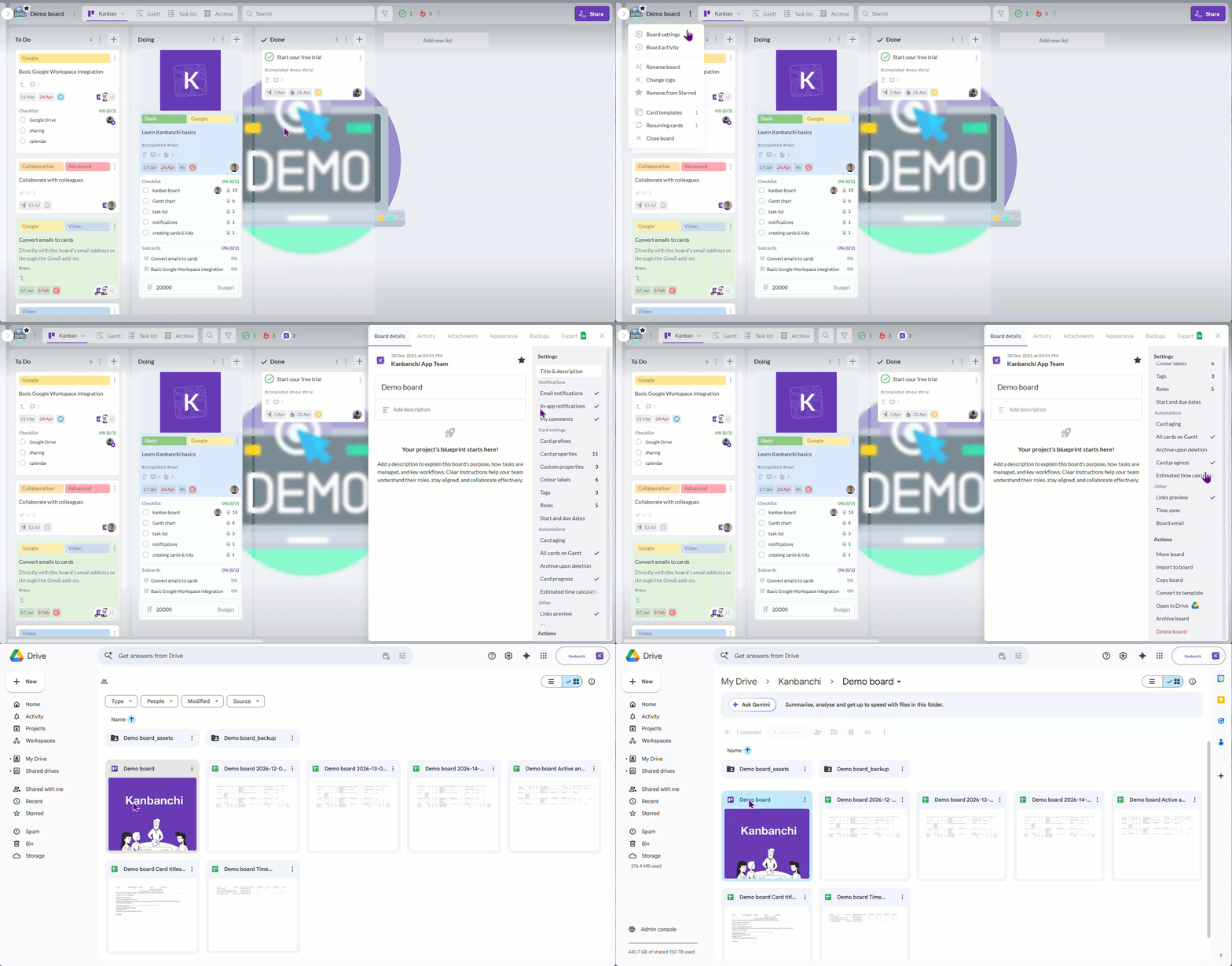
Kanbanchi works directly within Google Drive, making it easier to manage tasks, collaborate on projects, and keep work connected across your Google Workspace tools.
That last point is the actual argument. The cost of a tool in a nonprofit is not the license. It is the hours per person spent teaching people to use it, multiplied by a volunteer turnover rate that would be alarming in a company. A tool that uses the login and the permissions people already have removes most of those hours.
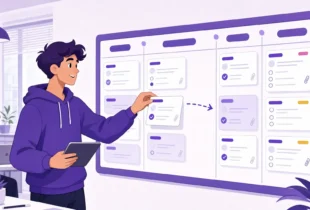
Practically: one board per program, one per event, one per grant. Cards for tasks, checklists for the repeatable bits, a template board for the events that happen annually so this year’s runs like last year’s. Switch the board to a timeline view when a funder asks for a schedule.
What to watch: 36 cards per board is a real ceiling, and a busy program will hit it. Plan which boards you would upgrade first.
Canva for Nonprofits gives eligible organizations the premium tier free. For an organization without a designer, which is most of them, it is the difference between having materials and not.
What to watch: free templates produce a recognizable look, and every other nonprofit has access to the same ones. Set up a brand kit with your own colors and fonts on day one.
Volunteers are not employees, and tooling designed for employees fails with them in a specific way: it assumes the user will be back next week and can be trained. Three rules that work better than any particular tool.
Grant reporting is the work that nobody plans for, and everybody does at the last minute, usually by reconstructing eleven months of activity from memory and a shared inbox.
Instrumentl handles the front end: finding grants that match what you actually do, tracking deadlines, and managing the application pipeline. The deadline tracking alone justifies it for organizations applying to more than a handful.
What to watch: it finds and tracks opportunities. It does not write the application, and the applications are still the slow part.
Bloomerang is the donor side: records, giving history, retention reporting. Donor retention is the number most small nonprofits do not measure and the one with the highest return on attention.
What to watch: a donor database is only as good as the data going in, and the data goes in during the busiest week of the year. Decide who is responsible for entry before the campaign, not after.
The reporting habit that matters more than either tool: capture the evidence while the work is happening. If program tasks live on a board with dates, owners, and attachments, the report is a matter of export and edit rather than archaeology. Exporting a board to Google Sheets takes a minute. Reconstructing a year takes a week.
A functioning nonprofit stack at zero license cost, for an organization of five to ten people:
Add Bloomerang when the spreadsheet stops working. Add Instrumentl when you are applying to more grants than you can track on a calendar. Both of those are triggered by growth rather than by good practice, and buying them early is a common way to spend restricted funds on software nobody has time to configure.
Google Workspace is free for eligible nonprofits and covers email, documents, storage, and calendars. Several work management tools have free tiers that are workable at small scale, and some have specific nonprofit pricing that is worth asking about even when it is not advertised. The practical filter is not the price. It is whether volunteers can use it without a new account and without training, because that cost recurs with every person who joins.
Make the process visible instead of making someone responsible for remembering it. A board per program with tasks, owners, and dates does most of what a coordinator does, and it survives staff turnover in a way that a coordinator’s knowledge does not. Use a template for anything that happens more than once, which for most nonprofits is the majority of the calendar.
Donor management tracks relationships and giving: who gave, when, how much, and whether they came back. Project management tracks work: what needs doing, by whom, by when. They answer different questions and most organizations eventually need both, but the order matters. If you cannot see what your programs are doing this month, start there. If you are comparing dedicated work tools, our guide to project management apps covers the category.
More in this series: productivity apps is the full guide by category.
Also in the series: productivity apps for HR teams and marketing teams, and productivity software for operations teams.

In this Article:
Start using Kanbanchi now
Start your free trial