
In this Article:
Try Kanbanchi now
Start your free trial


Productivity apps are supposed to make work easier. Yet many teams end up with the opposite problem: tasks in one app, files in another, updates in chat, deadlines in a calendar, and status reports rebuilt manually every Friday.
For business owners and team leads, the real question is not “Which app has the most features?” It is “Which system helps my team see the work, do the work, and report on the work without adding more friction?”
The modern workday is fragmented by default. Meetings, messages, notifications, and half a dozen open tabs all compete for the same attention, and most teams add tools faster than they remove them. The right productivity apps can reduce that noise, but only when they match your workflow, your collaboration style, and the tools your organization already uses.
This guide explains the main types of productivity apps, the features that matter most for growing teams, and the best tools to consider in 2026 and 2027.
Productivity apps are digital tools that help people plan, organize, collaborate, track, automate, or complete work more efficiently. They can be as simple as a personal to-do list or as comprehensive as a project management platform with task boards, timelines, time tracking, file storage, reporting, and integrations.
For an individual, a productivity app might answer: “What should I do next?”
For a team, it should answer bigger questions:
That difference is important. A personal app can live inside one person’s habits. A team app has to create shared visibility and repeatable processes.
If you are still evaluating whether software itself improves performance, Kanbanchi has a deeper look at whether productivity software actually makes teams more productive. The short version: apps help when they reinforce a clear workflow, but they rarely fix unclear ownership or poor prioritization by themselves.
Most teams do not need every type of app on the market. They need a well-connected set of tools that covers planning, execution, communication, and measurement. Here are the major categories.
| Type of productivity app | What it helps with | Common examples | Best fit |
|---|---|---|---|
| Task and project management | Assigning, tracking, and organizing work | Kanbanchi, Asana, Trello, Microsoft Planner | Teams that need shared visibility and accountability |
| Time management and time tracking | Understanding where time goes and estimating future work | Toggl Track, Clockify, built-in project time trackers | Teams billing by time or improving workload planning |
| Calendar and scheduling apps | Meetings, deadlines, availability, reminders | Google Calendar, Outlook Calendar, Calendly | Teams with deadline-driven or meeting-heavy workflows |
| Notes and knowledge management | Documentation, meeting notes, internal knowledge | Notion, Confluence, Google Docs, OneNote | Teams that need a searchable source of information |
| Communication apps | Real-time updates, discussions, announcements | Slack, Microsoft Teams, Google Chat | Distributed or cross-functional teams |
| File and document collaboration | Creating, editing, storing, and sharing documents | Google Drive, OneDrive, SharePoint, Dropbox | Teams that work heavily with documents and assets |
| Automation apps | Connecting tools and reducing manual admin | Zapier, Make, Power Automate | Teams with repetitive handoffs or data entry |
| Focus and habit apps | Reducing distractions and building personal routines | Freedom, Forest, Pomofocus | Individuals or small teams improving deep work |
Task and project management tools are often the backbone of a team productivity stack. They give work a visible structure: tasks, owners, due dates, priorities, statuses, dependencies, and comments.
For teams of 3 to 5 people, a shared board may be enough to replace scattered spreadsheets and chat messages. For larger organizations, the same category needs stronger controls, reusable templates, reporting, and integrations with existing systems.
Kanban boards are especially useful because they make work status obvious. A card moves from one stage to another, such as “To do,” “In progress,” “Review,” and “Done.” Team leads can see bottlenecks without asking everyone for manual updates.
Time management tools help teams plan capacity, reduce overcommitment, and understand how long work actually takes. And time tracking is particularly valuable for agencies, consultants, professional services teams, and internal teams that need better estimates.
A time tracker can also reveal hidden workload issues. If a “small” task regularly takes six hours, the team can adjust future planning instead of repeating the same mistake. For a broader comparison of tools in this area, see Kanbanchi’s guide to the best time management tools.
Calendars are essential, but they are not enough on their own. A calendar tells you when something happens. It does not always show the work required before that moment.
The best setup connects calendar events with tasks and project plans. For example, a deadline on a project card should be visible in the team’s calendar, while project discussions and files should stay attached to the task itself.
Notes and knowledge tools help preserve context. They are where teams document decisions, meeting notes, standard operating procedures, product requirements, onboarding materials, and research.
The risk is that notes become disconnected from execution. A meeting note might say “Alex will prepare the client draft,” but unless that action becomes a tracked task with a due date, it can disappear. Strong teams connect documentation with task management instead of treating them as separate worlds.
Communication tools are valuable, especially for remote and hybrid teams. They speed up questions, reduce email overload, and support informal collaboration.
However, chat is a poor long-term task management system. Important decisions get buried. Responsibilities become vague. Status updates scatter across channels. Use communication apps for discussion, but move decisions and action items into a task or project system.
Document tools are where most work actually gets produced: proposals, briefs, contracts, reports, designs. For teams, the value is less about editing and more about everyone being certain they have the current version.
The failure mode is familiar: three copies of the same file, one in someone’s downloads folder, and a meeting spent working out which is the real one. Connecting documents to the task they belong to is usually more valuable than any editing feature.
Automation tools connect apps and reduce repetitive work. A team might automatically create a task when a form is submitted, send a notification when a project status changes, or copy data into a reporting dashboard.
Automation works best after the workflow is stable. Automating a messy process usually creates a faster messy process.
These are personal rather than team tools. Website blockers, timers, and habit trackers help individuals protect attention and build routines.
They are worth mentioning because they solve a genuinely different problem. No amount of team software creates focus time for an individual, and no focus app tells your team what you’re working on. Most people who need one need the other too.
Not every feature deserves equal weight. A solo user might care most about speed and simplicity. A team lead needs clarity, adoption, security, and reporting.
The most valuable productivity app is the one your team actually trusts. If some tasks live in the app, others live in email, and others live in private notes, leaders still do not have a reliable picture of work.
Look for tools that make it easy to capture tasks from common entry points, assign owners, add deadlines, attach files, and keep discussion close to the work.

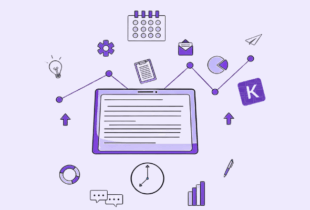
Productivity apps work best when tasks, schedules, documents, and time data are connected instead of scattered across separate systems
Different people understand work differently. A team member may prefer a Kanban board for daily execution. A project manager may need a Gantt chart to plan dependencies. A leader may want a list view or report for a quick overview.
Useful views include:
The goal is not to create duplicate systems. The goal is to let the same work data appear in the format each role needs.
For teams using Google Workspace or Microsoft 365, integrations are not a minor convenience. They determine whether the productivity app becomes part of daily work or another tab people forget to open.
A strong tool should connect naturally with files, calendars, email, and user permissions. For Google Workspace teams, that might mean Google Drive attachments, Shared Drives support, Gmail task creation, Google Calendar sync, and export to Google Sheets. For Microsoft 365 teams, compatibility with OneDrive, SharePoint, and Microsoft account workflows can be equally important.
Every important task needs an owner. Not a department. Not “the team.” A person. Good productivity apps make ownership visible without requiring micromanagement. Leaders should be able to see who owns each task, what is due soon, what is overdue, and what is blocked.
Time tracking is not only for billing. It helps teams compare planned effort with real effort. Over time, this improves estimates, staffing decisions, project scoping, and profitability. If time data is captured inside the same system as tasks, it becomes easier to analyze work by project, person, client, or category.
As teams grow, leaders need more than a board view. They need data for weekly updates, stakeholder reports, operations reviews, and forecasting. Look for productivity apps that let you filter, sort, export, or connect data to reporting tools. For example, exporting project data to spreadsheets or feeding dashboards can save hours of manual report preparation.
For a business, productivity data is operational data. It can include client names, internal deadlines, confidential documents, financial context, and strategic plans.
Before adopting a tool, check how it handles access, sharing, external collaborators, file storage, backups, and enterprise security requirements. This is especially important for larger organizations and regulated industries.
There is no single best productivity app for every team. The right choice depends on your existing software environment, the complexity of your work, and the level of visibility leadership needs.
| Use case | Best tool to consider | Why it stands out | Watch out for |
|---|---|---|---|
| Project and task management in Google Workspace | Kanbanchi | Combines Kanban boards, Gantt charts, time tracking, Google Drive file storage, Gmail card creation, Google Calendar sync, and Google Sheets export | Best suited for teams that want structured project and task management, not just personal to-do lists |
| Visual task boards for simple workflows | Trello | Easy Kanban-style boards and quick adoption | May need add-ons or extra setup for advanced planning and reporting |
| Cross-functional project management | Asana | Strong task hierarchy, workflows, and portfolio-style coordination | Can become complex if teams do not define naming and ownership rules |
| Personal task management | Todoist | Fast task capture, recurring tasks, and personal prioritization | Less suited as the central system for complex team projects |
| Knowledge base and flexible workspaces | Notion | Combines notes, databases, documents, and lightweight project tracking | Requires governance to avoid messy workspaces at scale |
| Lightweight Microsoft 365 task planning | Microsoft Planner | Familiar for Microsoft 365 users and useful for basic team planning | May not cover advanced project scheduling needs by itself |
| Team communication | Slack or Microsoft Teams | Useful for quick discussions, announcements, and collaboration | Chat should not replace a task management system |
| Scheduling and deadline visibility | Google Calendar or Outlook Calendar | Essential for meetings, reminders, and availability | Calendars do not show all project context or task dependencies |
| Workflow automation | Zapier, Make, or Power Automate | Reduces repetitive admin and connects tools | Works best when the underlying process is already clear |
| Standalone time tracking | Toggl Track or Clockify | Useful for billing, productivity analysis, and time audits | Time data is more powerful when connected to tasks and projects |
For teams already working in Google Workspace, the strongest setup is usually not a collection of disconnected apps. It is a project management layer that works where your files, calendars, and email already live. That is why many Google Workspace teams evaluate Kanbanchi’s Google Workspace project management tool when they need boards, timelines, time tracking, and Drive-connected collaboration in one place.
Most productivity apps have a free tier, and for small teams they are often genuinely enough. The pattern is consistent: free tiers limit scale rather than capability.
Typical limits you’ll hit:
The practical question isn’t whether a free tier exists but which limit you’ll hit first. A team of four hits user limits later than item limits; a team of forty hits them immediately. A note on hidden cost: the most expensive free tool is the one your team outgrows in four months, because migration costs more than the subscription would have.
Choosing productivity software is easier when you start with the workflow, not the feature list.
A marketing team, software team, operations team, and executive office all manage different types of work. Some need repeatable task templates. Others need dependency planning, and some need client-facing collaboration. Some need time tracking for billing.
Write down the top three workflows you need the tool to support. If the app cannot handle those workflows clearly, extra features will not compensate.
Your team can use multiple apps, but one place should hold the official status of work. For many teams, that is the project management app.
A simple rule helps: if a task has an owner, deadline, or stakeholder impact, it belongs in the shared system.
Executives often want summaries. Project managers need timelines. Team members need today’s tasks. Clients may need limited visibility. Choose a tool that supports these needs without forcing everyone into the same view.
This is where combined systems can be valuable. A Kanban board helps with execution, while a Gantt chart helps with planning, and reports help with oversight.
If your company runs on Google Workspace, prioritize tools that integrate with Google Drive, Gmail, Google Calendar, and Google Sheets. If your company runs on Microsoft 365, look for compatibility with OneDrive, SharePoint, Outlook, and Teams.
Integrations reduce the behavioral change required for adoption. When people can attach files from the storage system they already use or create tasks from email, the tool becomes part of the workflow instead of a separate chore.
Do not test a productivity app with vague goals like “improve collaboration.” Test it with a real workflow.
For example, run one active project through the tool for two to four weeks. Track whether the team can find tasks faster, reduce status meetings, meet deadlines more reliably, or produce reports with less manual effort.
Even the best app needs team agreements. Define what each status means, how priorities are set, when due dates are required, where files are attached, and how comments should be used.
A simple operating standard prevents the tool from becoming a collection of personal habits.
The most common mistake is buying software before defining the workflow. If a team does not know how work should move from request to completion, the app will expose the confusion rather than solve it.
Another mistake is allowing every department to choose unrelated tools without a shared reporting layer. This can work for small teams, but it becomes painful when leadership needs a cross-team view of priorities, capacity, and delivery risk.
Teams also tend to overcomplicate setup. Too many statuses, custom fields, tags, and automations can slow adoption. Start with the minimum structure that creates clarity, then add complexity when the team has a reason for it.
Finally, do not confuse communication with accountability.
A chat message saying “I’ll handle it” is not the same as an assigned task with a deadline, context, and visible status.
The most effective productivity stack is usually smaller than people expect. For many business teams, it includes:
The key is connection. If your project app does not connect to your files, your calendar, or your reporting process, the team will spend time reconciling information manually.
For Google Workspace teams, a connected stack may include Google Drive for files, Google Calendar for schedules, Gmail for communication, Google Sheets for reporting, and Kanbanchi as the project management layer that brings boards, timelines, task details, and time tracking together.
For Microsoft 365 teams, the equivalent stack may center on OneDrive, SharePoint, Outlook, Teams, and a compatible project management tool.
This guide covers the landscape. For detailed comparisons within each category:
Productivity apps are tools that help individuals and teams plan, organize, communicate, track, automate, or complete work. They include task managers, project management tools, calendars, time trackers, note apps, communication platforms, and automation tools.
It depends on the category. For task and project management, Kanbanchi, Asana, and Trello are the common choices. Notes and documentation: Notion and Confluence. For communication, Slack and Microsoft Teams. Time tracking: Toggl and Clockify. There is no single best app because they solve different problems. The more useful question is which categories your team actually needs covered, and which single tool holds the official status of work.
Most major productivity apps have a free tier, and for small teams they’re often sufficient. The limits usually kick in on scale rather than features: number of users, number of items, or access to integrations. Before choosing on price, work out which limit your team will hit first, because migrating later costs more than the subscription you avoided.
For teams that need project and task management inside a Google Workspace environment, Kanbanchi is a strong option because it supports Kanban boards, Gantt charts, time tracking, Google Drive attachments, Gmail task creation, Google Calendar sync, and Google Sheets export.
Only when they support a clear process. An app reduces ambiguity and coordination time, but it won’t fix unclear priorities or vague ownership. We looked at this properly in Does productivity software actually make you more productive?
Use as few as possible while covering the core workflow. Most teams need one central project management system, one calendar, one document storage system, one communication tool, and reporting options. Add specialized apps only when they solve a clear problem.
Growing teams should prioritize shared task visibility, ownership, due dates, flexible views, integrations with their workspace, time tracking, reporting, permissions, and security. These features help leaders scale work without relying on constant manual status updates.
Check out more articles about Productivity here
Productivity apps are not valuable because they add more places to manage work. They are valuable when they bring tasks, timelines, files, communication, and reporting into a system your team can trust.
If your organization uses Google Workspace or Microsoft 365 and needs clearer task tracking, visual planning, and built-in time insight, Kanbanchi can help you manage projects without pulling work away from your existing workspace. Map one active workflow, then see how much easier it becomes when every task has an owner, a timeline, supporting files, and a visible status.
In this Article:
Start using Kanbanchi now
Start your free trial