
In this Article:
Try Kanbanchi now
Start your free trial

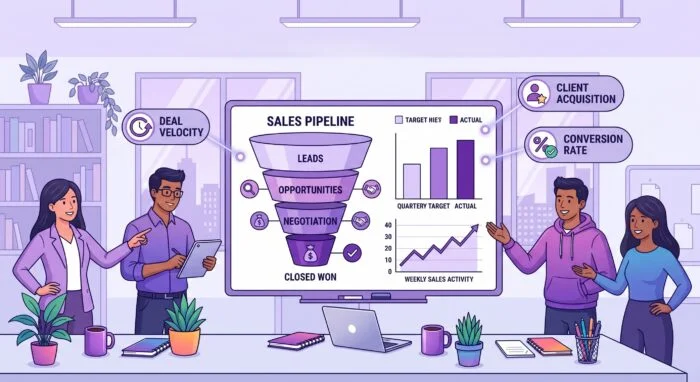
Most sales productivity advice is really about doing more of the same activity faster. More emails, more calls, more sequences. That works right up until the point where the bottleneck moves, and in most teams the bottleneck is not activity volume. It is the twenty minutes between a good call and the follow-up that never got sent.
This guide follows the pipeline: prospect, pitch, close, handoff. Four tools plus an honest note about where a work management tool does and does not belong. For the wider picture across every category, see our guide to productivity apps.
Apollo combines the contact database with the sequencing, which is the practical difference from running a data provider and an outreach tool separately. Find the accounts, filter to the roles, load them into a sequence, and see what happened without exporting a CSV.
What to watch: contact data decays somewhere between two and three percent a month, and every provider’s coverage is better in some markets than others. Test your actual target segment during the trial rather than the segment in the demo.
Gong records, transcribes, and analyses calls, and the value is not the recording. It is that a manager can see which deals have gone quiet, which objections keep coming up, and what the reps who hit quota say differently from the ones who do not.
It is also the fastest way to onboard a new rep that exists. Twenty real calls beat any amount of training material.
What to watch: recorded calls change behavior, and not always in the direction you want. Be explicit with the team about what is being reviewed and why, or you get rehearsed calls.
PandaDoc handles proposals, quotes, and signatures. The productivity gain is narrow and real: the deal that would have sat for four days waiting for someone to print, sign, and scan closes the same afternoon.
What to watch: templates are what make it fast, and templates are what nobody has time to build in the first month. Budget the setup properly, or it becomes an expensive PDF viewer.
HubSpot CRM is where the pipeline lives, and it earns the place in this list on the free tier as much as the paid one. Contacts, deals, stages, and the email integration, at a starting price of nothing, which matters for a team of three deciding whether they need a CRM at all.
What to watch: the free tier is genuinely useful, and the upgrade path is genuinely steep. Model the cost at the tier you will need in eighteen months, not the one you are starting on.
Kanbanchi is not a CRM and will not replace one. It has no deal records, no pipeline forecasting, and no email tracking, and a sales team trying to run its pipeline on a kanban board is doing something the CRM does better (although it’s still possible to use a kanban board for that).
The narrow thing it is useful for is the handoff. When a deal closes, a set of commitments comes into existence that the CRM stops tracking: the implementation, the data migration, the kickoff call, the custom thing that got promised in week three of the negotiation. Those are tasks with owners and dates spanning sales, delivery, and support, and in most companies they live in an email thread and a spreadsheet.
A board with a card per new customer, a checklist of what was promised, and an owner per commitment fixes the specific failure where the customer’s first thirty days do not match what the salesperson described. For teams on Google Workspace, the signed contract and the scoping notes stay in Drive, and the kickoff date lands in the shared calendar. That is the entire case. It sits after the CRM, not inside it.
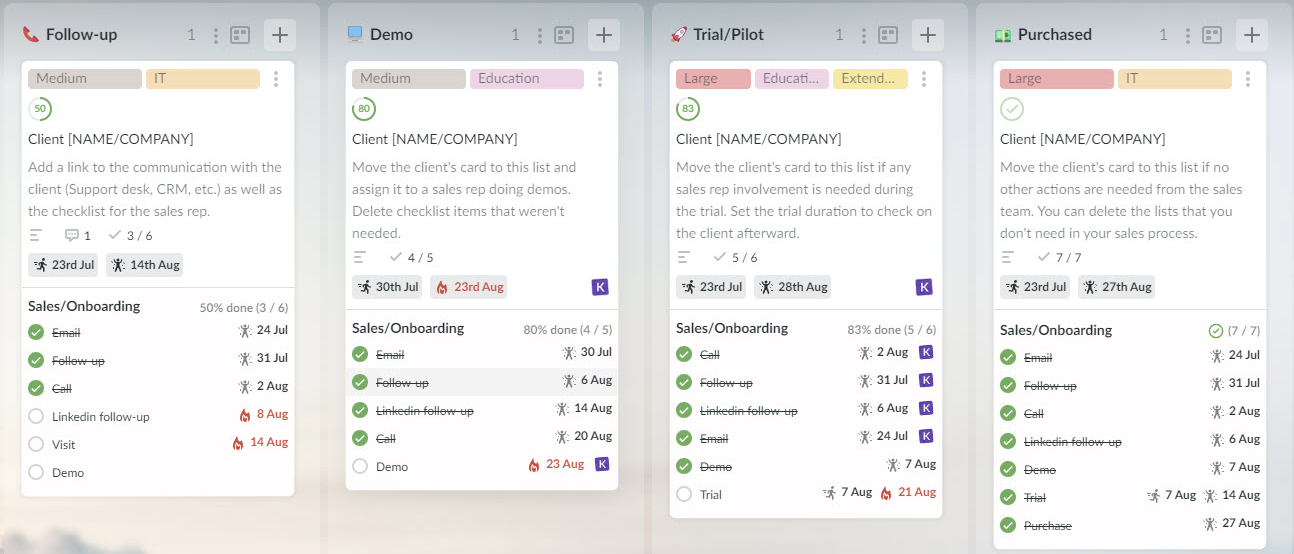
Each client may have a card on a Kanban board
Sign up for a free Kanbanchi trial
Tools are the smaller half of sales productivity. Two rules do more.
The follow-up is the product. Most lost deals are not lost to a competitor. They are lost to nothing happening. Whatever system you use, the measure of whether it works is how many committed follow-ups happen on the day they were committed.
One place holds the pipeline, and it is not a spreadsheet. Every sales team that runs a shadow spreadsheet alongside the CRM has two pipelines, and the forecast comes from whichever one the manager checked last.
If you want to learn more about the solutions, particularly for sales pipeline management, then Kanbanchi’s shortlist of the 12 best sales pipeline management software solutions is for you.
For a team under five, the CRM plus one outreach tool covers almost everything, and the free CRM tier is usually enough for the first year. The mistake small teams make is buying call intelligence and proposal software before they have enough call volume to learn anything from either. Add those when the constraint is genuinely conversion rather than volume.
A CRM tracks relationships and revenue: contacts, deals, stages, forecast. A project management tool tracks work: tasks, owners, dates, dependencies. Sales pipeline belongs in the first. Post-sale delivery belongs in the second. Teams get into trouble when they try to run onboarding out of the CRM, because a deal stage cannot express “waiting on the customer’s IT team” in a way anyone can act on.
Make the handoff an artifact rather than a conversation. Everything promised during the sale goes on a list with an owner and a date, visible to the people delivering it. The failure mode is not that anyone forgets. It is that the salesperson knows about the custom report and the implementer does not. If you are looking at tools for tracking that work specifically, our guide to team task management covers it.
More in this series: productivity apps is the full guide by category.
Also in the series: productivity apps for marketing and product teams, and productivity software for professional services firms.

In this Article:
Start using Kanbanchi now
Start your free trial