
In this Article:
Try Kanbanchi now
Start your free trial

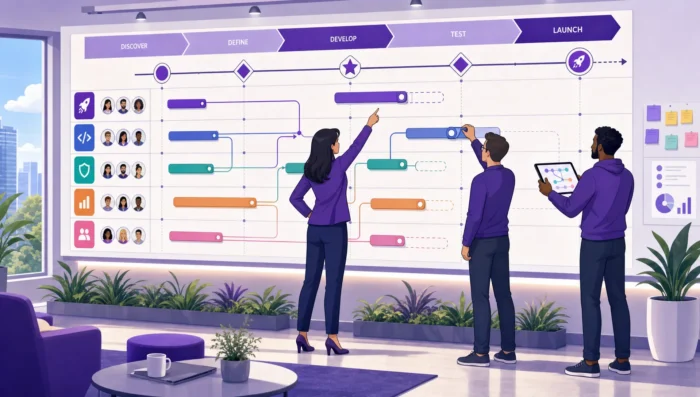
Static roadmaps age quickly. A priority shifts, a stakeholder asks for a new deadline, a dependency slips, and suddenly the slide deck everyone approved last week is no longer true. That is why many teams are moving from presentation-based planning to project roadmap tools with real-time collaboration.
The right roadmap tool does more than show a timeline. It gives leaders a reliable view of priorities, milestones, ownership, dependencies, and delivery risk while giving team members a practical place to update work as it changes. For growing businesses, especially those already working in Google Workspace or Microsoft 365, this can reduce status meetings, duplicate spreadsheets, and last-minute surprises.
Below is a practical comparison of the best project roadmap tools for teams that need shared planning, live updates, and a smooth path from roadmap to execution.
A project roadmap is a high-level plan that connects strategic goals to the work required to achieve them. It usually shows major initiatives, phases, milestones, owners, and expected timing. A real-time collaboration layer means the roadmap is not locked inside one person’s file. Multiple people can update tasks, comment on decisions, attach supporting files, change dates, and see the latest version without waiting for a manual export.
For business owners and team leads, this matters because the roadmap becomes a shared operating system for delivery. Instead of asking for updates in chat, chasing files by email, or comparing different versions of a spreadsheet, leaders can see what has changed and where attention is needed.
These terms often overlap, but they solve different problems. The best project roadmap tools help you connect all three levels without forcing your team to jump between disconnected systems.
| Planning layer | Main question it answers | Typical users | Useful tool capability |
|---|---|---|---|
| Project roadmap | Where are we going and what matters most? | Executives, team leads, project owners | Timeline, milestones, phases, dependencies, priorities |
| Project schedule | When will the work happen and what depends on what? | Project managers, delivery leads | Gantt chart, due dates, workload view, critical dependencies |
| Task board | What is everyone working on right now? | Individual contributors, managers | Kanban board, assignees, comments, checklists, status updates |
These get confused constantly, and they need different tools.
A product roadmap answers what we should build and why. It deals in features, customer feedback, prioritization frameworks, and release themes. Its owners are product managers, and the tools built for it — feedback aggregation, scoring, release planning — are a separate category.
A project roadmap answers the question of how this will be delivered. It deals in phases, milestones, owners, dependencies and dates. Its owners are project leads and department heads, and it can cover anything: an office move, a compliance program, a client implementation, a hiring plan.
The overlap is real for software teams, where the product roadmap and the delivery plan are closely tied. For everyone else, they’re separate problems.
If you’re planning features rather than delivery, you want the other article: best product roadmap tools.
If your biggest issue is day-to-day status visibility rather than long-range planning, you may also find value in this guide to project tracking tools that give leaders better visibility. If deadlines and schedule realism are the main concern, compare the ideas in this article with project schedule tools that keep deadlines realistic.
Almost every roadmap starts accurately. The question is what happens in week three.
The roadmap and the work live in different places. Someone updates the task board because that’s where they work. Nobody updates the roadmap, because it’s a document owned by one person. Within a month, the roadmap describes a plan and the board describes reality, and they disagree.
Updating it costs more than ignoring it. If moving one milestone means editing a slide, recalculating three dates by hand, and re-sharing the file, the rational choice is to leave it and explain the difference verbally. Every roadmap that requires manual maintenance eventually stops being maintained.
Only one person can change it. A roadmap with a single editor is a roadmap that’s out of date whenever that person is busy. The people who know a date has slipped are usually not the person who owns the file.
Nothing signals when a change matters. A milestone moves by two weeks. Does anything downstream break? If the roadmap can’t answer that, the change gets recorded, and its consequences don’t.
Fixing staleness is mostly not about picking a better roadmap tool. It’s about the roadmap being the same object as the work, editable by the people doing it, with dependencies the tool understands.
A strong collaborative roadmap tool should support more than a pretty timeline. Look for the features that help your team keep the roadmap current after the planning meeting ends.
The most important question is not whether a tool can draw a roadmap. It is whether your team will use it every week.
Rather than compare every project tool on the market, it helps to understand the four genuinely different ways software handles roadmaps. Most tools fall into one of them.
The roadmap and the task board are the same tasks, displayed differently. Move a card and the timeline updates; drag a bar, and the card’s dates change. Nothing is entered twice, so nothing goes out of sync.
This is the approach that solves staleness structurally rather than through discipline. It’s how Kanbanchi works – a board converts to a Gantt view of the same cards, with dependencies and milestones on the timeline, and for teams on Google Workspace or Microsoft 365, the files and calendar entries connect to the same items.
Best when: the roadmap needs to reflect delivery reality, and the same people doing the work should be updating it. Limitation: you’re planning at task granularity. If your roadmap needs to sit far above individual work items, that can feel too detailed.
Plan, prioritize, and manage your projects effortlessly with Kanbanchi - the all-in-one project management tool built for Google Workspace users.
Get a free trialA collaborative whiteboard where the roadmap is drawn — sticky notes, swimlanes, arrows, voting. Excellent while the roadmap is still being decided, and unbeatable for live workshops with a dozen people contributing at once.
Best when: you’re shaping priorities, mapping dependencies for the first time, or aligning stakeholders in a session. Limitation: it has no execution layer. Once items need owners, dates and reminders, the output has to move somewhere else — and the canvas immediately starts aging.
Roadmap items as records with custom fields, viewable as timeline, calendar, board or table. Initiatives can link to budgets, departments, assets or risks.
Best when: your roadmap carries information a project tool doesn’t model, and someone will own the structure. Limitation: you’re building a system, not adopting one. It needs naming conventions, permissions, and maintenance, or it becomes a bespoke mess only its author understands.
Purpose-built for many projects at once — program-level views, resource allocation across teams, formal approval workflows, governance reporting.
Best when: you’re running a PMO, or the roadmap has to satisfy stakeholders who need audit trails and standardized reporting. Limitation: significant implementation effort. Genuine overkill below a certain scale, and the setup cost is usually underestimated.
For detailed comparisons of specific products within these approaches, see best project management apps and, for teams on Google Workspace, project management software for remote teams.
The best choice depends less on feature count and more on your team’s operating environment, planning maturity, and collaboration habits. A tool that works beautifully for a software team may frustrate an operations team. A tool that suits a five-person startup may not satisfy enterprise security or reporting needs.
A roadmap tool should reduce friction, not add another place to check. If your company works in Google Drive all day, roadmap files, attachments, and task discussions should connect naturally to that environment. If your company works in Microsoft 365, the same logic applies to Teams, Outlook, OneDrive, and SharePoint.
This is why integration is not a minor feature. It affects adoption. When people can create tasks from email, attach the files they already use, receive notifications where they expect them, and update work without changing context, the roadmap stays alive.
For a broader view of how collaboration features affect day-to-day work, see this guide to collaborative project management tools for busy teams.
Live editing is useful, but it is only one part of collaboration. A shared document where everyone can type is not necessarily a reliable roadmap system. Real collaboration also requires ownership, accountability, permissions, decision history, notifications, and visibility into how changes affect deadlines.
For example, if a milestone moves by two weeks, the tool should help the team understand what else changes. Are dependent tasks delayed? Do owners need to adjust priorities? Should stakeholders be notified? A roadmap tool that answers those questions is far more valuable than one that only displays a new date.
Before rolling out a tool across the company, test it on a real initiative. Use a project with multiple stakeholders, a meaningful deadline, and enough complexity to reveal whether the tool fits your workflow.
A good pilot should include:
After two or three weeks, ask whether the roadmap is easier to trust than your previous process. If the answer is yes, expand the template. If the answer is no, identify whether the issue is the tool, the setup, or the team’s update habits.
A roadmap tool only creates value when people use it consistently. The most successful teams treat the roadmap as a working agreement, not a presentation artifact.
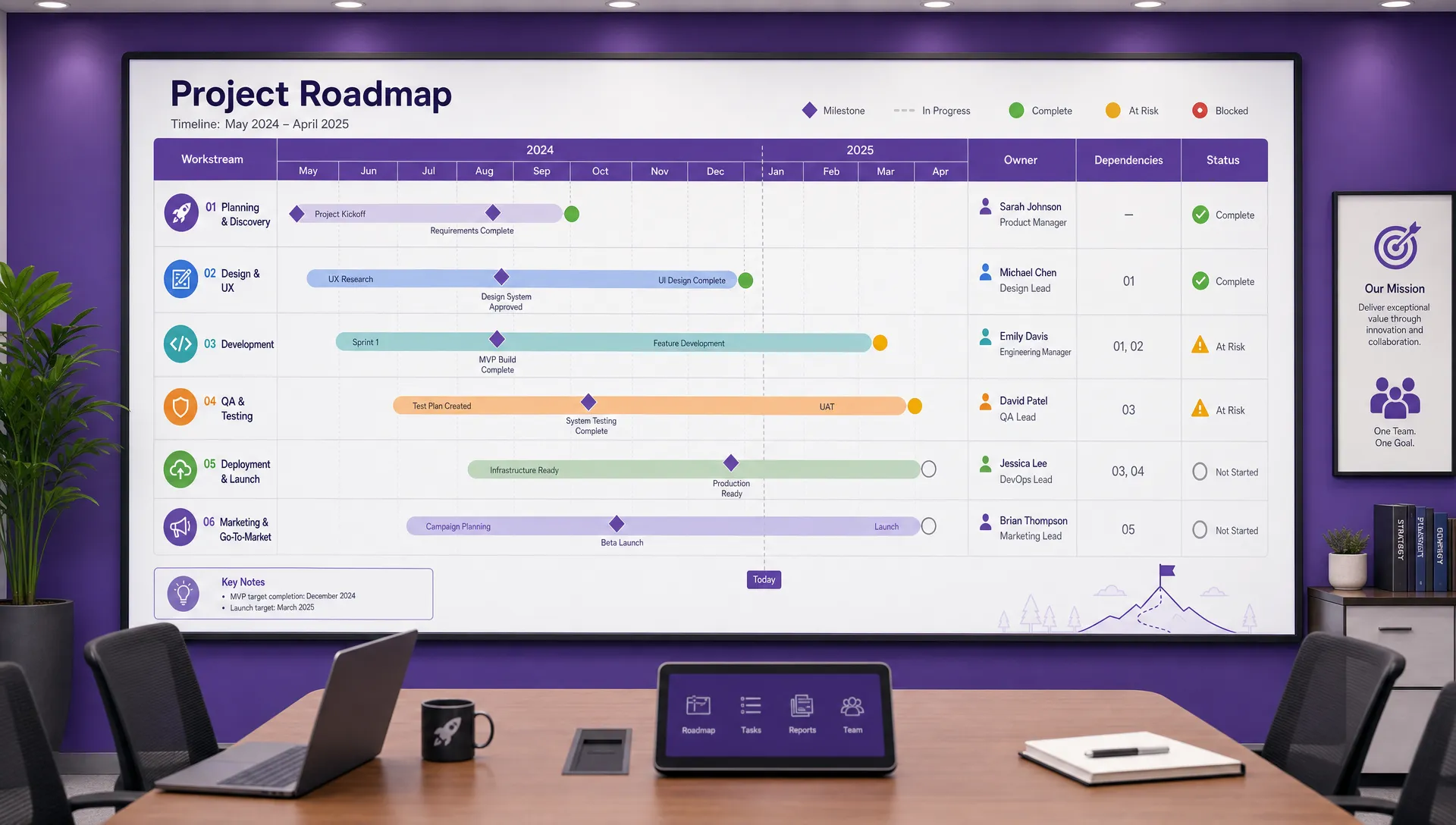
A collaborative project roadmap should connect high-level milestones with owners, dependencies, and real delivery status
A roadmap full of tasks can become a long checklist without strategic meaning. Start by naming the outcomes or milestones that matter to the business. Then connect tasks, owners, and dates to those outcomes.
This helps leaders make better tradeoffs. When priorities compete, the team can ask which outcome matters most rather than debating isolated tasks.
The roadmap should not live separately from task management. If the strategic plan is in one tool and the work is in another, updates will drift. Team members will update the place where they do their daily work, while leaders will look at a roadmap that no longer reflects reality.
This is where tools with both board and timeline views are valuable. Team members can work from cards, lists, or boards, while managers use timeline and reporting views to monitor delivery.
Even with real-time collaboration, roadmaps need a review cadence. A weekly review can focus on short-term changes, blockers, and ownership. A monthly review can focus on priority shifts, resourcing, and stakeholder alignment.
The goal is not to create more meetings. It is to make existing meetings shorter and more useful because everyone is looking at the same current roadmap.
A project roadmap tool focuses on high-level direction, priorities, milestones, timing, and dependencies. A project management tool may also include task tracking, assignments, comments, files, time tracking, reporting, and workflow automation. Many modern tools combine both, which is often better for teams that want the roadmap to stay connected to execution.
A product roadmap plans what to build — features, customer feedback, release themes — and is usually owned by product managers. A project roadmap plans how something gets delivered — phases, milestones, owners, dependencies — and applies to any kind of work, not just software. They overlap for software teams and are separate problems for everyone else.
Almost always because the roadmap and the work live in different tools. People update the place they work, which is the task board, and nobody updates the document. The fix is structural rather than behavioral: if the roadmap is a view of the same tasks people already maintain, it can’t drift.
Yes, if the team has shared deadlines, multiple owners, or fast-changing priorities. Even a team of 3-5 people can lose time when roadmap updates live in chat threads, spreadsheets, or meeting notes. Real-time collaboration helps small teams stay aligned without adding unnecessary process.
Not always, but they are useful when timing and dependencies matter. A simple roadmap may work as a board or timeline. A complex roadmap with linked phases, deadlines, and cross-team dependencies often benefits from a Gantt chart because it shows how schedule changes affect the whole plan.
A working roadmap should be updated whenever meaningful dates, ownership, scope, or priorities change. In practice, many teams review roadmap status weekly and revisit strategic priorities monthly. The exact rhythm depends on project speed and stakeholder expectations.
The best project roadmap tools make priorities visible, keep teams aligned, and connect planning with daily execution. For leaders, the real value is confidence: knowing what the team is working on, what is coming next, and where delivery risk is building.
If your team uses Google Workspace or Microsoft 365 and wants visual planning with Kanban boards, Gantt Chart timelines, time tracking, file collaboration, and practical task management, Kanbanchi is built for that workflow. Explore Kanbanchi for project management and see how your roadmap can become a shared workspace your team updates in real time.
Start with a free trial of Kanbanchi today


In this Article:
Start using Kanbanchi now
Start your free trial