
In this Article:
Try Kanbanchi now
Start your free trial

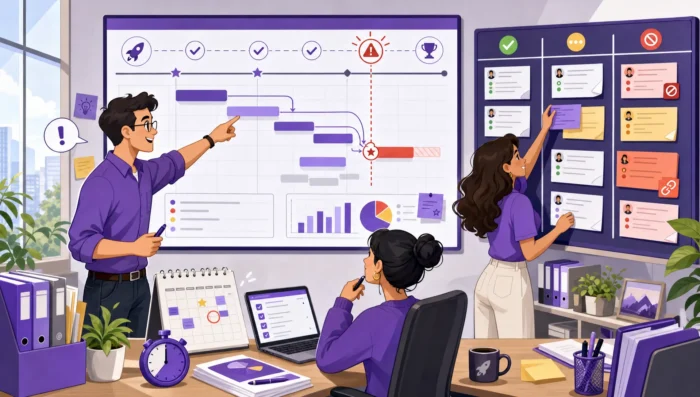
Deadlines usually slip long before a deadline is officially missed. A task waits two extra days for feedback, a dependency changes but no one updates the timeline, or a team member quietly spends twice as long as expected on a card that still looks “in progress.” By the time the project manager notices, the schedule has already drifted.
Project schedule management software helps prevent that drift by connecting the plan, the work, and the real-time signals that show whether the plan is still realistic. The best tools do more than display dates. They make ownership visible, surface blockers early, and give leaders enough context to adjust scope, resources, or priorities before the deadline becomes unrecoverable.
Schedule drift happens when the project’s actual progress gradually separates from the planned timeline. It is different from a deliberate schedule change. A deliberate change is discussed, approved, and reflected in the plan. Drift is quieter. It builds up through small delays and missing updates until the project team realizes the original timeline no longer matches reality.
Project leaders often treat drift as a planning failure, but it is usually a control failure. The initial plan may be reasonable, yet the team lacks a reliable way to see whether work is moving according to that plan. This is why the Project Management Institute’s broader project management standards emphasize monitoring and performance, not only planning.
A practical schedule management system should answer four questions at any time:
When those answers live in separate spreadsheets, chat threads, calendars, and status meetings, drift becomes almost inevitable.
| Drift signal | What it often means | What software should make visible |
|---|---|---|
| Tasks stay “in progress” for too long | Work is blocked, underestimated, or missing review | Card status, owner, comments, due dates, and blockers |
| Dates are updated after the fact | The team is reporting history instead of managing risk | Timeline changes and upcoming deadline conflicts |
| Dependencies are unclear | Teams are working in the wrong order | Task relationships and schedule impact |
| Meetings create action items that vanish | Work is not captured in the execution system | Fast task creation and ownership assignment |
| Time estimates are consistently wrong | Planning is based on assumptions, not actual effort | Time tracking and reporting data |
A schedule can look polished and still be fragile. To prevent drift, software needs to support the daily behaviors that keep dates honest. That means combining timeline planning with task execution, collaboration, and progress tracking.
A standalone Gantt chart can show a beautiful project plan, but if the team does its work somewhere else, the chart quickly becomes a presentation artifact. A standalone task board can show what people are doing today, but without a timeline, it may not show whether today’s work protects next month’s milestone.
The strongest setup connects both views. A Kanban board helps teams manage active work, while a Gantt chart helps leaders understand sequence, duration, and dependencies. When the same task appears in both views, updates made during execution can inform schedule decisions.
If your team is still comparing tool types, this guide to project schedule tools that keep deadlines realistic explains how spreadsheets, calendars, Gantt charts, Kanban boards, and all-in-one platforms fit different planning needs.
Unowned tasks are one of the easiest ways to lose time. If a task has a due date but no clear owner, it will be discussed repeatedly without moving. If a task has multiple informal owners, each person may assume someone else is responsible.
Good project schedule management software makes ownership obvious at the card or task level. It should be easy to see who is responsible, what they are expected to deliver, and when the work is due. For managers, this visibility reduces the need for constant status chasing. For team members, it reduces ambiguity and helps them prioritize.
Many project schedules drift because dependency changes are not reflected quickly enough. A design delay affects development. A procurement delay affects installation. A client approval delay affects delivery. If the downstream tasks remain unchanged, the timeline becomes fictional.
Software should help teams see how one delay affects the rest of the work. A Gantt view is especially useful here because it shows relationships over time. The goal is not to create a rigid plan that never changes. The goal is to make the impact of change visible early enough to choose a response.
Schedule control depends on capturing tasks before they disappear into email, meetings, or chat. For teams working in Google Workspace or Microsoft 365, this matters because much of the project conversation happens inside email, shared files, and calendars.
When teams can turn incoming requests into tasks quickly, the schedule stays closer to reality. This is especially important for client-facing teams, operations teams, and managers who receive work through multiple channels.
Time tracking is not only for billing. It is also one of the best ways to reduce schedule drift over time. If similar tasks repeatedly take 12 hours instead of 6, the next schedule should reflect that. Without time data, teams may continue building plans around optimism.
The point is not to monitor every minute of a team’s day. The point is to understand actual effort well enough to make better commitments. Over time, this creates more realistic estimates, healthier workloads, and fewer last-minute surprises.
Software matters, but it only works when paired with a repeatable operating rhythm. The most effective teams use their tools to create a loop: plan, execute, review, adjust, and communicate.
A schedule baseline does not need to be complicated. It needs to be clear. Before work begins, define the major deliverables, key milestones, task owners, dependencies, and date assumptions. If the team does not understand why dates were chosen, they are less likely to flag risks early.
The baseline should also distinguish between fixed dates and flexible dates. A regulatory deadline, launch date, or customer commitment may be fixed. An internal review date may be adjustable. This distinction helps leaders make better tradeoffs when pressure appears.
High-level milestones are useful for reporting, but they do not move by themselves. Each milestone should break down into tasks that can be assigned, discussed, and tracked. This is where many teams lose control in spreadsheets. The plan may contain dates, but the day-to-day work lacks structure.
Purpose-built task and project tools create a clearer connection between schedule and execution. If your team is feeling the limits of spreadsheet-based tracking, Kanbanchi’s article on why task and project management software beats spreadsheets explains where spreadsheets typically stop scaling for team execution.
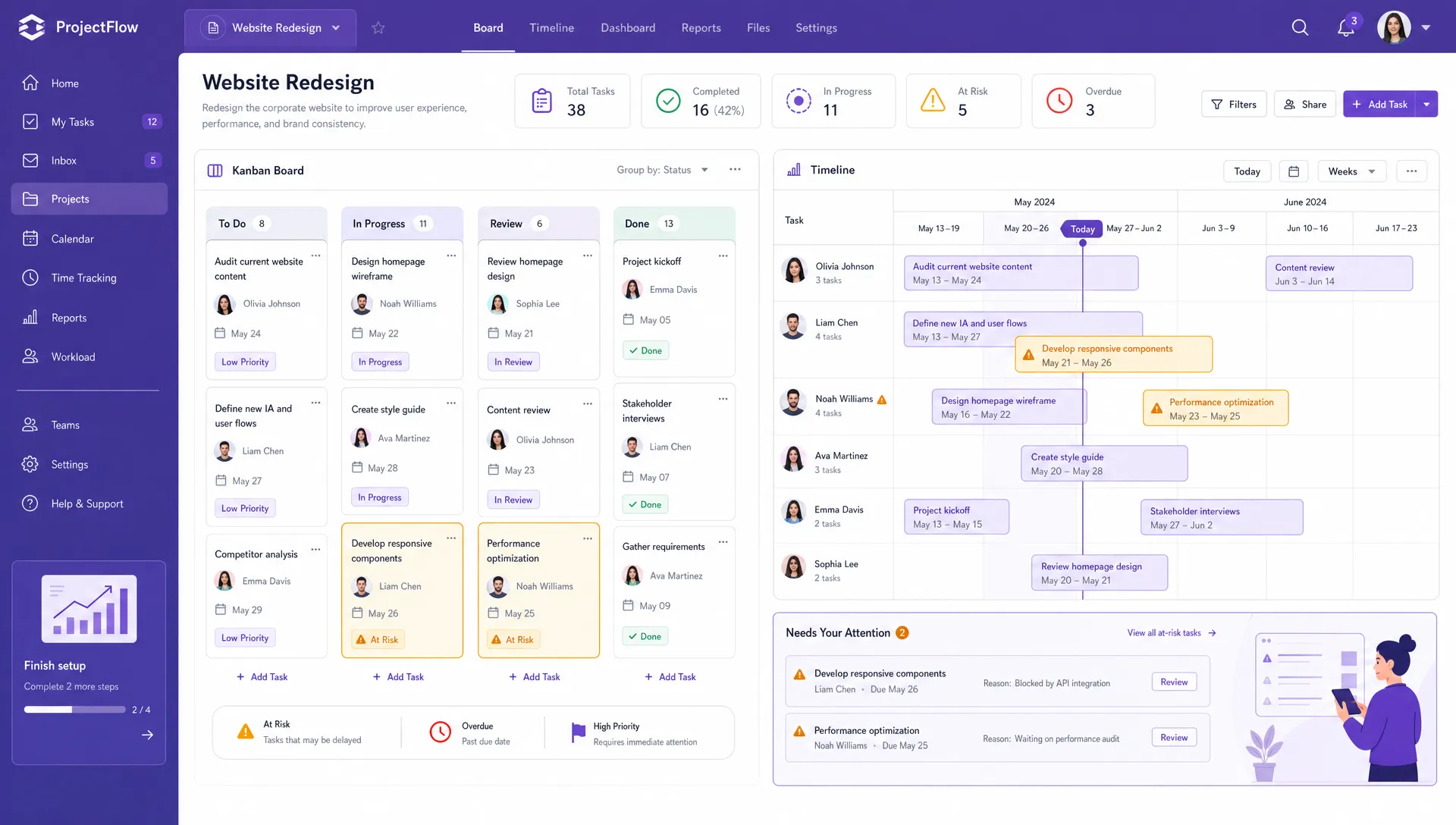
A connected board and timeline help teams review task status and schedule impact together instead of managing them in separate tools
Weekly status meetings often focus on what happened last week. Schedule control should focus on what could go wrong next. The meeting should use live project data, not memory or separate slide decks.
A strong schedule review looks at tasks due soon, overdue work, blocked items, dependency changes, workload conflicts, and actual time spent. Leaders should ask what decision is needed, not only what the status is.
| Weekly review question | Why it prevents drift |
|---|---|
| Which tasks are due in the next 7 to 14 days? | Keeps attention on near-term commitments |
| Which tasks are blocked or waiting for review? | Exposes hidden idle time |
| Which dependency changed this week? | Prevents downstream dates from becoming unrealistic |
| Which tasks took longer than estimated? | Improves future planning accuracy |
| Which owner has too much critical work at once? | Reduces bottlenecks and overload |
When drift begins, teams often try to recover by “working harder.” Sometimes that works for a short period, but it is not a reliable management strategy. Better options include reducing scope, changing sequence, adding support, moving a non-critical date, or negotiating expectations with stakeholders.
The software should make those choices easier by showing what is affected. If a leader moves one task, what else shifts? When a task is delayed, which milestone is at risk? If a team member is overloaded, which work can be reassigned? These are the questions that turn schedule management from passive reporting into active control.
Kanbanchi is designed for teams that want project and task management inside the productivity environment they already use. For Google Workspace users, it connects project boards with Google Drive, Gmail, Google Calendar, and Google Sheets. It also supports Microsoft 365 compatibility with OneDrive and SharePoint integration.
For preventing schedule drift, the most useful advantage is that Kanbanchi combines multiple schedule-control layers in one workspace. Teams can manage tasks on Kanban boards, convert boards into a Gantt chart for timeline planning, track time on cards, and keep project files attached to the relevant work.
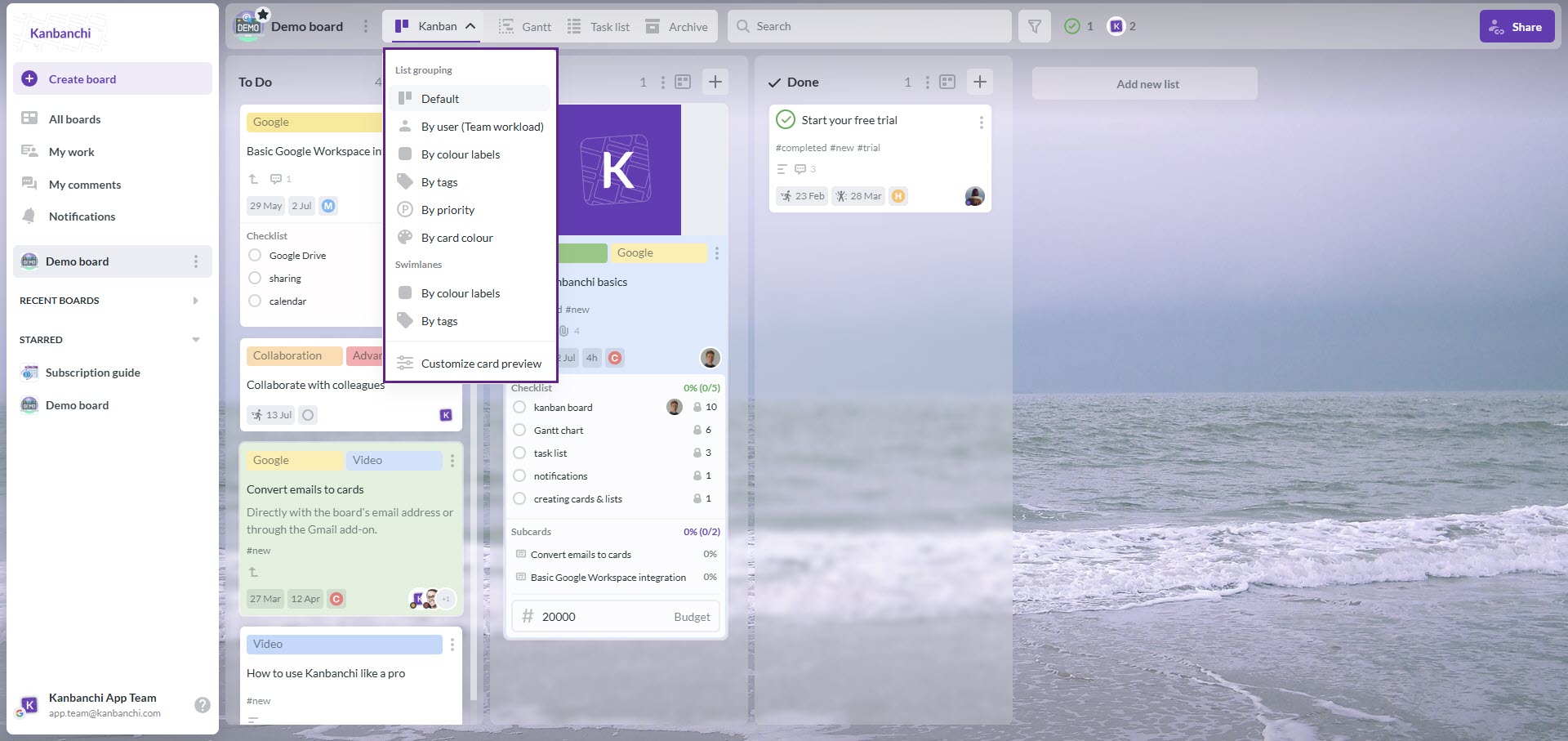
Switch easily between board views in Kanbanchi to see your data at different angles
Start a free trial of Kanbanchi today
That combination helps reduce the gap between the plan and the work. A manager can see project flow on the board, review timing in the Gantt chart, and use time tracking data to understand whether estimates are realistic. Team members can comment on cards, receive notifications about board updates, attach files from Google Drive or Shared Drives, and create cards from Gmail when new work arrives.
Kanbanchi also supports practical controls that matter as teams grow. Filters, tags, priorities, swimlanes, subcards, templates, backups, exports to Google Sheets, and reporting connections can help teams organize work without creating a separate administrative burden. For companies already committed to Google Workspace, Kanbanchi gives teams a way to manage schedules, tasks, files, and collaboration in a familiar environment.
Not every scheduling tool is designed to prevent drift. Some tools are excellent for planning but weak for execution. Others are easy for task tracking but poor at showing timeline impact. When evaluating project schedule management software, focus on how the tool behaves after the plan is created.
| Evaluation question | What to look for |
|---|---|
| Can the team update work without leaving the system they use daily? | Integrations with Google Workspace or Microsoft 365, email task creation, file attachments, and calendar sync |
| Does the tool show both workflow and timeline? | Kanban boards plus Gantt or timeline views |
| Can managers see risk before tasks are late? | Due dates, filters, notifications, priorities, blockers, and dependency visibility |
| Does it support real progress data? | Time tracking, comments, task history, and reporting exports |
| Will the team actually use it? | Simple task updates, clear ownership, templates, and familiar collaboration patterns |
Adoption is as important as features. A powerful schedule tool that teams avoid will not prevent drift. If rollout success is a concern, Kanbanchi’s project scheduler software selection guide offers a useful framework for choosing software that teams can realistically stick with.
Even with good software, schedule drift can come back when teams treat the tool as a reporting layer rather than a working system. The schedule needs to be where real work happens.
The most common mistakes are simple but costly:
The fix is to make schedule data operational. If the team updates cards daily, reviews risk weekly, and adjusts timelines as decisions are made, the project schedule remains a management tool instead of a historical document.
Project schedule management software helps teams plan, organize, track, and adjust project timelines. It usually includes task ownership, due dates, visual schedules, dependencies, notifications, and reporting so managers can keep work aligned with deadlines.
It prevents drift by making delays visible early. When tasks, owners, due dates, dependencies, comments, and time data are connected, leaders can see risks before deadlines slip and make informed adjustments.
A Gantt chart is valuable for timeline planning, but it is usually not enough by itself. Teams also need task-level execution, ownership, collaboration, and regular updates. A connected Kanban board and Gantt chart give both day-to-day visibility and long-range schedule control.
Spreadsheets can hold dates, but they often lack live ownership, notifications, file context, task discussion, dependency visibility, and easy updates from the tools where work starts. As projects grow, those gaps make schedules harder to trust.
Teams with multiple contributors, shared deadlines, approval steps, recurring projects, or cross-functional dependencies benefit the most. This includes business operations, marketing, software development, construction, education, professional services, and enterprise project teams.
Schedule drift is not solved by building a more detailed plan once. It is solved by keeping the plan connected to daily execution, team communication, and real progress data.
If your team works in Google Workspace or Microsoft 365 and needs a clearer way to manage deadlines, Kanbanchi brings boards, Gantt charts, time tracking, file collaboration, and task updates into one project workspace. That gives leaders the visibility to spot drift early and the structure to keep work moving before deadlines are at risk.



In this Article:
Start using Kanbanchi now
Start your free trial