
In this Article:
Try Kanbanchi now
Start your free trial


If your team works on Macs, it is easy to start with the tools already at hand: Notes, Reminders, spreadsheets, shared documents, or a simple checklist app. That works for personal tasks and very small projects. But once a few people share responsibility for deadlines, approvals, files, and client deliverables, lists become a bottleneck.
The best project software for Mac teams is not just a prettier checklist. It should help everyone see what is happening, who owns what, how the work is progressing, and whether the deadlines are realistic. For many modern teams, especially those already using Google Workspace or Microsoft 365, the right choice is often a browser-based project management platform that runs smoothly on macOS and integrates with the business tools the team already uses.
A decade ago, looking for Mac project software often meant comparing desktop applications built specifically for macOS. Today, most collaborative work happens across browsers, cloud storage, calendars, email, and shared documents. A project manager may use a MacBook, a finance lead may use Windows, and an external contractor may work from a browser on any device.
That changes the selection criteria. Instead of asking only, “Does this run on Mac?”, teams should ask, “Does this fit the way we collaborate?”
For business teams, a Mac-friendly project management tool should:
This is especially important for teams using Google Workspace or Microsoft 365. The computer is only one part of the workflow. Your project software should support the full work environment.
Lists are useful because they are simple. They capture ideas quickly, reduce mental clutter, and help individuals remember what to do next. The problem starts when a list becomes the main project management system for a team.
A shared list can tell you that something exists. It usually cannot show the full context around the work: dependencies, files, discussions, effort, deadlines, ownership changes, or progress across multiple initiatives.
You may need more structured project software if your team regularly experiences these problems:
The issue is not that lists are bad. It is that team projects need relationships between tasks, people, dates, files, and outcomes.
| What teams need | Simple list | Project management software |
|---|---|---|
| Assign task owners | Sometimes | Yes |
| Track workflow status | Limited | Yes |
| Visualize timelines | No or manual | Yes |
| Connect files to tasks | Limited | Yes |
| Manage dependencies | No | Yes |
| Track time and effort | No | Often |
| Report on progress | Manual | Built-in or exportable |
| Scale across teams | Difficult | Designed for it |
More articles on Team management here
Choosing software for a Mac-based team is less about the Apple logo and more about practical collaboration. If the tool cannot become the team’s shared source of truth, people will quickly return to spreadsheets, email, and ad hoc meetings.
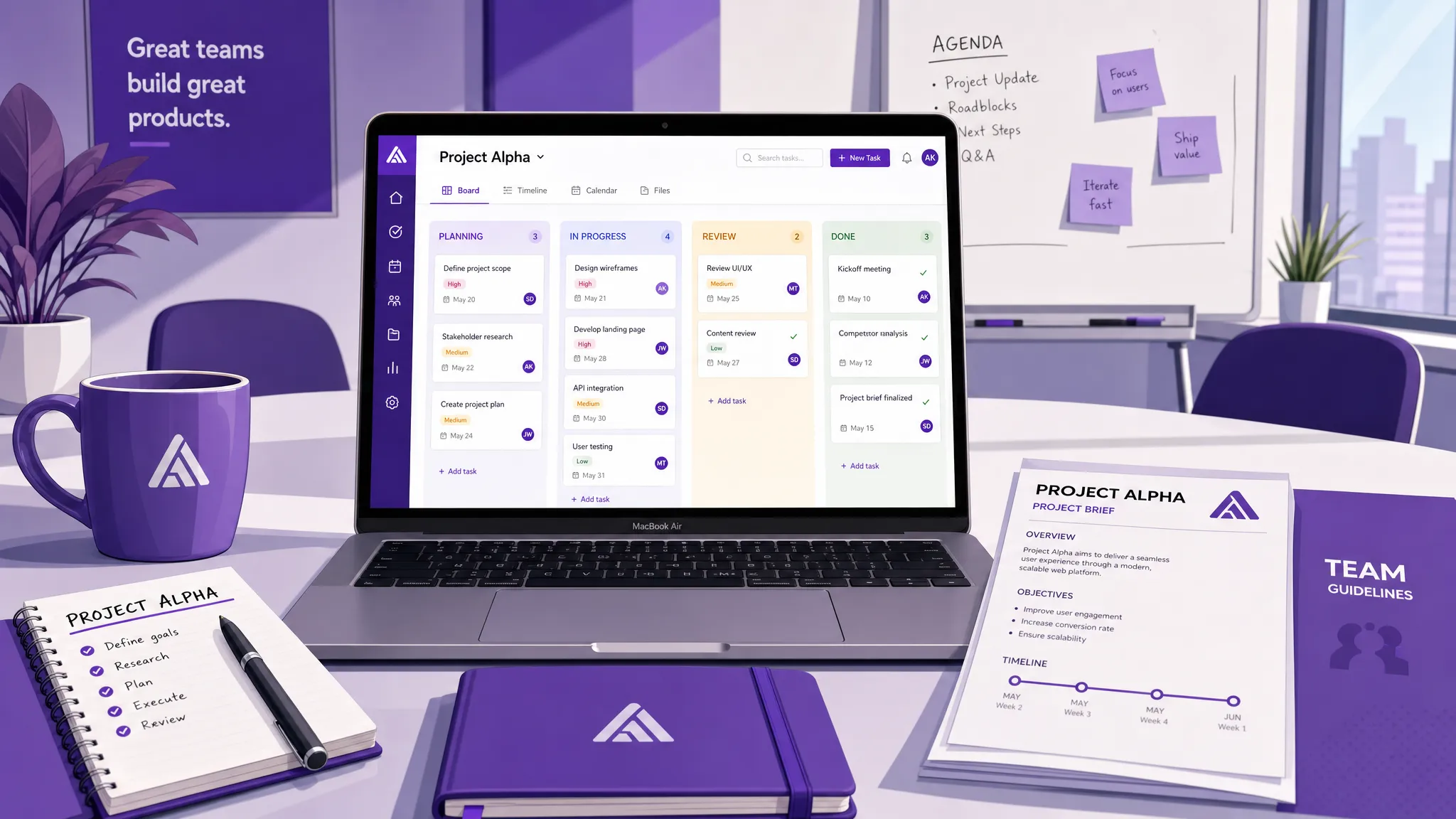
A Kanban board gives teams an immediate picture of work in progress. Cards represent tasks, and columns represent stages such as To Do, In Progress, Review, and Done. This is easier to scan than a long list, especially when several people are working at the same time.
A strong board should let teams assign owners, add due dates, set priorities, use labels, filter work, and keep task discussions close to the task itself.
Lists rarely show whether a project schedule makes sense. If one task depends on another, or if five deliverables are due in the same week, a timeline view becomes essential.
A Gantt chart helps teams see start dates, due dates, task durations, milestones, and dependencies. This matters for product launches, marketing campaigns, client onboarding, event planning, procurement, and any project where timing affects the outcome.
Even better, when those two tools can be combined in one application, allowing a one-click switch between Kanban boards and Gantt charts.
A task without its files is incomplete. A project system should make it easy to attach the right documents, briefs, contracts, designs, reports, or approvals directly to the task.
For Google Workspace teams, that often means connecting work with Google Drive, Shared Drives, Gmail, Google Calendar, and Google Sheets. For Microsoft 365 teams, it may mean connecting work with OneDrive, SharePoint, and Microsoft accounts.
This matters because project management should not force people to duplicate files or break existing permission policies. The best setup keeps work organized while preserving the company’s established collaboration habits.
Team leads not only need to know whether a task is done. They often need to understand how much effort it required, whether the estimates were realistic, and where the team is spending time.
Time tracking can help managers improve future planning, balance workloads, and spot process issues. Reporting and export options can also help teams turn project activity into insights for leadership, finance, or operations.
Project management is the application of knowledge, skills, tools, and techniques to meet project requirements. For growing teams, that means moving beyond task capture and toward a system that supports planning, execution, measurement, and improvement.
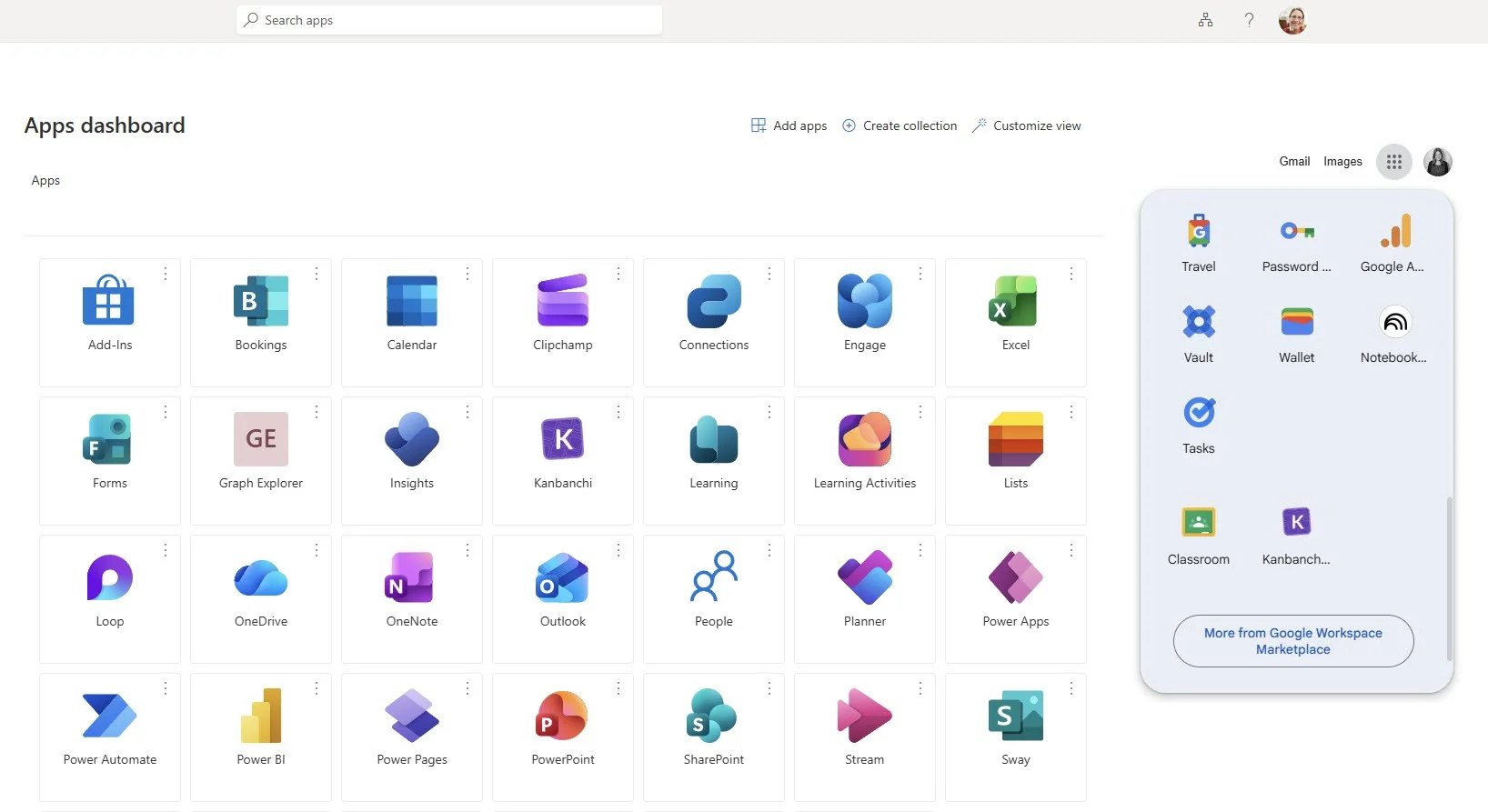
Kanbanchi is built for teams that want visual project management inside the ecosystems they already use. It works in the browser, which makes it a practical fit for Mac users without limiting collaboration to macOS-only teammates.
For Google Workspace users, Kanbanchi integrates closely with Google Drive, Shared Drives, Gmail, Google Calendar, and Google Sheets. It also supports Microsoft 365 compatibility with OneDrive and SharePoint integration, so teams can manage work visually while staying connected to their file environment.
Kanbanchi boards help teams organize work into cards and lists, making it clear what is planned, active, blocked, or complete. Teams can add assignments, descriptions, comments, checklists, priorities, tags, color labels, and attachments.
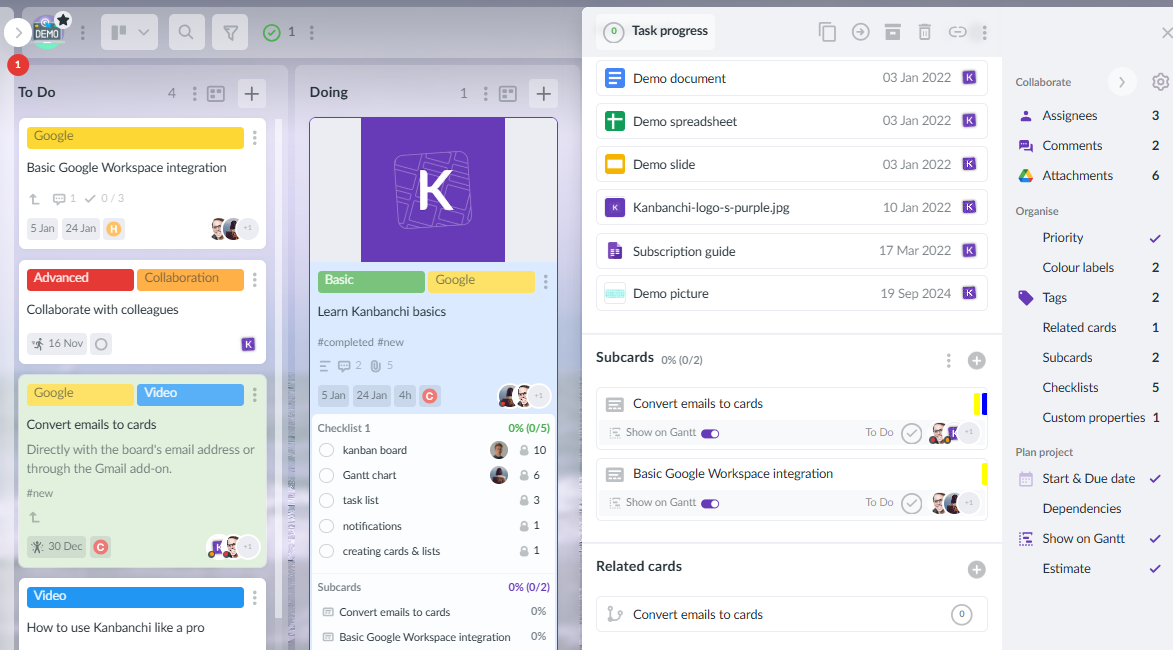
For complex work, subcards help break large tasks into smaller pieces that can be assigned and tracked separately. Swimlanes help separate multiple projects, departments, phases, or workstreams on one board.
Kanbanchi can convert a board into a Gantt Chart, helping teams see how cards relate over time. This is valuable when a simple board is not enough and managers need a timeline-based view of delivery.
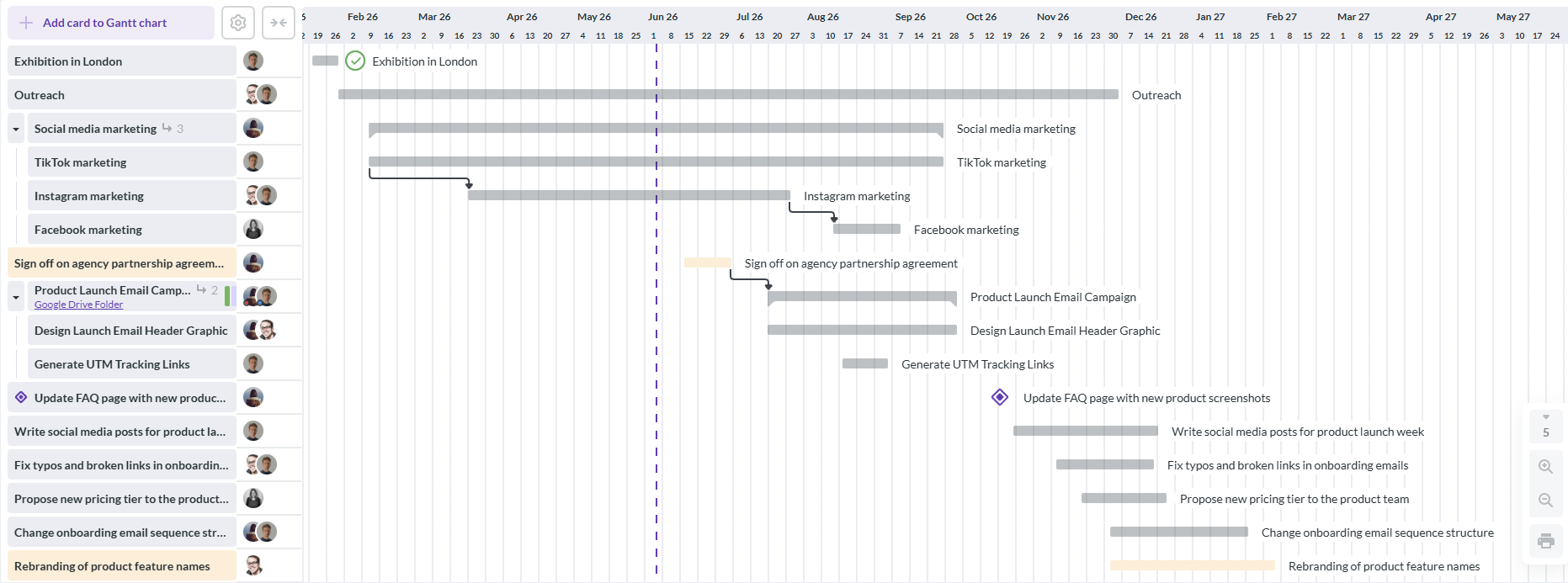
Because the Kanban board and Gantt view are part of the same project environment, teams do not need to maintain a board in one tool and a separate schedule somewhere else.
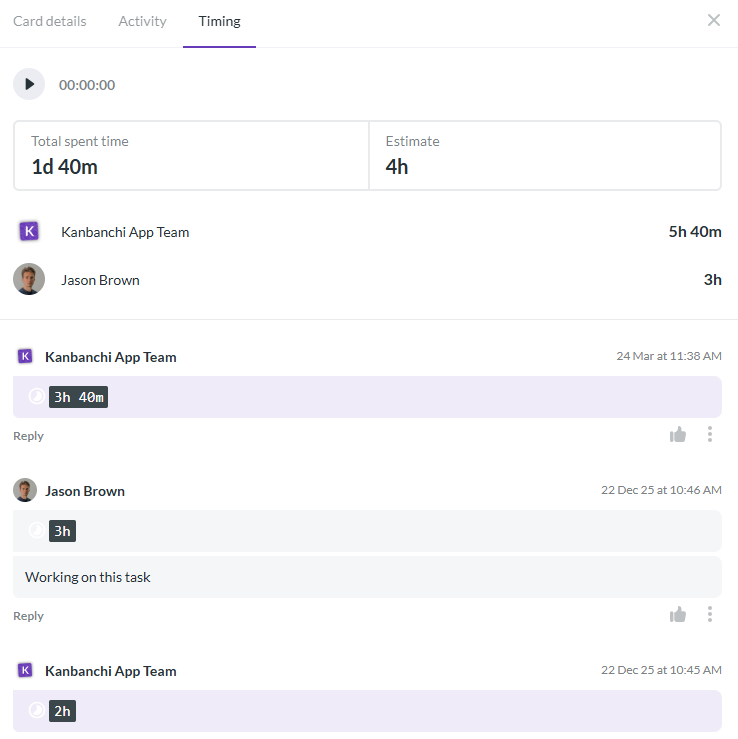
Kanbanchi includes a Time Tracker that lets users track time on cards. Team timing data is recorded in the Timing tab, giving managers a clearer view of effort across tasks.
This is useful for teams that bill clients, estimate future projects, review capacity, or want to understand where work is actually going.
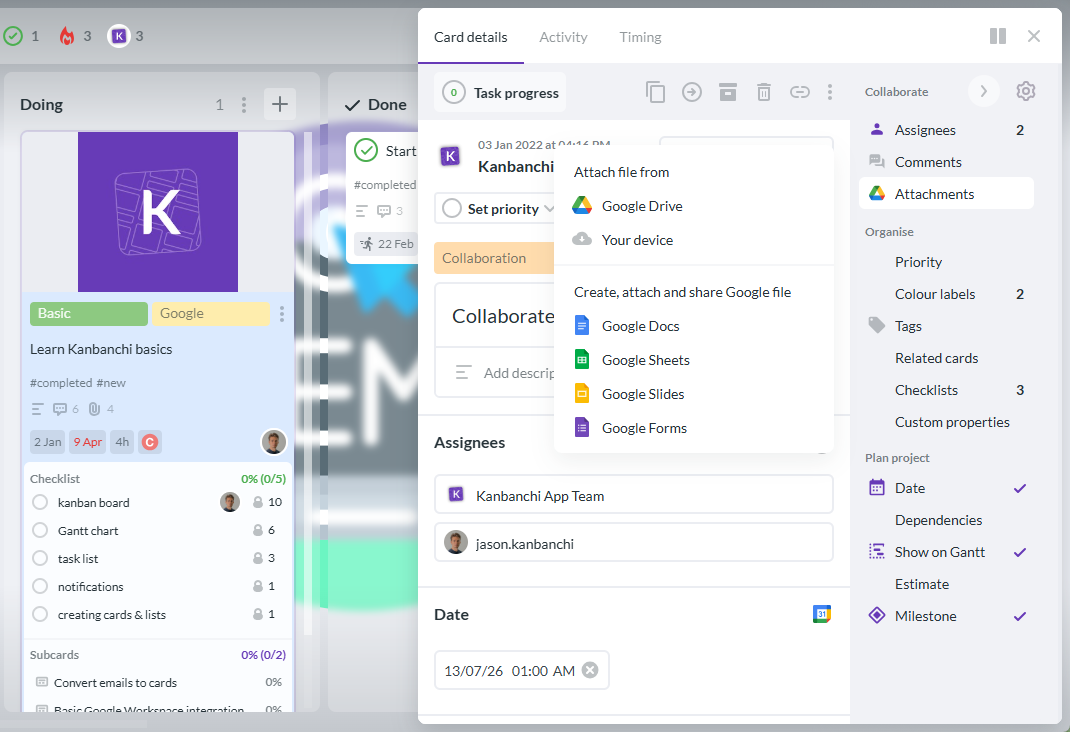
For Google Workspace teams on Mac, Kanbanchi fits naturally into daily work. Teams can create cards from Gmail, attach files from Google Drive and Shared Drives, add events to Google Calendar, and export board data to Google Sheets.
Kanbanchi boards are created as files in Google Drive, with Shared Drives support for Enterprise users. That makes the project board feel less like a disconnected app and more like part of the team’s Workspace environment.
Business owners and team leads also need to consider access, compliance, and long-term manageability. Kanbanchi is designed with enterprise-grade security and compliance in mind, and board sharing can follow the organization’s Google policies.
For teams moving from informal tools to a company-wide project management process, this is an important shift. The goal is not only to make tasks easier to see. It is to make project collaboration easier to govern.
Sign up for a free Kanbanchi trial
Different teams outgrow lists for different reasons. The right project software should be flexible enough to support several workflows without becoming too complicated for everyday users.
| Team type | Why lists fall short | How a visual project tool helps |
|---|---|---|
| Marketing teams | Campaign tasks, assets, approvals, and deadlines are scattered | Boards track production stages, while timelines show launch readiness |
| Client service teams | Ownership and status updates become hard to manage across accounts | Swimlanes and cards keep each client workflow visible |
| Operations teams | Repeated processes need consistency and accountability | Templates, assignments, and checklists standardize execution |
| Product and design teams | Work moves through research, design, review, and delivery stages | Kanban boards show flow, while Gantt charts support roadmap timing |
| Leadership teams | Progress is hidden inside documents, messages, and meetings | Reporting and exports help turn project data into oversight |
A Mac-based agency, for example, may use a board for every client campaign, attach creative briefs from Drive, track approvals in cards, and use a Gantt chart to coordinate launch dates. A growing operations team may use templates for recurring processes, track who owns each task, and review time spent after each project closes.
Before choosing a tool, run a pilot with a real project. Avoid testing software with an empty demo board because it will not reveal how the tool handles real deadlines, files, permissions, and team behavior.
A practical evaluation should answer these questions:
For many teams, the best software is not the one with the longest feature list. It is the one people will actually use every day, while still giving managers the visibility and control they need.
Kanbanchi is especially relevant for teams that want the simplicity of visual task management plus the structure of Gantt charts, time tracking, file integration, and reporting. If your team already works in Google Workspace, you can also explore Kanbanchi’s guide to Google Drive project management for a more detailed setup approach.
Yes. Kanbanchi is a web-based project and task management tool, so Mac users can access it through a browser. It is designed for teams using Google Workspace and Microsoft 365, rather than being limited to one operating system.
A list app helps you capture tasks. Project management software helps teams plan, assign, track, discuss, schedule, and report on work. For team projects, the extra context around each task is often what prevents missed deadlines and confusion.
Not necessarily. If everyone works only inside Apple apps, an Apple-only tool may be enough for simple needs. But most business teams collaborate through Google Workspace, Microsoft 365, cloud storage, email, and external partners. In that case, cross-platform browser-based software is usually more practical.
Kanbanchi supports importing Trello boards and importing data from CSV. This can help teams move existing work into a more integrated project management environment without starting from a blank board.
Kanbanchi is strongly integrated with Google Workspace, including Google Drive, Shared Drives, Gmail, Google Calendar, and Google Sheets. It is also compatible with Microsoft 365, with integration for OneDrive and SharePoint.
If your team has outgrown checklists, the next step is not to create a larger list. It is to use a project management tool that connects tasks, people, files, schedules, and progress in one place.
Kanbanchi gives Mac teams a visual way to manage work through Kanban boards, Gantt charts, time tracking, file integration, calendar sync, and reporting options. It is built for teams that want clarity without adding unnecessary complexity.
Start with one active project, invite your team, and see how much easier it is when your tasks are no longer separated from the rest of the work. Try Kanbanchi to explore how it can support your team’s project management workflow.



In this Article:
Start using Kanbanchi now
Start your free trial