
In this Article:
Try Kanbanchi now
Start your free trial

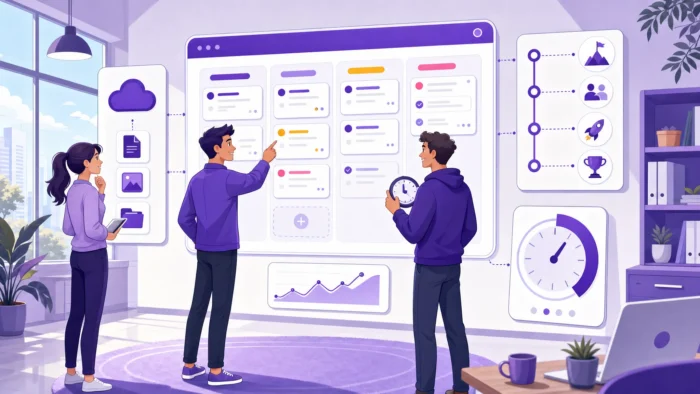
When a team outgrows spreadsheets, scattered chat messages, and status meetings, the next step is not simply to buy another task app. The better question is whether the team needs a work management system that can bring tasks, timelines, ownership, collaboration, and reporting into one reliable operating space.
For business owners and team leads, this decision matters because the tool you choose will shape how people plan work, share updates, handle deadlines, and surface risks. A system that looks impressive in a demo can still fail if it does not match the way your team actually works. A simpler system can succeed if it gives leaders visibility and gives employees a clear place to act.
Here is what to evaluate before you commit.
A strong work management system should answer basic operational questions without forcing you to chase updates across email, chat, documents, and meetings. What is being worked on? Who owns it? What is blocked? What is due this week? Which projects are slipping?
If a manager still needs to ask for manual status reports every few days, the system is not doing enough. The goal is not surveillance. The goal is shared clarity, so everyone can make better decisions with the same information.
Most growing teams do not suffer from a lack of effort. They suffer from duplicated updates, unclear priorities, misplaced files, and too many conversations happening outside the task itself. A good system reduces this overhead by connecting discussion, files, due dates, and status changes to the work item.
This is also where workflow design matters. If your team is still defining how work moves from request to delivery, it may help to review the basics of workflow management before comparing tools.
The system that works for five people should not collapse when there are fifty users, multiple departments, external collaborators, and more formal reporting needs. You do not need enterprise complexity on day one, but you do need a platform that can support more projects, clearer permissions, reusable templates, and better visibility as the business grows.
| Evaluation area | What good looks like | Red flag |
|---|---|---|
| Task visibility | Boards, lists, filters, owners, due dates, and statuses are easy to understand | People still ask where tasks live |
| Planning | Timelines or Gantt views show dates, dependencies, and schedule risk | Deadlines exist only as text inside tasks |
| Collaboration | Comments, files, notifications, and activity are connected to each task | Decisions are scattered across chat and email |
| Integrations | The system works with your current productivity suite and file storage | Users must copy information between tools |
| Reporting | Leaders can export, analyze, or visualize work data | Status reporting is mostly manual |
| Security | Sharing, permissions, storage, and backup options match company policy | Admins cannot control access confidently |
Teams need a clear way to move tasks through stages. Kanban boards are useful because they make work visible and show progress at a glance. Lists can help when teams need fast scanning and filtering. Swimlanes are valuable when one board needs to show multiple projects, departments, or workstreams without mixing everything together.
When you test a tool, do not only create sample tasks. Map one real workflow. If the board becomes confusing after ten minutes, it will not become clearer after three months of use.
A board tells you what is happening now. A timeline tells you whether the plan is realistic. For teams that manage launches, client deliverables, marketing campaigns, product work, onboarding, or operational projects, timeline planning is essential.
Look for features such as due dates, start dates, dependencies, milestones, and a Gantt chart. The system should help you see how tasks relate in time, not just store a list of deadlines.
Every task should have an owner, a clear priority, and enough context for that person to move forward. For leaders, the bigger question is capacity. Are a few people carrying too much? Is work distributed fairly? Are high-priority tasks competing with routine requests?
If capacity planning is one of your main pain points, a deeper comparison of workload management software can help you evaluate tools through the lens of team balance and burnout prevention.
If you want to learn more about workload management in general, this Workload Management 101 guide may help you.
A work management system should keep communication attached to the work. Comments, notifications, mentions, file attachments, and activity history help teams avoid losing decisions in email threads or chat channels.
This becomes especially important for hybrid and remote teams. If people are not in the same room, the system needs to carry the context: what changed, who approved it, which file is final, and what the next step is.
Adoption improves when the system works inside the tools your team already uses. For Google Workspace teams, this means practical integration with Google Drive, Gmail, Google Calendar, and Shared Drives. For Microsoft 365 teams, it means compatibility with OneDrive and SharePoint.
Kanbanchi, for example, is designed for teams that work in Google Workspace and Microsoft 365. Teams can manage tasks on boards, plan timelines with a Gantt chart, track time, attach files from cloud storage, create cards from Gmail, and sync work with Google Calendar through Kanbanchi’s project management platform.
Leaders need more than colorful boards. They need usable data. A good system should help you understand progress, overdue work, time spent, completed tasks, and project status.
Reporting should not trap your data. Look for exports, spreadsheet compatibility, or ways to connect work data to reporting dashboards. If a tool makes it hard to extract your own project information, it may limit your visibility later.
As soon as a work management system becomes the place where projects, client data, documents, and internal decisions live, security becomes a buying requirement, not a technical afterthought.
At minimum, evaluate user access, sharing controls, data storage, backup options, auditability, and compliance posture.
A team of three to ten people usually needs fast setup, simple boards, clear ownership, and minimal administration. The system should replace scattered task lists quickly. If onboarding takes weeks, the tool may be too heavy for the team’s current needs.
Once multiple projects run in parallel, consistency matters more. Templates, shared naming conventions, reusable workflows, filters, and basic reporting help prevent each team from inventing its own system. This is where a flexible board structure can support different workflows without losing managerial visibility.
Larger organizations need more than task completion. They need controlled sharing, support for external and internal collaboration, data protection, scalable file management, and reliable reporting. Enterprise teams should also consider how the system fits company policies for Google Workspace or Microsoft 365.
| Team stage | Primary need | Features to prioritize |
|---|---|---|
| Small team | Get organized quickly | Simple boards, assignments, due dates, comments, and file attachments |
| Growing department | Standardize work across projects | Templates, swimlanes, filters, timelines, reporting, calendar sync |
| Enterprise | Govern work at scale | Permissions, shared storage integration, backups, compliance, data exports |
A pilot should test real work, not a polished sample project. Choose an active project with deadlines, several contributors, files, and a few dependencies. Then watch how the system behaves when the team uses it under normal pressure.
Use these questions to guide the evaluation:
The best sign is not that every feature gets used. The best sign is that people stop creating workarounds.
Customization is useful, but too much flexibility can create chaos. If every team configures the system differently, leadership may lose the visibility that the tool was supposed to provide. Look for a balance between flexibility and standardization.
Task apps are useful for simple to-do lists and personal productivity. A work management system should go further by connecting tasks to timelines, ownership, files, collaboration, and reporting. If you are still comparing task-focused options, this guide to the best task management software can help clarify where task management ends and broader work management begins.
Leaders often buy for visibility. Employees adopt for convenience. If the tool helps managers but slows everyone else down, usage will fade. Prioritize systems that make the right behavior easier: updating tasks, attaching files, commenting in context, and checking priorities.
Even the right tool needs operating rules. Decide what each status means, when tasks should be updated, how priorities are assigned, who creates new boards, and where files should live. The software supports the system, but your team’s habits make it work.
Kanbanchi is built for teams that want structured work management without moving away from the productivity environment they already use.

For Google Workspace teams, boards can work closely with Google Drive, Shared Drives, Gmail, Google Calendar, and Google Sheets. For Microsoft 365 teams, Kanbanchi also supports compatibility with OneDrive and SharePoint.
The platform combines Kanban boards for daily task visibility, a Gantt chart for timeline planning, and a time tracker for monitoring effort. Teams can create cards from Gmail, attach cloud files to tasks, organize work with tags and swimlanes, use templates for repeatable workflows, and export board data for reporting.
That combination makes Kanbanchi especially relevant when a team wants one place to plan, track, collaborate, and report while keeping project files connected to existing cloud storage.
Sign up for a free Kanbanchi trial
A work management system is software that helps teams plan, organize, track, and report on work across tasks, projects, workflows, files, and collaboration. It gives leaders visibility while giving team members a clear place to manage daily execution.
Project management software often focuses on defined projects with deadlines, tasks, and milestones. A work management system is broader. It can include project management, task tracking, workflow coordination, workload visibility, collaboration, and reporting across ongoing team operations.
The most important features are clear task ownership, visual workflow tracking, timeline planning, collaboration in context, file integration, reporting, and security controls. The exact priority depends on team size, project complexity, and the productivity suite your company uses.
In many cases, yes. If your team already works in Google Drive, Gmail, Google Calendar, and Shared Drives, choosing a system that integrates with those tools can reduce friction and improve adoption. The same logic applies to Microsoft 365 teams that rely on OneDrive and SharePoint.
A pilot should be long enough to test a real workflow from planning to completion, or at least through a meaningful project phase. For many teams, two to four weeks is enough to reveal whether the system improves visibility, reduces manual updates, and fits daily habits.
The right work management system should make work easier to see, easier to coordinate, and easier to improve. It should support the way your team already collaborates while giving leaders the structure they need to manage priorities, timelines, and capacity.
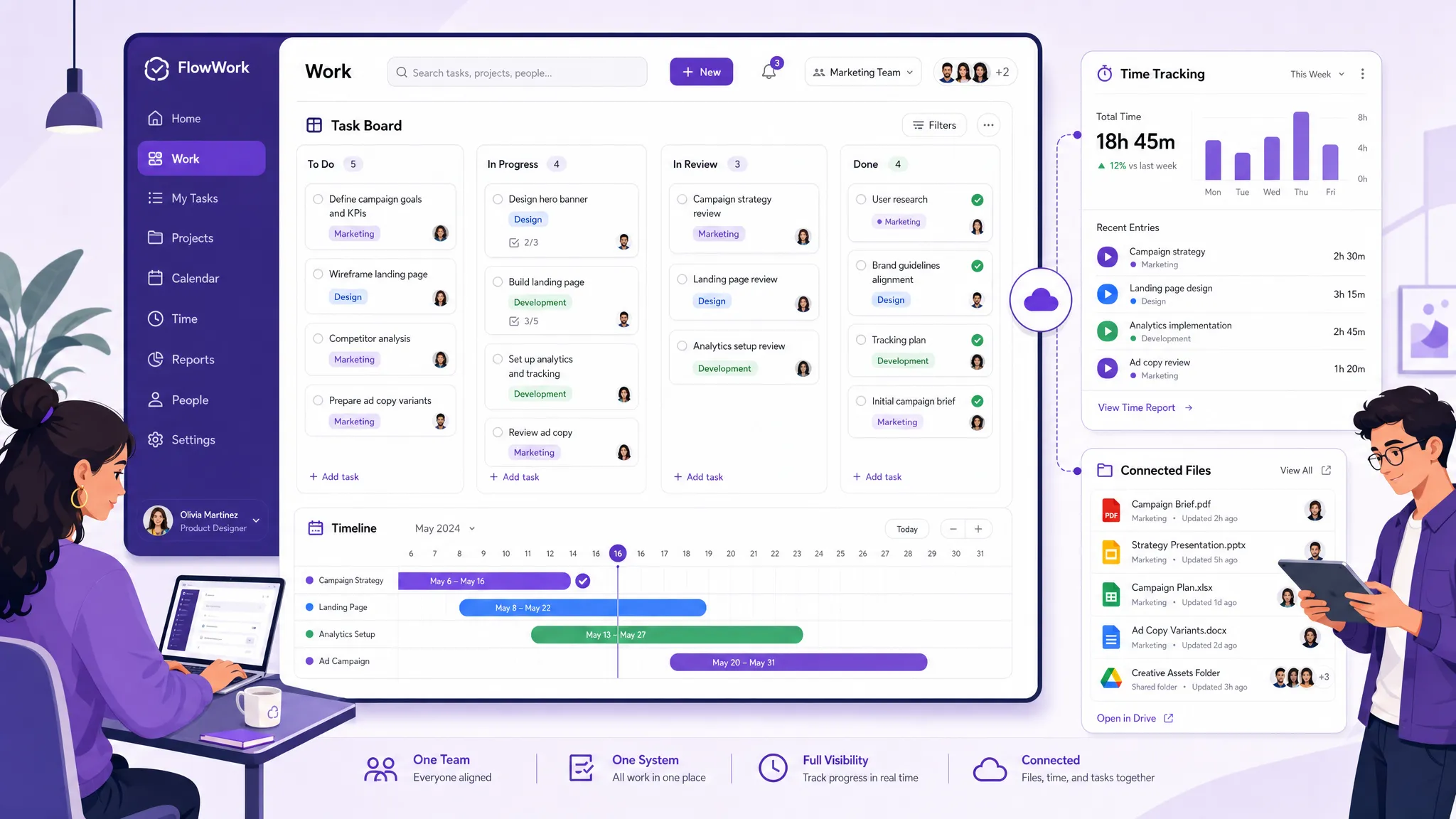
If your organization uses Google Workspace or Microsoft 365 and needs a practical way to manage tasks, timelines, files, and time tracking in one place, Kanbanchi is worth evaluating. Start with one real project, invite the people who will use it every day, and see whether the system gives your team the clarity it has been missing.

In this Article:
Start using Kanbanchi now
Start your free trial