
In this Article:
Try Kanbanchi now
Start your free trial

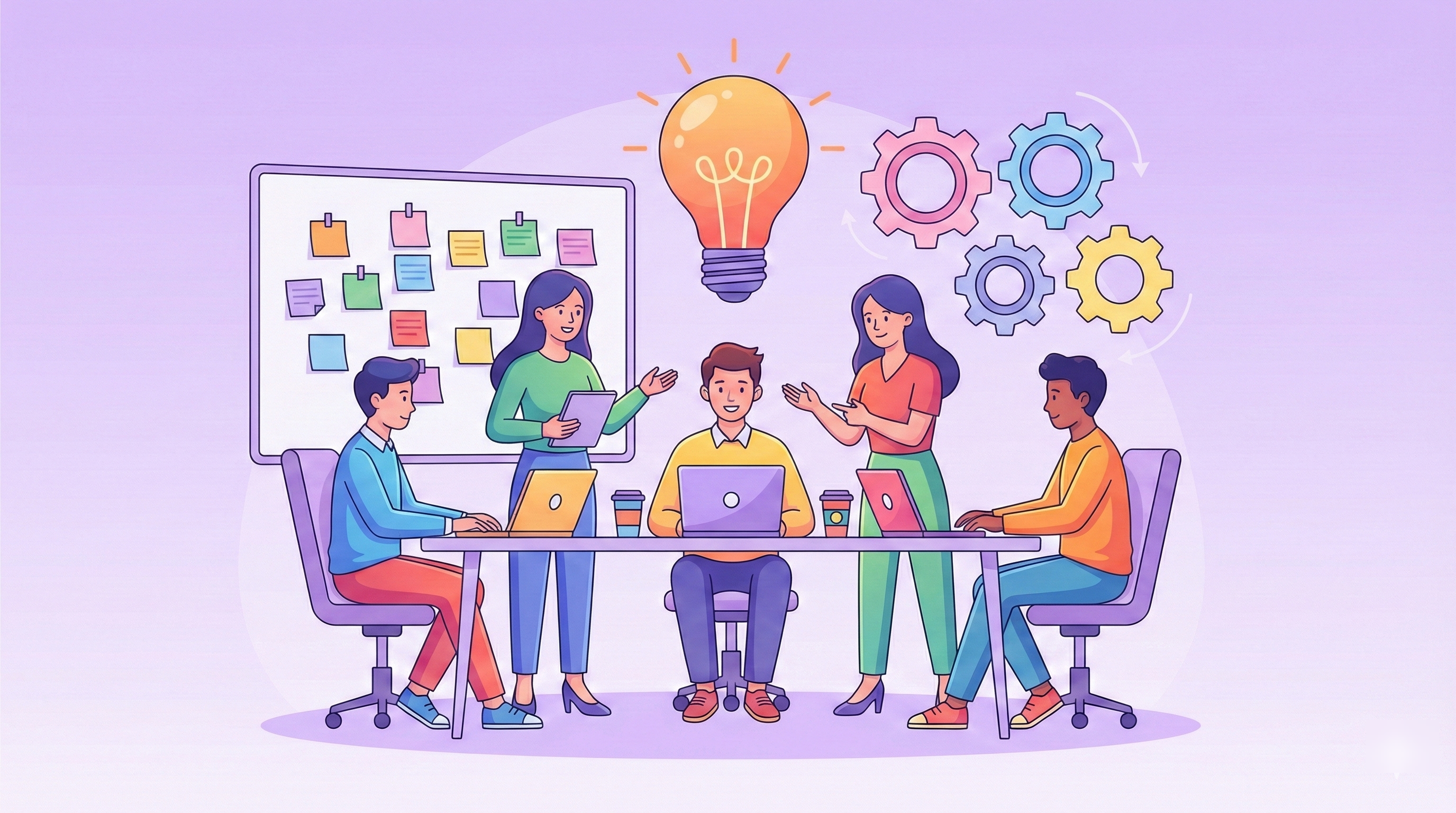
Join us on the journey to find the best strategic planning tools. In this guide, the Kanbanchi team dives into the 18 best tools to help you build, track, and, most importantly, execute your vision in 2026.
Real company growth requires a bridge that connects the creative suite to the production floor. Everyone knows what tasks they need to do; they can see them being done. From the top down. This is where strategic planning tools come in. We’ve moved beyond simple spreadsheets. Today’s SME leaders need fantastic software systems that can pivot as quickly as the market does.
Whether you are navigating a complex workforce restructuring or automating your quarterly OKRs, the tool you choose serves as the nervous system of your organization.
If we’re going to get real for a moment, manual strategic planning is exhausting, isn’t it? For years, companies relied on regular Strategy Meetings and action plans that produced a document no one reviewed until the following year.
But in an era of rapid AI development and global shifts, an annual check-in is a recipe for irrelevance. Modern tools have changed the game by offering more rapid solutions:
When a CEO updates a top-level goal, every department should see the needle move. Modern tools provide a cascading view of objectives. This ensures that every team member understands how their individual tasks contribute to the company’s overall outcome.
Remember the old SWOT analysis on a whiteboard? Modern software turns that analysis into a living dashboard. You aren’t just identifying Threats; you are tracking them with real-time data feeds and automated risk assessments.
The biggest pitfall in business isn’t a bad strategy; it’s poor execution. Most planning fails because the plan lives in one app while the work happens in another. Modern strategic tools integrate these two worlds, allowing you to turn a boardroom goal into a project task with a single click.
Agility is the currency of 2026. If a new competitor enters the market or a supply chain breaks, you need to simulate what-if scenarios. Strategic planning software allows you to model different paths before committing resources, saving your business from costly trial-and-error.
You wouldn’t navigate a new city with a paper map from 1995. Don’t try to navigate your business’s future with outdated planning methods.
In 2026, the gap between a plan and reality is narrower than ever. If your software only stores text, it’s already obsolete. To stay competitive, your strategic toolkit must do more than just document; it must automate, integrate, and predict.
Here are the non-negotiable features for a modern strategy stack:
Objectives and Key Results (OKRs) are the backbone of agile project management. You need a system that doesn’t just list goals but cascades them throughout the organization.
The annual plan is dead. In its place is continuous scenario planning. In 2026, tools leverage AI to simulate how market shifts, such as a sudden economic downturn or a competitor’s product launch, will affect your roadmap.
Strategic planning often starts with analysis, but those insights shouldn’t stay on a whiteboard. The best tools have built-in SWOT and PESTLE frameworks that link directly to your project boards.
A strategy tool that lives in an unworkable setup fails. It must serve as the brain for your team.
With all that in mind, we’ll now take a look at some of the best tools for strategic planning we think are worth investing in this year.
We’ve categorized the top 18 tools by their primary strengths, from enterprise-grade automation to agile execution within Google Workspace.
Kanbanchi is the premier choice for teams that want their strategy and their work in one place. It transforms high-level roadmaps into actionable Kanban boards.
Best For: Agile execution and seamless Google Workspace integration.
Standout feature: It’s a highly visual project management tool with Kanban boards, Gantt charts, and time tracking all in one interface.

Kanbanchi’s Kanban board visualizes strategy execution, helping teams track goals from drafting through achievement with real-time adjustment
Mooncamp is designed for modern, transparent organizations that want to keep everyone aligned via decentralized goals.
Best For: OKR tracking and employee engagement.
Standout feature: It’s designed for goal management, performance tracking, and OKR (Objectives and Key Results) implementation.

Mooncamp’s clean interface helps modern organizations track goal progress in real time
Profit.co aligns team efforts with strategic goals through features like quick creation, automated project tracking, customizable scoring, and detailed progress reports
Best For: Comprehensive OKR management with built-in strategy execution.
Standout feature: Has a massive library of 400+ prebuilt KPIs, making it easier to define success.
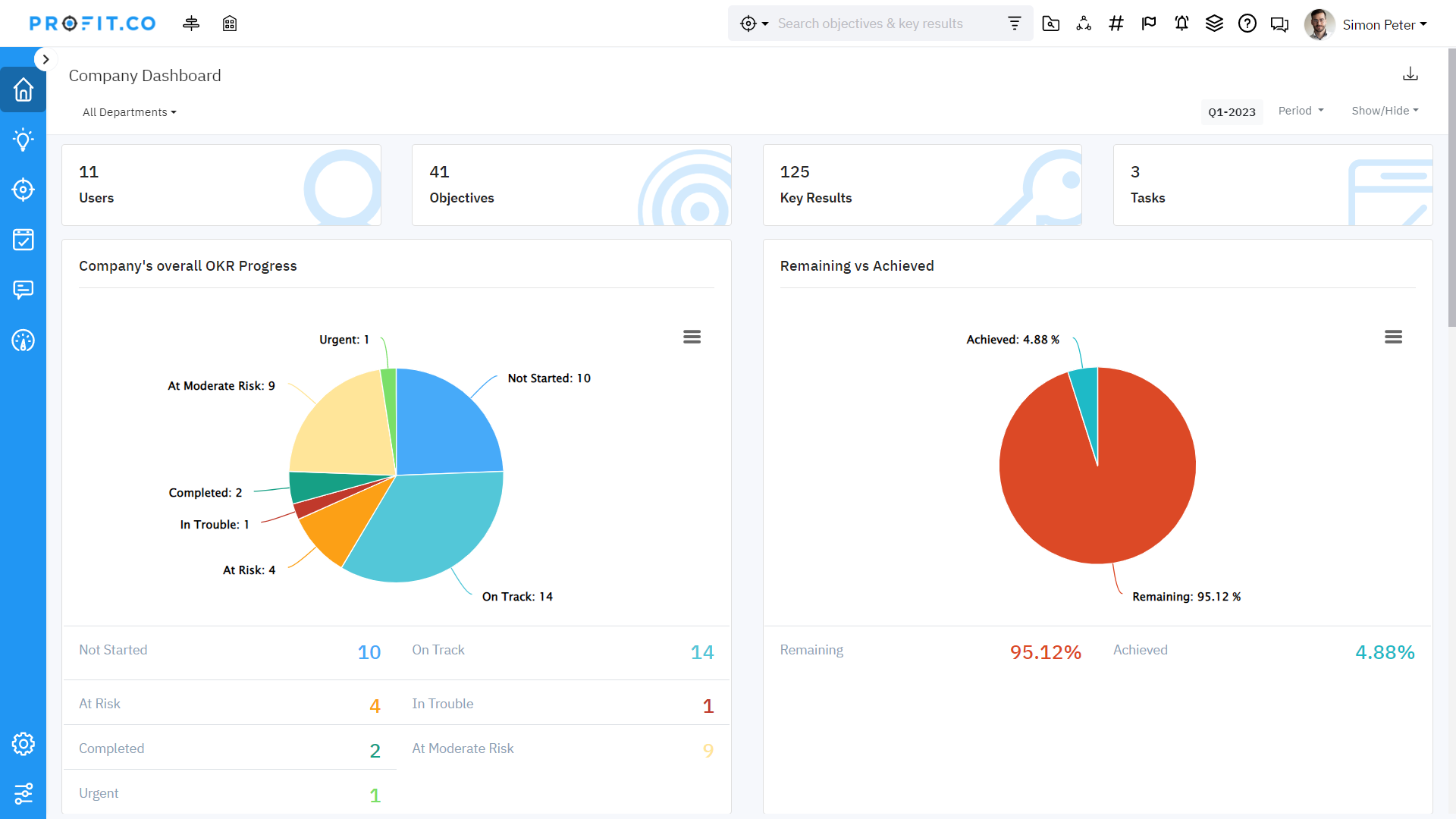
Profit.co offers a data-rich environment for monitoring KPIs and OKRs
ClearPoint is the heavyweight for large organizations that need automated reporting for board meetings and complex stakeholder management.
Best For: Reporting and performance management for large enterprises.
Standout feature: Special workspaces for personalized, collaborative strategic planning

Detailed visualization of how specific project initiatives and milestones are performing against the broader strategic plan
Cascade is built for large-scale Strategy Operations, helping leaders bridge the gap between their multi-year vision and daily output.
Best For: Scaling strategy across global organizations.
Standout feature: Tools to create strategic plans, including strategy maps, vision statements, and focus areas.
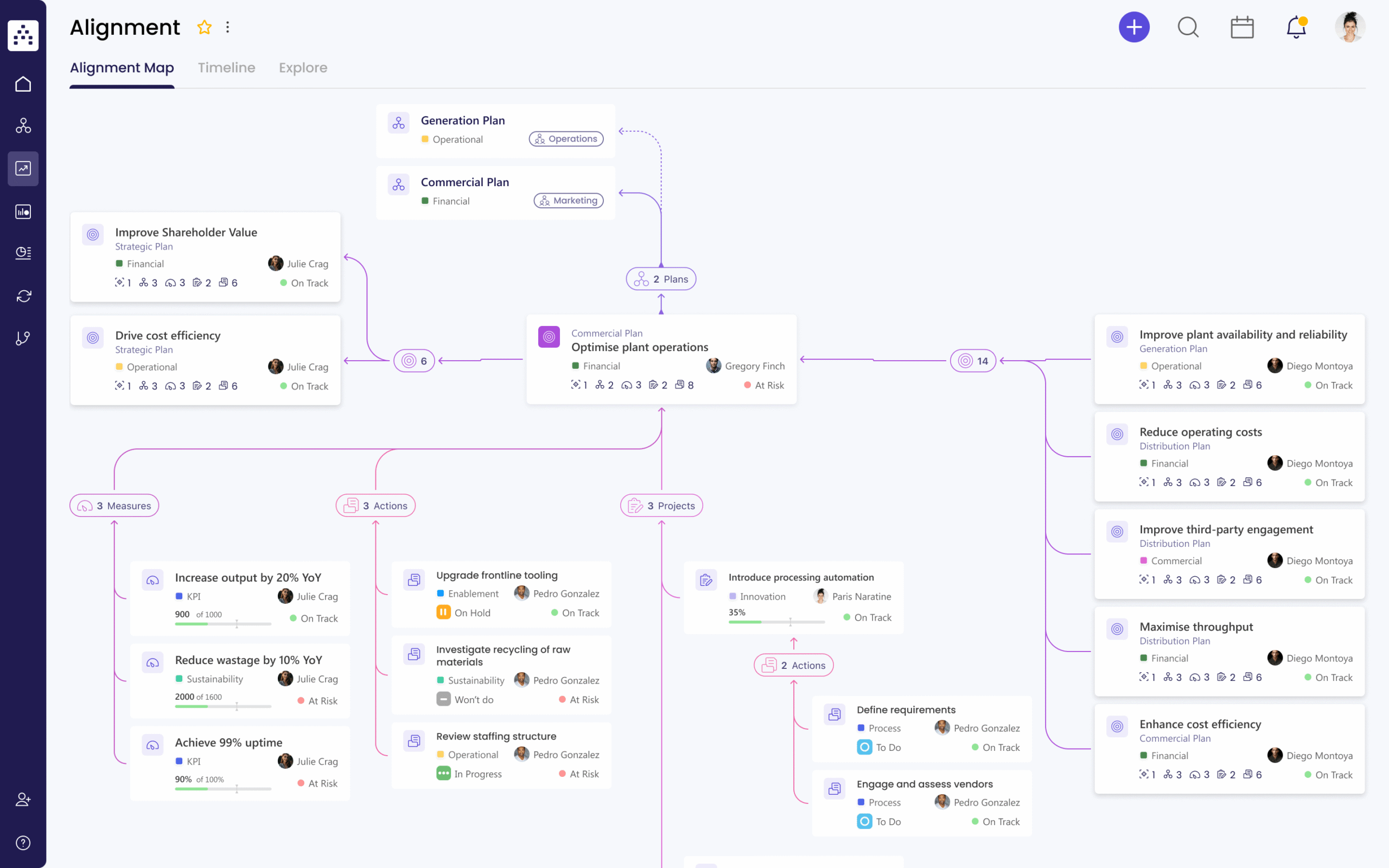
Cascade provides a unified view of your strategic plan and associated KPIs
Envisio is uniquely tailored for organizations that need to report progress transparently to the public or a board of directors.
Best for: Public-sector and local-government planning.
Standout feature: Its ability to give detailed clarity to stakeholders when they need it.
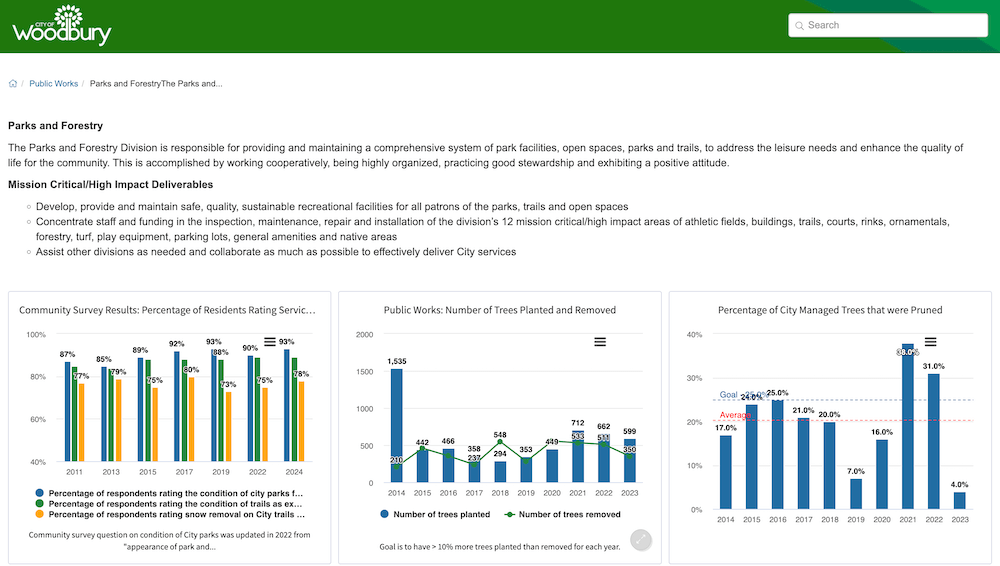
Envisio is uniquely designed to help public-sector organizations share updates with citizens
While often seen as a PM tool, Monday’s Strategy templates provide excellent high-level visualization of corporate roadmaps, making them a solid choice for planning.
Best For: Visual project tracking and cross-departmental transparency.
Standout feature: Is able to integrate with external tools like Slack for better collaboration

Colorful and customizable templates make complex strategic roadmaps easy for agile teams to digest
Perdoo focuses on the Roadmap and the Results, stripping away the fluff to keep teams focused on growth.
Best For: Simple, results-driven OKR tracking for small-to-mid businesses.
Standout feature: Helps to foster transparency, allowing teams to visualize how their daily work contributes to the company’s ultimate goals

Perdoo focuses on visualizing how specific team results contribute to the company’s ultimate roadmap
OnStrategy combines software with strategic expertise, making it ideal for teams who are new to formal planning.
Best For: Businesses seeking a consultant-led software experience.
Standout feature: Includes guided workflows and a strategy builder to help define a roadmap and annual goals.

The Element Tree feature provides a clear visual map of your strategic plan, ensuring alignment between broad goals and the metrics used to track them
This tool is for strategy purists who want to build detailed SWOT, PESTLE, and Porter’s Five Forces models aligned with their goals.
Best For: Deep strategic analysis and modeling.
Standout feature: It’s a cloud-based software-as-a-service (SaaS) platform designed to help achieve company goals.

SWOT matrix template that can be used for strategic modeling and planning
AchieveIt focuses on visibility, ensuring that Plan A and Plan B across different departments are actually coordinated.
Best For: Large-scale plan execution and eliminating silos.
Standout feature: It has a tree view to visualize alignment between tasks, goals, and strategic initiatives.
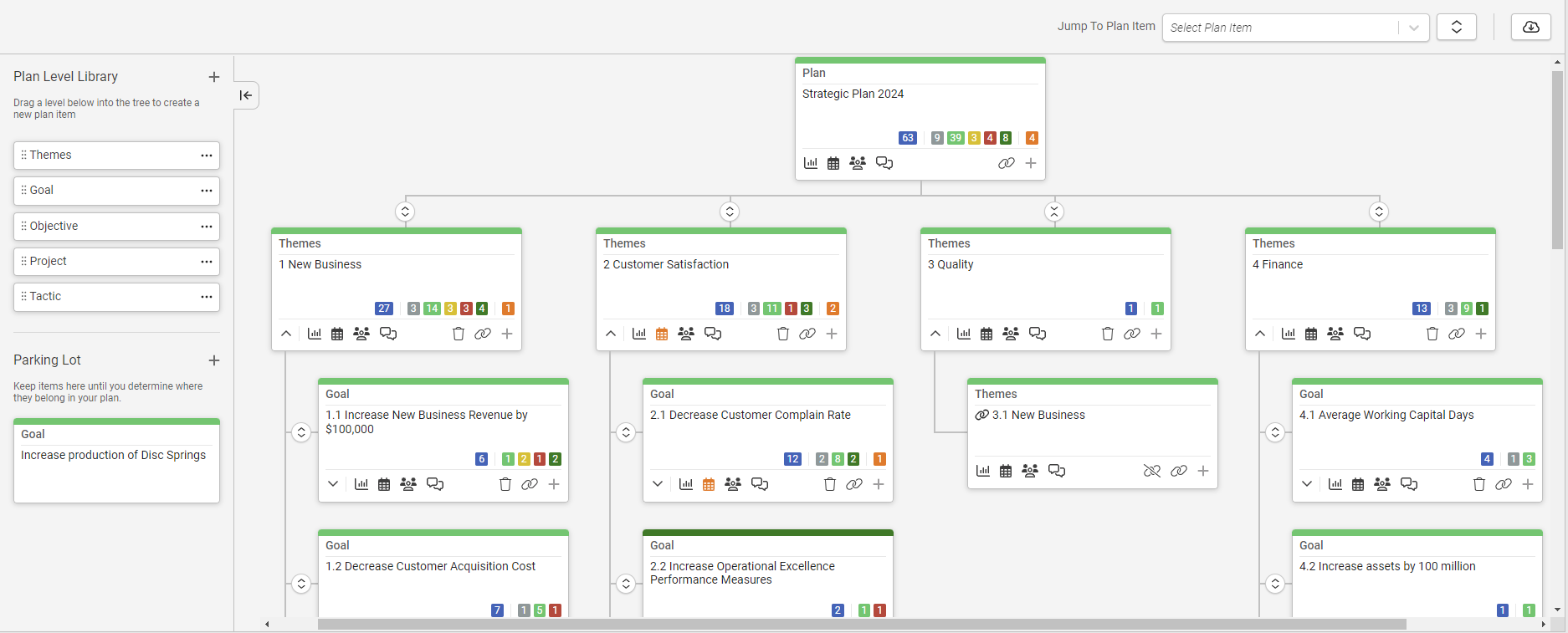
AchieveIt’s tree view provides a plan visualization from top-level goals down to individual department tasks
If your strategy revolves around complex data visualization and scorecards, this is the gold standard for you and your team.
Best For: Data-driven Balanced Scorecard management.
Standout feature: Teams describe it as user-friendly and robust from a security standpoint.
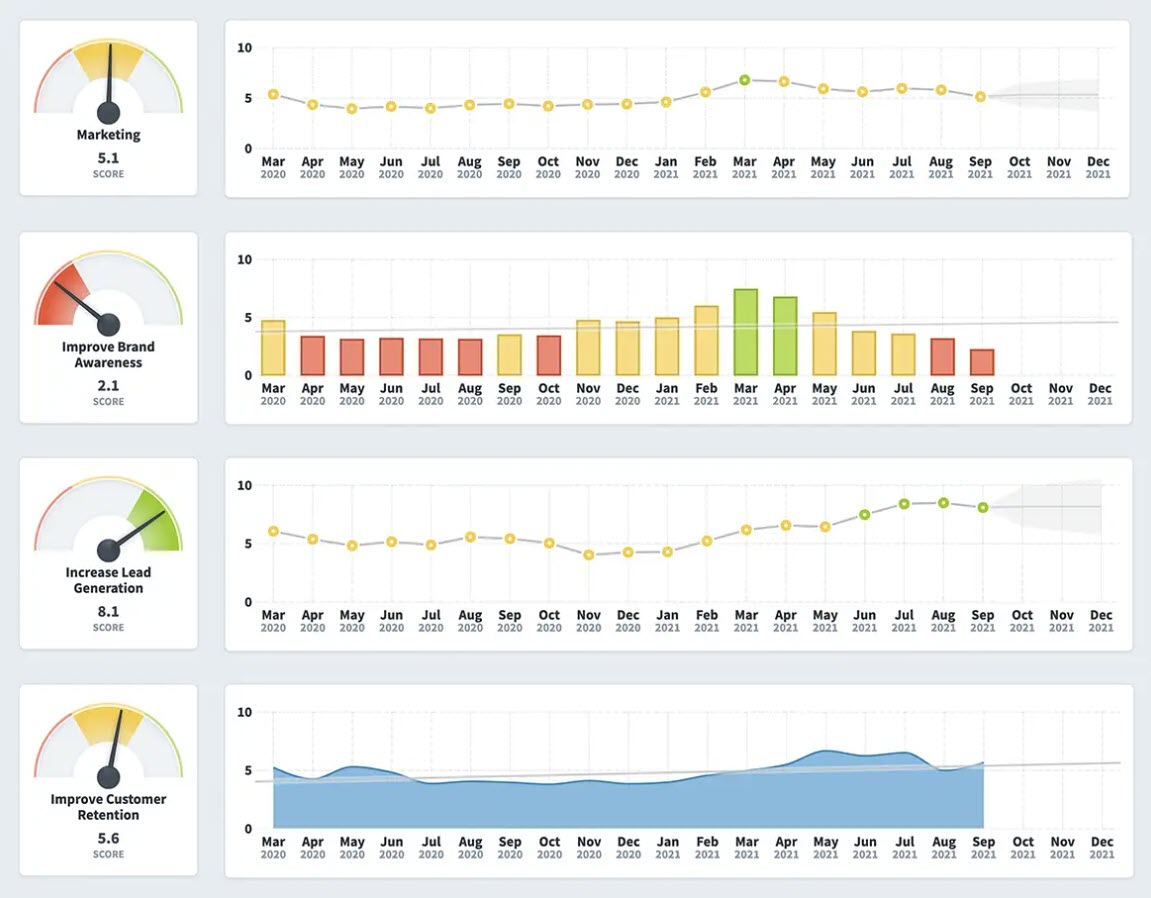
Speedometer visuals to track the real-time health of strategic KPIs
A familiar tool to many remote PM teams, Wrike offers robust Request Forms that turn strategic needs into prioritized projects instantly.
Best For: Strategic planning within large marketing and creative operations.
Standout feature: Versatile for larger teams who need a reliable tool for everyday use.
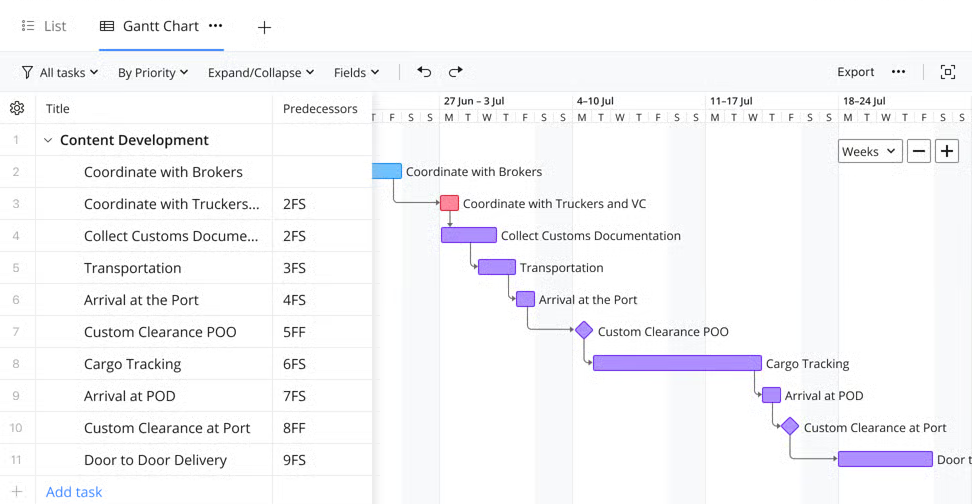
Wrike is a reliable choice for scaling operations, allowing teams to instantly convert strategic requests into actionable project timelines
ClickUp is incredibly feature-rich with a powerful Goals feature that links directly to your docs and tasks.
Best For: Startups wanting an all-in-one Strategy and Tasks hub on a budget.
Standout feature: Has a great range of flexible workflows to suit a variety of teams.

ClickUp links strategic goals directly to tasks and docs, but on their platform
Focuses on tracking the value and ROI of strategic initiatives rather than just the tasks, and has good AI features
Best For: Strategic portfolio management for digital transformation projects.
Standout feature: A good option for large-scale businesses with many projects to track.

Shibumi focuses on the bottom line, helping large enterprises track the actual value and financial return of their strategic portfolios
This tool, formerly known as Gtmhub, uses Data Insights to automate OKR progress tracking, pulling directly from your live software stack, making it a great option for IT-based teams.
Best For: High-growth tech companies needing data-driven agility.
Standout feature: Decent Jira integrations when required.
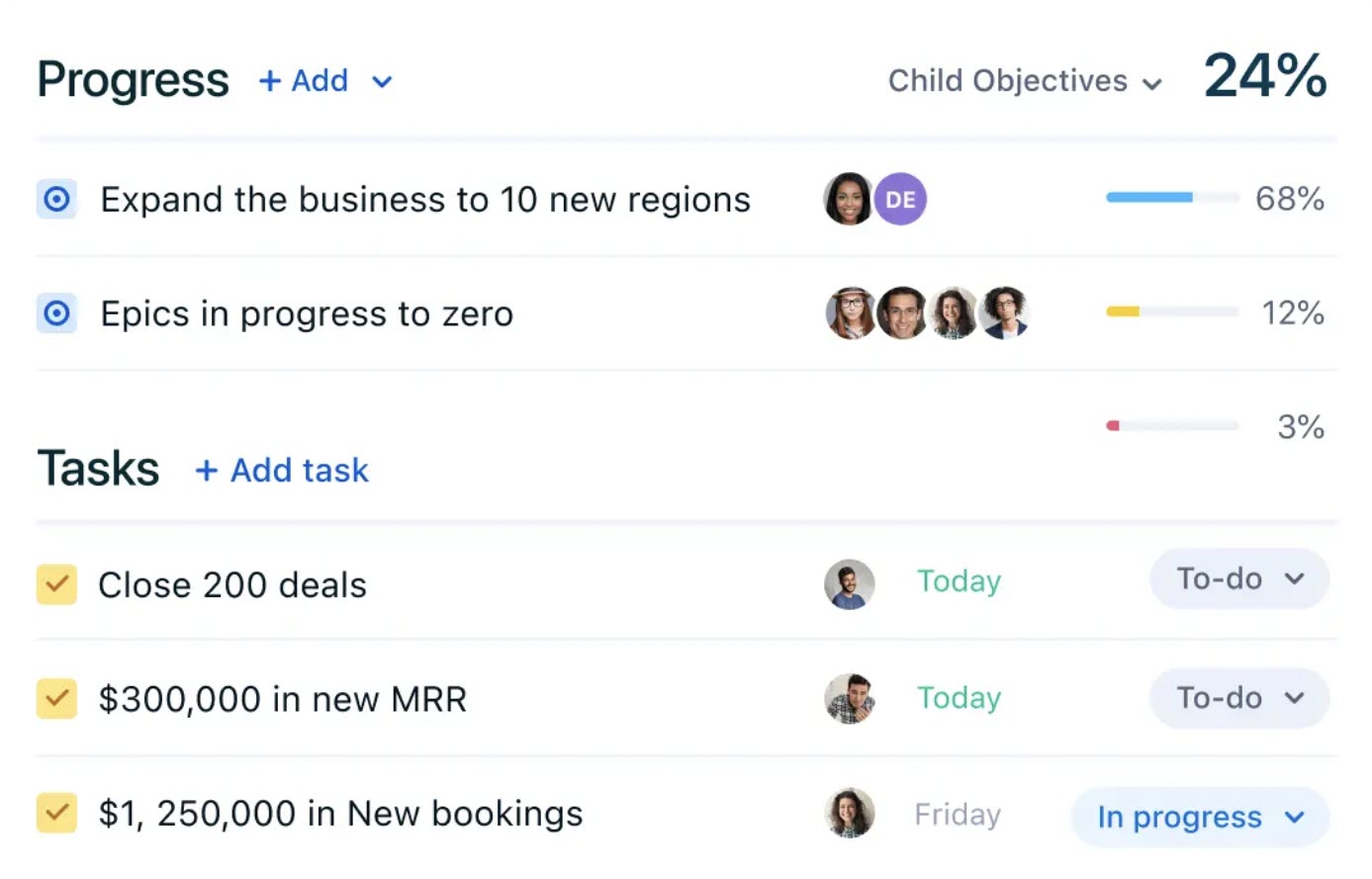
Quantive combines strategic objective tracking with actionable task lists on a single interface
Workboard is excellent for running the business through weekly check-ins and automated leadership dashboards.
Best For: Enterprise OKRs and business reviews.
Standout feature: Its strategy execution platform is a great way to align team goals

Workboard is designed for the enterprise, offering powerful heatmapsto run efficient business reviews
This tool was built for product roadmapping, but it is arguably a great methodology for aligning a product strategy with a corporate vision.
Best For: Product-led organizations.
Standout feature: Offers ease of use when a team’s workflow is a bit more complex.
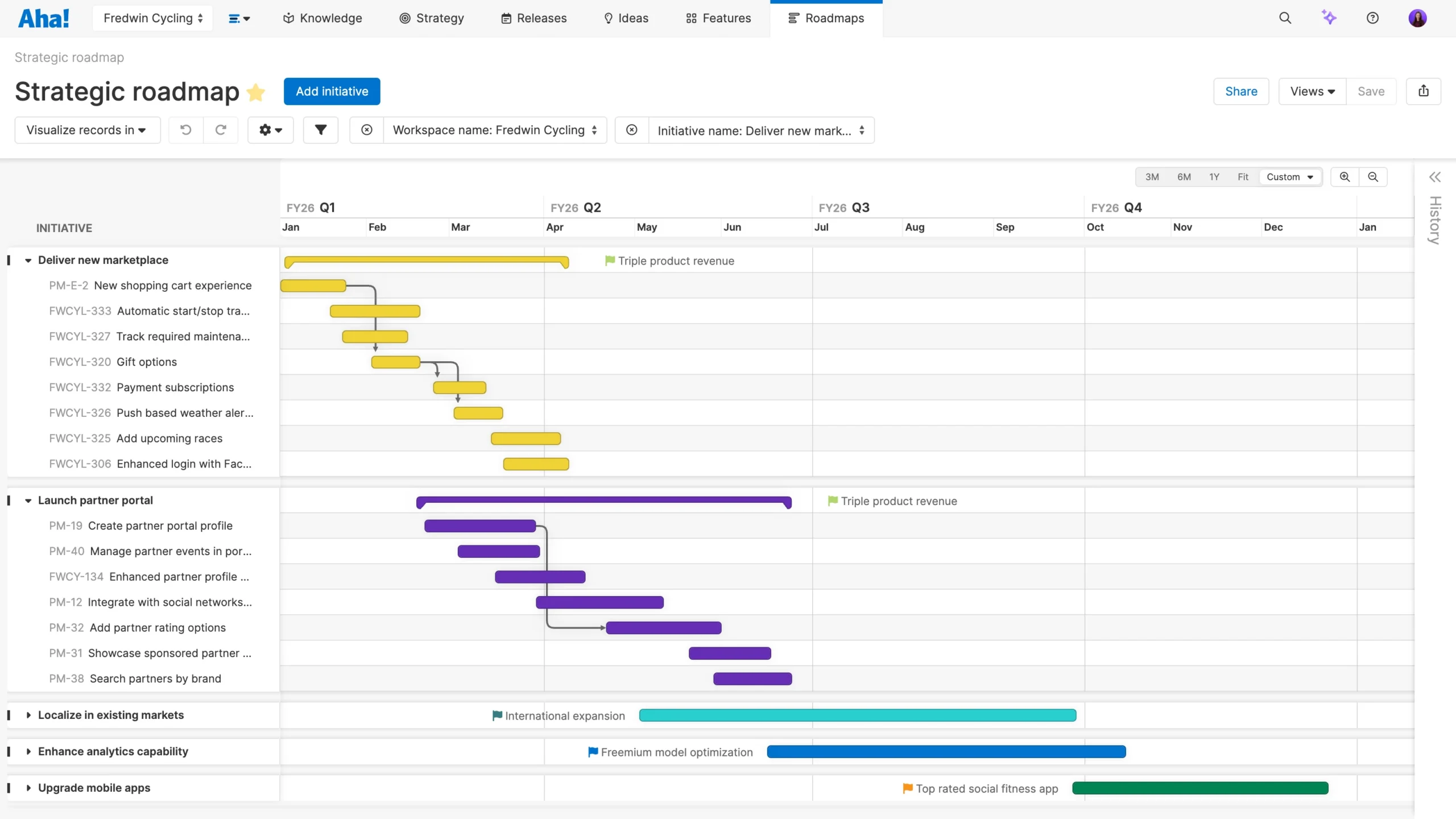
Aha! offers excellent methodology for visually linking a product’s direction to the company’s broader vision
As you could see, most of the tools are very static, and only some of them can offer the dynamic tracking of your strategy, actually coming alive.
Most strategic plans fail because they are disconnected from day-to-day work. You have a Strategy Document in one tab and your Task List in another. This context switching drains your team’s energy and leads to misaligned priorities.
Kanbanchi solves this by acting as the missing layer that turns your Google Workspace into a dynamic command center for strategic execution. Recently the Microsoft-compatible solution has also been introduced.
If your organization lives in Google Workspace, Kanbanchi is your native strategy tool. It doesn’t just link to Google or Microsoft; it resides within it.
Strategic planning requires a birds-eye view, while execution requires a boots-on-the-ground view. Kanbanchi allows you to switch between these perspectives with one click.
In an agile environment, information must move fast. Kanbanchi ensures that when the “What” changes, the “How” updates immediately.
Strategy isn’t a set-and-forget activity. You need to know if you’re actually winning.
Want to find the right strategic planning tool for your team this year? Try Kanbanchi today.
Here are the answers to your most pressing questions about modern strategy for finding the right planning tools.
The core pillars of a robust 2026 strategic plan include:
The old model of annual planning is too slow for today’s market. Most agile teams now follow a hybrid workflow.
Agile planning shifts the focus from predicting to preparing. Instead of a rigid 5-year plan, teams create rolling 12-month roadmaps. This involves:
Small businesses need tools that are high on value and low on complexity. Kanbanchi is ideal for small- to mid-sized businesses because it integrates directly with Google Workspace or OneDrive/SharePoint and requires no additional infrastructure.
Automation is no longer a luxury; it’s a baseline for survival. Key trends include:
You may also be interested in other blogs from Kanbanchi:
What is Swarming in Agile? Kanbanchi’s Guide to Team Collaboration
How to Build an Effective Kanban System in Your Business in 10 Steps
Why Hybrid Project Management Software is the Future


In this Article:
Start using Kanbanchi now
Start your free trial